

Social
0.0
0.05B
4.3
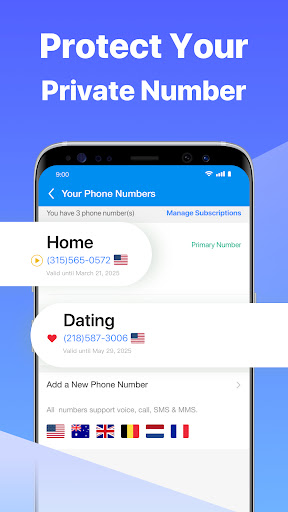
Second Number for Call & Text is a versatile mobile app designed to give you a second phone number on your existing device. Suitable for both personal and professional use, this app allows you to make calls and send texts without sharing your primary number. Whether you're trying to maintain privacy or manage multiple accounts, Second Number for Call & Text provides an easy, reliable solution. It's a popular choice among users looking for a simple way to separate their personal and work communications on their Android device.
The app features include auto-reply, call forwarding, and customizable voicemail, making your communication more organized and efficient. Its user-friendly interface ensures a seamless app experience, even for those new to such launcher apps or communication tools. As an app-based solution, Second Number for Call & Text is ideal for anyone who needs a quick, effective way to manage multiple phone numbers from a single Android smartphone. With its solid set of app features, it stands out as a reliable option for staying connected while maintaining your privacy.
If you are someone who regularly manages multiple phone numbers, whether for work, personal life, or international communication, this mobile app is designed with you in mind. It suits professionals, freelancers, small business owners, and even travelers who want a simple yet effective way to handle their calls and texts without juggling separate devices or SIM cards. The app experience is tailored for users seeking efficiency and flexibility, offering a practical app-based solution that integrates smoothly into daily routines.
People who are tired of missing important calls or dealing with cumbersome communication setups will find this Android app particularly helpful. Its features are ideal for remote workers needing a reliable secondary number, entrepreneurs who want to maintain professionalism, or anyone wanting to keep personal and work life separate. Whether you're on the go or at home, the app provides a straightforward way to stay connected and organized, offering a solution that is intuitive and easy to use across various use case scenarios.
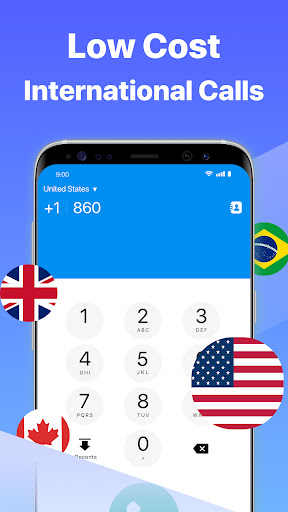
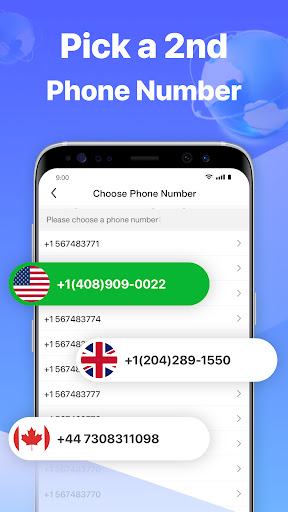
Choosing Second Number for Call & Text means opting for an app that prioritizes simplicity, reliability, and privacy. Its combination of robust app features and straightforward functionality makes it stand out among other communication apps. Unlike many free messaging or calling apps, this one offers dedicated secondary numbers, giving users a clear advantage for managing different aspects of their lives without complex setups. The app's proven app experience ensures that you can rely on its performance whether you're making local or international calls, or sending texts in a variety of languages.
The app addresses common communication challenges by providing an efficient app-based solution that adapts to your needs. Its seamless integration with your existing device, ease of use, and customizable features make it a smart choice over generic calling apps or launcher apps. Plus, the focus on user privacy and the removal of intrusive ads reinforce trustworthiness, making it suitable for users who value security and simplicity. Overall, Second Number for Call & Text stands out by delivering the essential app features you need, backed by a commitment to quality and user satisfaction.
Reliable call and text forwarding
Easy setup process
Affordable subscription plans
Enhanced privacy protection
supports multiple devices and platforms
Limited international coverage
Occasional call quality issues
In-app advertisements in free version
Battery usage spike during active calls
Limited customization options for notifications

Social
4

Social
4.1

Social
4.5

Social
4.7

Social
4.8

Social
4.5

Social
4.5

Social
4.5
Social
4.3

Social
4.3

Social
4.3

Social
4.8
Social
4

Shopping
4.5

Social
4

Personalization
3.9

Productivity
4.8

Video Players & Editors
3.5

Social
4.3

Communication
4.7

Entertainment
3.9

Communication
4.2