Menu
Peggle Blast

Peggle Blast

2.8
Advertisement

Information

Category:

Casual

Price:

0.0

Downloads:

0.01B

Rating:

2.8

Advertisement

Overview

About Peggle Blast

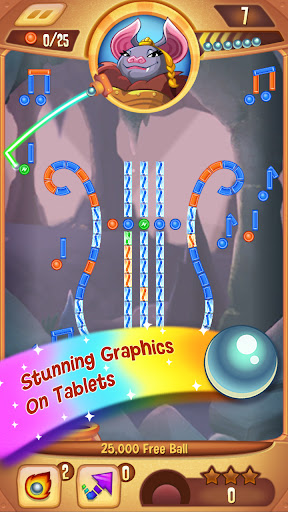
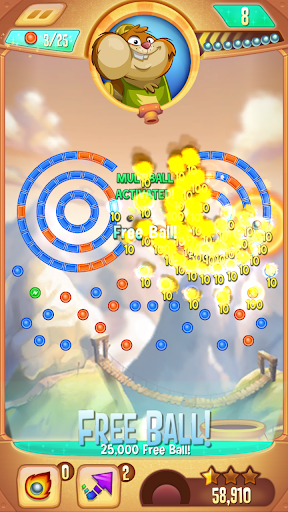
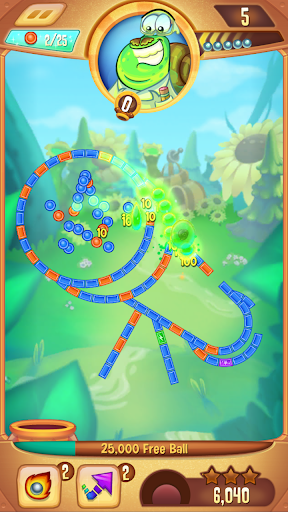
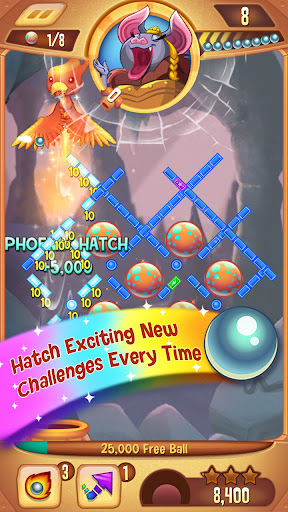
Peggle Blast is a casual mobile app that takes the classic Peggle puzzle formula and gives it a fresh, adventure-driven twist. Developed by Electronic Arts, this Android app and iOS game drops you into a colorful world where you aim and shoot balls at pegs to clear the board. It sounds simple, but there's a surprising amount of strategy tucked into every level. The core loop is easy to pick up: line up your shot, release, and watch the ball bounce, trigger power-ups, and light up the pegs in a satisfying cascade of points and effects.

Core Features

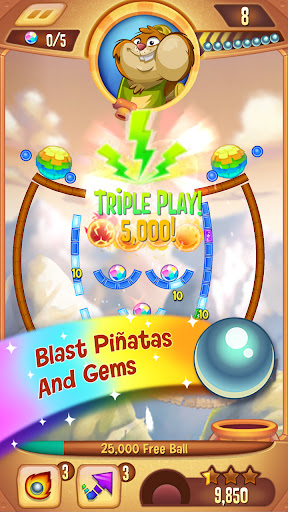
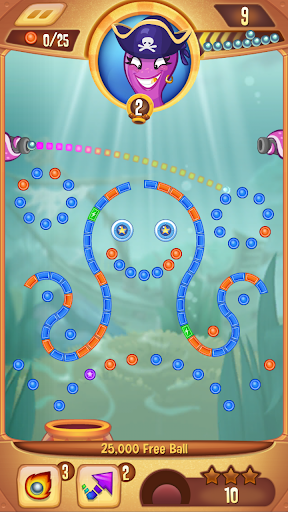
  • Classic Peggle gameplay reimagined: Fire bouncing balls from the top of the screen, clear all orange pegs, and trigger satisfying chain reactions. The core loop is simple to grasp but surprisingly hard to put down, keeping you coming back for just one more shot.
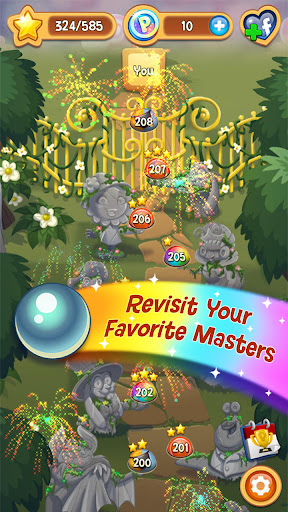
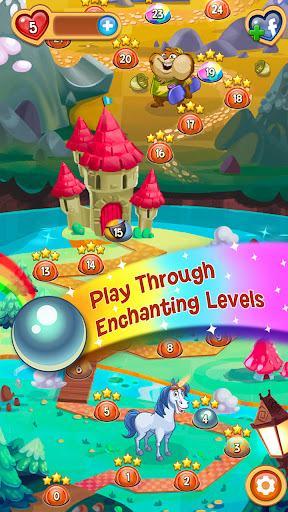
  • Over 400 levels across vibrant worlds: Each themed world introduces fresh visual styles and clever peg layouts, so the game never feels stale. New obstacles and special pegs keep the puzzle-solving fresh as you progress through the adventure.
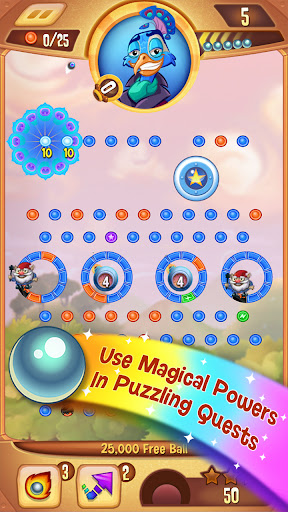
  • Powerful buddy characters with unique abilities: Recruit a cast of whimsical characters, each with a special power that can turn a losing round into a stunning comeback. From freezing pegs to clearing rows, these abilities add a strategic layer to every shot.
  • Strategic power-ups and boosters: Earn and deploy helpful boosts like extra balls, score multipliers, and guided shots. Knowing when to use these tools is key to conquering the toughest levels and chasing high scores.
  • Offline and online play modes: Enjoy the single-player campaign during your commute, or connect to the internet to take part in limited-time events and competitive tournaments. These app features ensure there's always a new challenge, whether you're on Wi-Fi or using mobile data.
  • Daily rewards and progressive events: Log in regularly to grab free coins and participate in themed community events. These ongoing incentives give long-term players a reason to return and keep the community engaged.
  • Seamless synchronization across devices: Link your progress to your social account or email to save your game and pick up right where you left off on a new phone. Your levels, coins, and achievements stay in sync, so the game adapts to your life, not the other way around.

Who This App Is For

Peggle Blast is a mobile app that appeals to a broad demographic, but it's especially perfect for casual gamers who enjoy puzzle games with a quick session-based structure. If you're someone with a few spare minutes during a lunch break or while waiting for an appointment, this Android app fits right into your pocket. The game's forgiving learning curve makes it ideal for younger players (teens and up) who enjoy bright, animated visuals, while its scoring systems and strategic depth keep older, more seasoned puzzle fans engaged. It is also a great pick for former fans of classic pop-and-peg games like Zuma or Bust-a-Move, who want something new with a similar feel.

In everyday life, Peggle Blast works wonderfully as a stress reliever. After a long meeting, a quick level can clear your head. For commuters, a couple of short levels on the train provide a mini mental vacation without demanding heavy concentration or long-term commitment. Because levels are largely bite-sized, you can easily play one or two before bed without getting sucked into a rabbit hole. Furthermore, if you enjoy chasing achievements and participating in leaderboards, the game's online events offer a low-stakes, competitive app experience. In short, this app-based solution fits seamlessly into any routine where you need a small, cheerful dose of fun.

Why Choose This App

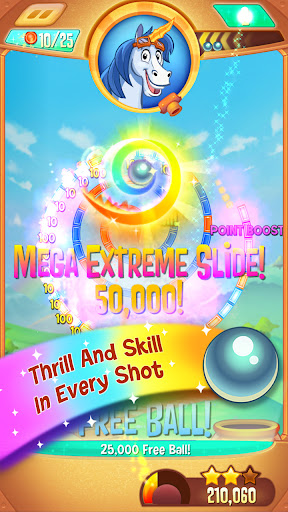
When you search for a worthwhile casual game, you are bombarded with ads and pay-to-win mechanics. Peggle Blast stands out because it respects your time and intelligence. The physics-based gameplay feels genuinely satisfying; every shot has weight and consequence, and the "Extreme Fever" moments, when the music kicks in as you clear the last pegs, are pure joy. It offers a polished, premium feel that many free-to-play titles lack, balancing challenge and reward without hitting a frustrating paywall. You get a full, rich game with tons to do, and the app's aesthetic is bright, playful, and consistently well-crafted, making every session feel charming.

Choosing Peggle Blast means choosing a game that continuously evolves. The developers actively add new features and seasonal events, ensuring that your app experience never stagnates. While there are dozens of peggle clones out there, none have replicated the tight controls and satisfying sound design of this official EA title. This Android app has refined its mechanics over years, making the ball physics feel crisp and the outcomes fair. You are not just getting a simple match-3 clone; you are getting a top-tier puzzle game that understands pacing and reward. For players who value polish, creative level design, and a genuinely engaging game loop, Peggle Blast is the clear choice among its peers.

pros

Highly polished, addictive core loop

Generous free-to-play economy with frequent reward events

Stunning audiovisual presentation

Clever level design with escalating gimmicks

Smooth offline and cloud sync performance

Cons

Lives system throttles long sessions

Paywall walls on late-game worlds

Replay value dips once levels are 3-starred

In-app purchase prompts are intrusive

Occasional physics hit-detection wiggles
Advertisement

Frequently Asked Questions

How do I get started with Peggle Blast if I've never played a PopCap game before?

Start by tapping the play button on the main menu. The tutorial levels will guide you through aiming and shooting pegs. You don't need prior experience—just follow the on-screen prompts and enjoy the early stages to learn the basics. Settings > Help > Tutorial Replay if you need a refresher.

Can I play Peggle Blast offline without an internet connection?

Yes, the core levels and daily challenges can be played offline. However, features like sending gifts to friends, syncing progress across devices, and spinning the reward wheel require an active connection. For offline play, just launch the app normally; progress saves locally. Settings > Account > Sync Status to check.

What does Extreme Fever do, and how can I trigger it during a shot?

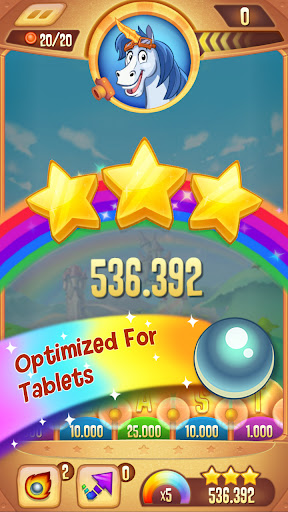
Extreme Fever activates after you clear all orange pegs. During this mode, aim for the high-score bubbles at the bottom to multiply your points. To trigger it, focus on hitting orange pegs first—each successful clear brings you closer. Use the on-screen guide to line up your shots. Settings > Gameplay > Fever Tips.

How do I use the Peggle Masters' special powers effectively?

Each master has a unique power—for example, Bjorn's super guide helps you aim precisely. Activate it by tapping the master icon when it glows, usually after clearing several pegs. Use powers strategically on tricky levels with few pegs left. You can switch masters before a level. Settings > Masters > Select.

What is the best strategy for earning high scores in Peggle Blast?

Focus on chain reactions: aim shots so the ball bounces between multiple pegs, especially orange ones. Save your power-ups for Extreme Fever, and target the high-score bubbles during that mode. Also, complete daily challenges for bonus boosters. Practice angles in the earlier levels to perfect your aim. Settings > Gameplay > Score Guide.

How do I send and receive gifts from friends in the game?

From the main menu, tap the Friends icon. You'll see a list of connected players—tap 'Send Gift' on their profile, and they can reciprocate. Gifts appear in your inbox as free boosters or coins. To add friends, sync your social account. Settings > Account > Friends > Invite.

Is it possible to play Peggle Blast for free, or do I need to pay for anything essential?

The game is fully free-to-play. You can complete all levels without spending money. Coins and boosters are earned through gameplay and daily rewards. However, if you want to skip difficult levels or get extra lives immediately, you can buy them with real money. Settings > Store > Currency.

How do I manage or cancel my subscription to Peggle Blast's premium features?

If you've subscribed via the app store, go to Settings > Account > Subscription. There you'll see the plan details, and you can cancel directly. For iOS, also check Settings > iTunes & App Store > Apple ID > Subscriptions. For Android, open the Google Play Store > Menu > Subscriptions. Cancellation applies after the current billing cycle.

What happens to my progress if I switch devices or reinstall the game?

Your progress is saved to your account as long as you're connected to a social network or email. After reinstalling, log in with the same account, and your levels and purchases will restore. If you don't link your account, progress may be lost. Settings > Account > Link to Social.

The game crashes or freezes on my device—how can I fix this without losing data?

First, try closing other apps and restarting Peggle Blast. If it persists, clear the app cache in your device's settings (not data) and reopen. For persistent issues, reinstall after backing up your progress to the cloud via Settings > Account. Also, ensure your device OS is updated. Settings > Help > Troubleshoot.
Show more