Utilities & tools
PC
Windows 10 version 14393.0 or higher
Not specified
Not specified
Belarusian, Catalan, Chinese (Simplified), Chinese (Traditional), Croatian, Czech, Danish, Dutch, English, Finnish, French, German, Hungarian, Icelandic, Italian, Japanese, Korean, Lithuanian, Norwegian, Persian/Farsi, Polish, Portuguese, Romanian, Russian, Slovak, Spanish, Swedish, Tamil, Turkish, Ukrainian, Vietnamese
WinSCP for Windows, developed by Martin Prikryl and available on the Microsoft Store, stands out as a reliable and feature-rich tool for secure file transfers, seamlessly blending power with user-friendliness.
WinSCP is a specialized file transfer client designed to facilitate secure and efficient communication between local and remote servers. It is crafted primarily for professionals and enthusiasts who frequently manage files across different systems.
Imagine managing your files across multiple servers without breaking a sweat—that's the promise of WinSCP. With its intuitive interface and powerhouse features, it transforms what could be a complicated chore into a straightforward, almost enjoyable task. Whether you're updating a website, backing up data, or transferring sensitive information, WinSCP is like your trusty digital courier—reliable, efficient, and easy to work with.
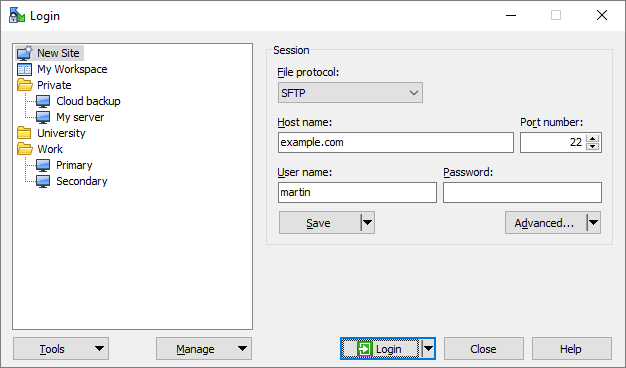
One of WinSCP's standout features is its support for a variety of protocols—SFTP, SCP, FTP, and WebDAV—allowing users to connect to different servers based on their needs. The application ensures all transfers are secured with encryption, protecting data from prying eyes during transit. This flexibility means you can switch between protocols effortlessly, depending on your server configuration, without jumping through hoops or juggling multiple apps.
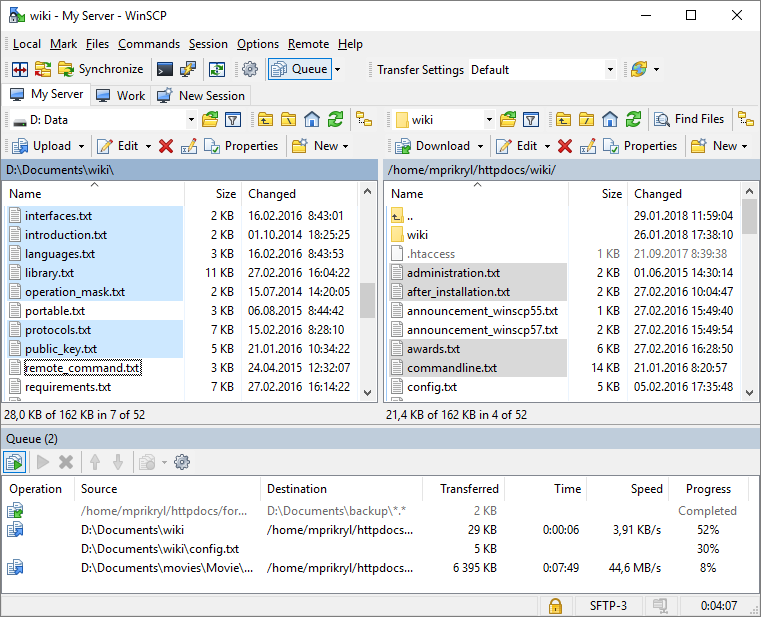
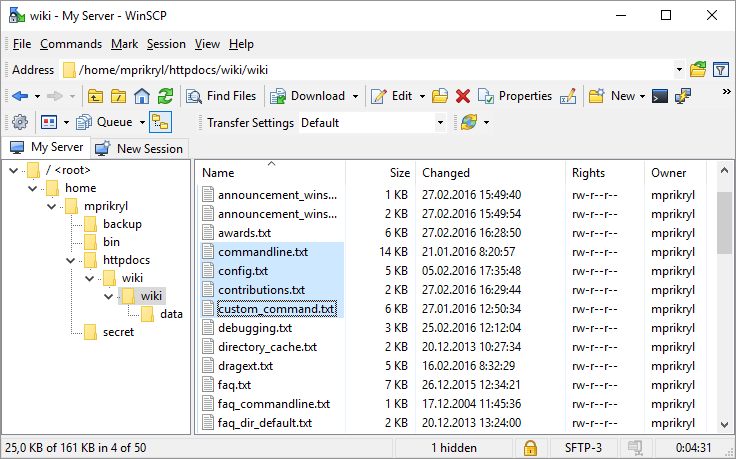
The interface of WinSCP resembles a familiar file explorer, making it accessible even for newcomers. Drag-and-drop functionalities, context menus, and a twin-panel layout keep interactions straightforward. The app's responsiveness is commendable—file transfers and navigations happen smoothly, akin to flipping through folders on your local disk. For beginners, the learning curve is gentle; seasoned users will appreciate the depth of customization and scripting options.
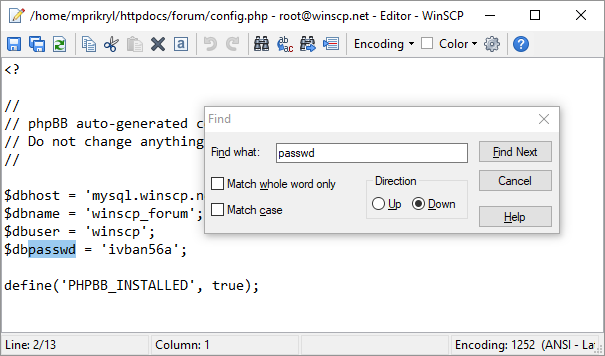
What truly elevates WinSCP is its automation capabilities. The built-in scripting tools and command-line interface enable users to script routine tasks like backups or batch uploads. This feature is like having a hardworking assistant who never takes a coffee break—saving you time and minimizing errors. The scripting syntax is well-documented, making it accessible for those willing to dig a bit deeper.
While many file transfer tools boast similar core features, WinSCP distinguishes itself with its robust integration of scripting and automation, making it indispensable for repetitive tasks. Its dual-panel interface provides a clear, visual approach to managing remote files, akin to organizing documents on your desktop. Unlike simpler FTP clients, WinSCP's support for multiple protocols combined with its security features ensures you're equipped for most remote management scenarios.
If you're looking for a dependable, versatile, and free tool to handle secure file transfers, WinSCP certainly deserves a spot on your toolkit. Its combination of user-friendly design and advanced capabilities makes it suitable for both novices and power users. For those who frequently automate file management routines, it's a particularly valuable asset.
However, if your needs are straightforward and you prefer a minimalist interface without scripting complexity, simpler tools might suffice. But for anyone serious about secure, flexible remote file management, WinSCP is a recommended choice—it's like having a Swiss Army knife for your server tasks, ready whenever you need it.
User-Friendly Interface
Supports Multiple Protocols
Automation Capabilities
Strong Security Features
Free and Open Source
Limited Advanced Cloud Integration
Occasional Stability Issues on Large Transfers
Learning Curve for Advanced Features
Limited Dedicated Mobile Support
No Built-in Cloud Backup Option

for Windows
 5
5

for Windows
5

for Windows
5

for Windows
5

for Windows
5

for Windows
4.9

for Windows
4.9

for Windows
4.9

for Windows
4.9

for Windows
4.9

for Windows
4.9

for Windows
4.9

for Windows
5

for Windows
5

for Windows
5
for Windows
5

for Windows
5

for Windows
5

for Windows
5

for Windows
5

for Windows
5

for Windows
5