Music
Mobile, PC, HoloLens, Xbox console, Surface Hub
Windows 10 version 19042.0 or higher
Afrikaans, Albanian, Amharic, Arabic, Armenian, Assamese, Azerbaijani, Bangla (Bangladesh), Bangla (India), Basque, Belarusian, Bosnian (Latin, Bosnia and Herzegovina), Bulgarian, Catalan, Central Kurdish (Iraq), Chinese (Simplified), Chinese (Traditional), Chinese (Traditional, Hong Kong SAR), Croatian, Czech, Danish, Dari, Dutch, English, English (United Kingdom), English (United States), Estonian, Filipino, Finnish, French, French (Canada), Galician , Georgian, German, Greek, Gujarati, Hausa (Latin), Hebrew, Hindi, Hungarian, Icelandic, Igbo, Indonesian, Irish, isiXhosa, IsiZulu, Italian, Japanese, K'iche' (Guatemala), Kannada, Kazakh, Khmer, Kinyarwanda, Kiswahili, Konkani, Korean , Kyrgyz, Lao, Latvian, Lithuanian, Luxembourgish, Macedonian, Malay, Malayalam, Maltese, Maori, Marathi, Mongolian (Mongolia), Nepali, Norwegian (Bokmål), Odia, Persian, Polish , Portuguese, Portuguese (Brazil), Portuguese (Portugal), Punjabi (Arabic), Punjabi (India), Quechua, Romanian, Russian, Scottish Gaelic, Serbian, Serbian (Cyrillic, Bosnia and Herzegovina), Serbian (Cyrillic, Serbia), Serbian (Latin) (Serbia and Montenegro (Former)), Serbian (Latin, Serbia), Sesotho sa Leboa, Setswana, Sindhi (Arabic), Sinhala, Slovak, Slovenian (Slovenia), Spanish, Spanish (Mexico), Spanish (Spain), Swedish, Tajik, Tamil, Tatar, Telugu, Thai, Tigrinya, Turkish, Turkmen, Ukrainian, Urdu, Uyghur, Uzbek, Valencian, Vietnamese, Welsh, Wolof, Yoruba
Windows Media Player for Windows emerges as a familiar yet refreshed media playback solution, aiming to streamline your audio and video experience with a sleek interface and essential features. If you're someone who prefers straightforward media management without the fuss of complex apps, this player might just be your go-to companion for everyday entertainment.
Developed by Microsoft Corporation, Windows Media Player for Windows inherits the legacy of one of the most iconic media players, now optimized for the modern Windows environment.
This application caters primarily to casual users, students, and professionals who need a reliable, no-fuss media player integrated into their Windows ecosystem. Enthusiasts seeking advanced editing or streaming features might look elsewhere, but for everyday media consumption, this app hits the right notes.
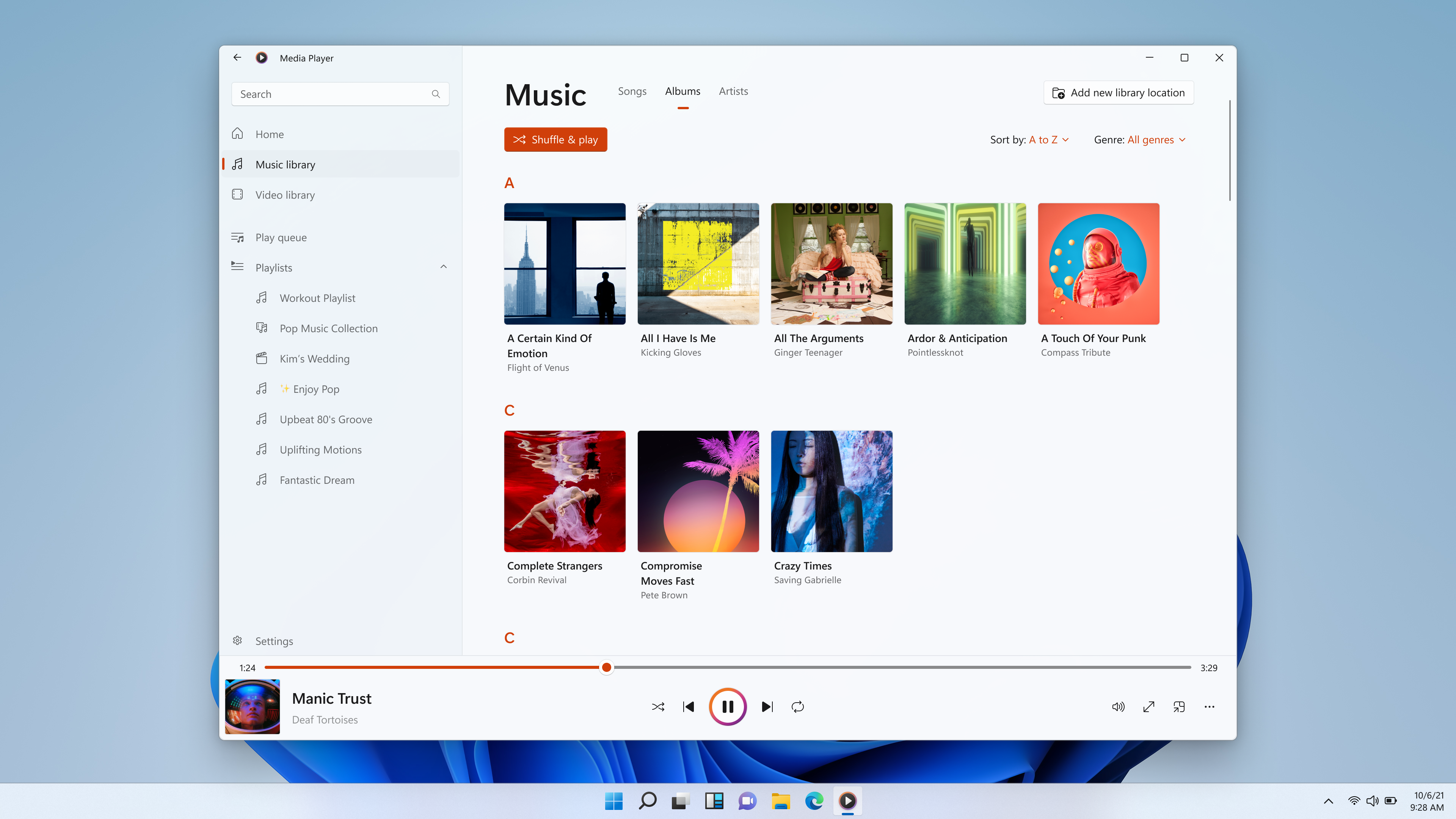
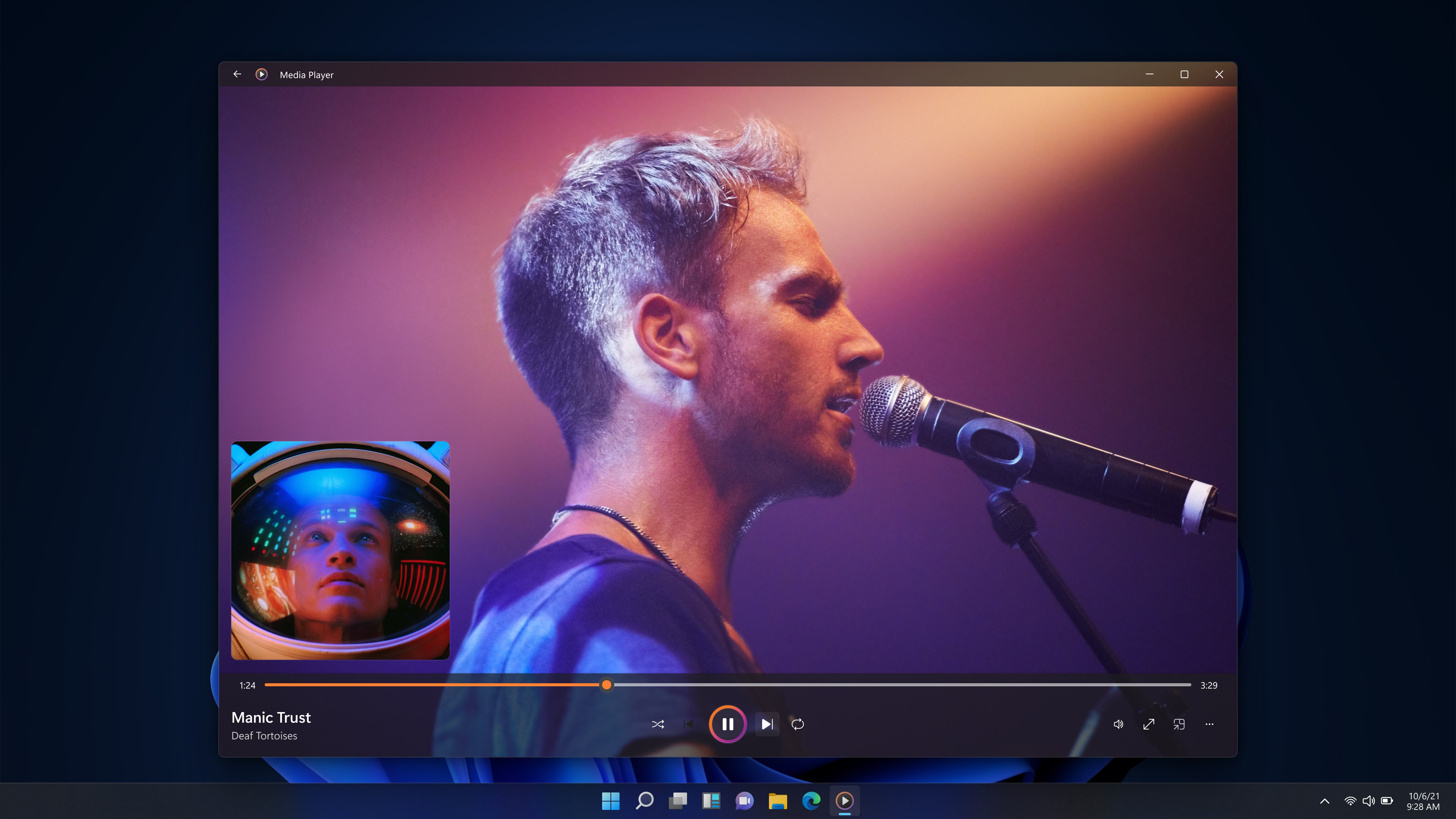
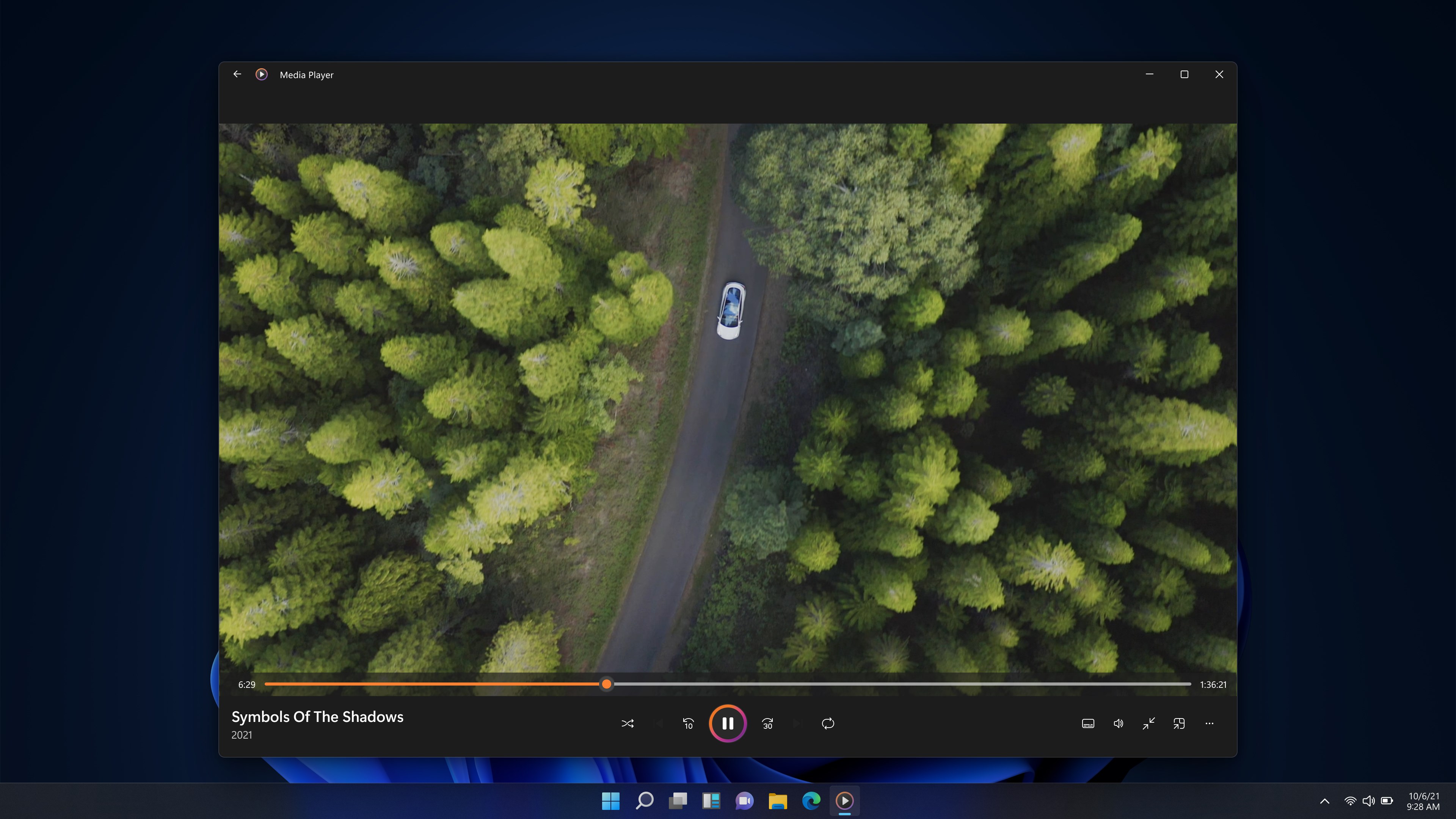
Imagine firing up your favorite playlist or catching a quick video—Windows Media Player for Windows pours you into a comfortable digital lounge. Its interface balances simplicity with functionality, making it accessible even for tech novices yet sufficient for regular users seeking efficiency.
The user interface adopts a clean, classic look reminiscent of Windows' native aesthetics—minimal clutter, straightforward icons, and easy-to-access menus. The dark and light themes provide visual comfort, and the layout makes navigation feel like flipping through a well-organized record collection. No elaborate tutorials are needed; you'll grasp the layout within seconds.
Playing media feels like gliding on smooth ice—responsive controls, fast load times, and minimal lag. Transitioning between songs, videos, and playlists happens seamlessly thanks to optimized performance for Windows systems. The learning curve is gentle, making it suitable for users of all ages and skill levels.
One standout feature is its low latency in responding to user commands—whether you're adjusting volume, skipping tracks, or switching videos, the app reacts instantly, creating a natural, frustration-free experience comparable to using a well-oiled machine. This responsiveness is particularly noticeable during rapid playlist browsing or fast-forwarding scenes in videos.
The player excels in handling diverse audio rhythm patterns and offers robust support for various codecs, ensuring that even eclectic or obscure files play perfectly. For musicians or enthusiasts analyzing intricate beat patterns, this ensures that playback remains true to the original recording, preserving rhythmic nuances that sometimes get lost with less capable players.
All in all, Windows Media Player for Windows is a dependable, lightweight, and user-friendly media solution for everyday needs. Its core strengths—especially its impeccable input responsiveness and high fidelity in rhythm handling—set it apart from more cluttered or feature-broad competitors. While it may not offer the latest streaming innovations or extensive customization, it serves as a solid choice for those seeking a no-nonsense media experience integrated seamlessly with Windows.
For users valuing stability, simple management, and quick responsiveness over flashy features, I recommend giving this app a try. It's like slipping on a trusty pair of well-worn shoes—comfortable, reliable, and ready to support your daily entertainment routines.
User-friendly interface
Seamless integration with Windows OS
Supports a wide range of media formats
Built-in library management
Lightweight performance
Limited advanced features
Basic customization options
Occasional playback issues with DRM-protected files
Limited streaming capabilities
No equalizer or audio enhancement options

for Windows
 4.9
4.9

for Windows
4.9

for Windows
4.8

for Windows
4.8

for Windows
4.7

for Windows
4.7

for Windows
4.6

for Windows
4.6

for Windows
4.5

for Windows
4.5

for Windows
4.5

for Windows
4.5

for Windows
5

for Windows
5

for Windows
5

for Windows
5

for Windows
5

for Windows
5

for Windows
5

for Windows
5

for Windows
5

for Windows
5