Developer tools
SoftwareGoodiebag
PC
Windows 10 version 17134.0 or higher
Integrated Keyboard
Integrated Mouse
English (United States)
Wiggler - Pro is a versatile Windows application designed to streamline data processing and conversion tasks, making complex data manipulation more manageable for professionals and enthusiasts alike.
Developed and published by SoftwareGoodiebag, Wiggler - Pro aims to provide a user-friendly yet powerful environment for data transformation. Its primary features include seamless format conversions, flexible data editing capabilities, and the automation of routine workflows. The tool is especially suited for users involved in data analysis, software development, or any field requiring efficient data management.
Imagine turning a tangled ball of yarn into neatly organized threads—Wiggler - Pro is your guide through this process. Whether you're a developer plumbing through complex JSON files or a data analyst converting CSVs into usable formats, this application promises to turn daunting tasks into almost enjoyable routines. Its sleek interface and smart features act like a friendly assistant, helping you navigate the often tangled world of data transformation without breaking a sweat.
One of Wiggler - Pro's standout features is its ability to convert between various data formats swiftly. It supports a broad spectrum—from JSON and XML to CSV and TXT—allowing users to switch formats with a few clicks. The process feels like changing gears smoothly in a well-oiled machine, saving significant time compared to manual reformatting. For developers handling multiple APIs or data feeds, this feature becomes an indispensable tool for maintaining consistency across workflows.
The application offers advanced editing capabilities, enabling users to tweak data directly within the interface. It also supports scripting and automation, which is a game-changer for repetitive tasks. Picture this: you set up a custom macro that cleans and prepares data overnight, and it runs seamlessly on its own—this sense of automation transforms what could be hours of manual labor into a few seconds of setup.
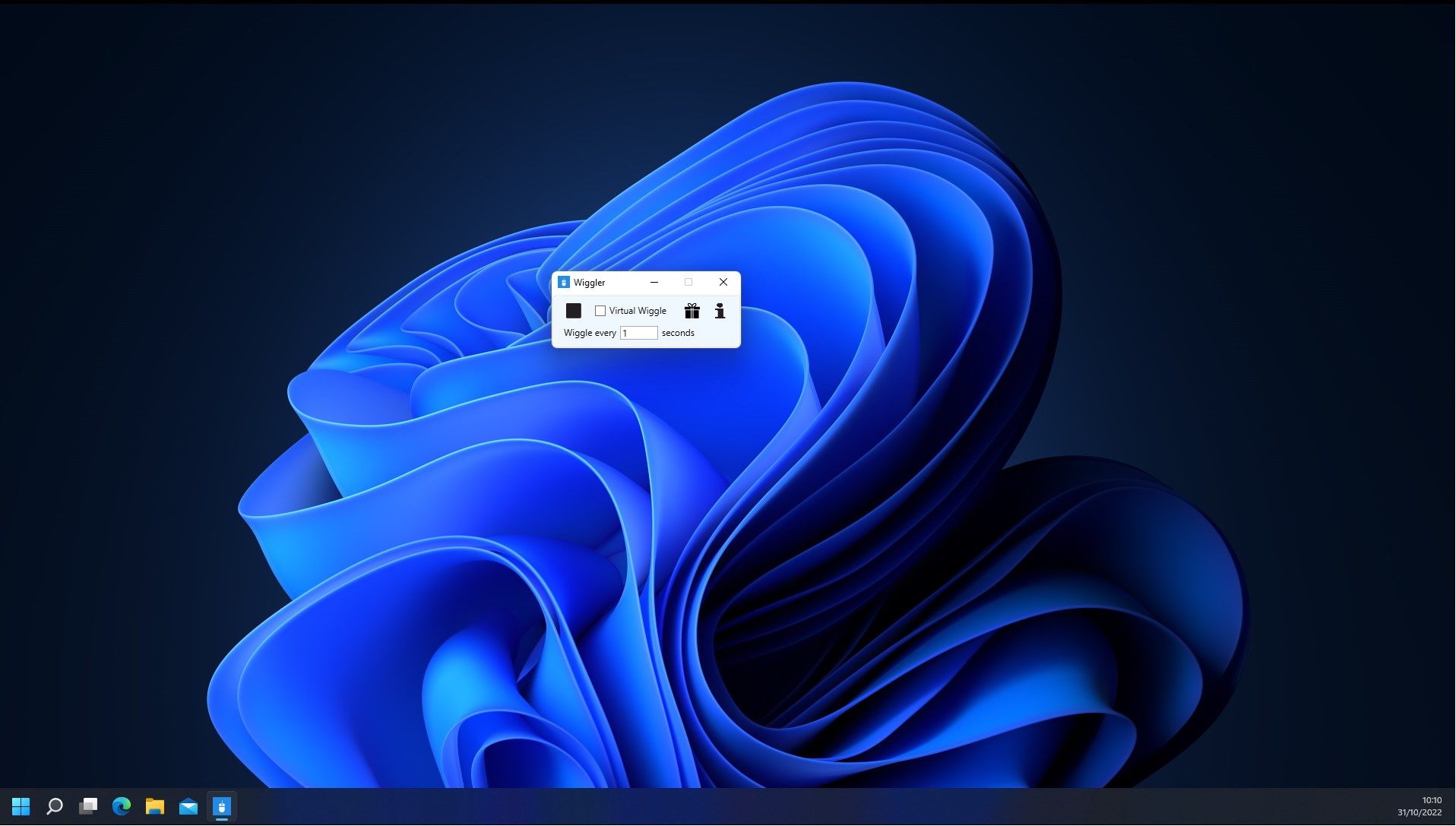
Wiggler - Pro features a clean, intuitive interface that resembles a well-organized toolbox—everything you need is right where you expect it to be, with minimal clutter. Its operation flows naturally; the drag-and-drop functionality for importing data and the straightforward menu options make navigation feel almost intuitive, like flipping through familiar pages of a favorite book.
Learning curve-wise, new users will find the onboarding process smooth. While it packs sophisticated functions, the UI design prioritizes clarity and accessibility, meaning even those new to data tools can get started quickly. Performance-wise, the app exhibits buttery-smooth responsiveness, effortlessly processing large files without lag.
In the crowded world of data transformation tools, Wiggler - Pro stands out primarily because of its combination of simplicity and depth. Unlike some applications that focus solely on one format or require scripting expertise, Wiggler - Pro balances power with ease of use. Its most distinctive features include real-time format previews—allowing users to see how data will look post-conversion—and the ability to create and save custom workflows for recurring tasks. This flexibility makes it a practical companion for both casual users and professionals who need reliable, repeatable processes.
If you're seeking a straightforward yet capable data conversion and editing tool for Windows, Wiggler - Pro is worth adding to your toolkit. Its intelligent automation features and user-centric design make it especially useful for those who regularly spend time on data formatting chores. While it might not replace specialized programming environments for complex data manipulation, it excels as a quick, reliable helper that can reduce frustration and improve productivity.
Recommended for: Data analysts, developers, and anyone involved in data management tasks who appreciate an intuitive interface combined with powerful functionality. It's particularly suitable for users who need to set up reusable workflows or handle multiple data formats regularly.
Intuitive User Interface
Smooth Animation Effects
Customizable Wiggler Modes
Lightweight App Size
Low Battery Consumption
Limited Customization Options in Free Version
Occasional Minor Lag During High-Intensity Effects
Lack of Detailed User Manuals
Possible Accessibility Limitations
No Multi-Language Support Initially

for Windows
 5
5

for Windows
4.6

for Windows
4.6

for Windows
4.6

for Windows
4.5

for Windows
4.4

for Windows
4.4

for Windows
4.3

for Windows
4.3

for Windows
4.3

for Windows
4.3

for Windows
4.2

for Windows
5

for Windows
5
for Windows
5

for Windows
5

for Windows
5

for Windows
5

for Windows
5

for Windows
5

for Windows
5

for Windows
5