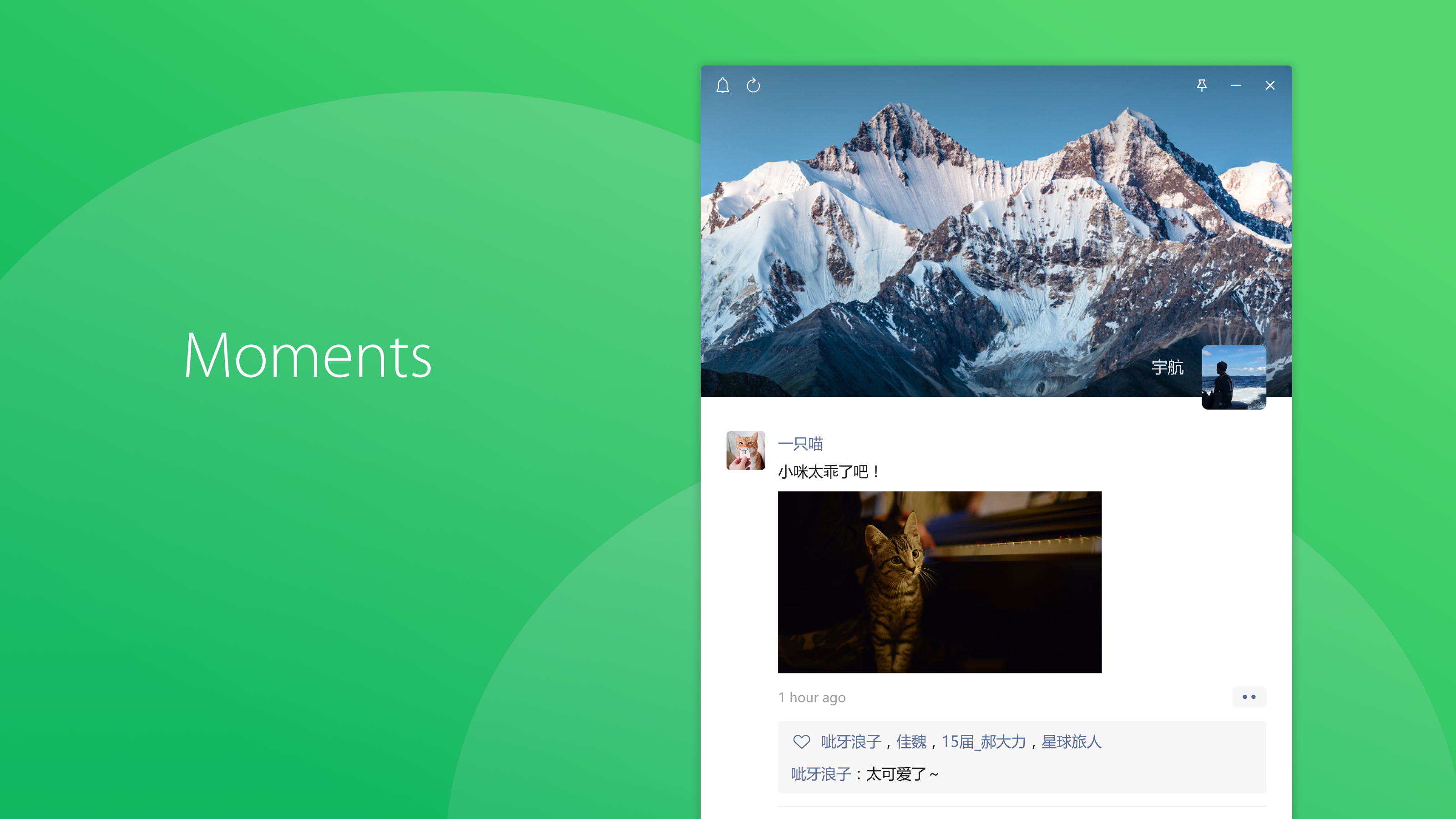
Social
PC
Windows 10 version 0.0 or higher
Chinese (Simplified), Chinese (Traditional Chinese), English
If you're seeking a reliable and feature-rich messaging app to stay connected on your Windows PC, WeChat for Windows offers a compelling option. Developed by Tencent WeChat Limited, this application brings the familiar chat experience from your mobile device directly to your desktop. Let's delve into what makes this tool stand out and whether it deserves a spot on your digital toolbox.
Positioned as a comprehensive messaging platform, WeChat for Windows aims to unify your communication channels seamlessly on desktop. Created by Tencent WeChat Limited, a renowned leader in social and communication apps, the software primarily enhances connectivity and collaboration for users who rely heavily on messaging, voice, and video chatting. Its major highlights include optimized chat windows for productivity, quick media sharing capabilities, and robust contact management features.
The target audience encompasses a broad spectrum—from busy professionals seeking efficient work-related communication, to students and families keeping in touch effortlessly. Essentially, anyone looking for a versatile, easy-to-use messaging solution on their Windows PC will find value here.
Imagine sitting at your desk, your coffee steaming beside your keyboard, and your favorite chat app pops up with all your contacts and conversations ready—without the hassle of reaching for your phone. WeChat for Windows transforms this scene into a reality, combining familiar features with thoughtful design for a delightful user experience. The interface is intuitive and clean, making it feel less like a tech challenge and more like a natural extension of your daily communication routine.
At its core, WeChat for Windows excels in making your chat life smooth and straightforward. Sending text messages is as effortless as typing on a familiar keyboard, while multimedia sharing—photos, videos, voice notes—works seamlessly. The app's drag-and-drop functionality simplifies the process, turning media sharing into a quick, intuitive task. Plus, the search feature allows you to locate previous conversations or specific messages swiftly, saving precious time during busy mornings or meetings.
One of the most innovative aspects of WeChat for Windows lies in its enhanced connection discovery features. Unlike typical social apps, it emphasizes authenticity by supporting verification of contacts—ensuring your interactions remain secure and genuine. Additionally, its connection discovery function helps users find new contacts nearby or via QR codes effortlessly. This makes expanding your social or professional network a natural, less friction-filled experience—think of it as a friendly handshake facilitated by digital magic. It's especially useful in conference settings or social gatherings where you want quick, authentic interactions without the chaos of unverified profiles.
Beyond messaging, WeChat for Windows offers rich profile customization options, allowing users to express personality and preferences through avatars, status messages, and personalized display names. This emphasis on authenticity and individualization sets it apart from more generic social platforms. The interface balances simplicity with functionality, enabling users to navigate easily without feeling overwhelmed. Its smooth operation, minimal lag, and logical layout contribute to an overall positive experience, making it highly accessible—even for those less tech-savvy.
Overall, WeChat for Windows shines brightest with its authentic contact verification and seamless connection discovery features. It's particularly suited for users who value secure, genuine interactions, and prefer having their social and work communication centralized on their desktop. While it may not be the flashiest app on the block, it offers reliability, ease of use, and functional depth that can serve as an excellent communication hub.
If you're already engaged in the WeChat ecosystem or need a dependable app to manage your conversations efficiently on Windows, this tool is highly recommended. For those seeking extensive customization and verification features, WeChat for Windows stands out as a worthy choice—an honest companion in your digital social world.
User-friendly interface
Multi-platform support
Rich feature set
Fast synchronization
Regular updates
Occasional connectivity issues
Limited customization options
Battery consumption in background
Occasional app crashes after updates
Limited support for some file types on desktop

for Windows
 5
5

for Windows
4.9

for Windows
4.8

for Windows
4.7

for Windows
4.7

for Windows
4.6

for Windows
4.6

for Windows
4.5

for Windows
4.5

for Windows
4.5

for Windows
4.5
for Windows
4.4

for Windows
5

for Windows
5

for Windows
5

for Windows
5

for Windows
5
for Windows
5

for Windows
5

for Windows
5

for Windows
5

for Windows
5