Security
PC
Windows 10 version 14393.0 or higher
English
If you're seeking a straightforward yet effective way to keep an eye on your environment, Webcam Motion Detector Recorder offers an accessible solution that transforms your Windows PC into a vigilant security device. Designed by EvlarSoft LLC, this application leverages your webcam to detect motion and record footage, making it ideal for home security, office monitoring, or any situation requiring surveillance with minimal setup.
EvlarSoft LLC has crafted a user-friendly app that prioritizes simplicity and functionality. Its main strengths include:
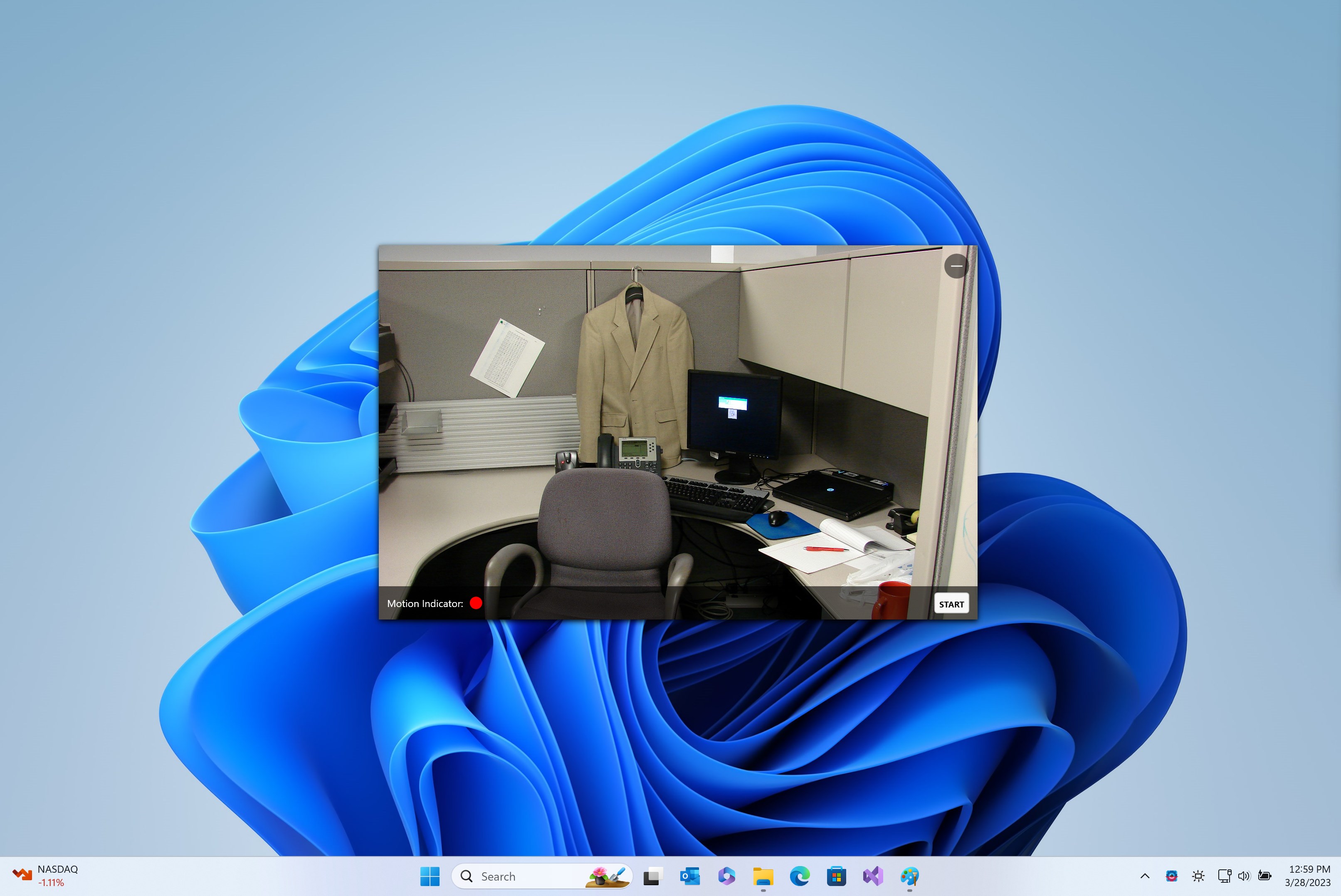
Imagine a quiet evening at home, when suddenly your PC's webcam springs into action at the slightest movement—here, this app transforms your device into a vigilant guardian. The interface sports a clean layout, reminiscent of a well-organized control panel in a spaceship, where everything is at your fingertips. Setting up the app feels like assembling a simple remote-controlled drone—intuitive step-by-step guides and immediate feedback make the process smooth for both seasoned tech enthusiasts and newcomers.
Once operational, the app's responsiveness impresses. When motion occurs, the system reacts swiftly—displaying real-time alerts, triggering recordings, and saving footage into neatly organized folders. The transition between different modes (e.g., standby, recording) is seamless, and the app's minimal resource usage means your system remains smooth without lagging or stuttering. It's like having a diligent security guard who works tirelessly behind the scenes, silently watching over your space.
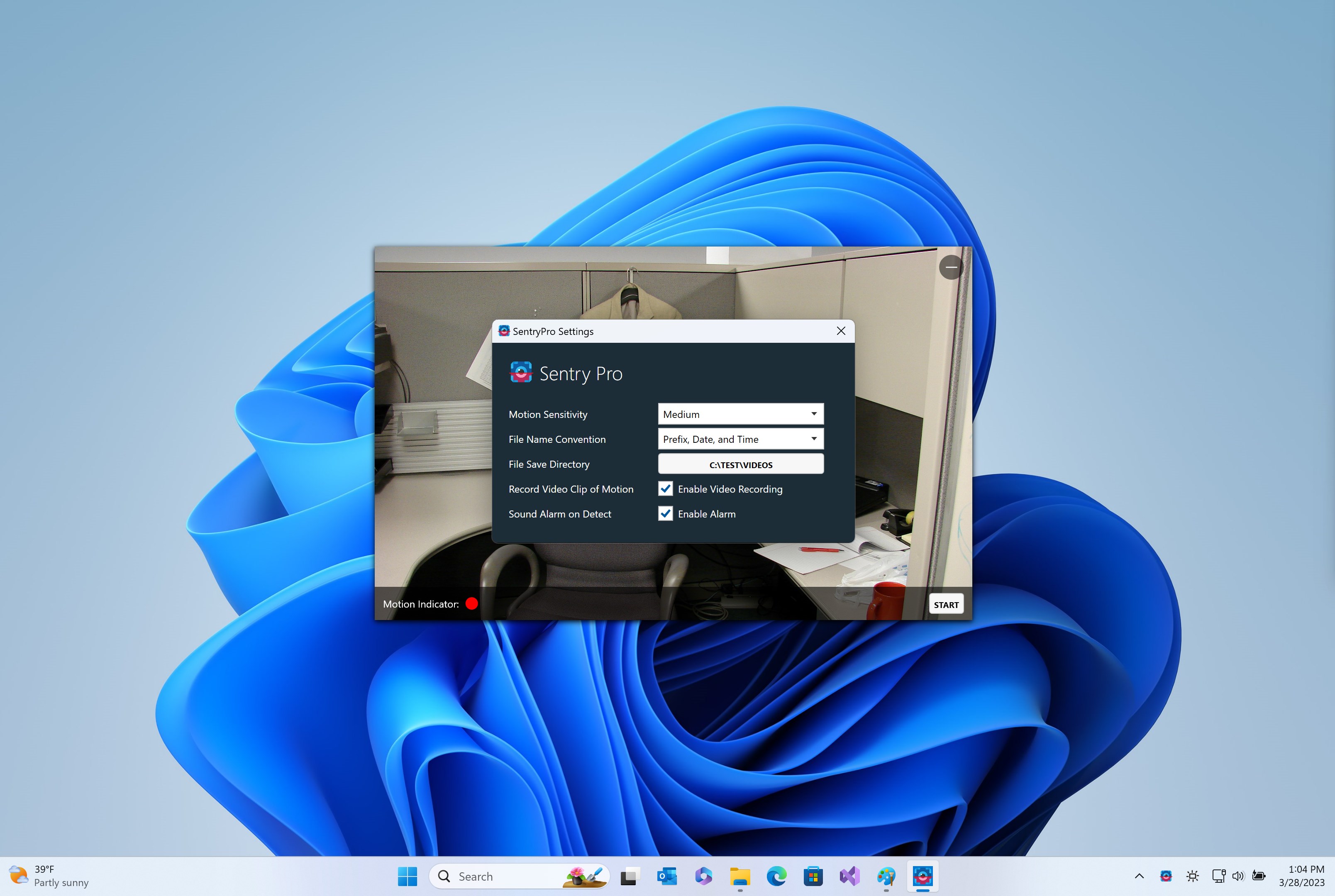
While many security applications promise comprehensive surveillance, Webcam Motion Detector Recorder offers a few noteworthy advantages that set it apart. Firstly, its focus on simplicity doesn't sacrifice performance; it avoids the clutter of overly complex features seen in some competitors, making it ideal for users seeking straightforward monitoring. Secondly, its adjustable sensitivity and customizable recording settings provide tailored security solutions that adapt to different environments—whether it's a quiet library or a busy warehouse.
Another unique selling point is its unobtrusive operation and low resource consumption. Unlike heavy security suites that can bog down your system, this app runs quietly in the background, ensuring your PC remains responsive. For people concerned about privacy, the ability to store footage locally without needing cloud subscriptions or third-party integrations is a considerable relief, offering control and peace of mind.
Considering its ease of use, reliable core features, and unobtrusive design, Webcam Motion Detector Recorder is a solid choice for users who want a dependable, no-fuss surveillance tool. It excels in scenarios where quick setup and basic motion detection suffice, such as monitoring a babysitter, keeping an eye on pets, or safeguarding a small office.
We recommend it especially for casual users or those new to security monitoring, who may find more complex systems overwhelming. For professional-grade, multi-camera, or highly customizable security setups, more advanced solutions might be necessary. However, for everyday use, this app offers an accessible, effective, and privacy-conscious option.
In conclusion, if you need a silent yet vigilant companion to watch over your space, Webcam Motion Detector Recorder warrants a close look. Its intuitive design paired with core functionalities make it a practical choice—and a helpful digital security buddy that you barely notice until you need it.
Easy setup and user-friendly interface
Reliable motion detection with customizable sensitivity
Instant video recording and alert notifications
Supports various camera types and resolutions
Lightweight app with minimal system impact
Occasional false alerts due to lighting fluctuations
Limited advanced customization options
Some users report delayed notifications
Basic interface with minimal analytical features
Requires consistent internet connection for cloud features

for Windows
 4.8
4.8

for Windows
4.7

for Windows
4.7

for Windows
4.7

for Windows
4.6

for Windows
4.6

for Windows
4.5

for Windows
4.4

for Windows
4.4

for Windows
4.3

for Windows
4.3

for Windows
4.3

for Windows
5

for Windows
5

for Windows
5

for Windows
5

for Windows
5

for Windows
5

for Windows
5

for Windows
5

for Windows
5

for Windows
5