Utilities & tools
PC
Windows 10 version 14316.0 or higher
English (United States)
If you've ever looked up at the sky pondering whether you'll need an umbrella or sunglasses, Weather Radar Pro. for Windows aims to be your trusty weather forecaster, offering real-time radar imagery and detailed weather insights right on your desktop. It's like carrying a mini meteorological station within your Windows environment, providing an at-a-glance weather check that's both informative and visually engaging.
Crafted by Linnef Studio, a dedicated software development team focused on delivering reliable utility tools, Weather Radar Pro. leverages their expertise in creating user-friendly, data-rich applications designed for everyday users who want precise weather updates without fuss.
Imagine waking up on a breezy morning—the sky slightly overcast, and uncertainty about whether to carry an umbrella nagging at you. Instead of glancing at a static forecast, you open Weather Radar Pro., and suddenly, the sky's story unfolds before your eyes like a mini weather documentary. The app transforms complex meteorological data into vivid visuals, turning weather tracking into an intuitive experience rather than a chore.
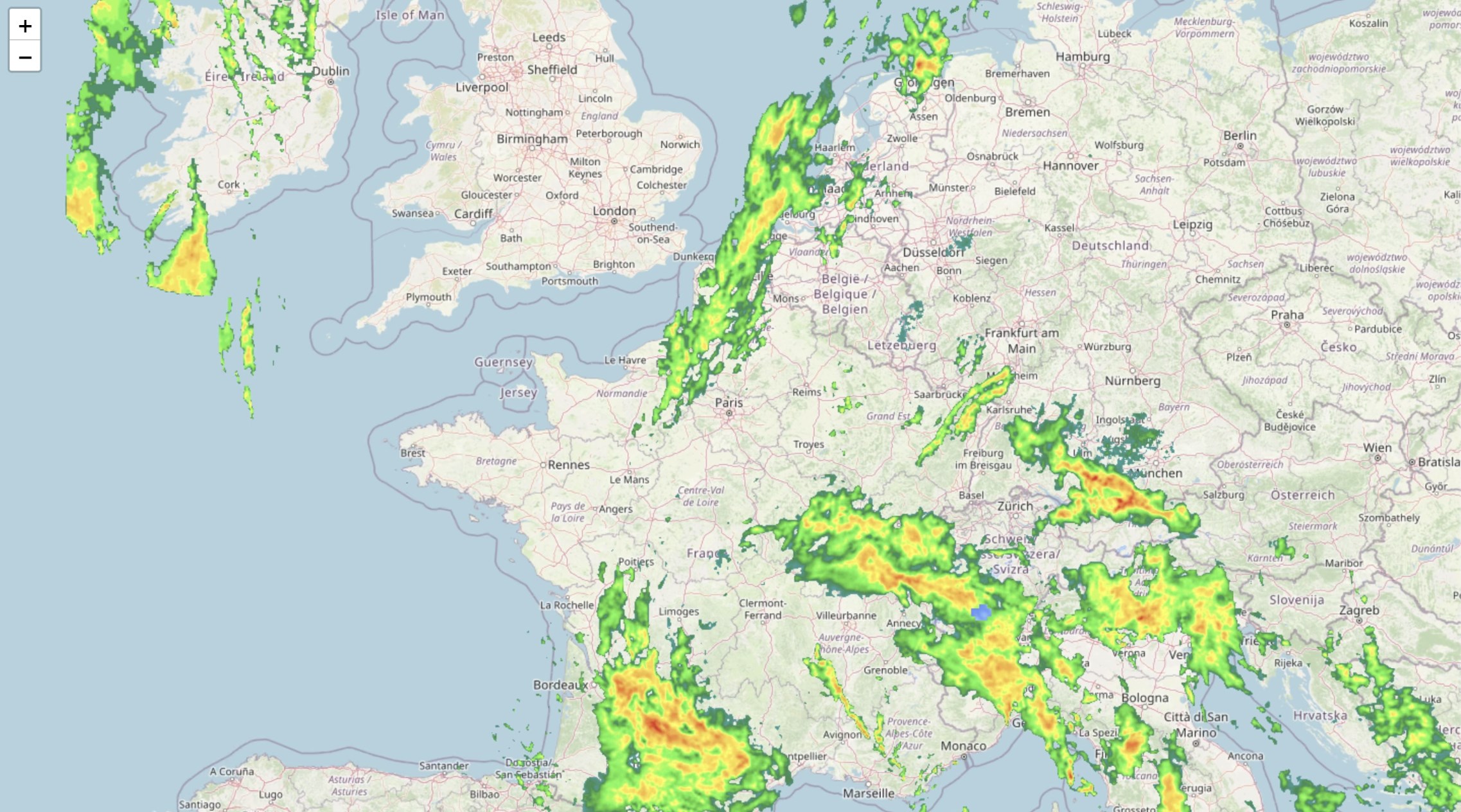
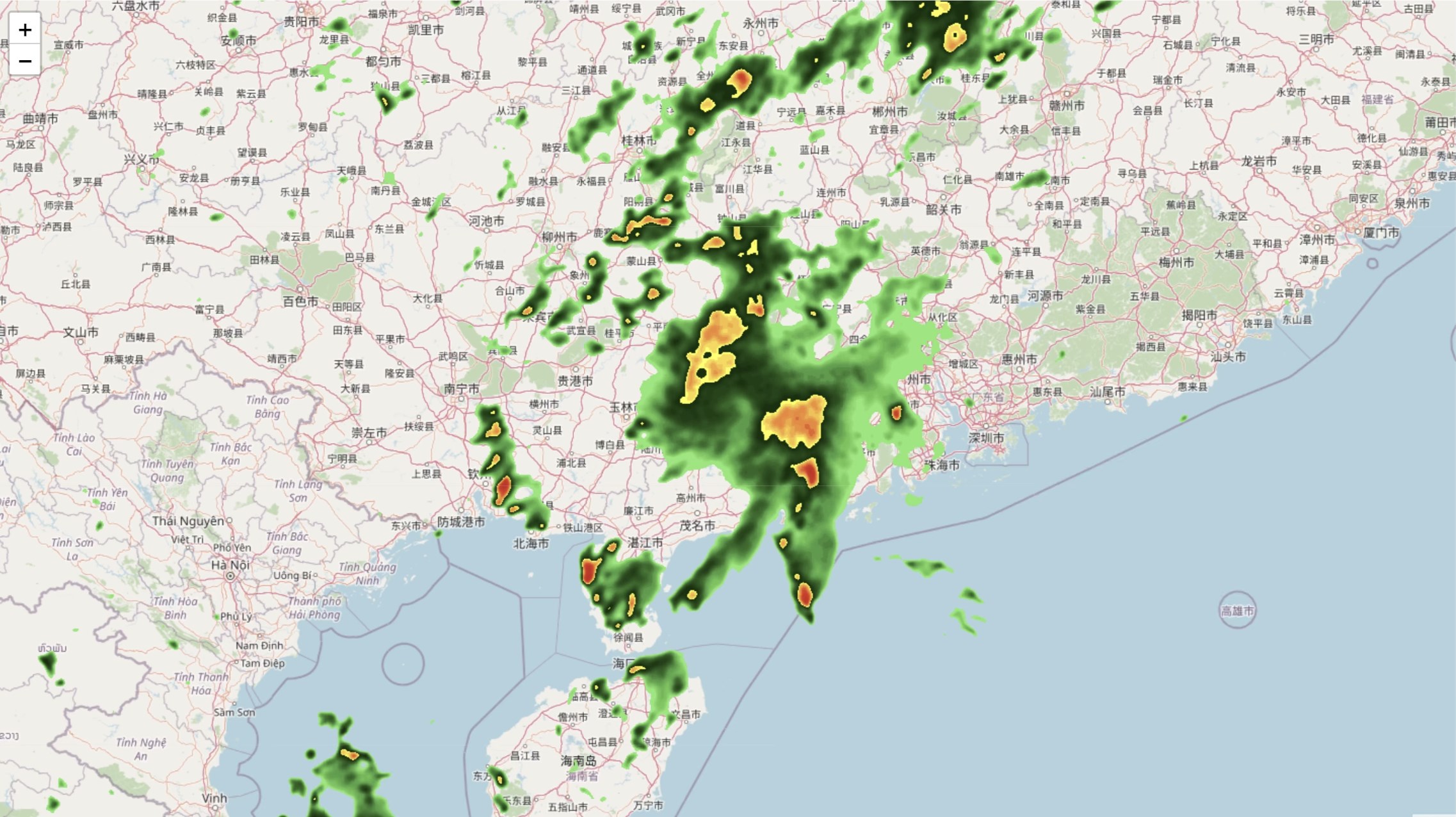
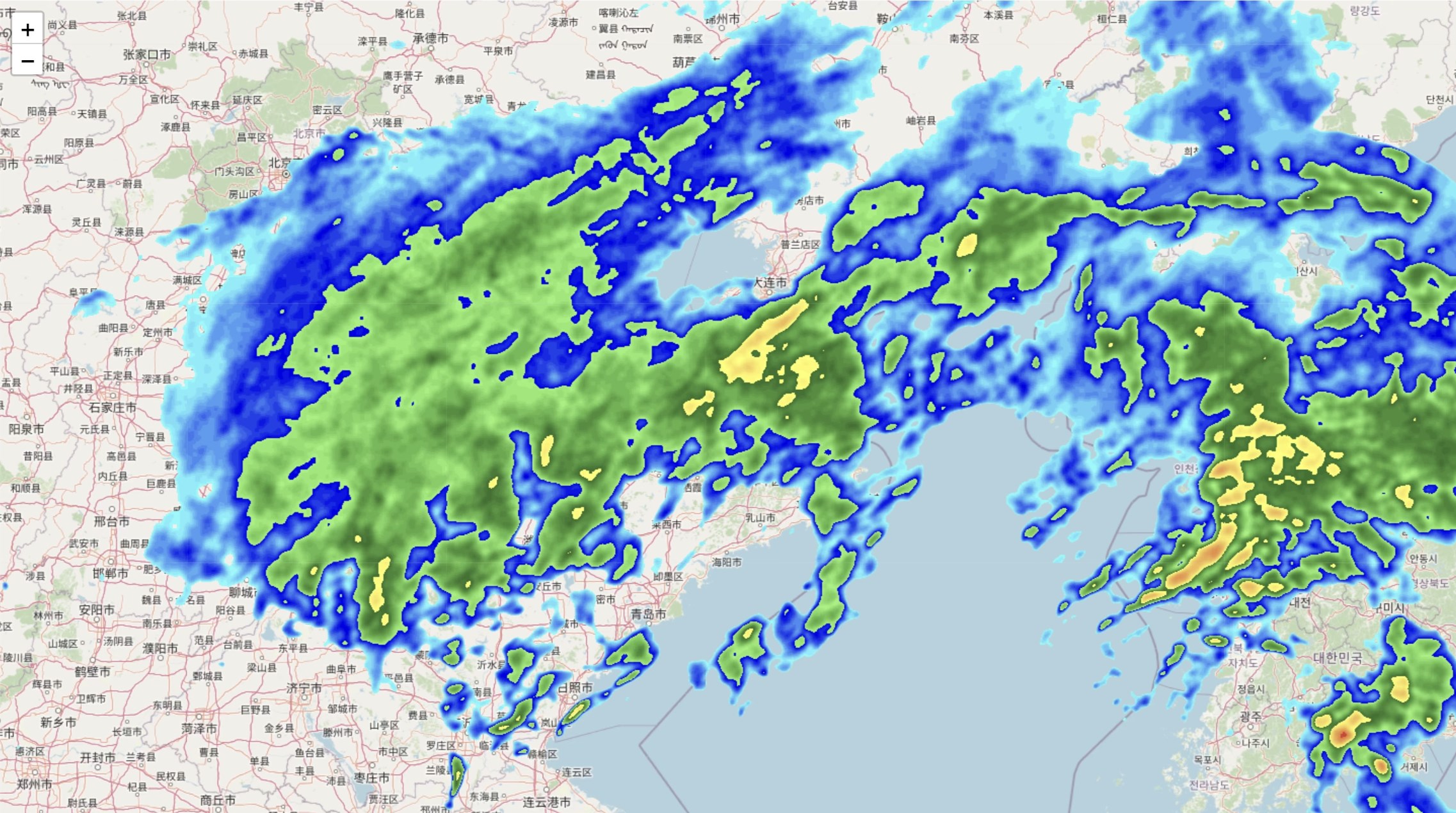
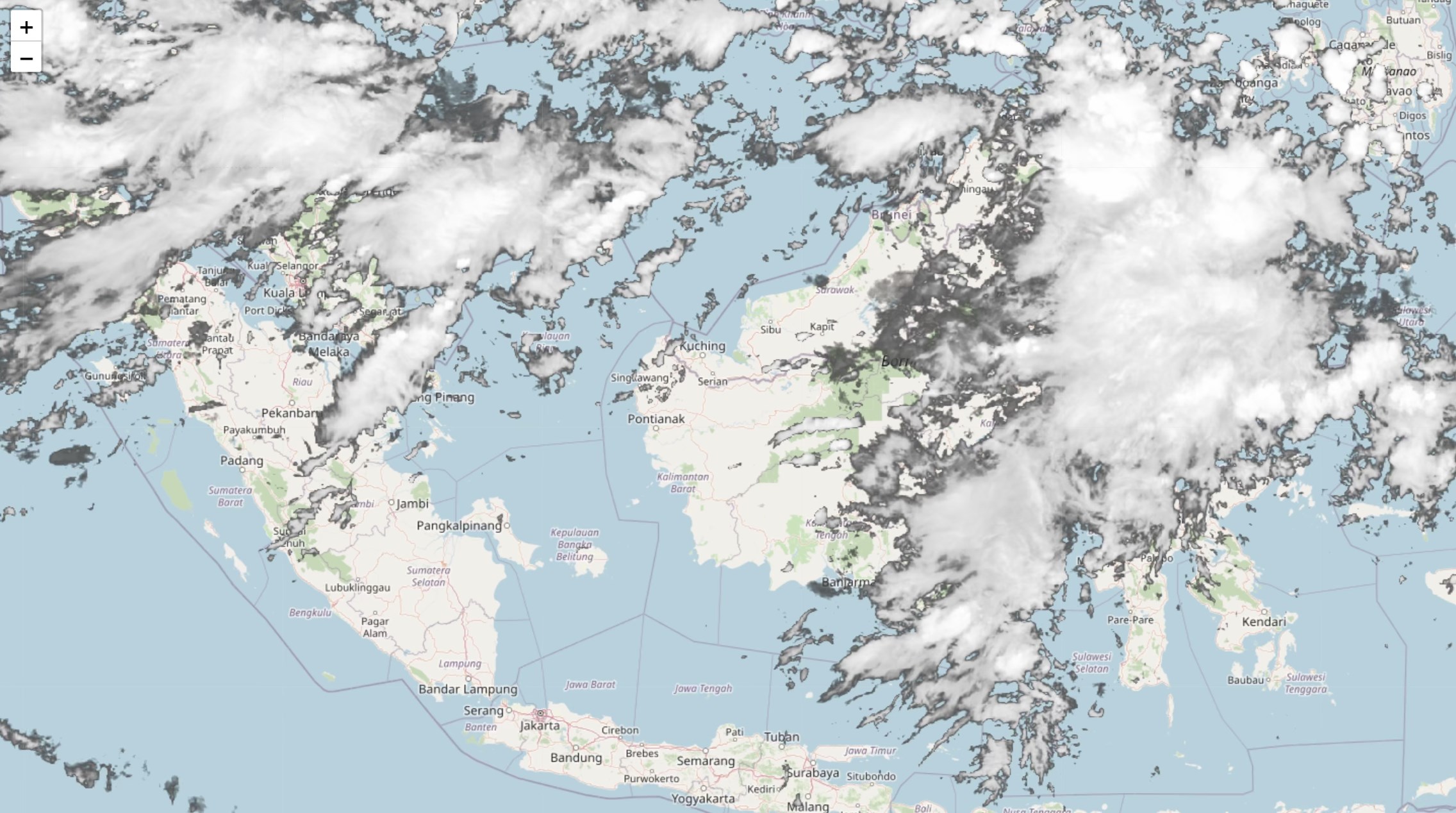
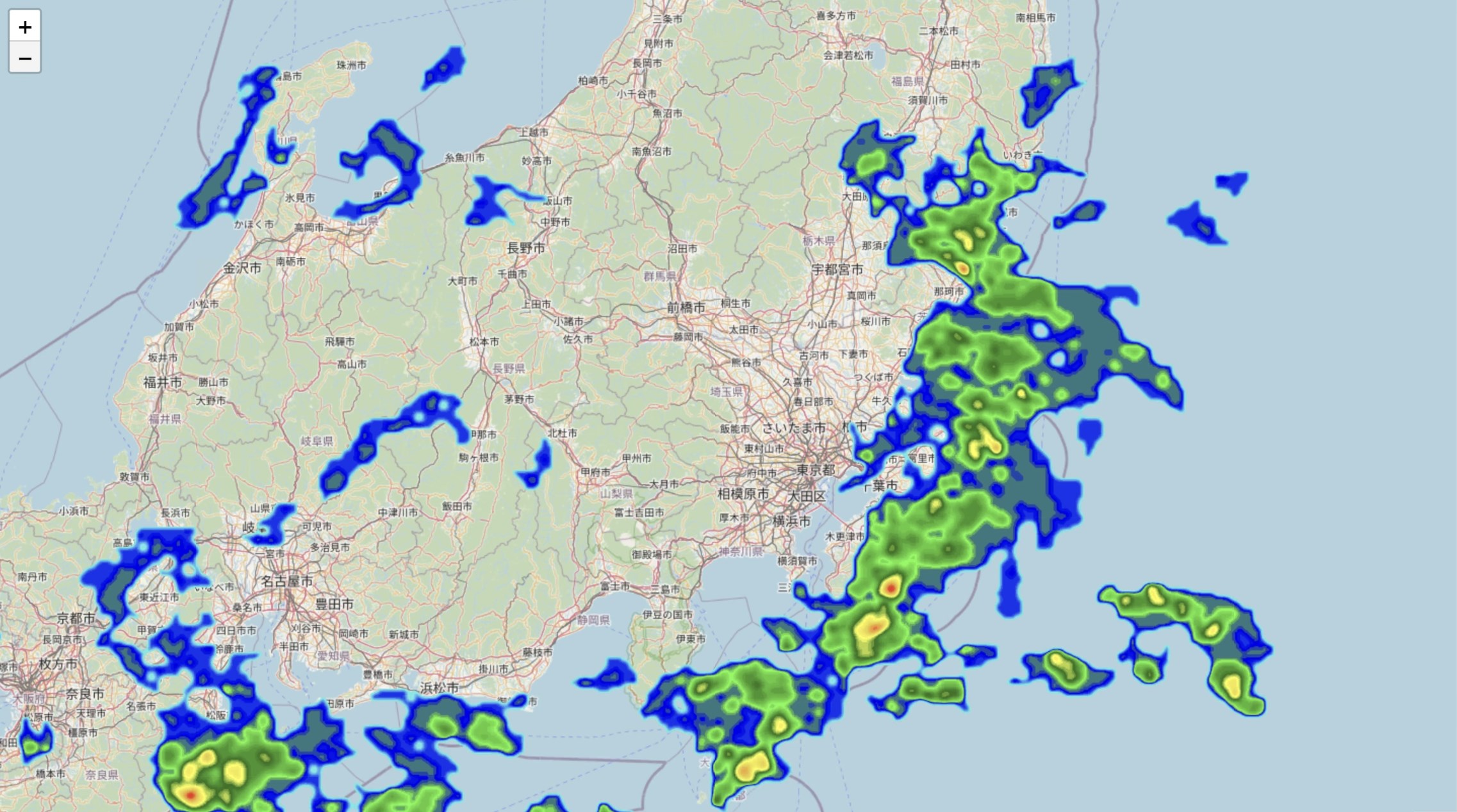
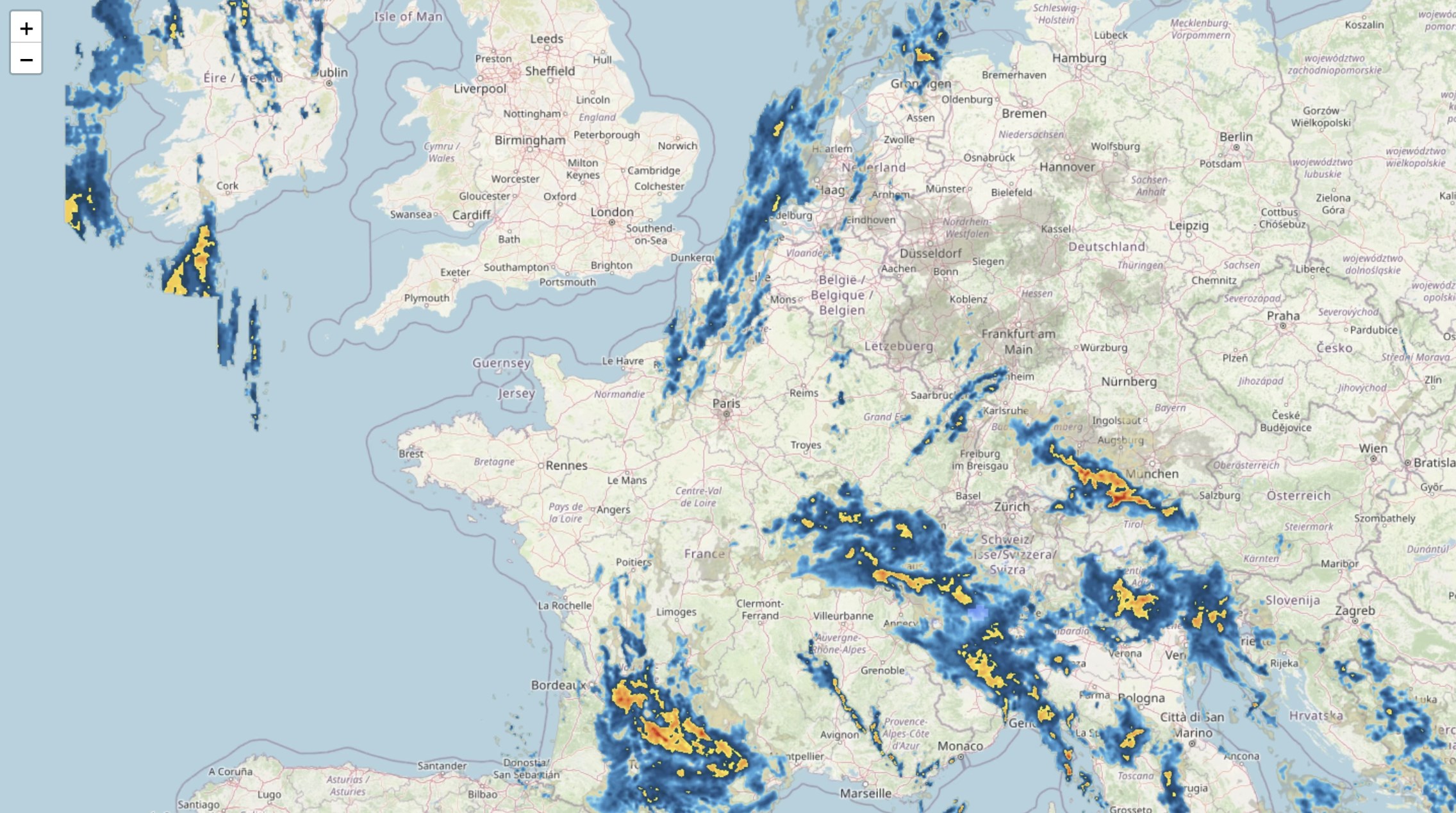
The core of Weather Radar Pro. is its high-resolution, interactive radar module. This feature is akin to having your personal weather drone, swooping over clouds, rain, and storms in real time. The radar imagery is remarkably detailed, capable of displaying precipitation intensity, storm movement, and cloud coverage with vibrant clarity. For outdoor event planners, hikers, or even parents curious about afternoon showers, this radar provides a clear, up-to-the-minute visual aid. Its smooth navigation and zoom functionalities make exploring weather patterns seamless, turning what could be a cluttered map into an elegant, insightful display.
Beyond just radar visuals, Weather Radar Pro. excels at delivering precise weather stats such as temperature, humidity, wind speed, and forecast models. The app's real-time data feeds from reputable sources, ensuring accuracy. Its predictive models help users anticipate weather changes, which is invaluable for scheduling outdoor activities or planning travel. This layer of detailed information elevates the app from a simple radar viewer to a comprehensive weather dashboard.
The interface of Weather Radar Pro. strikes a nice balance between functional richness and ease of use. With a clean layout and thoughtfully organized controls, even those new to weather apps can navigate effortlessly. The learning curve is gentle—imagine it as starting to read a map rather than deciphering an ancient manuscript. Transitioning between different views or adjusting settings is intuitive, making it suitable for quick checks or deep dives into weather data.
Compared to other utilities or weather tools, Weather Radar Pro. stands out chiefly because of its combination of real-time high-res radar imagery and simple customization features. While many weather apps provide forecasts and basic maps, few offer such detailed, interactive radar visualizations directly integrated into a desktop application. Its ability to display dynamic weather phenomena with minimal fuss gives it a notable advantage, especially for users who prefer visual, at-a-glance information without jumping through multiple sources.
If you're seeking a straightforward, reliable way to visualize current weather patterns directly on your Windows PC, Weather Radar Pro. is a commendable choice. It's especially recommended for outdoor enthusiasts, event organizers, or anyone who values real-time visual updates over standard text-based forecasts. Its ease of use and detailed radar features make it a valuable addition to daily weather tracking routines.
However, for users who need hyper-detailed meteorological data or advanced forecasting tools, this app should be viewed as a supplementary tool rather than a replacement for professional-grade weather software. Overall, I'd rate Weather Radar Pro. as a solid, user-friendly option that balances visual appeal with functional depth—definitely worth a try for anyone wanting a clearer view of the skies.
Accurate Weather Radar Data
Intuitive User Interface
Comprehensive Weather Information
Customizable Alerts
High-Resolution Radar Imagery
Limited Free Features
Battery Consumption
Offline Functionality
Notification Accuracy Delays
App Stability Issues on Older Devices

for Windows
 5
5

for Windows
5

for Windows
5

for Windows
5

for Windows
5

for Windows
4.9

for Windows
4.9

for Windows
4.9

for Windows
4.9

for Windows
4.9
for Windows
4.9

for Windows
4.9

for Windows
5

for Windows
5

for Windows
5
for Windows
5

for Windows
5

for Windows
5

for Windows
5

for Windows
5

for Windows
5

for Windows
5