Developer tools
Microsoft
PC
Windows 10 version 0.0 or higher
Integrated Keyboard
Integrated Mouse
English (United States)
For programmers seeking a versatile and powerful coding environment, Visual Studio Code (VS Code) stands out as a go-to choice. As a lightweight yet highly customizable source-code editor, it caters to a broad spectrum of development needs, making coding feel like a seamless dance rather than a chaotic scramble. Developed and published by Microsoft, this application is designed to empower developers on Windows platforms with its rich feature set and user-friendly interface.
Microsoft, a giant in the software industry, oversees the development and distribution of Visual Studio Code, ensuring its optimization for Windows users. Its versatility extends across multiple programming languages and frameworks, making it a versatile toolkit for various projects—from web development to data analysis.
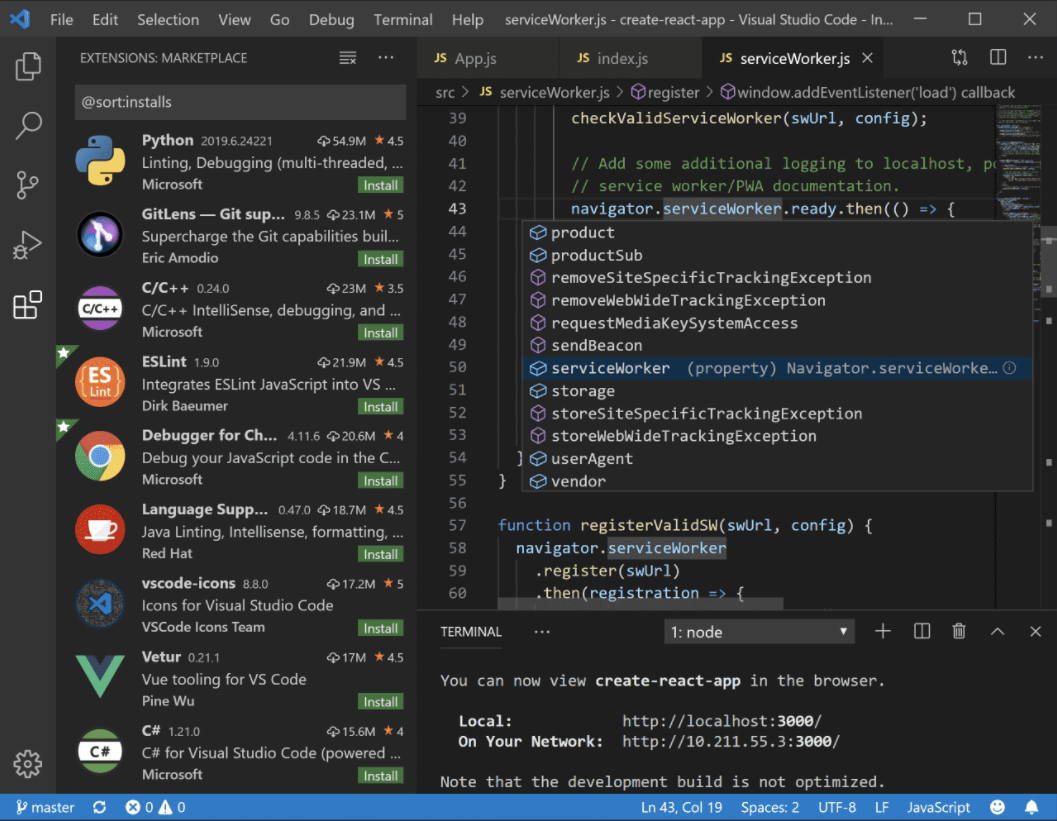
Imagine opening a toolbox where every tool is within arm's reach and intuitively laid out—that's the essence of VS Code's user interface. Its sleek, modern design offers a balanced mixture of minimalism and function, helping users stay focused and organized. Navigating through projects feels like flipping through the pages of a well-illustrated manual—smooth and responsive.
VS Code's interface is clean yet customizable; users can tweak themes, icon styles, and panel layouts to suit personal preferences. The side toolbar is a well-organized hub for files, search, source control, and extensions, which are just a click away, making workflow transitions seamless.
One of VS Code's strengths is its quick startup and reliable responsiveness, even with large projects. Its learning curve is gentle, especially for developers familiar with modern editors. Clear documentation and a vibrant community further ease onboarding, making it accessible both for beginners and seasoned pros.
While there are several code editors and IDEs out there—like Sublime Text, Atom, or JetBrains' offerings—VS Code's standout features are its strategic focus on extensibility and integration. Its deep integration with Microsoft's ecosystem allows workflows that are tightly woven with Azure, GitHub, and Windows tools. Moreover, its "Smart Extension" system provides tailored functionalities that adapt to various development stacks, making it uniquely flexible.
Considering its robust features, lightweight design, and active community support, Visual Studio Code for Windows earns a strong recommendation. It's particularly suited for developers who value customization and efficiency without the burden of a heavyweight IDE. Whether you're a hobbyist or a professional maintainer of large projects, VS Code offers a reliable and enriching environment that grows with your needs.
In essence, VS Code is akin to a Swiss Army knife—compact yet capable of handling almost any coding challenge you throw at it. Its most compelling advantage is the ease with which it adapts to various workflows through extensions, making it a truly versatile companion on your coding journey.
Lightweight and fast
Extensive extension ecosystem
Built-in Git integration
Cross-platform support
Highly customizable
Memory consumption
Limited offline documentation
Default debugging setup can be complex
Auto-update occasionally causes instability
Limited built-in support for some niche languages

for Windows
 5
5

for Windows
4.6

for Windows
4.6

for Windows
4.6

for Windows
4.5

for Windows
4.4

for Windows
4.4

for Windows
4.3

for Windows
4.3

for Windows
4.3

for Windows
4.3

for Windows
4.2

for Windows
5

for Windows
5
for Windows
5

for Windows
5

for Windows
5

for Windows
5

for Windows
5

for Windows
5

for Windows
5

for Windows
5