


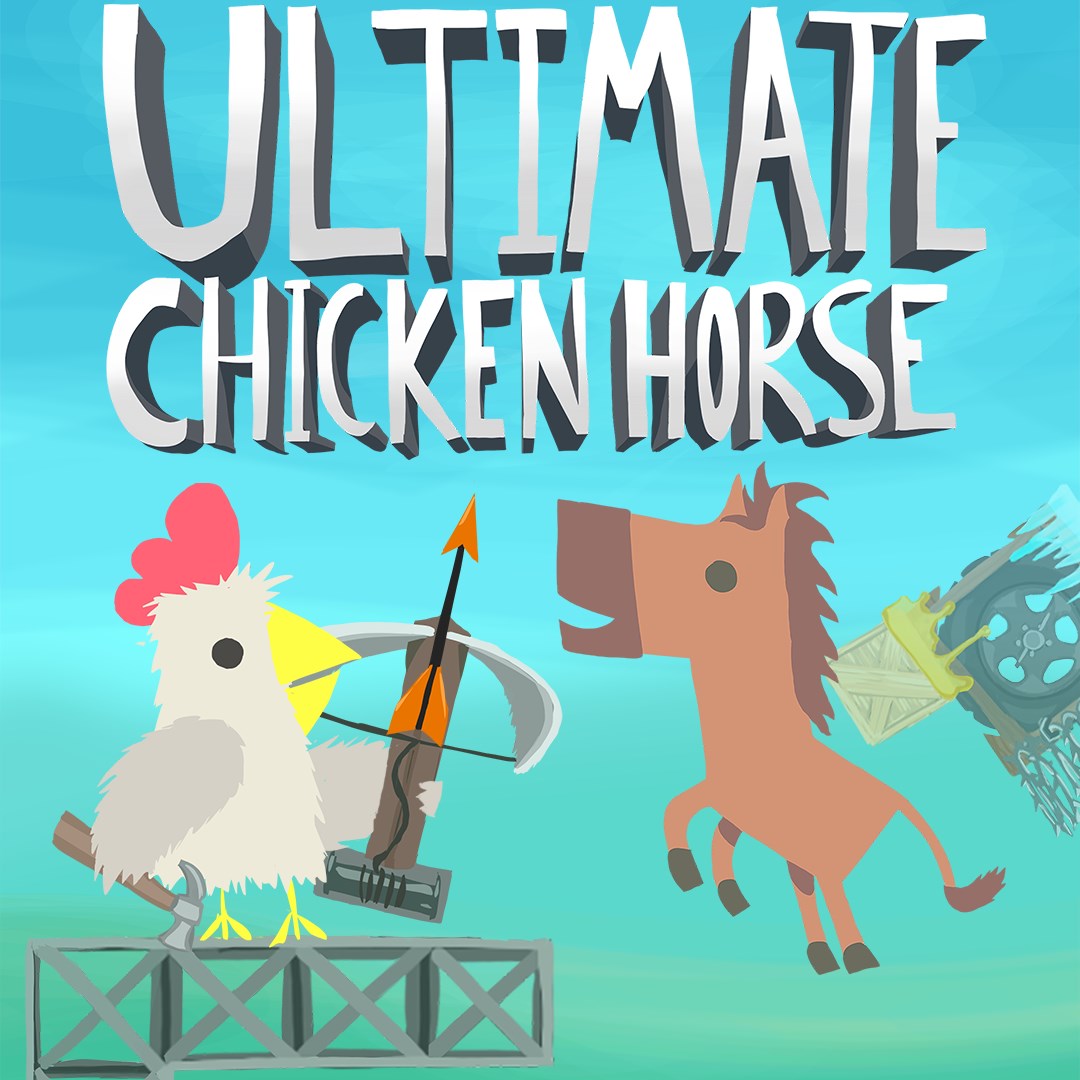
Platformer
Ultimate Chicken Horse stands out as a charming and inventive multiplayer platformer that invites players to build and navigate imaginative levels, blending humor with strategic design.
Developed by Clever Endeavour Games, Ultimate Chicken Horse is a comedic and cooperative competitive platformer where players select their animal characters to race through custom or pre-made obstacle courses. Its main appeal lies in its unique ability to let players craft the track as they play, fostering creativity and spontaneity.
The game's core features include dynamic level creation, multiplayer chaos, and a variety of customizable characters and obstacles. It's designed to entertain friends or solo players who enjoy puzzle-solving combined with platforming action.
Targeted primarily at casual gamers, party game enthusiasts, and fans of creative challenges, it offers a light-hearted yet strategic gameplay experience suitable for players of all ages.
Imagine stepping into a world where you're not just running through a preset course but actually building the obstacles as you go—this is the magic of Ultimate Chicken Horse. It's like hosting a lively game night where everyone gets to be both the architect and the contestant, making each round unpredictable, hilarious, and engaging.
One of the most distinctive features of Ultimate Chicken Horse is its real-time level building system. Players take turns placing platforms, traps, and hazards to craft challenging courses. This feature transforms gameplay into a collaborative art project that evolves dynamically, encouraging creativity and strategic thinking simultaneously. Unlike traditional platformers where levels are fixed, here, each game becomes a unique puzzle forged by its participants.
The game shines brightest in multiplayer mode—up to four players—fostering friendly rivalry and comedic chaos. The fun lies in anticipating opponents' moves, tactically placing obstacles, and trying to outsmart each other. Its balance of cooperation and competition keeps gameplay fresh and often hilarious, especially when unexpected traps lead to hilarious fails or triumphant escapes. The multiplayer experience is smooth, with minimal lag, allowing spontaneous interactions that feel natural and lively.
The game features a variety of quirky animal characters, each with customizable accessories, adding a personal touch to each player's avatar. The cartoonish, colorful art style resembles a lively playground, making the interface inviting for players of all ages. The controls are intuitive, with straightforward mechanics that ease new players into level editing and execution, while offering depth for seasoned strategists.
The user interface is clean and playful, resembling a simplified drawing board that's easy to navigate. The level editor's drag-and-drop mechanics are responsive, enabling quick placement of objects. The overall performance on Windows is seamless, with quick load times and smooth rendering of dynamic elements, creating an immersive and frustration-free experience.
Compared to other platformers, Ultimate Chicken Horse's key differentiator is its built-in level editor combined with multiplayer chaos—akin to being both the architect and the contestant in a lively playground. This design fosters community creation and shared gameplay experiences, which sets it apart from conventional platformers that rely on fixed levels.
Ultimate Chicken Horse is a delightful choice for players seeking a game that combines creativity, humor, and competitive fun. Its most noteworthy feature—the real-time level building—encourages spontaneous collaboration and offers endless replayability. Whether you're hosting a game night or exploring solo challenges with AI, it provides a fresh take on the platformer genre.
We recommend this game for casual gamers, families, and friends looking for a light-hearted yet engaging experience. Its straightforward controls and vibrant visuals make it accessible, while the inventive level creation keeps it intriguing over time.
In summary, if you enjoy games that empower you to create, laugh, and compete in a colorful world, Ultimate Chicken Horse deserves a spot on your Windows gaming library. It's a playful arena where imagination and mischief collide—perfect for both social gatherings and solo adventures.
Creative Gameplay Mechanics
Multiplayer Fun
Easy Level Editor
Frequent Updates
Cross-Platform Compatibility
Occasional Lagging
Limited Single-Player Content
Learning Curve for Level Creation
Graphics Quality
In-App Purchases

for Windows
 4.7
4.7

for Windows
4.7

for Windows
4.6
for Windows
4.4

for Windows
4

for Windows
3.8
for Windows
3

for Windows
2.6

for Windows
0

for Windows
0

for Windows
0

for Windows
0

for Windows
5

for Windows
5

for Windows
5

for Windows
5

for Windows
5

for Windows
5

for Windows
5

for Windows
5

for Windows
5

for Windows
5

