Developer tools
Canonical Ltd. and the OpenSource community
PC
Windows 10 version 16215.0 or higher
Integrated Keyboard
4 GB
Not specified
English (United States)
Ubuntu 22.04.5 LTS for Windows is a tailored version of Canonical's popular Linux distribution, designed to bring the power and flexibility of Ubuntu directly into the Windows environment. This application offers a streamlined way for developers, sysadmins, and tech enthusiasts to run Ubuntu alongside Windows without the need for dual booting or complex virtualization setups.
Created collaboratively by Canonical Ltd., the minds behind Ubuntu, and contributions from the vibrant open-source ecosystem, this app embodies the spirit of open innovation. Its development team focuses on stability, performance, and user-friendliness, ensuring that users get a reliable Linux environment designed specifically for Windows users seeking versatility and ease of use.
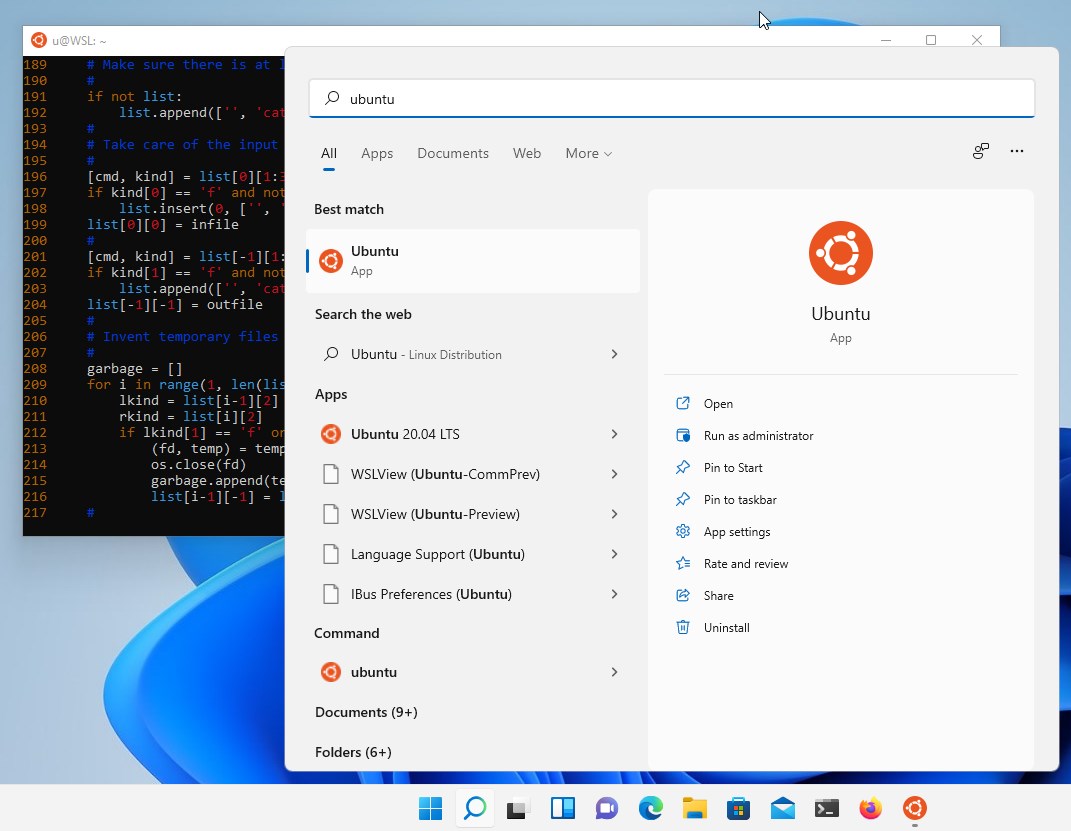
Imagine having a Linux shell as familiar as opening a new tab in your browser — that's the promise of Ubuntu for Windows. Its install process is as simple as clicking a button, turning your Windows machine into a playground for Ubuntu's powerful features. Once installed, you'll find yourself greeted with a clean, command-line landscape that feels both familiar and fresh, inviting you to dive into a new realm of development possibilities.
The standout feature is its integration of a full Ubuntu user space directly within Windows. This means you can install Linux packages, run Bash scripts, or even develop software in Ubuntu without leaving your Windows desktop. The seamless interoperability allows files to be shared effortlessly between environments, making transitions smooth and simple.
The interface, essentially a command-line shell, offers a straightforward and familiar experience for those accustomed to Linux. While it's not a graphical interface per se, the terminal is optimized for speed and responsiveness, making command execution feel instantaneous. The setup wizard guides beginners with clear instructions, reducing the typical learning curve. For advanced users, the environment is highly customizable, supporting tools like zsh, tmux, and more, akin to having a modular toolkit right inside Windows.
Thanks to Microsoft's Windows Subsystem for Linux (WSL) architecture, Ubuntu 22.04.5 LTS for Windows runs efficiently, with quick startup times and minimal system overhead. It handles demanding tasks such as compiling code, managing containers, or running servers smoothly, comparable to a native Linux install. Its compatibility with Windows apps and utilities creates a flexible, integrated workspace for diverse workflows.
This app's most compelling feature is its deep integration with Windows via WSL, providing a native-like Linux experience without the need for virtualization or dual-booting. Unlike some third-party Linux emulators, Ubuntu for Windows leverages the underlying OS architecture, ensuring higher performance and system stability. Its persistent filesystem support and seamless command-line interoperability make it particularly appealing for developers who want a reliable, hassle-free Ubuntu environment within their familiar Windows ecosystem.
If you're a developer, sysadmin, or tech enthusiast looking for a straightforward way to harness Ubuntu's robust ecosystem without leaving Windows, this app is highly recommended. It's particularly suited for those who prefer command-line tools, shell scripting, or need to test Linux-specific configurations.
For newcomers to Linux, just be prepared for the initial learning curve associated with terminal commands, but rest assured, the setup process is user-friendly. Power users will appreciate the high level of customization and performance optimization options available.
In summary, Ubuntu 22.04.5 LTS for Windows offers a mature, well-integrated Linux environment that complements rather than competes with Windows. Its emphasis on stability, performance, and user-friendly design makes it a valuable addition to your toolkit, whether for professional development or personal experimentation.
Seamless integration with Windows Subsystem for Linux (WSL)
Updated Linux kernel support in Ubuntu 22.04.5 LTS
Long-term support (LTS) guarantees stability and security updates until 2027.
Rich package repositories and software support from Ubuntu 22.04.
User-friendly interface within Microsoft Store allows quick setup and updates.
Limited GPU acceleration support for some graphics-intensive applications.
Initial setup can be complex for users unfamiliar with WSL or Linux environments.
Occasional compatibility issues with specific hardware peripherals.
Limited access to some Linux GUI applications with full GPU acceleration.
Potential for delayed updates compared to native Linux distributions.

for Windows
 5
5

for Windows
4.6

for Windows
4.6

for Windows
4.6

for Windows
4.5

for Windows
4.4

for Windows
4.4

for Windows
4.3

for Windows
4.3

for Windows
4.3

for Windows
4.3

for Windows
4.2

for Windows
5

for Windows
5
for Windows
5

for Windows
5

for Windows
5

for Windows
5

for Windows
5

for Windows
5

for Windows
5

for Windows
5