Business
PC
Windows 10 version 14316.0 or higher
English (United States)
Transparent Sticky Notes for Windows, developed by LiHe, is a sleek digital note-taking app designed to bring a modern touch to your desktop organization. Unlike traditional sticky notes, it offers a transparent, customizable interface that allows users to annotate their work transparently, integrating seamlessly into multitasking environments. Its primary aim is to enhance productivity through a simple yet elegant note management experience.
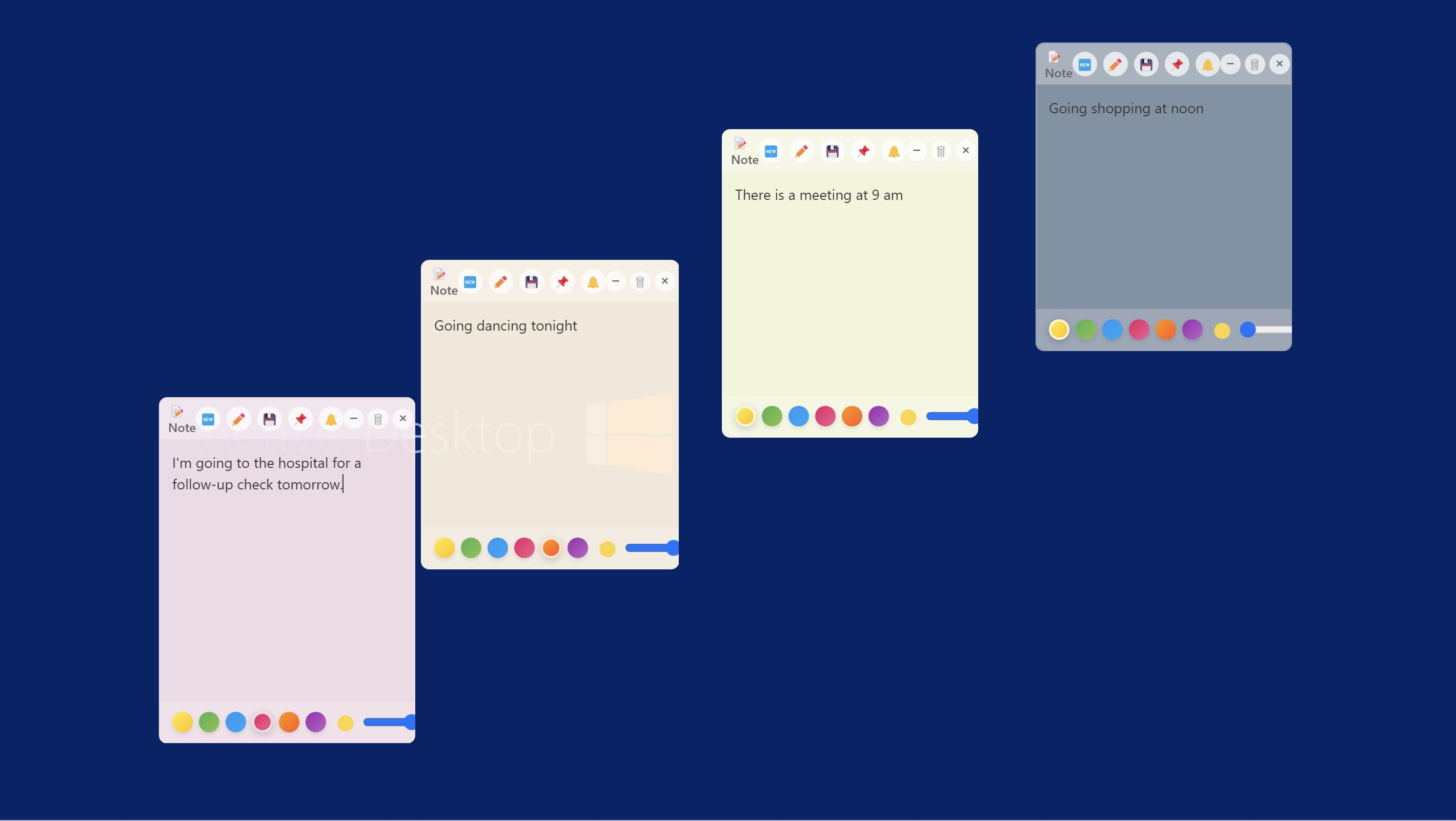
Imagine having your notes float gently over your desktop, like delicate glass labels that don't clutter your workspace. This app's standout feature is its transparent background, allowing notes to appear over any open window without disrupting your workflow. Whether you're jotting down quick reminders or brainstorming ideas, the unobtrusive design ensures your workspace remains clean and focused. The interface is minimalistic but functional, with easy access to color customization, font adjustments, and note positioning, making it accessible for both casual users and professionals alike.
One of the most distinctive aspects of Transparent Sticky Notes for Windows is its capacity to facilitate collaborative work. Users can share entire notes or sections of notes in real-time, a feature that's especially useful for team projects or remote collaborations. The app supports synchronization across multiple devices, ensuring that team members stay in sync effortlessly. Think of it as your digital whiteboard that everyone can write on simultaneously, making collaborative efforts seem less like a chore and more like a creative dialogue.
Set apart by its task management capabilities, the app allows users to create checklists, assign priority levels, and set reminders within each note. The integration of these features enables users to keep track of their daily to-dos without switching between multiple tools. Imagine having a digital Post-it that not only sticks around but also evolves with your day — alerting you when deadlines approach and helping prioritize tasks visually. It transforms a simple note into a mini project dashboard, streamlining personal and team workflows.
The app's interface strikes a fine balance between simplicity and versatility. The transparent, clean design is intuitive to navigate; users can quickly add, edit, or delete notes with minimal effort. The smooth operation ensures that even during intensive multitasking, performance remains steady and lag-free. Color schemes, font styles, and note size can be tailored to suit individual preferences, making it a personalized digital workspace. The learning curve is gentle enough for first-time users but offers depth for power users seeking customization.
While many sticky note apps offer basic functionality, Transparent Sticky Notes for Windows differentiates itself through its transparency feature and its emphasis on collaborative productivity. Unlike conventional notes that sit atop your desktop like sticky splashes of color, this app integrates notes into your workflow discreetly, much like a transparent glass overlay—imperceptible yet always accessible.
Moreover, its robust collaboration and task management capabilities elevate it from simple note tools to a mini project hub, comparable to lightweight digital workspaces. For teams working remotely or in hybrid environments, this app's capacity to support real-time sharing and synchronized updates provides a distinct edge—facilitating a seamless, visually organized workflow that's hard to match.
I would recommend Transparent Sticky Notes for Windows to users who need an unobtrusive yet powerful note-taking tool, especially those involved in collaborative projects or needing integrated task management on their desktops. Its transparent design makes it suitable for multitasking environments, and its unique features stand out in a crowded field of simple sticky note apps. However, for users seeking advanced project management or extensive integrations, this app might serve better as a supplementary tool rather than a complete solution.
In short, if you're after a visually elegant, functionally rich, and user-friendly note app to keep your desktop tidy and your teamwork flowing smoothly, Transparent Sticky Notes is definitely worth exploring. It's like having a transparent, digital post-it wall that works quietly behind the scenes to boost your productivity without adding clutter.
Intuitive Sticky Note Interface
Transparent Design Enhances Focus
Syncs across Devices
Customizable Stickers and Colors
Lightweight and Fast
Limited Offline Functionality
Basic Text Editing Features
Occasional Sync Delays
Limited Export Options
Limited Integration with Other Apps

for Windows
 5
5

for Windows
5

for Windows
4.9

for Windows
4.9

for Windows
4.9

for Windows
4.9

for Windows
4.8

for Windows
4.8

for Windows
4.8

for Windows
4.8
for Windows
4.7

for Windows
4.7

for Windows
5

for Windows
5

for Windows
5

for Windows
5

for Windows
5

for Windows
5
for Windows
5

for Windows
5

for Windows
5

for Windows
5