Social
PC
Windows 10 version 14316.0 or higher
English (United States)
TextNow - Unlimited Texts + Calls for Windows is a versatile app designed to provide users with seamless messaging and calling capabilities directly from their desktops. Whether you're a busy professional, a student staying connected, or someone who prefers a dedicated communication line, this application promises to keep you connected effortlessly. Developed by TextNow Inc., a company renowned for its innovative communication solutions, this app stands out by offering a familiar and user-friendly interface that mimics modern mobile messaging experiences right on your PC. Its key highlights include unlimited texting and calling, easy contact discovery, and features geared toward personalization and authenticity — making it not just another messaging tool, but a comprehensive communication platform.
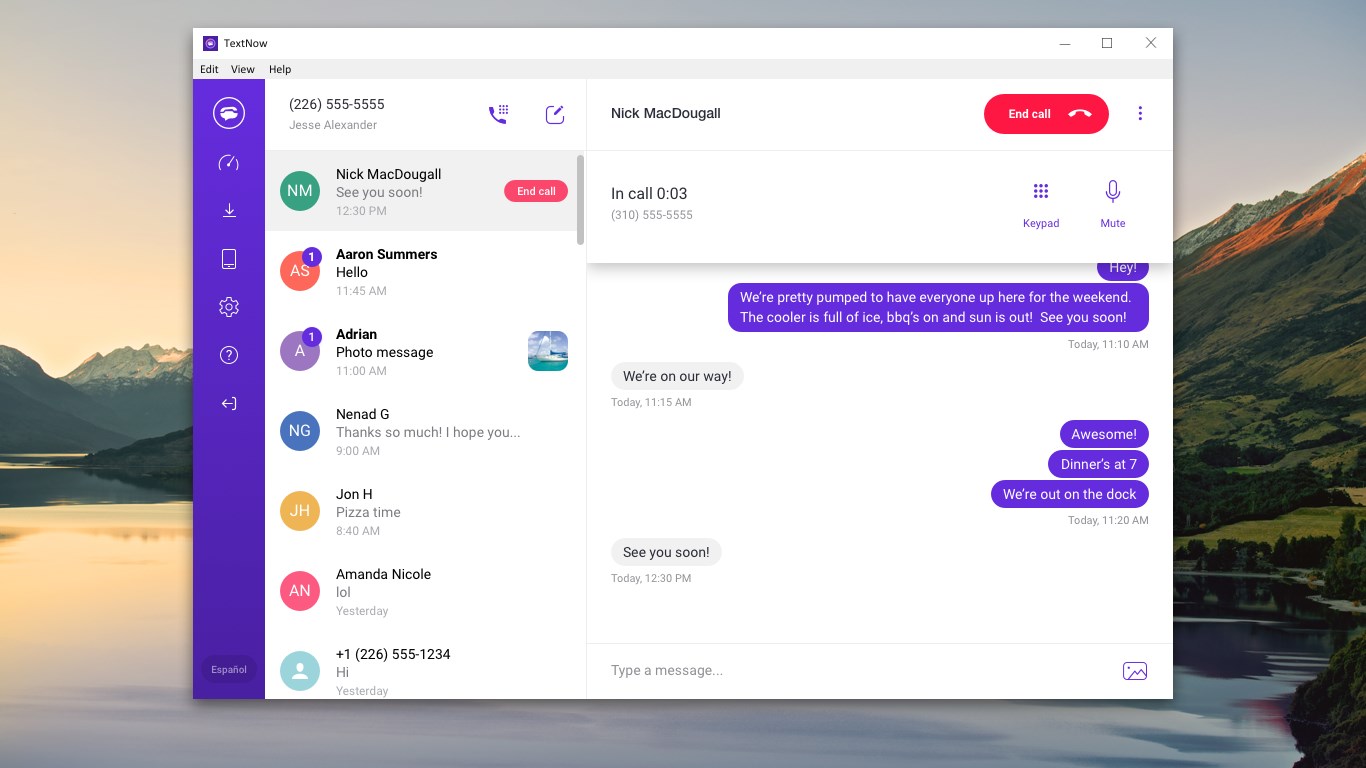
At its core, the app offers unlimited SMS and voice calls, which means you can communicate without fretting over minutes or message caps. This feature is perfect for both casual chatting and more business-oriented conversations, providing a reliable bridge of communication over the internet, much like having a virtual phone number. The quality of calls is crisp, with minimal lag, ensuring your voice travels smoothly across the virtual airwaves.
The contact discovery feature simplifies the process of finding friends and colleagues already using TextNow or compatible services. With a simple search mechanism, the app helps you expand your network effortlessly. Whether syncing your contacts or finding new connections, this feature acts like a friendly social detective, reducing the hassle of manual input and making sure you're always in touch with the right people.
One of the app's distinguishing aspects is its focus on user profile customization and verifying user authenticity. Users can create personalized profiles with profile pictures, statuses, and unique identifiers, adding a layer of authenticity similar to social media platforms. This not only enhances trust among contacts but also fosters a more genuine communication environment, setting it apart from generic chat apps that often lack such identity verification features.
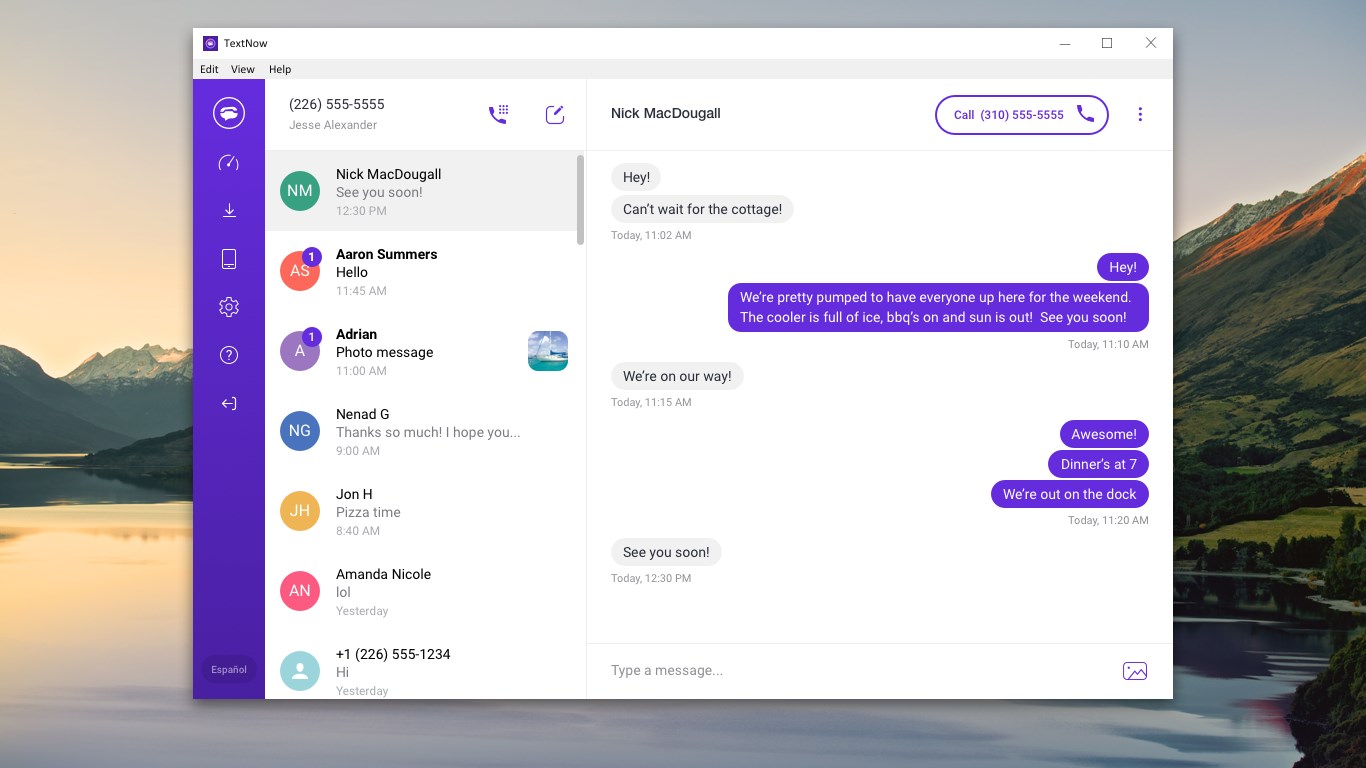
The user interface of TextNow for Windows is clean, organized, and intuitive—like a well-arranged workspace that invites you to start working immediately. The layout resembles popular mobile messaging apps, which minimizes the learning curve for new users and feels familiar from the get-go. Navigating between chats, making calls, or adjusting settings is smooth and responsive, akin to flicking through pages in a polished magazine. Transition animations are subtle and fluid, adding to the overall polished feel.
From a usability standpoint, the app is designed for efficiency. The core functions are accessible within a few clicks, and sending a message or placing a call feels natural. Even those less tech-savvy will find the app approachable, thanks to its straightforward design and helpful tooltips.
In comparison with other social messaging applications, TextNow's focus on authentic user profiles and connection discovery gives it a unique edge. Its emphasis on real user identity and seamless contact synchronization enhances trust and reduces the anonymous feeling common in many messaging platforms. This creates a more genuine environment, especially valuable for users seeking meaningful interactions rather than superficial chats.
Based on a balanced review, I would recommend TextNow for Windows to users who require a dependable desktop communication tool, especially those who prioritize unlimited texting and calling without extra costs. Its special features of contact discovery and user profile verification make it stand out from typical messaging apps, fostering genuine and trustworthy connections. While the app performs well in terms of design and responsiveness, users should keep in mind that an internet connection is essential for optimal operation.
If you're looking for a straightforward, reliable, and slightly personalized messaging solution on your Windows device, this app is definitely worth trying. Its user-focused features and smooth experience make it a solid choice for anyone seeking an alternative communication platform that feels both familiar and modern.
Free unlimited texts and calls
Easy-to-use interface
Supports multiple devices
Runs independently of carrier networks
Number porting available
Limited international calling options
Ads displayed during usage
Call quality depends on Wi-Fi stability
Limited customer support options
Number porting may face delays

for Windows
 5
5

for Windows
4.9

for Windows
4.8

for Windows
4.7

for Windows
4.7

for Windows
4.6

for Windows
4.6

for Windows
4.5

for Windows
4.5

for Windows
4.5

for Windows
4.5

for Windows
4.4

for Windows
5

for Windows
5

for Windows
5

for Windows
5

for Windows
5
for Windows
5

for Windows
5

for Windows
5

for Windows
5

for Windows
5