Social
PC
Windows 10 version 18362.0 or higher
Version 9
Arabic, Belarusian, Catalan, Chinese (Simplified), Chinese (Traditional Chinese), Croatian, Czech, Dutch, English, Finnish, French, German, Hebrew, Hungarian, Indonesian, Italian, Japanese, Korean, Malay, Norwegian (Bokmål), Persian/Farsi, Polish, Portuguese (Brazil), Russian, Serbian (Cyrillic), Slovak, Spanish, Swedish, Turkish, Ukrainian
Unigram is a dedicated Telegram client designed specifically for Windows users, offering an optimized experience for those who want a robust and user-friendly messaging app right on their desktop.
Developed by Unigram, Inc., this app brings the popular Telegram messaging platform to the Windows desktop with a tailored interface and functionalities. Its main features include synchronized multi-device support, rich media sharing, and customizable user profiles. The app caters primarily to Windows users seeking a native app that integrates smoothly into their workflow and offers enhanced privacy controls.
Imagine sitting comfortably at your desk, seamlessly switching between work and personal chats without the clutter of multiple tabs or browser windows. Unigram transforms your Windows environment into a dedicated hub for instant messaging—think of it as your digital office desk, where everything is organized and at your fingertips. Whether you're a casual user or a power user managing numerous groups and channels, Unigram offers a straightforward yet powerful pathway to stay connected.
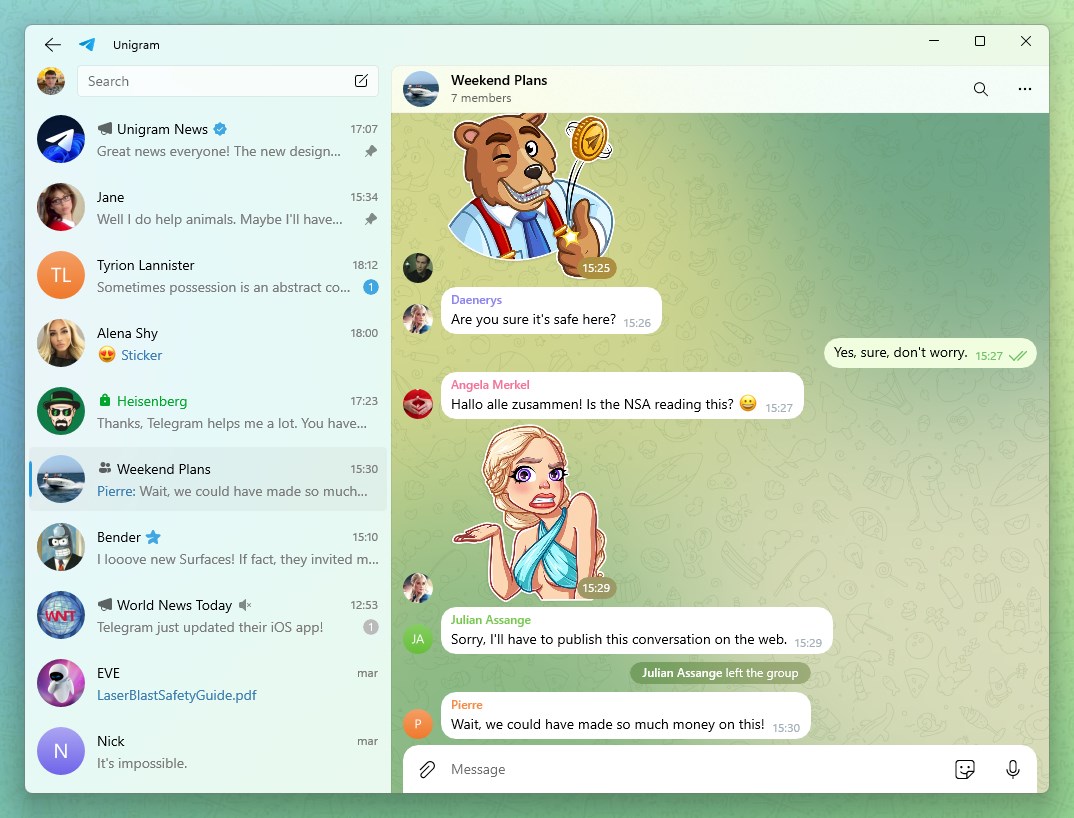
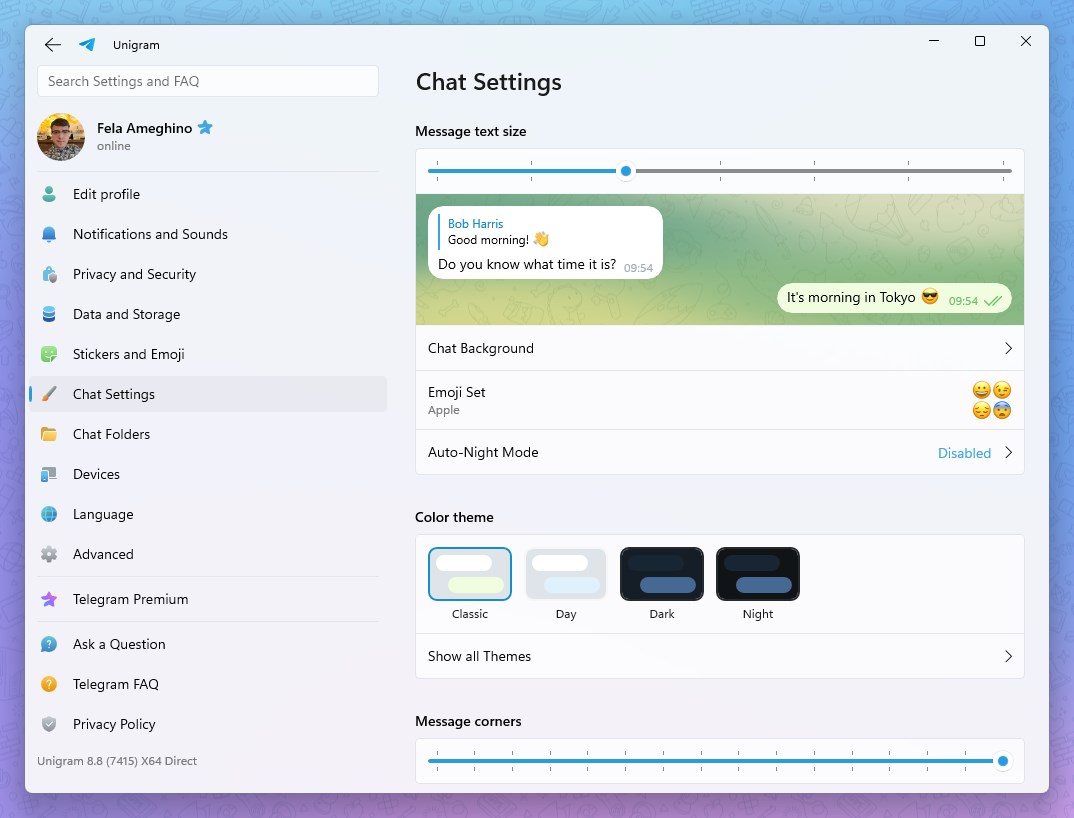
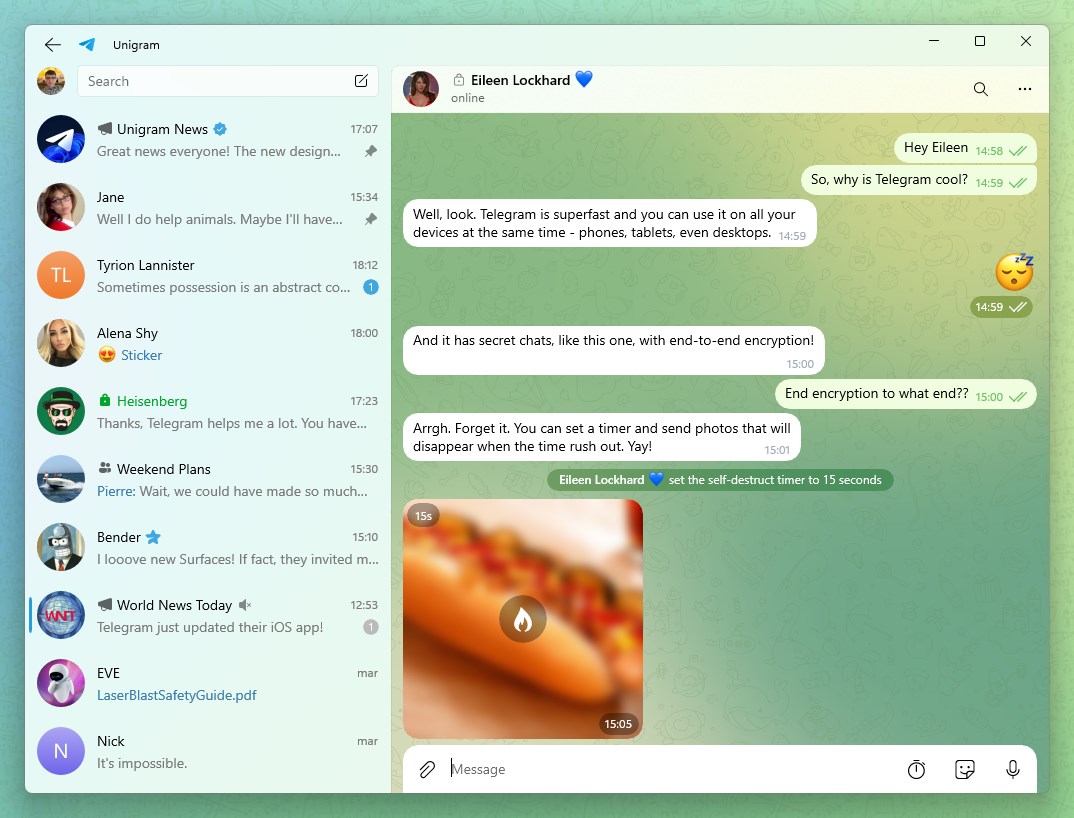
Unigram boasts a clean, intuitive interface that feels natural on Windows. The layout mimics traditional desktop apps, making navigation feel familiar and effortless. Users can personalize the sidebar, theme, and appearance to match their personal taste or workspace aesthetics. This customizability ensures that the app isn't just functional—it's also visually aligned with your preferences, reducing visual clutter and enhancing productivity.
One of Unigram's standout features is its focus on user authenticity and profile management. Unlike many mobile-centric messaging apps, Unigram allows users to verify their identity through various methods, fostering a more trustworthy environment. Additionally, users can craft detailed profiles with custom avatars, bios, and status updates that reflect their individuality. This emphasis on profile authenticity and personalization makes interactions feel more genuine and tailored, fostering a sense of community and trust.
Unigram shines brightly in bridging the gap between devices. It offers seamless synchronization across Windows devices and supports connections to other platforms via Telegram's cloud infrastructure. The app also features intelligent connection discovery, allowing users to effortlessly find and connect with contacts, channels, and groups personalized to their interests. This focus on discovery and connectivity means users spend less time searching and more time engaging in meaningful conversations.
The app's interface is designed with clarity and simplicity, making onboarding a breeze even for newcomers. Its responsiveness is commendable—the app feels snappy, with minimal lag during message sending or media sharing. Multi-taskers will appreciate its smooth operation alongside other desktop activities, akin to having a dedicated office assistant managing their chats. The learning curve is gentle; most features are intuitive, yet advanced options like profile customization and authenticity verification reveal depth for power users.
Compared to other social messaging apps, Unigram's strongest points are its focus on profile authenticity and user identity management, along with connection discovery features tailored for desktop use. It's like having a trusted, customizable digital social hub right on your Windows desktop—more personalized, more secure, and easier to manage than some mobile-first counterparts.
Overall, Unigram is a reliable, well-designed client for Windows users who want a dedicated Telegram experience that feels native and flexible. If profile authenticity, personalized interaction, and seamless connectivity are important to you, Unigram offers these in spades. It's especially recommended for professionals, communities, or anyone looking to keep their messaging ecosystem tightly integrated into their Windows environment.
While the app's core features are robust, some users may wish for additional advanced customization options or enhanced media editing tools. Nonetheless, for everyday use, Unigram strikes a fine balance between simplicity and depth.
If you're seeking a trustworthy, customizable, and Windows-optimized messaging app, Unigram is worth a try—think of it as your digital office companion that's always ready to connect and personalize your communication space.
User-friendly interface
Fast messaging synchronization
Support for multimedia sharing
Multiple chat management
Regular updates improve stability
Limited customization options
Occasional lag during multimedia uploads
Notification settings are basic
No built-in theme dark mode yet
Some advanced Telegram features are missing

for Windows
 5
5

for Windows
4.9

for Windows
4.8

for Windows
4.7

for Windows
4.7

for Windows
4.6

for Windows
4.6

for Windows
4.5

for Windows
4.5

for Windows
4.5

for Windows
4.5

for Windows
4.4

for Windows
5

for Windows
5

for Windows
5

for Windows
5

for Windows
5
for Windows
5

for Windows
5

for Windows
5

for Windows
5

for Windows
5