Utilities & tools
PC
Windows 10 version 14316.0 or higher
English (United States)
If managing your SQLite databases feels like navigating a maze blindfolded, this app promises to turn that chaos into clarity. Designed for developers and database enthusiasts alike, the "SQLite Viewer & Editor for Windows" offers an intuitive and efficient way to view, edit, and analyze your SQLite data—all within a user-friendly interface.
Developed by Central Software, this application is part of their lineup dedicated to desktop utilities that simplify database management tasks. Central Software, with its focus on delivering lightweight yet powerful tools, aims to streamline database editing processes for users across various experience levels.
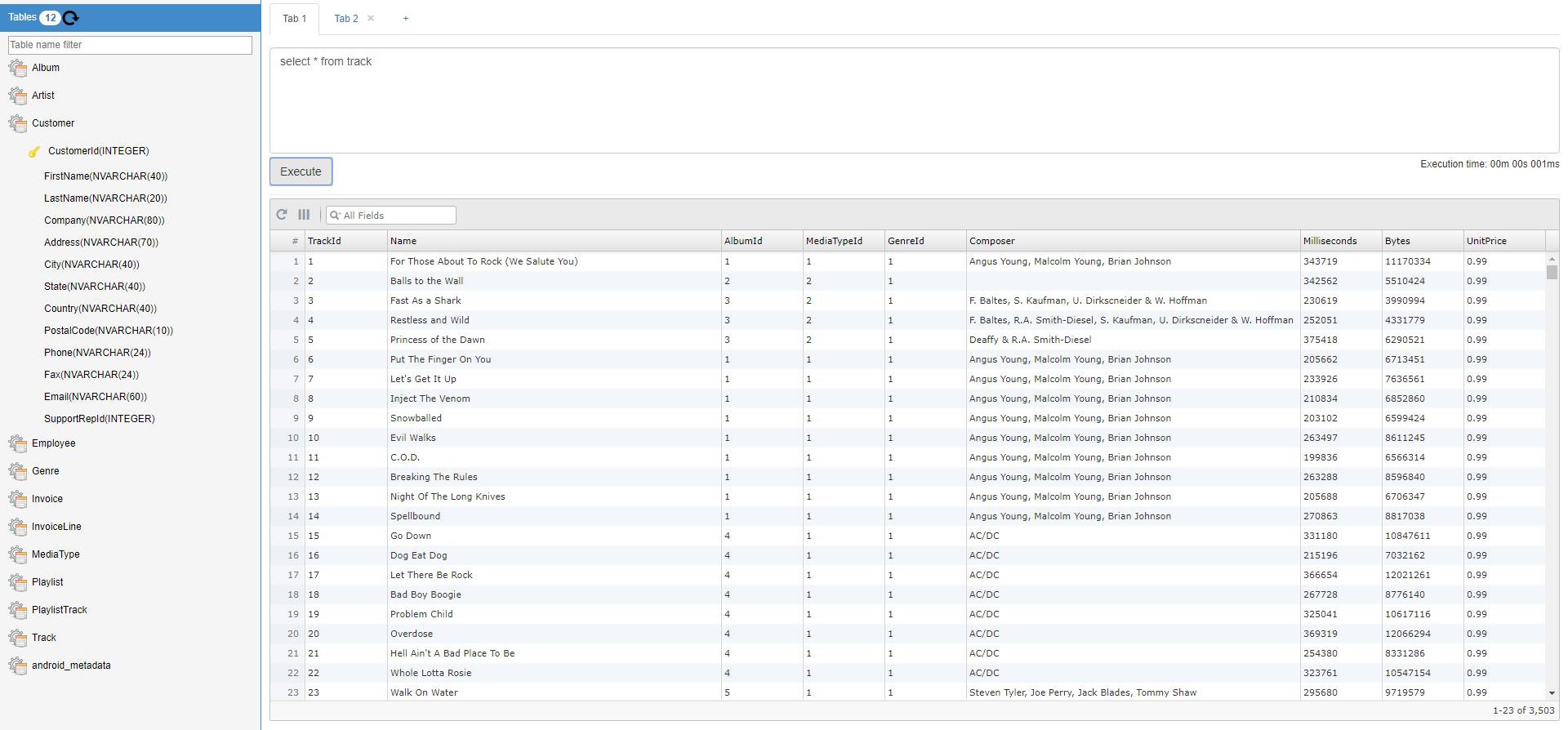
Imagine you're a data wrangler stepping into a well-lit arena—this application greets you with a straightforward interface that feels like a familiar workspace. Its tabbed layout simplifies task switching, making database management feel less like a chore and more like a journey through your data universe.
This feature stands out by allowing users to browse tables visually, much like flipping through pages in a well-organized album. The inline editing capability ensures your modifications are immediate, reducing the need for cumbersome export/import processes. Think of it as having a pen directly on the photo—changes are instant, visible, and uncomplicated.
For those comfortable with code, the embedded SQL editor acts like a sleek writing desk—clean, organized, and equipped with tools to prevent mistakes. Syntax highlighting, error prompts, and execution result windows make running complex queries both safe and satisfying. It's akin to having a seasoned editor guiding your SQL scripts, reducing errors, and boosting confidence.
The app's ability to support multiple database files through drag-and-drop simplifies multitasking. Swap between projects effortlessly, akin to flipping through different notebooks—no fuss, no clutter. This streamlined approach ensures your workflow remains fluid, especially when juggling multiple databases.
Beyond its core functionalities, the app's interface exudes clarity without sacrificing robustness. The design is akin to a well-organized workshop—everything in its place, accessible at a glance. Users report smooth operation, with rapid response times that keep the experience snappy. The learning curve is gentle enough for beginners yet undiminished for advanced users, making it a versatile choice.
Compared to other SQLite tools, this app's *most notable feature* is its seamless inline editing combined with a clean, distraction-free interface. While many utilities require separate tools for viewing and editing, this app consolidates both into one, creating a unified experience. Additionally, the straightforward SQL editor with syntax support adds a layer of sophistication absent in some competitors.
This application is well-suited for developers who want a straightforward yet capable tool for local database editing, data analysis, or prototyping. Its focus on usability makes it ideal for newbies, while the robust features cater to seasoned database enthusiasts. I'd confidently recommend it as a reliable companion for daily database management tasks.
In short, if you're seeking a lightweight, user-friendly, and efficient SQLite viewer and editor for Windows, Central Software's offering deserves your attention. It may not boast bells and whistles, but its core strengths—simplicity, speed, and thoughtful design—make it a dependable workhorse for database work.
User-friendly interface
Quick database browsing
Supports editing and saving changes
Supports multiple file formats
Built-in query execution
Limited advanced features
Performance issues with very large databases
Official support and updates are infrequent
Limited export options
Basic UI customization missing

for Windows
 5
5

for Windows
5

for Windows
5

for Windows
5

for Windows
5

for Windows
4.9

for Windows
4.9

for Windows
4.9

for Windows
4.9

for Windows
4.9

for Windows
4.9

for Windows
4.9

for Windows
5

for Windows
5

for Windows
5
for Windows
5

for Windows
5

for Windows
5

for Windows
5

for Windows
5

for Windows
5

for Windows
5