Music
Songbook Systems Limited
PC, Mobile, Surface Hub
Windows 10 version 17763.0 or higher
Danish, English, English (Australia), English (United Kingdom), English (United States), French, German, Hungarian, Italian, Portuguese (Brazil), Spanish
Designed to streamline the way musicians access and manage their sheet music, SongbookPro for Windows aims to be an intuitive and versatile digital solution that transforms your musical practice and performance experience.
Developed by Songbook Systems Limited and published by Jonathan Salmon, this application is dedicated to musicians seeking an organized, efficient, and flexible way to handle their sheet music collections. Its key features include seamless PDF organization, customizable playlists, and real-time annotation capabilities—delivering a professional-grade digital sheet music library. The app caters primarily to serious musicians, music educators, and performers who desire quick access and versatile management of their extensive music catalogs.
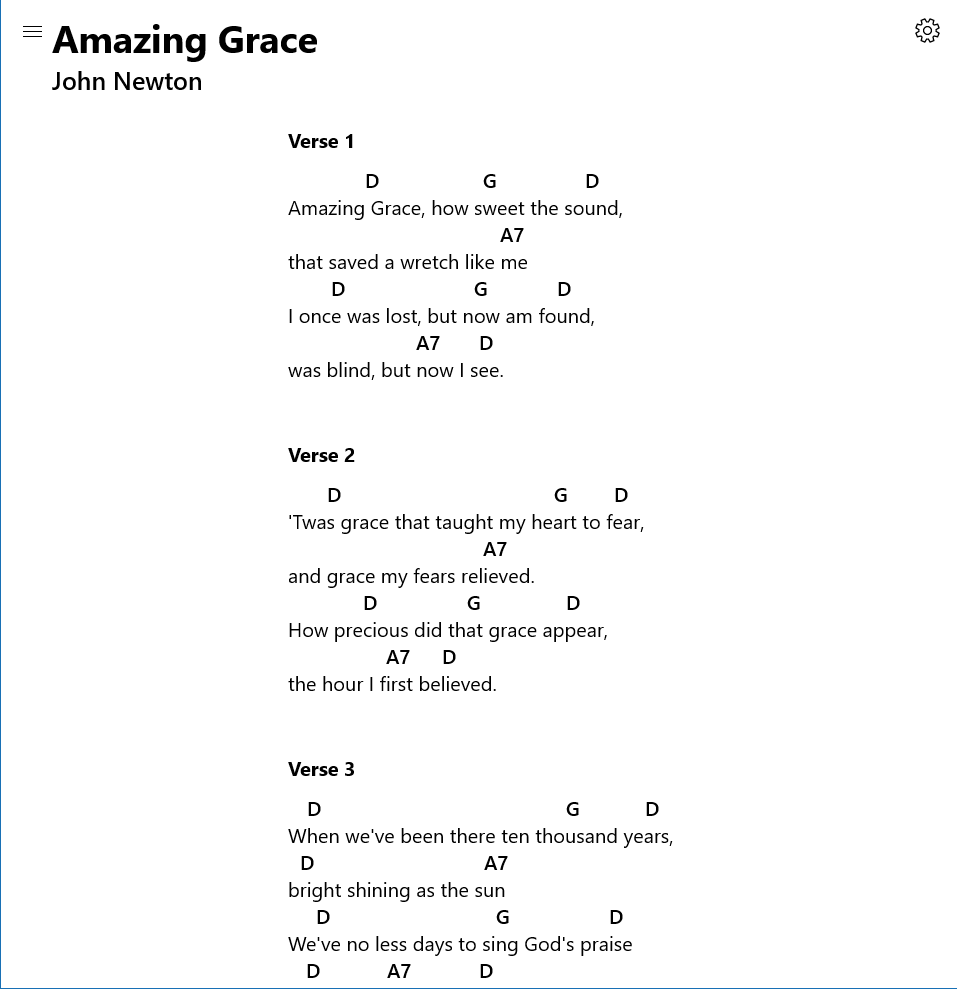
Imagine flicking through your music stand, each page turning smoothly, as if your sheet music floats effortlessly in front of you. SongbookPro for Windows offers a similar experience—presenting a sleek interface that mimics the familiarity of paper while leveraging the power of digital convenience. Whether you're practicing at home or performing on stage, this app strives to make your interaction with sheet music fluid and enjoyable, without the frustration of fumbling through physical papers.
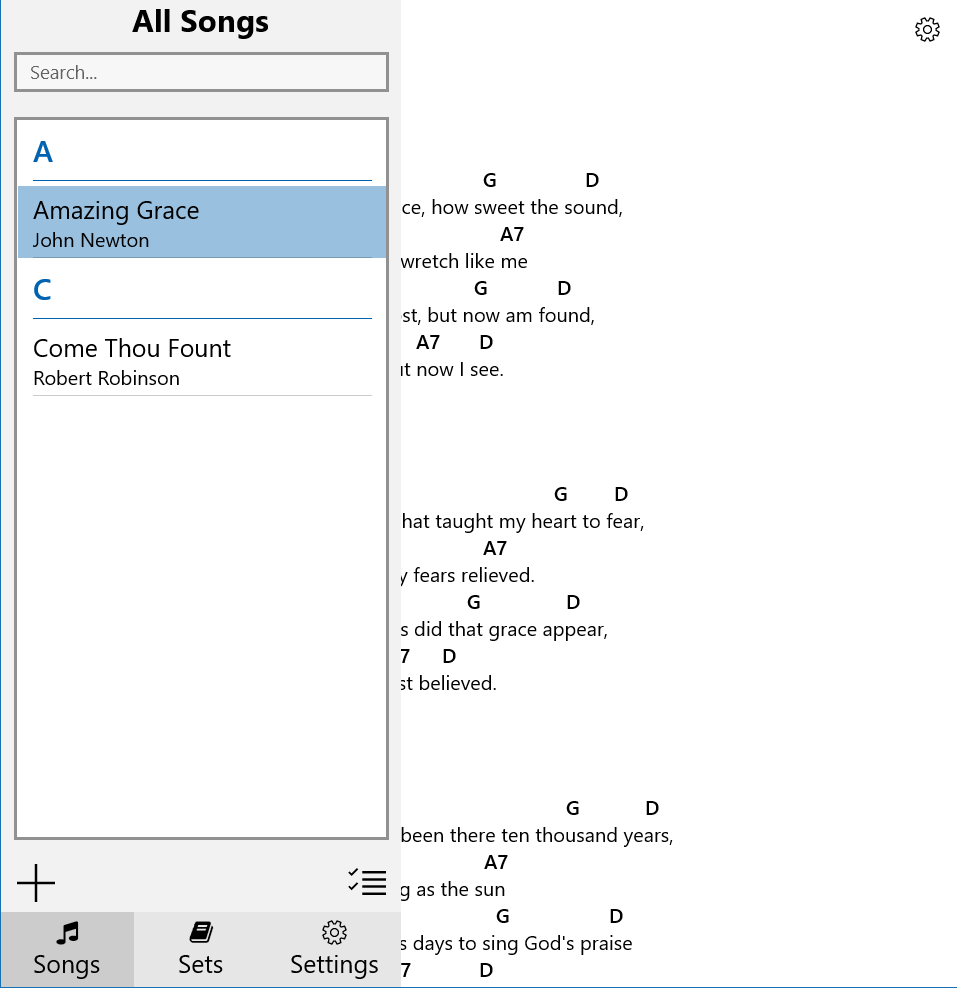
The user interface of SongbookPro is thoughtfully designed, combining a clean, organized layout with intuitive controls. Navigating your music library feels natural, akin to flipping through a well-worn folder—yet with the speed and responsiveness of a modern app. The application supports drag-and-drop functionality, allowing users to quickly assemble playlists or categorize their songs. Font scaling and layout customization are available to suit individual preferences, ensuring readability—even on high-resolution screens. The learning curve remains gentle even for beginners, thanks to clear icons and guided setup options.
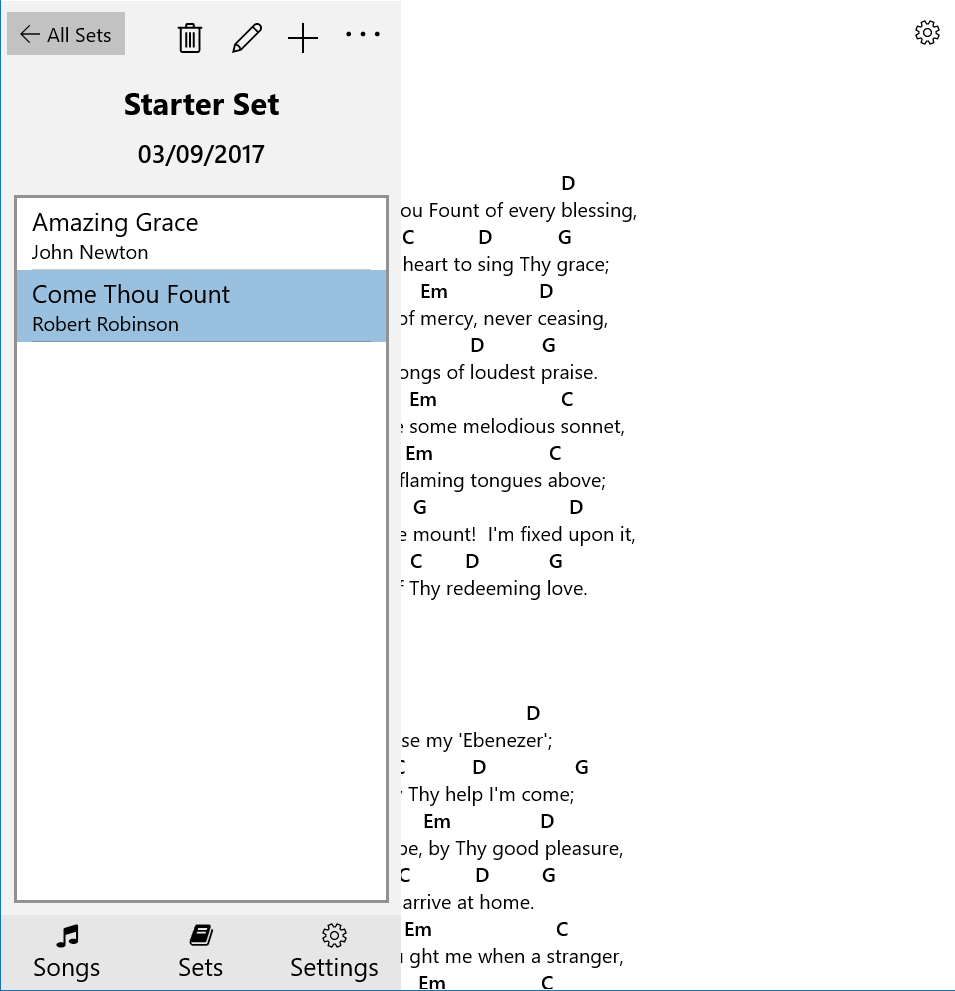
One of the standout features of SongbookPro is its **robust PDF management system**. Users can import entire music collections with ease, thanks to compatibility with common formats. Once imported, songs can be tagged, categorized, and searched swiftly—saving precious time during rehearsals or performances. The app also boasts a **playlist creation feature**, allowing musicians to organize their setlist or practice sequences dynamically. During live play, the **annotation feature** comes into its own: musicians can mark sections, highlight lyrics, or add notes directly onto their PDFs—perfect for quick reminders or edits on the fly.
The app responds swiftly to user commands, with smooth scrolling and page-turning—akin to flipping through a well-oiled music book. It's optimized for performance, minimizing lag even when handling multiple sizable PDFs, which is crucial during performances. The interface's simplicity reduces the learning curve, enabling users to intuitively locate songs and navigate between them without distraction. The integration of auto-scrolling options further aids performers who prefer hands-free operation, syncing device movement with the music's rhythm. This tactile feel oiling the gears of your musical routine turns a potentially technical task into a seamless experience.
While many digital sheet music apps exist, SongbookPro's **assessment of rhythm pattern variety** and **latency tolerance** stand out. Its buffering system minimizes delays during page turns, ensuring musicians are not knocked out of their groove—an essential advantage during live performances. Furthermore, the app supports rhythm pattern assessments by allowing users to program repeating segments or metronome cues directly onto individual pages, aiding practice regimes for complex pieces. This combination of quick response and flexible rhythm support makes SongbookPro uniquely reliable and adaptable, especially in dynamic performance settings.
Overall, SongbookPro for Windows emerges as a polished, user-focused tool that excels in organization, responsiveness, and flexibility. For dedicated musicians looking to modernize their sheet music handling, this app offers distinct advantages—particularly its rapid, lag-free page-turning and robust annotation features, which are vital for both practice and performance. While it may not replace specialized digital scores for complex editing, its streamlined interface and thoughtful features make it a highly recommended choice for everyday use. I would suggest it especially to performers, educators, and serious hobbyists who value efficiency and reliability in their digital sheet music management. If seamless performance and minimal lag are your top priorities, SongbookPro is well worth trying out as part of your musical toolkit.
Intuitive User Interface
Extensive Song Library
Offline Access
Customizable Annotations
Seamless Cloud Sync
Limited Free Content
Occasional App Crashes
Slow Search Functionality
Inconsistent Annotation Tools
Limited Video Tutorials

for Windows
 4.9
4.9

for Windows
4.9

for Windows
4.8

for Windows
4.8

for Windows
4.7

for Windows
4.7

for Windows
4.6

for Windows
4.6

for Windows
4.5

for Windows
4.5

for Windows
4.5

for Windows
4.5

for Windows
5

for Windows
5

for Windows
5

for Windows
5

for Windows
5

for Windows
5

for Windows
5

for Windows
5

for Windows
5

for Windows
5