Classics
PC, Mobile, Xbox console, Surface Hub
Windows 10 version 10240.0 or higher
Version 10
Not specified
English (United States)
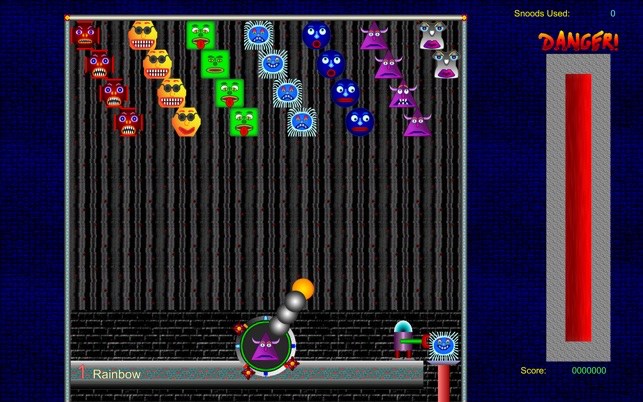
Snood Original for Windows is a nostalgic yet refreshingly engaging puzzle game that revitalizes the beloved classic gameplay with modern polish. Perfect for both longtime fans and newcomers, it offers a delightful blend of simple mechanics and strategic challenge.
Snood, LLC is the creator behind this charming game, drawing from a history of crafting accessible but addictive puzzle experiences. Their focus on maintaining the core essence of the original Snood game while enhancing visuals and user experience makes this rendition particularly appealing.
Stepping into Snood Original is like being greeted by your favorite childhood puzzle—the familiar, comforting glow of classic gameplay refreshed with contemporary touches. The game's engaging nature is driven primarily by its straightforward yet challenging mechanics, making it an ideal way to relax without sacrificing mental stimulation.
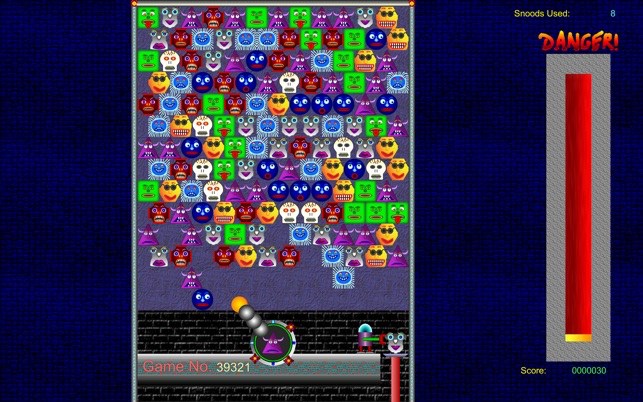
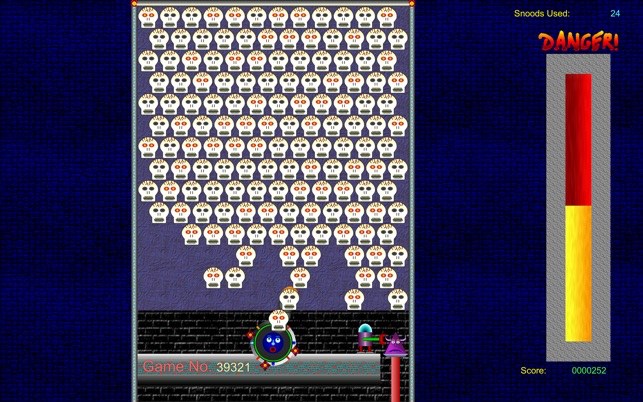
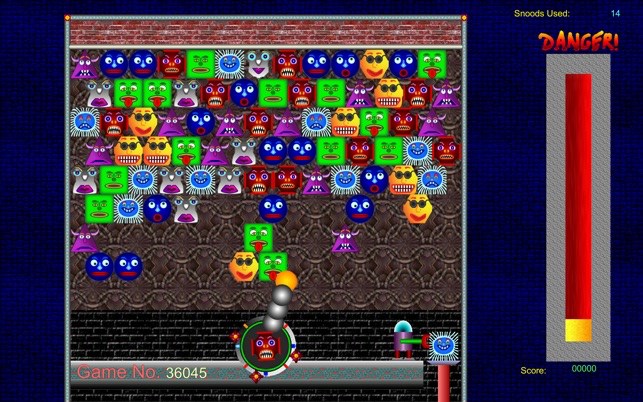
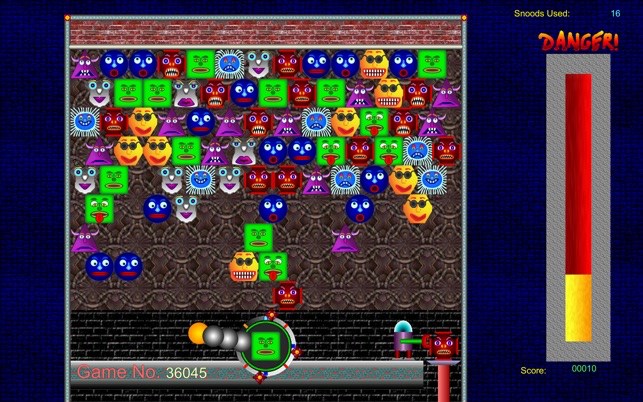
The interface exudes a clean, intuitive design reminiscent of a cozy arcade, with vibrant hues that make each Snood easily identifiable. Navigation is straightforward, with clear buttons and minimal clutter, perfect for quick start-ups or strategic planning. The game adapts well to different screen sizes and resolutions, making it accessible across various Windows devices.
Gameplay feels smooth and responsive, with animations that add a touch of liveliness without being distracting. The controls—simple click-and-shoot mechanics—are effortless to learn, yet mastering higher levels introduces strategic nuances that keep players hooked. The learning curve is gentle at first, allowing novices to get comfortable quickly, but seasoned players will find enough depth to stay challenged.
While many classic puzzle games rely solely on their nostalgic appeal, Snood Original offers a blend of modern enhancements that set it apart. Notably, its customizable game modes and polished visuals provide a fresh experience without losing the soul of the original. The auto-save feature and seamless game restoration make it user-friendly for casual players and those who like to jump in and out sporadically.
Overall, Snood Original for Windows is a thoughtfully crafted rendition of a classic that remains true to its roots while embracing modern usability. It's perfect for quick mental breaks, casual gaming sessions, or even competitive challenges. I'd recommend it to puzzle enthusiasts looking for a reliable, charming, and engaging game. Whether you're revisiting old favorites or discovering Snood for the first time, this title offers genuine enjoyment without unnecessary fuss.
Addictive Gameplay
Colorful Graphics
Offline Access
Wide Level Variety
User-friendly Interface
Lack of In-game Tutorials
Limited Graphics Enhancements
Absence of Achievements or Leaderboards
Potential for Repetitiveness
Adjustable Difficulty Settings Missing

for Windows
 4.9
4.9
for Windows
4.9

for Windows
4.9

for Windows
4.8

for Windows
4.8

for Windows
4.8

for Windows
4.8

for Windows
4.7

for Windows
4.7

for Windows
4.7

for Windows
4.7

for Windows
4.7

for Windows
5

for Windows
5

for Windows
5

for Windows
5

for Windows
5

for Windows
5

for Windows
5

for Windows
5

for Windows
5

for Windows
5