


Action & adventure
Slime Rancher for Windows, developed by Monomi Park, offers a charming and whimsical sandbox experience where players can explore, farm, and tame an array of colorful slimes in a vibrant alien world. Whether you're into casual exploration or strategic resource management, this game combines cute visuals with engaging gameplay, making it a delightful adventure for a diverse audience.
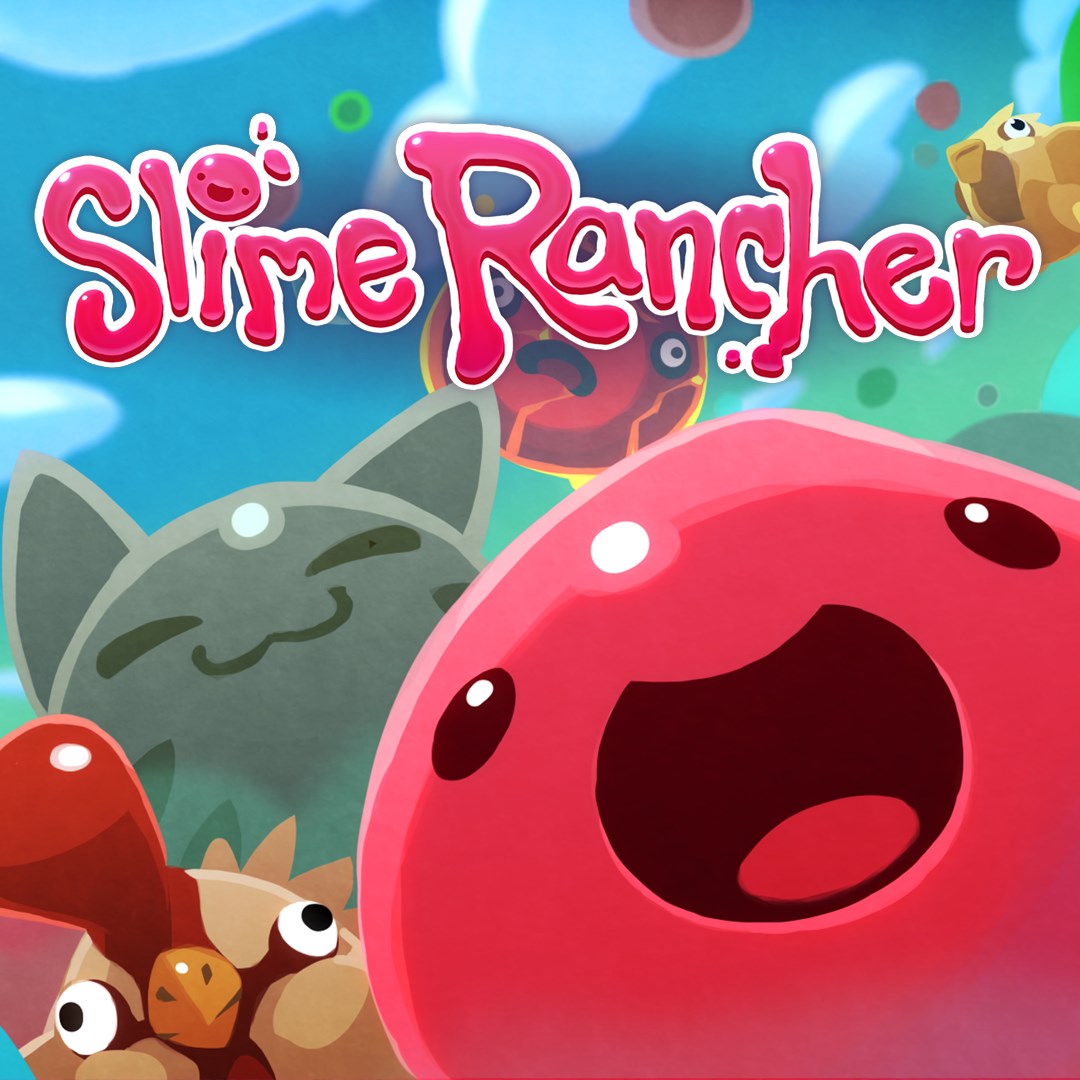
From the moment you launch Slime Rancher, it feels like stepping into a bubblegum-colored universe straight out of a child's doodle. The art style is lively, cartoonish, and approachable, inviting players into a world brimming with playful creatures and lush environments. The UI design complements this aesthetic with simple yet intuitive menus that make navigation a breeze, even for newcomers. The visual clarity and bright color palette ensure that every corner of the ranch feels like a new discovery, encouraging hours of exploration without visual fatigue. This visual charm not only enhances immersion but also distinguishes it from more serious, realistic simulation titles, emphasizing fun and creativity.
The heart of Slime Rancher lies in collecting and caring for a wide variety of slimes. Each slime species boasts unique behaviors, diets, and environments. As a rancher, you'll feed, breed, and vault into the world to gather plorts—valuable resources that fuel your progress. The gameplay loop of discovering new slimes and figuring out the best ways to farm their plorts feels both rewarding and strategic, akin to tending a lively, unpredictable garden. Players can expand their ranch with pens, gadgets, and crops, creating personalized ecosystems that reflect their playstyles.
Beyond the ranch, the game shines with its expansive, open-world exploration. Venture into different biomes, each with distinct ecosystems and hidden secrets. The game cleverly balances mounted adventures with less intense moments of resource collection, ensuring pacing remains engaging. Environmental puzzles, mysterious ruins, and encounters with wild slimes add layers of intrigue, inviting players to become explorers in their own right. This aspect encourages curiosity and keeps the experience fresh, with new discoveries awaiting around every corner.
An essential component of progression involves upgrading your equipment, expanding your ranch, and unlocking new abilities. The intuitive interface allows smooth management of upgrades—think of it as tuning your own spaceship for intergalactic farming. These enhancements improve efficiency, access to new areas, or allow handling more slimes at once. The seamless integration of building options and upgrades promotes a sense of accomplishment without feeling overly complicated or overwhelming.
One of Slime Rancher's standout qualities is its accessibility. The interface is clean and straightforward, making the learning curve gentle for newcomers and casual players alike. Controls are responsive and logical, with gameplay mechanics explained through helpful tooltips—a feature especially appreciated for first-time ranchers. The game runs smoothly on Windows, with minimal lag even when managing multiple slimes or during exploration sequences. The overall user experience feels polished, akin to having a friendly guide walking you through the universe of your own ranch.
Compared to other action-adventure titles, Slime Rancher's uniqueness lies in its harmonious blend of adorable aesthetics with the depth of resource management strategies. Its most distinctive feature is the unpredictable behavior of the slimes—they're not just cute but lively creatures that require thoughtful care and experimentation to keep your ranch thriving. The game's open-ended nature fosters creativity, allowing players to design their own eco-systems and play styles, setting it apart from more linear adventure games. Additionally, the non-violent, family-friendly atmosphere makes it accessible to a broad age range, reinforcing its appeal as a wholesome yet engaging experience.
If you're seeking a relaxing yet captivating experience that combines exploration, management, and adorable creatures, Slime Rancher is definitely worth your time on Windows. Its charming visuals, intuitive gameplay, and creative freedom make it a standout in the sandbox genre. I recommend it for players who enjoy light-hearted adventure mixed with strategic gameplay, particularly those who appreciate a warm, inviting universe filled with whimsical surprises. Whether you're a casual gamer or a dedicated rancher, this game offers an enjoyable retreat into a colorful, lively world worth exploring.
Engaging gameplay with cute slime creatures
Visually appealing graphics and vibrant art style
Variety of slime types and customization options
Relaxing and casual gameplay suitable for all ages
Regular updates with new content and features
Limited tutorial and guidance for new players
Occasional performance issues on lower-end devices
Repetitive tasks can reduce long-term engagement
Limited multiplayer features currently
Some in-app purchases are necessary for full experience

for Windows
 5
5

for Windows
4.9

for Windows
4.8

for Windows
4.8
for Windows
4.8

for Windows
4.8

for Windows
4.8

for Windows
4.8

for Windows
4.8

for Windows
4.8

for Windows
4.8

for Windows
4.8

for Windows
5

for Windows
5

for Windows
5

for Windows
5

for Windows
5

for Windows
5

for Windows
5
for Windows
5

for Windows
5

for Windows
5

