Social
Signal Messenger, LLC
PC
Windows 10 version 0.0 or higher
English, Afrikaans, Albanian, Arabic, Azerbaijani, Basque, Bosnian (Latin), Bulgarian, Catalan, Chinese, Chinese (Simplified), Chinese (Traditional Chinese), Croatian, Czech, Danish, Dutch, Estonian, Filipino, Finnish, French, Galician, Georgian, German, Greek, Gujarati, Hebrew, Hindi, Hungarian, Indonesian, Irish, Italian, Japanese, Kannada, Kazakh, Khmer, Kiswahili, Korean, Kyrgyz, Latvian, Lithuanian, Macedonian, Malay, Malayalam, Marathi, Norwegian, Persian/Farsi, Polish, Portuguese, Portuguese (Brazil), Portuguese (Portugal), Punjabi, Romanian, Russian, Serbian, Slovak, Slovenian, Spanish, Swedish, Tamil, Telugu, Thai, Turkish, Ukrainian, Urdu, Uyghur, Vietnamese
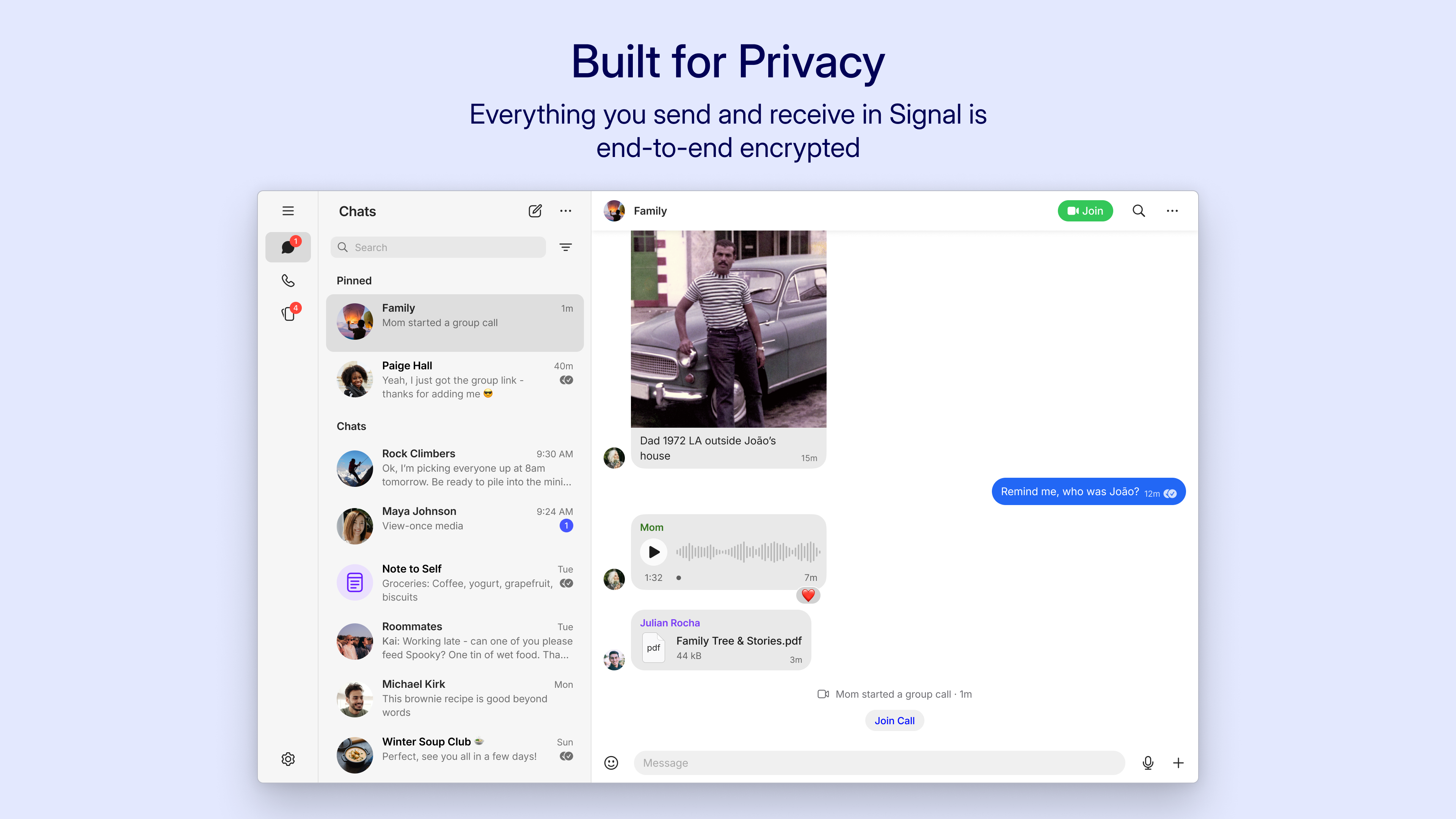
Signal Private Messenger for Windows offers a secure, user-friendly way to stay connected with your contacts while prioritizing privacy and authenticity. Built by Signal Messenger, LLC, this application brings the renowned end-to-end encryption of Signal to your desktop, making safe communication more accessible than ever.
The heart of Signal's appeal lies in its robust security framework. All messages, calls, and media are protected with end-to-end encryption, ensuring that only you and your recipient can access the content. The Windows app effortlessly syncs with your mobile device, so your conversations are continuous and consistent across platforms, allowing you to pick up where you left off without missing a beat—even when switching devices.
One of Signal's unique strengths is its focus on genuine connections. The app provides options for users to verify contacts, reducing impersonation risks. Additionally, profile customization features enable users to select profile pictures, names, and status messages, creating a personalized yet trustworthy digital environment. This emphasis on authenticity helps foster genuine communication, distinguishing Signal from many social apps where anonymity can sometimes lead to mistrust.
Another notable feature is the ability to discover contacts easily and securely. Signal integrates with your existing contacts, showing who else among your contacts is using the app, all while maintaining privacy standards. Moreover, the app facilitates the creation and management of secure group chats, enabling private group discussions with strong encryption and control over membership—ideal for both professional teams and close-knit groups.
The interface of Signal for Windows is sleek and minimalist, resembling a familiar chat application but with a calming, professional aesthetic. Navigation feels natural, akin to flipping through a well-organized digital inbox, which makes onboarding a breeze even for newcomers. The app operates smoothly, with quick load times and minimal lag, making the conversation flow feel as natural as talking in person.
Learning the ropes doesn't present a steep hill either; the app's layout and features are intuitively designed, so users can focus on chatting rather than deciphering complex menus. Clear icons and straightforward options contribute to an overall pleasant experience, fostering confidence in using the app confidently and securely.
While many messaging platforms emphasize social features like status updates or multimedia sharing, Signal's distinct advantage is its unwavering commitment to privacy and secure communication. It prioritizes authenticity verification, allowing users to confirm contact identities, much like verifying a friend's ID before sharing sensitive information. This reduces the risk of impersonation or malicious actors, offering a security layer that many mainstream social apps don't emphasize.
Furthermore, its connection discovery feature ensures you can easily find mutual contacts who are also using Signal, fostering genuine interactions without invasive data collection. Unlike apps that monetize your data or bombard you with ads, Signal's focus on privacy makes it a trustworthy choice for those seeking confidential communication channels.
I'd recommend Signal Private Messenger for Windows to anyone who values privacy, security, and genuine connections in their digital life. Its unique combination of authentication features and seamless cross-device synchronization makes it a standout in the crowded landscape of messaging apps.
While it may lack some of the social entertainment features of mainstream apps, its robust encryption, contact verification, and secure group management more than compensate for this, especially for users who prioritize confidentiality. Whether you're a professional needing secure communication or an individual seeking a trustworthy way to stay connected, Signal for Windows is a solid choice worth exploring.
Strong End-to-End Encryption
Open Source Transparency
Self-Destructing Messages
Cross-Platform Compatibility
No Ads or Data Monetization
Limited Features Compared to Other Messaging Apps
Heavy Data Usage During Media Sharing
Steep Learning Curve for New Users
Limited Customization Options
Occasional Connectivity Issues on Poor Networks
for Windows
 5
5

for Windows
4.9

for Windows
4.8

for Windows
4.7

for Windows
4.7

for Windows
4.6

for Windows
4.6

for Windows
4.5

for Windows
4.5

for Windows
4.5

for Windows
4.5

for Windows
4.4

for Windows
5

for Windows
5

for Windows
5

for Windows
5

for Windows
5
for Windows
5

for Windows
5

for Windows
5

for Windows
5

for Windows
5