Medical
Medixant
PC
Windows 10 version 0.0 or higher
Integrated Keyboard
Integrated Mouse
1 GB
English
RadiAnt DICOM Viewer is a comprehensive and user-friendly application designed to facilitate efficient viewing and analysis of medical imaging data, making it an essential tool for radiologists, healthcare professionals, and medical students alike.
Developed and published by Medixant, RadiAnt DICOM Viewer benefits from a team focused on creating reliable, efficient, and intuitive medical imaging software with a deep understanding of clinical workflows.
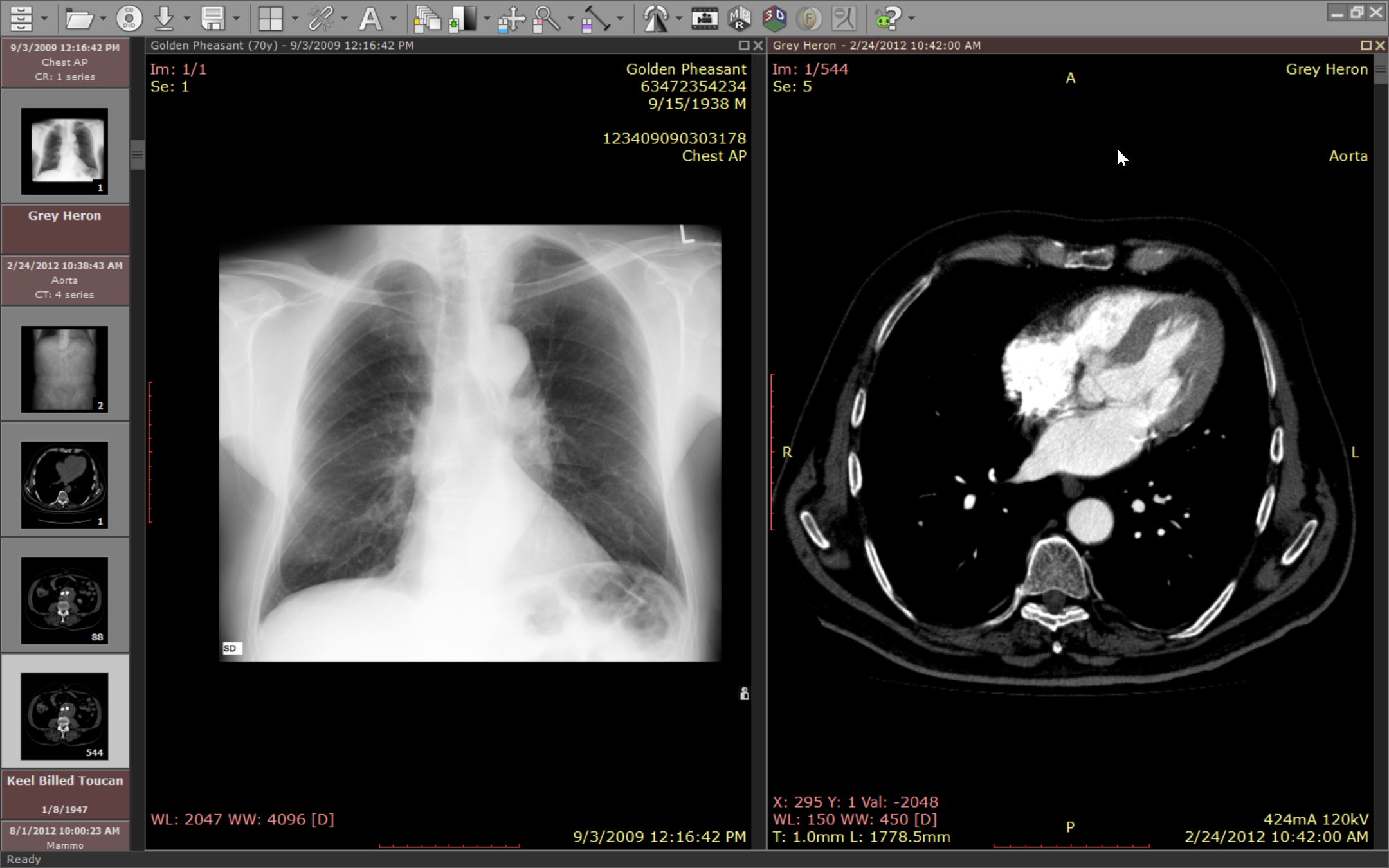
1. High-Quality 2D and 3D Visualization: RadiAnt provides crisp, clear image rendering, enabling precise analysis of DICOM images across various modalities like CT, MRI, and ultrasound.
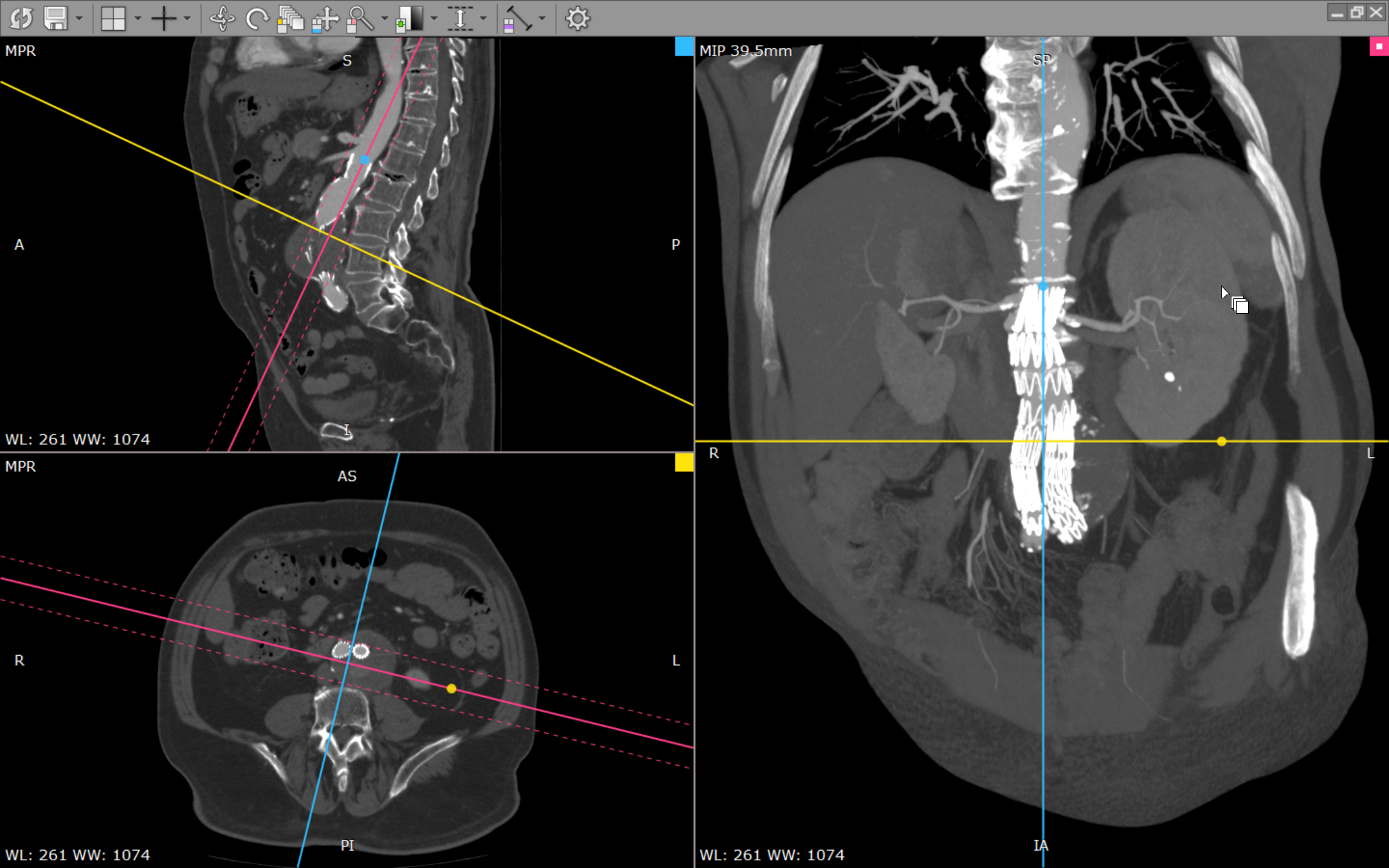
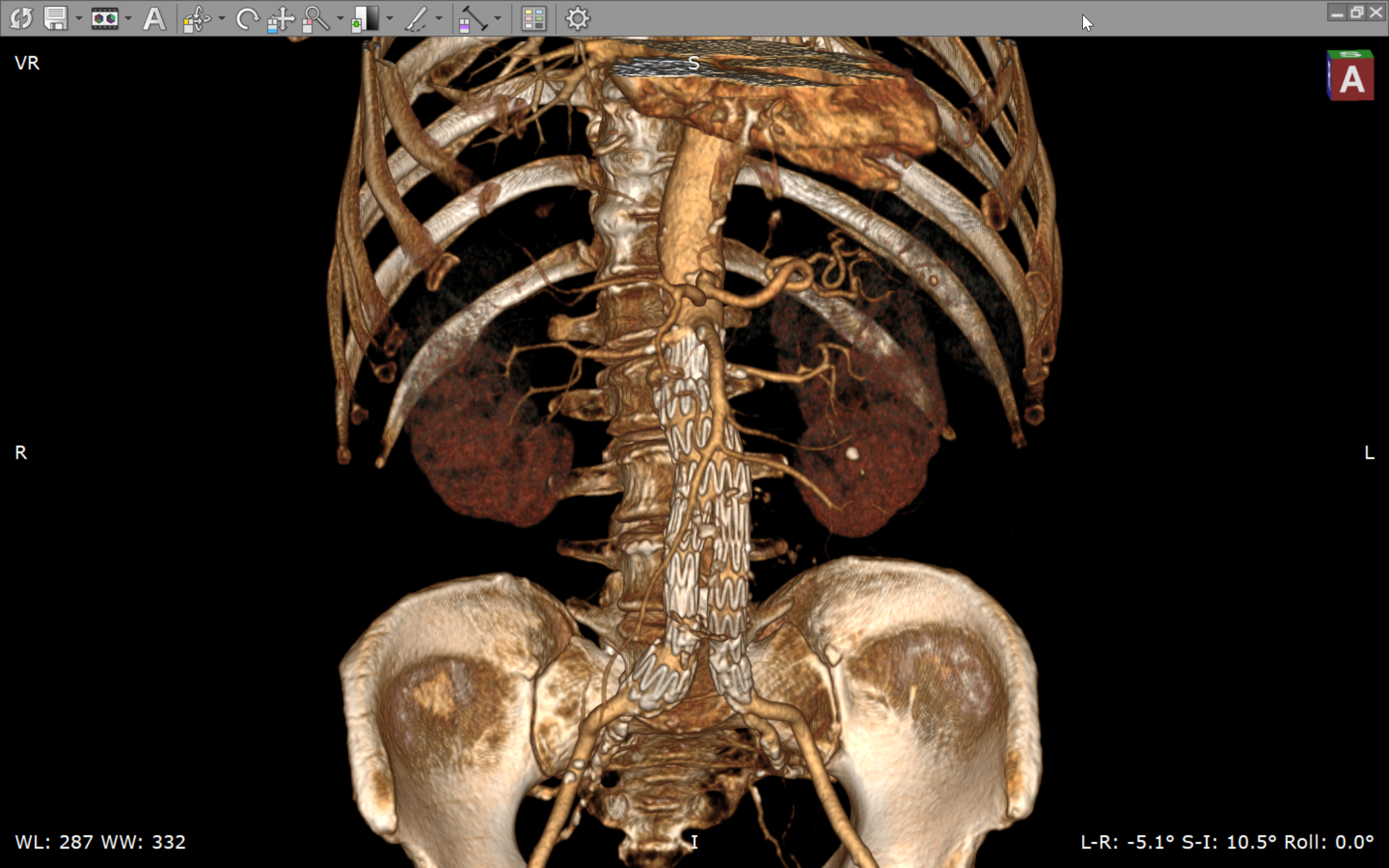
2. Multi-Planar Reconstruction (MPR) & Volume Rendering: These advanced tools allow users to navigate through different planes and visualize volume data in three dimensions, enhancing diagnostic accuracy.
3. Fast & Smooth Performance: The application offers rapid image loading and smooth navigation, minimizing waiting times and streamlining clinical review processes.
4. Compatibility & Workflow Integration: With support for standard DICOM formats and seamless integration capabilities, RadiAnt fits well into existing hospital PACS systems and radiology workflows.
Imagine opening a box of freshly caught fish—each piece perfectly preserved and ready to be examined. RadiAnt's interface feels similarly crisp and organized. Its clean layout ensures that even newcomers feel comfortable navigating through complex imaging stacks without feeling overwhelmed. The toolbar is intuitively arranged, allowing quick access to essential tools such as zoom, pan, window leveling, and measurement tools. The overall responsiveness impresses, with image rendering remarkably swift, even when handling large datasets. Users can effortlessly switch between 2D slices, MPR views, and 3D renderings, making the workflow of diagnosing or teaching more seamless. Learning curve-wise, radiologists and students will find it accessible, while still offering advanced features for those who want to dive deeper into detailed image analysis.
Compared to other medical image viewers, RadiAnt shines particularly in its emphasis on clarity and performance—almost like a high-performance sports car in the realm of medical imaging. Its standout feature—dynamic 3D volume rendering—is not just a fancy add-on, but a robust tool that provides clear, navigable visualizations. This contributes significantly to teleconsultation scenarios, where clear, accurate 3D images can be shared with specialists across distances, improving diagnostic consensus.
Moreover, RadiAnt's credibility stems from its adherence to international standards and its ability to deliver accurate, reliable images—a cornerstone in maintaining medical content trustworthiness. Its efficient handling of DICOM data ensures that clinicians and radiologists can confidently rely on its visualizations during critical decision-making processes. Unlike some competitors, RadiAnt emphasizes a balanced approach: providing powerful features without sacrificing ease of use, making it accessible whether you're a seasoned radiologist or a medical student just beginning to navigate the world of radiological images.
Overall, I would recommend RadiAnt DICOM Viewer as a dependable, high-quality image viewer suitable for both clinical and educational settings. Its most remarkable aspects—particularly the smooth volume rendering and efficient interface—make it stand out from many free or basic viewers. If your work demands detailed visualization, quick performance, and straightforward operation, RadiAnt is well worth considering. For healthcare facilities seeking an intuitive yet powerful solution for medical image review, RadiAnt offers a sound investment that can streamline your diagnostic processes without any unnecessary complexity.
Intuitive interface
Comprehensive DICOM support
Fast rendering speed
Advanced measurement tools
Cross-platform accessibility
Limited customization options
Basic image processing features
Lack of cloud integration
Learning curve for advanced functions
Occasional stability issues with large datasets

for Windows
 5
5

for Windows
5

for Windows
5

for Windows
5

for Windows
5

for Windows
5

for Windows
5

for Windows
5

for Windows
5

for Windows
5