Sports
Karting Coach Inc.
PC
Windows 8 or higher
English (United States)
Designed for racing enthusiasts and professional drivers alike, Race Monitor for Windows offers a comprehensive platform to track, analyze, and engage with racing data in real time, transforming your PC into a personal race assistant.
This innovative application is developed and published by Karting Coach Inc., a company dedicated to providing top-tier motorsports software solutions. With a focus on accuracy and user engagement, Race Monitor for Windows stands out in the crowded field of sports tracking apps.
The target audience includes motorsport amateurs, professional racers, event organizers, and motorsports enthusiasts eager to deepen their understanding of racing dynamics.
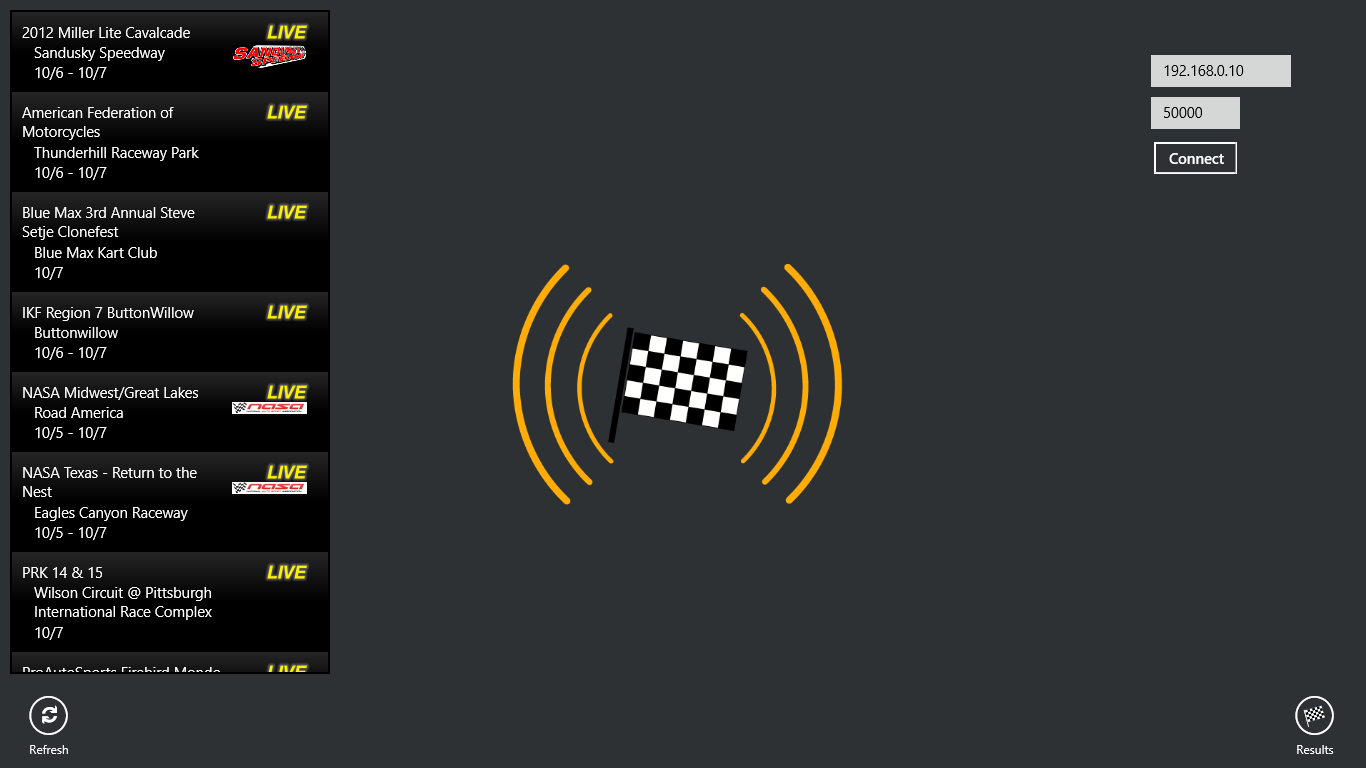
Imagine sitting at your home office, watching a live streaming of a race, but with a twist—you have a window into every lap, every turn, and every bump, displayed vividly on your screen. Race Monitor for Windows bridges the gap between raw data and exhilarating story-telling, bringing race tracks closer to your desktop.
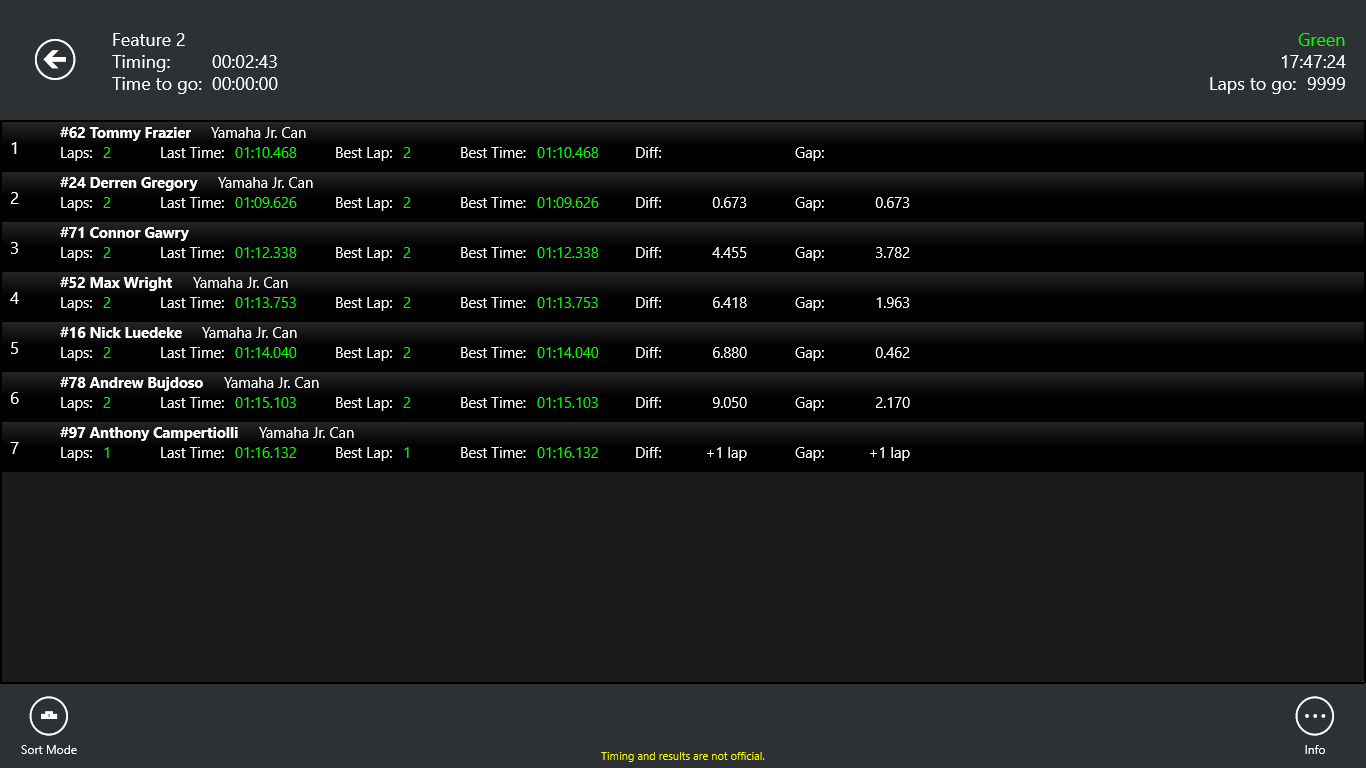
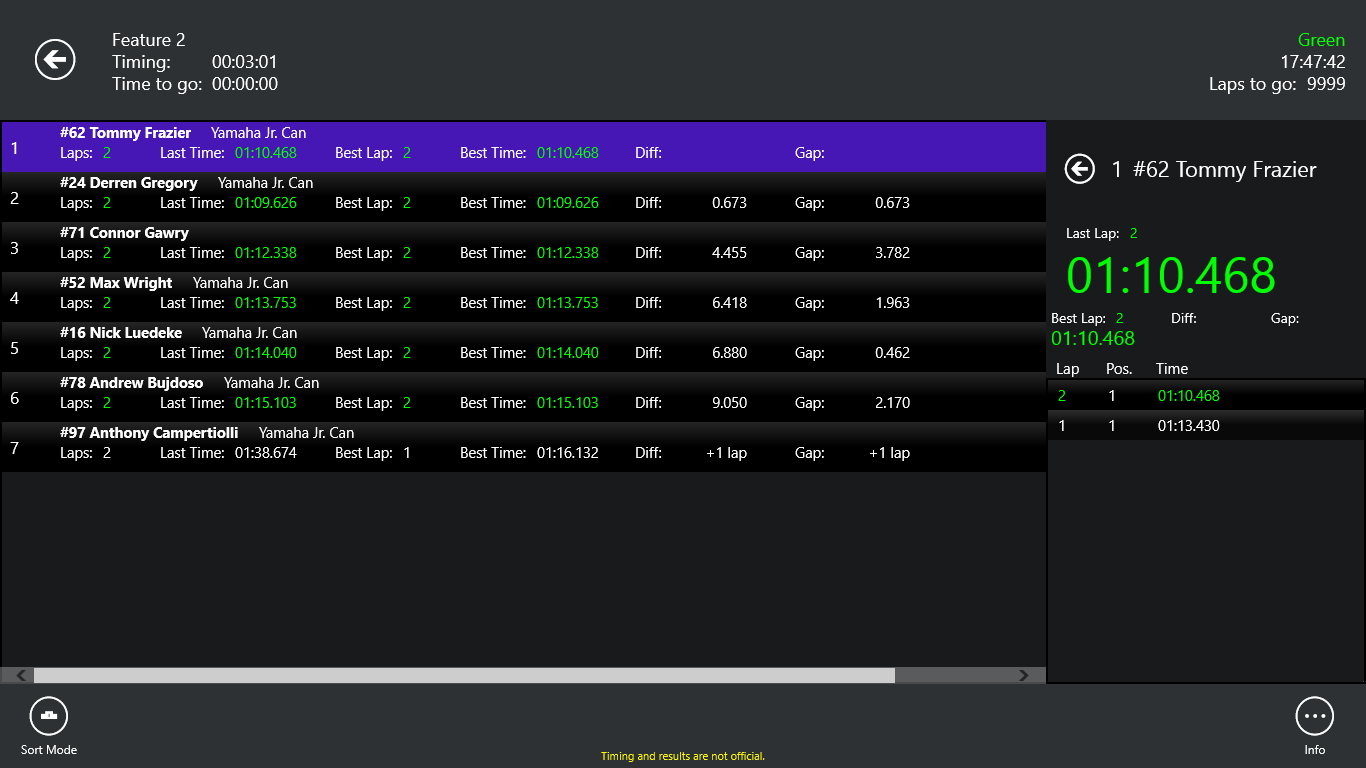
The heart of the app is its real-time data monitoring. It pulls streams directly from the race's telemetry systems, providing live updates on lap times, vehicle positions, and real-time telemetry metrics such as speed, acceleration, and tire pressure. Thanks to its low-latency architecture, the data feels almost telepathic—delivering updates nearly instantaneously, which is crucial when analyzing race strategies or tracking your favorite driver's every move. This feature to evaluate timing accuracy distinguishes Race Monitor from many competitors that often suffer from data lag, ensuring that users rely on the most precise information available.
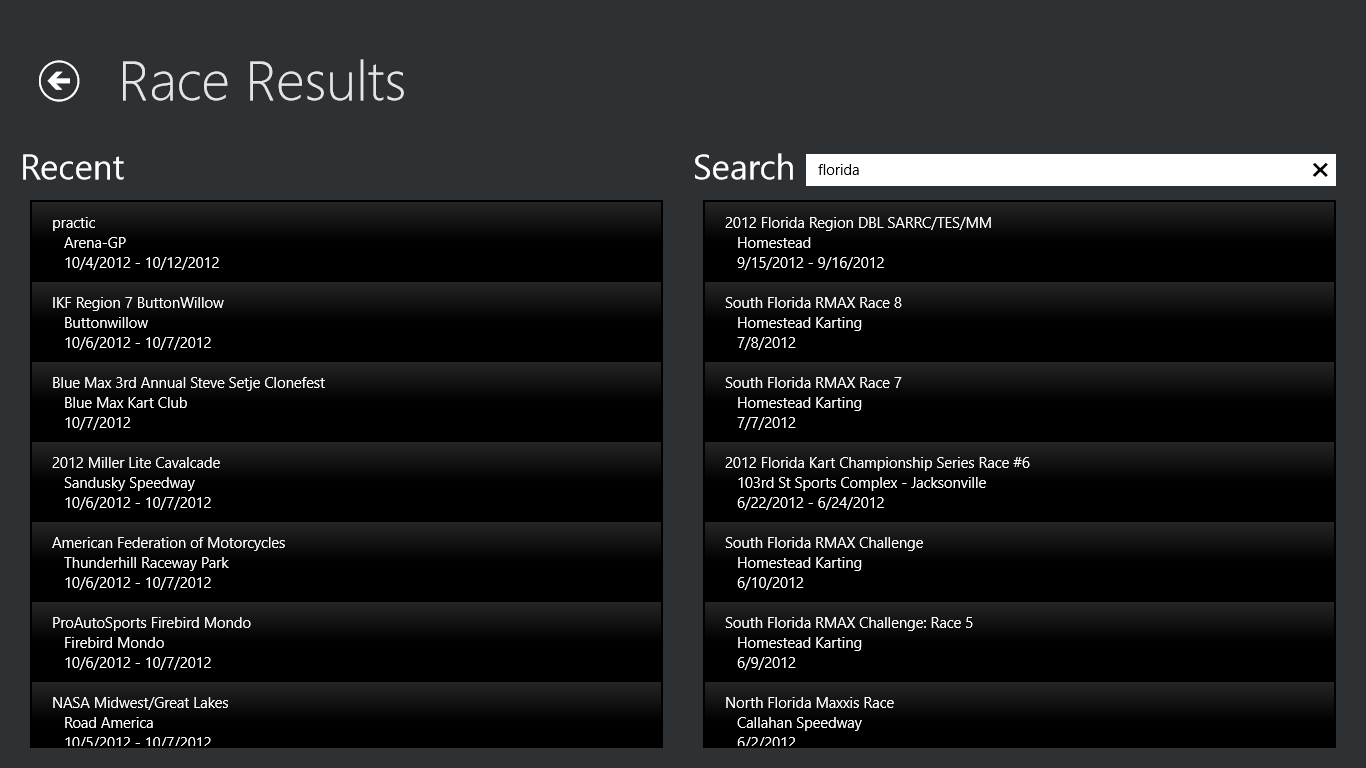
Beyond data monitoring, Race Monitor transforms into a social hub. Users can connect with fellow motorsport fans and drivers, forming virtual racing clubs, sharing race results, or challenging each other through integrated leaderboards. This community mechanic creates a sense of camaraderie and competition akin to being in the paddock, cheering for your favorite driver while comparing lap times or analyzing race strategies. This emphasis on social engagement elevates the app from a solitary tracker to a vibrant online motorsports community.
The interface strikes a perfect balance between sporty aesthetics and simplicity. With a dashboard resembling a high-tech cockpit, users can customize elements like gauges, maps, and telemetry readouts. Navigating through the app is smooth, with logical menus that require minimal learning curve—perfect for both new and experienced users. The app runs seamlessly on Windows, providing a lag-free experience even with multiple data streams active, making it reliable during intense race scenarios.
If you're seeking a dedicated motorsports app that marries real-time data accuracy with active community features, Race Monitor for Windows is an excellent choice. Its standout feature is the ultra-low latency data feed, which delivers precise, nearly instantaneous information—a critical edge for racing strategists and enthusiasts. Additionally, its engaging community mechanics make every race feel like part of a larger, shared journey.
While it's friendly enough for casual fans, professionals and avid racers will appreciate its detailed telemetry and customizable dashboards. I recommend it for anyone who wants to bring the adrenaline of race day directly to their PC, whether for analysis, training, or just plain fun.
In short, Race Monitor for Windows is not just a tracker; it's an immersive racing companion that makes every lap count. Give it a try, and you might find yourself checking your dashboards more often than your favorite racing TV channel!
Intuitive User Interface
Real-time Race Data
Customizable Race Settings
Comprehensive Race History
Cross-Device Compatibility
Limited Customization Options
Occasional Sync Delays
Battery Consumption
Basic Analytics Features
Limited Support for External Devices

for Windows
 4.7
4.7

for Windows
4.6

for Windows
4.5

for Windows
4.4

for Windows
4.2

for Windows
4

for Windows
3.9

for Windows
3.3

for Windows
3.2

for Windows
3.2
for Windows
3.2

for Windows
3.2

for Windows
5

for Windows
5

for Windows
5

for Windows
5

for Windows
5

for Windows
5

for Windows
5

for Windows
5

for Windows
5

for Windows
5