Utilities & tools
Kowloon
PC
Windows 10 version 14316.0 or higher
English (United States)
If you're a Python enthusiast or a developer on the go, the Python Compiler for Windows by Kowloon offers a compact yet powerful way to write, compile, and run Python scripts directly from your desktop. Designed to streamline the coding experience, this app aims to bring the flexibility of an IDE into a lightweight package, perfect for quick experiments or learning sessions.
Made by Kowloon, a developer known for creating practical utility apps, this Python Compiler stands out with a focus on simplicity and efficiency. Its main features include an integrated code editor with syntax highlighting, one-click script execution, and support for multiple Python versions. The app's main goal is to make Python coding more accessible on Windows without requiring complex setups or external IDEs.
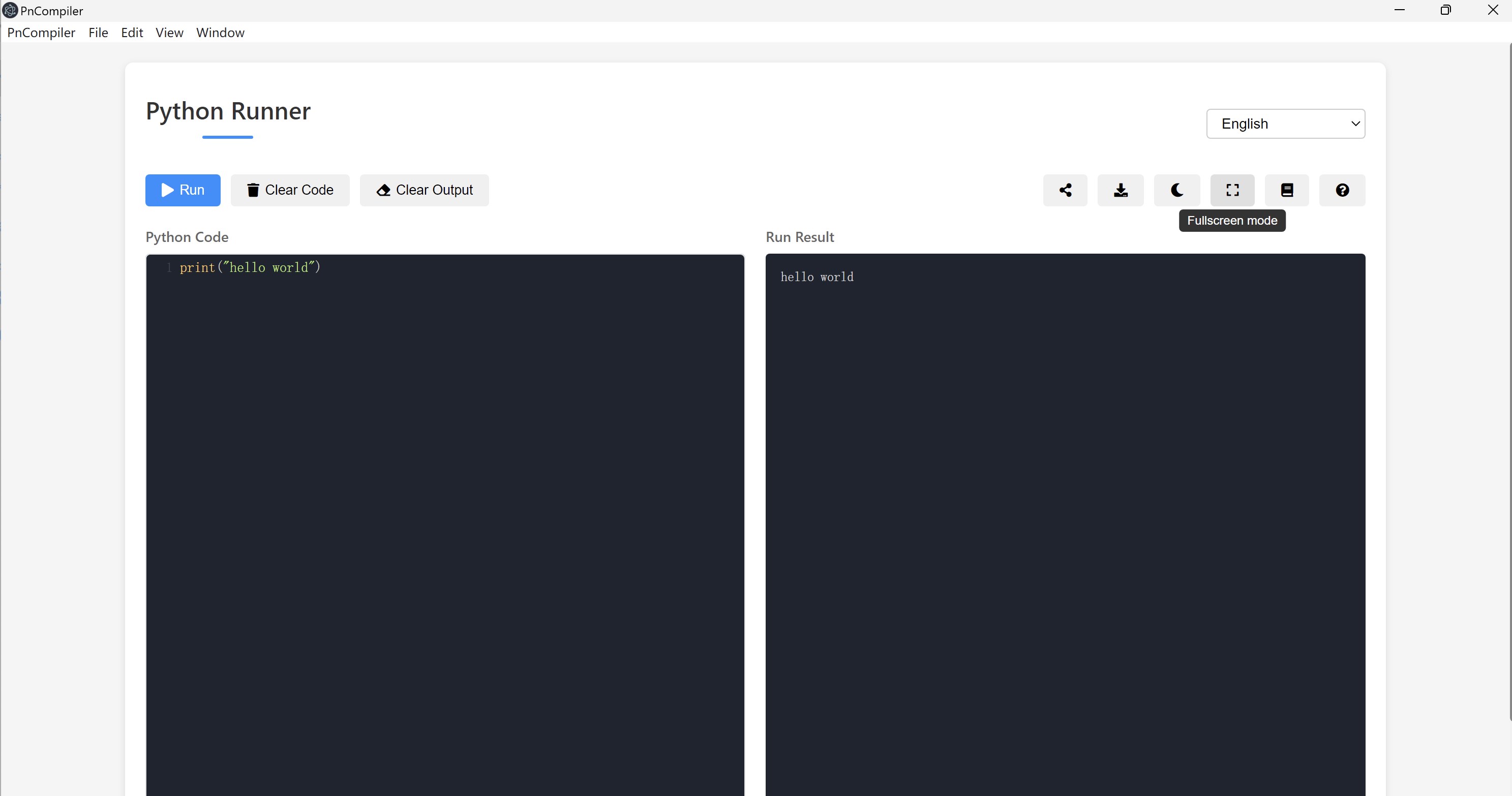
Imagine a clean, minimalist workspace reminiscent of a digital sketchpad—bright, uncluttered, inviting. The interface of Python Compiler for Windows is just that. It's designed to be intuitive, with a straightforward layout that makes starting a new script feel almost like opening a clean sheet of paper. The color-coded syntax highlighting helps you easily spot errors or understand code structure at a glance. Plus, the toolbar provides quick access to essential functions, reducing the time spent navigating menus—think of it as having your toolbox neatly organized and always within arm's reach.
Running seamlessly on Windows, the app offers a fluid experience—code typing feels snappy, and script execution is nearly instantaneous. The application minimizes lag, even with larger scripts, making it a joy to work with. Its design caters well to newcomers as well as seasoned programmers; the straightforward layout reduces the intimidation factor often associated with more complex IDEs. Beginners can pick up the app quickly, guided by an intuitive interface and minimal setup, while experienced coders will appreciate the efficiency gains of one-click testing or debugging.
Compared to bulkier IDEs like PyCharm or Visual Studio Code, this app focuses on core functionality—fast, reliable code testing without unnecessary distractions. One of its most compelling features is the support for multiple Python versions, which allows users to switch environments effortlessly—a crucial aspect for testing compatibility across different setups. Moreover, the ability to run scripts directly from the editor positions this app as a handy, lightweight tool that complements larger development workflows or acts as a quick prototyping environment. Its minimalism is its strength—no clutter, just plain productive focus.
While not intended to replace full-featured IDEs, Python Compiler for Windows is an excellent utility for students, hobbyists, or professionals seeking a quick, portable coding solution. Its standout features—simplicity and multi-version support—set it apart from many similar utilities that often overload users with options. I'd recommend this app if you need a straightforward Python runner that won't get in your way, especially when working on a tight schedule or from a device without a full development environment. For those interested in a lean, functional, and easy-to-use Python tool, this application offers a compelling choice.
User-friendly interface
Supports multiple Python versions
Built-in syntax highlighting and code suggestions
Lightweight and quick to install
Supports basic debugging features
Limited package management capabilities
Restricted to simple scripts only
Basic debugging features without step-through execution
Occasional lag during code editing with large files
Lack of integrated help or tutorials

for Windows
 5
5

for Windows
5

for Windows
5

for Windows
5

for Windows
5

for Windows
4.9

for Windows
4.9

for Windows
4.9

for Windows
4.9

for Windows
4.9

for Windows
4.9

for Windows
4.9

for Windows
5

for Windows
5

for Windows
5
for Windows
5

for Windows
5

for Windows
5

for Windows
5

for Windows
5

for Windows
5

for Windows
5