Personal Finance
WWW.JUSTAPPS.COM
PC
Windows 10 version 14257.0 or higher
English (United States)
If you're seeking a straightforward yet robust solution to print checks directly from your Windows device, Print Checks for Windows offers a practical tool tailored for small business owners, accountants, and individual users alike. This app simplifies the often tedious task of check printing, blending functionality with ease of use—making your financial workflows a breeze.
Developed by WWW.JUSTAPPS.COM, a team dedicated to crafting user-friendly business productivity applications, Print Checks for Windows emphasizes simplicity without sacrificing essential features. Its main highlights include customizable check layouts, seamless integration with existing templates, and secure data handling to ensure your sensitive information stays protected. Designed specifically for users who need quick, reliable check printing without extensive technical know-how, the app targets small business owners, freelance professionals, and anyone managing personal or business checks regularly.
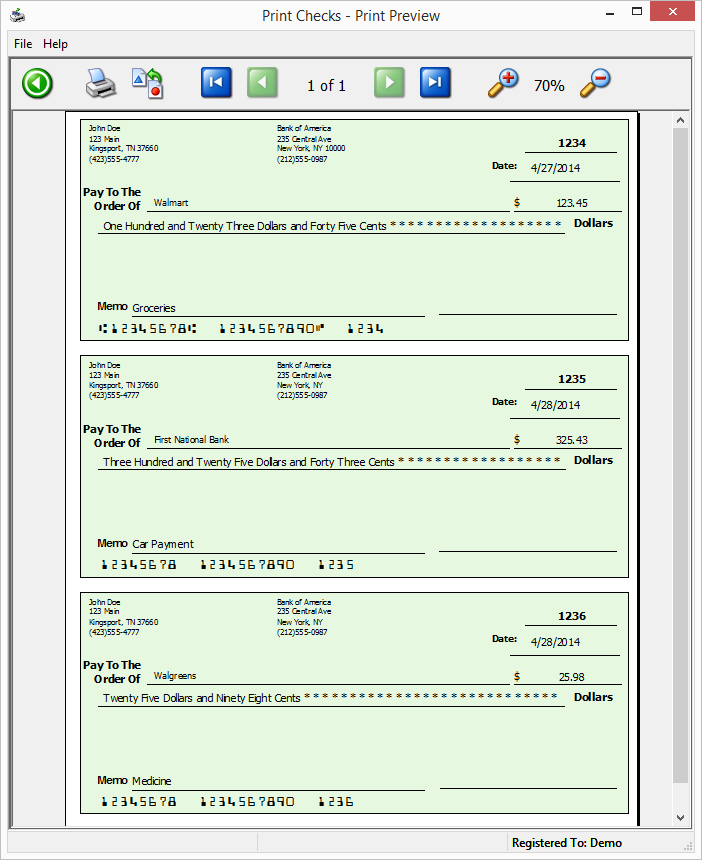
Imagine sitting at your desk, ready to pay bills or payroll, and instead of wrestling with confusing software or handwritten notes, you turn to Print Checks for Windows—a tool that feels like your trusty financial assistant. Its clean interface and straightforward workflow reduce the typical check-printing stress to a few simple clicks, transforming what once felt like an archaic chore into a routine task that you actually look forward to. Whether you're printing a single check or batch-processing multiple payments, this app is designed to make the process efficient and error-free.
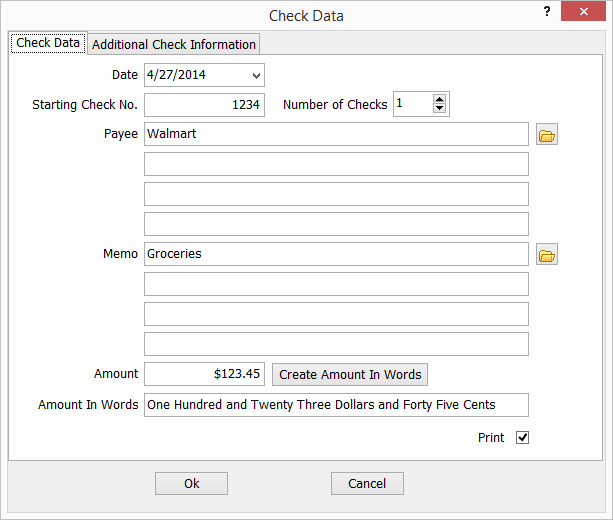
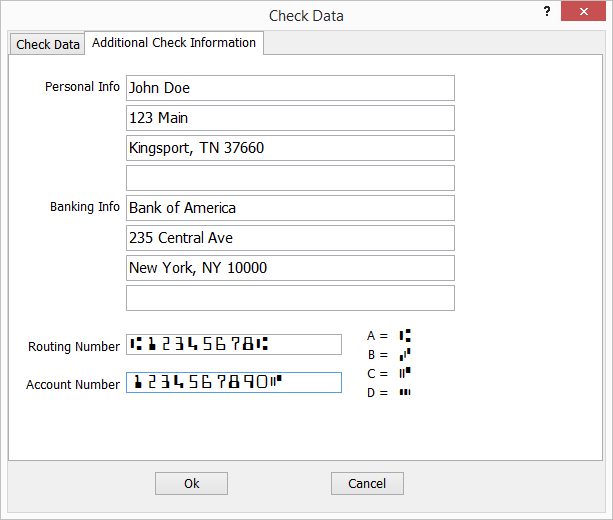
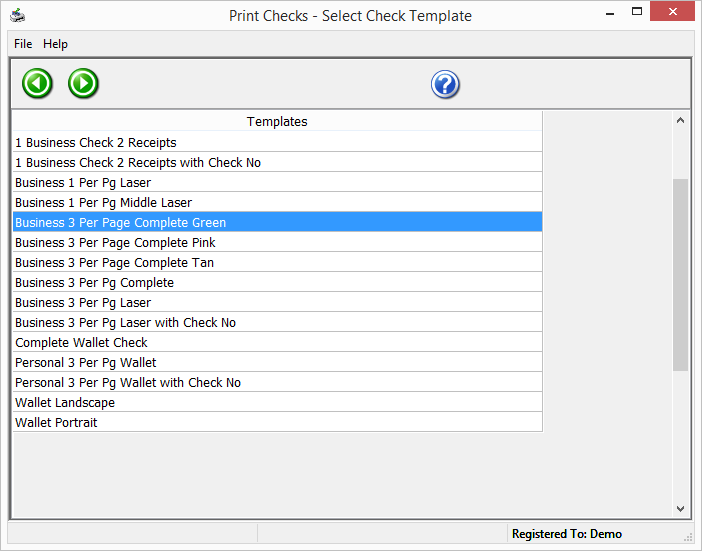
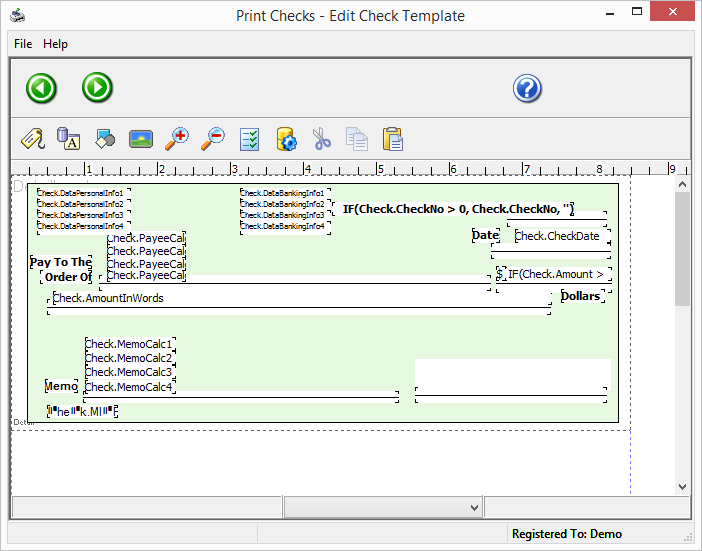
One of the standout features of Print Checks for Windows is its robust customization options. Users can select from a variety of check templates, or easily create their own tailored formats. This flexibility ensures compatibility with multiple check stock sizes and bank-specific requirements. The app provides drag-and-drop editing, allowing you to position fields like payee, amount, date, and signature precisely where you want them—much like designing your custom stationery, but digital and more adaptable. This feature particularly benefits businesses that require branded checks or specific layout standards, standing out among generic check-printing tools.
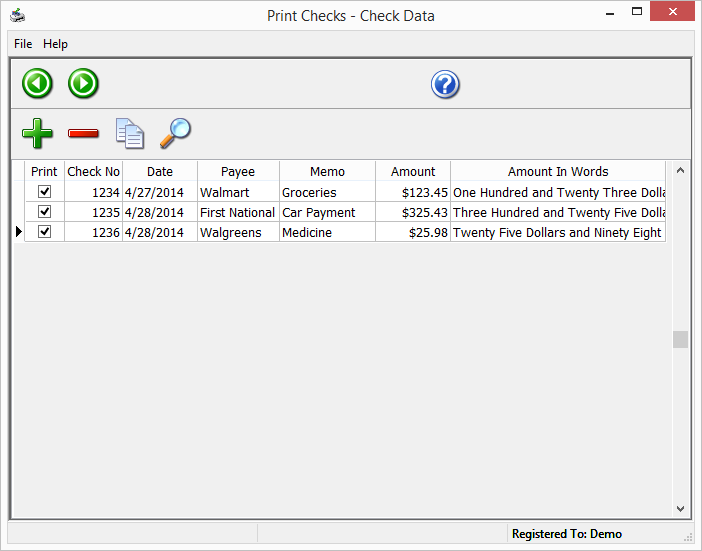
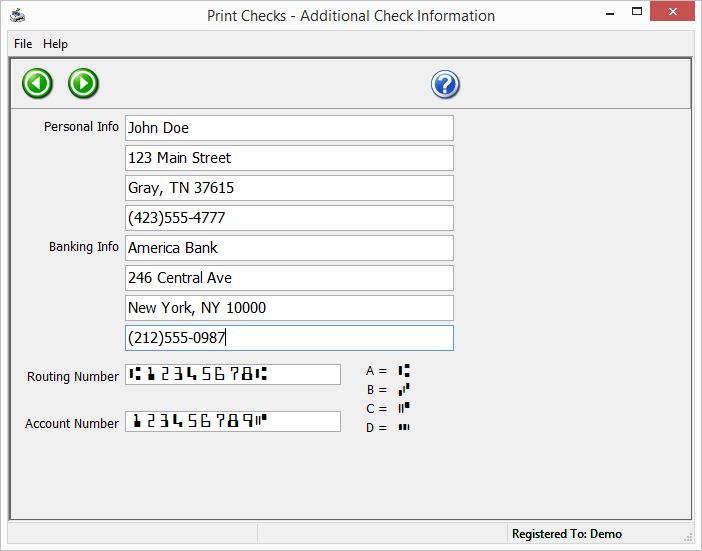
Efficiency takes center stage with the batch printing capability. You can load multiple check details in a CSV file or directly enter data, then print numerous checks in a single operation. This not only saves time but also reduces manual errors, ensuring consistency across your payments. The app also allows importing and exporting data securely, making integration with your existing financial records straightforward, comparable to turning a collection of scattered notes into an organized ledger.
From the moment you open Print Checks for Windows, it's evident that user experience was a priority. The clean interface resembles a well-organized desk—clear labels, logical flow, and minimal clutter allow even beginners to get started quickly. The app operates with smooth responsiveness; transitions between setup, data entry, and printing are seamless, akin to flipping effortlessly through pages of a well-bound book. Its learning curve is gentle—within minutes, most users can master the essentials, making it excellent for quick adoption without lengthy tutorials.
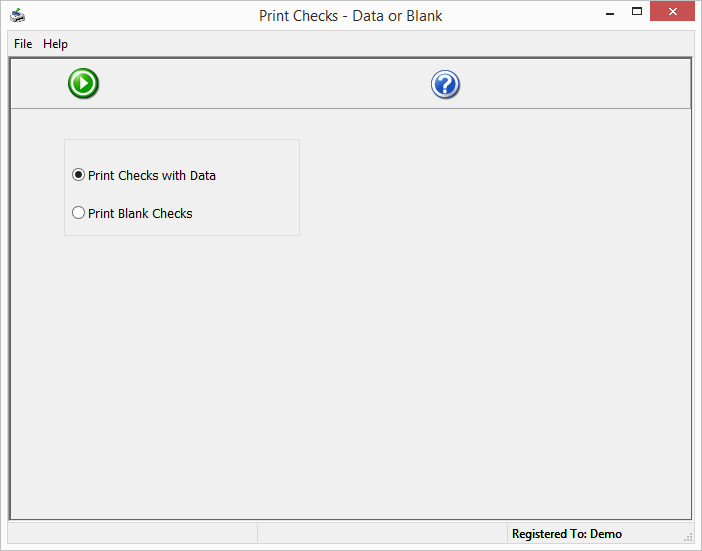
Compared to other personal finance or check-printing tools, Print Checks for Windows shines due to its emphasis on customization and batch processing. Many competitors rely on rigid templates or require costly add-ons for bulk operations. In contrast, this app's flexible design and simple import/export functions ensure you spend less time fussing with setup and more time managing your finances. It also supports various check formats, including pre-printed and blank stock, giving users the freedom to choose materials best suited to their needs.
All in all, Print Checks for Windows is a practical, dependable application that sheds light on the often-overlooked task of check printing. Its intuitive interface, high degree of customization, and batch processing capabilities make it a standout among more complex or expensive alternatives. While it may not boast flashy features or extensive financial management tools, its tailored approach to check printing fills a specific need with precision and ease.
If you regularly handle check payments and value a straightforward, no-nonsense tool crafted specifically for Windows, this app comes highly recommended. Beginners can start using it with minimal effort, while experienced users will appreciate its flexibility and efficiency—making check printing a task you can do confidently and quickly.
User-Friendly Interface
Customizable Templates
Seamless Integration
High-Quality Printing
Secure Data Handling
Limited Check Formats
Printer Compatibility Issues
Occasional Software Lag
Limited Customer Support Options
Learning Curve for Advanced Features

for Windows
 5
5

for Windows
5

for Windows
5

for Windows
5

for Windows
5

for Windows
5

for Windows
5

for Windows
5

for Windows
5

for Windows
5