Education
DC Codes
PC
Windows 10 version 14393.0 or higher
English (United States)
PID Simulator for Windows is a dedicated tool designed to help engineers, students, and control system enthusiasts experiment with and understand the intricacies of Proportional-Integral-Derivative (PID) control algorithms in a user-friendly environment.
DC Codes, a company known for developing educational and engineering simulation software, created this application to provide an interactive platform for PID tuning and testing. Published by ETCO, a trusted player in software distribution, the app aims to bridge the gap between theoretical concepts and practical implementation.
The primary target audience includes control engineers, automation students, researchers, and hobbyists eager to gain hands-on experience without the need for dedicated hardware.
Imagine standing in front of a laboratory setup, knobs, and dials at the ready, with a monitor breathing life into a simulated robotic arm or temperature control system. PID Simulator for Windows transforms that scene into your desktop workspace—where tinkering, tweaking, and learning become an engaging dance of digital signals. Its lively interface invites users to explore the once daunting realm of control systems with a sense of curiosity and confidence, making theoretical principles feel tangible and approachable.
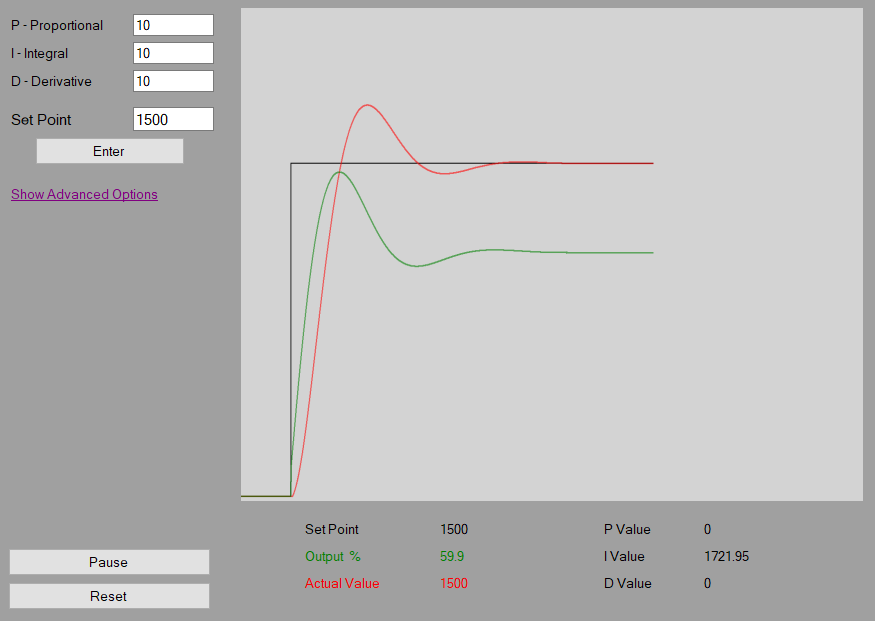
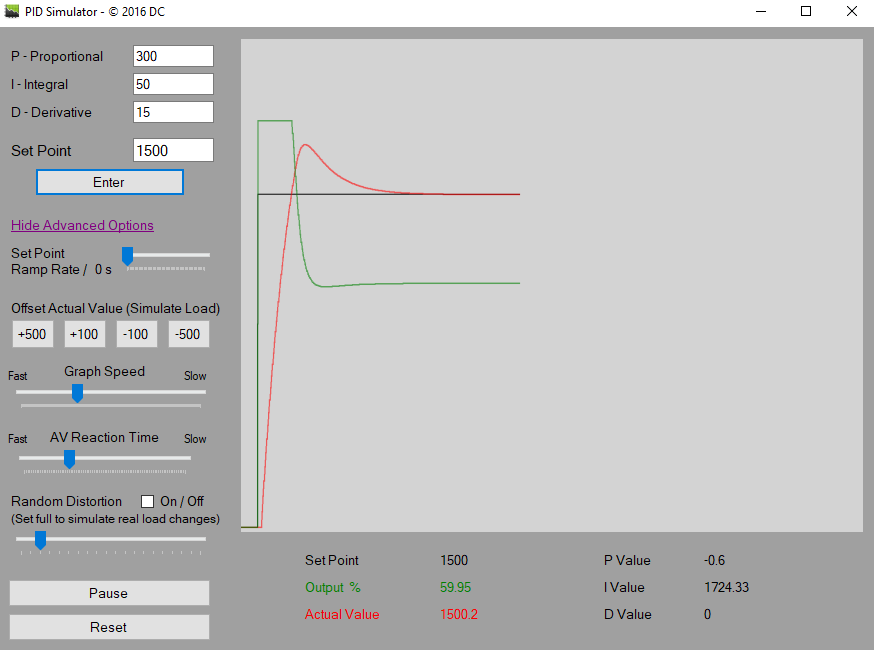
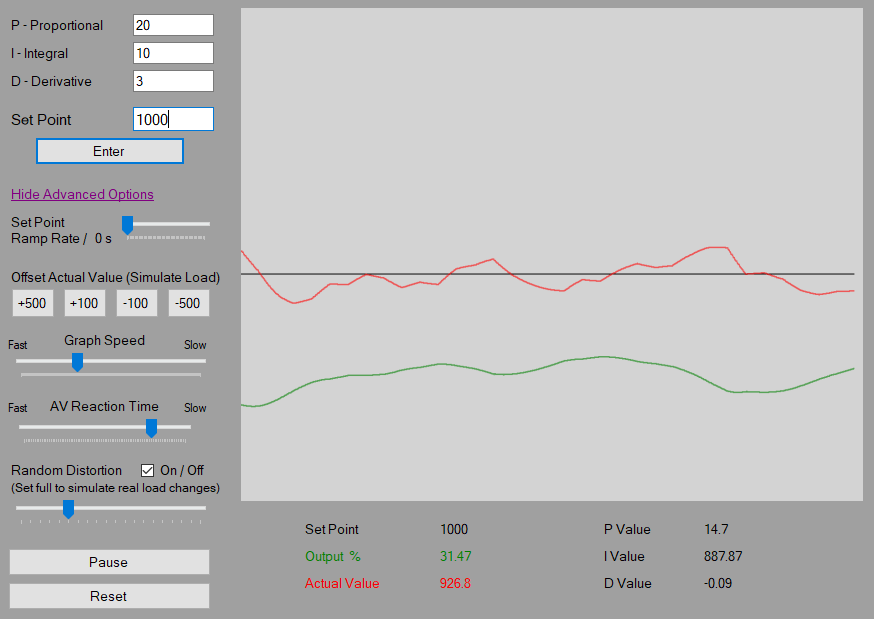
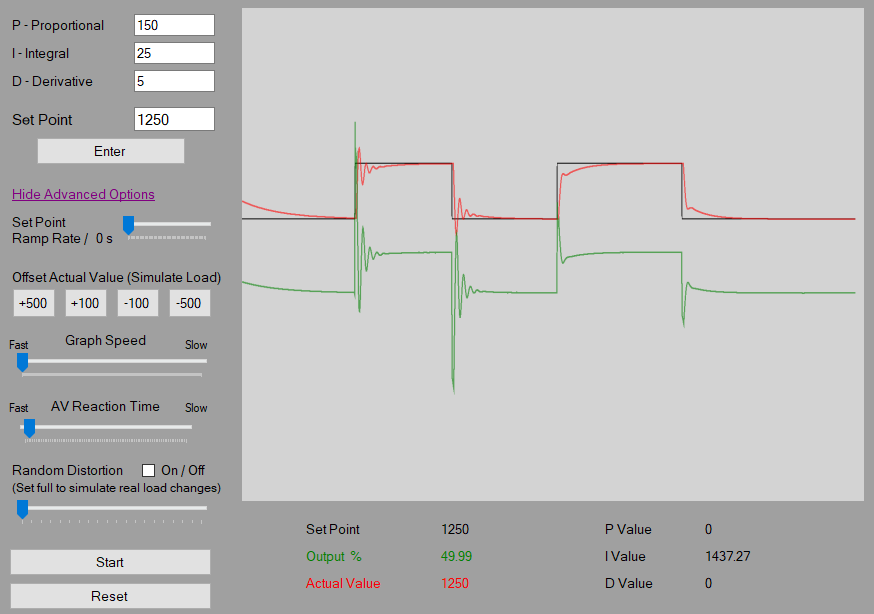
The app's standout feature is its real-time tuning capability. Users can tweak proportional, integral, and derivative gains through sliders or input boxes, immediately seeing how their adjustments influence the system's behavior. The instantaneous feedback cycle acts like a virtual laboratory, allowing learners to observe phenomena such as overshoot, oscillation, and settling time firsthand. The visual graph updates dynamically, making complex control responses easily digestible—saving time and reducing frustration for beginners and experts alike.
Not all systems are created equal, and PID Simulator recognizes that. It provides multiple pre-configured models, from simple temperature regulators to complex robotic controllers. This diversity ensures users can explore PID tuning across different domains, sharpening their intuition in various scenarios. The flexibility to create custom models also offers advanced users a playground for experimentation, pushing the boundaries of their control knowledge.
The interface is clean and approachable, with a layout that resembles real lab equipment. Navigation is smooth, and switching between different simulation modes is straightforward. The learning curve is gentle—while still offering depth for seasoned practitioners—making it an accessible entry point for students and hobbyists. Response times are swift, with no noticeable lag, which is critical when trying to understand the immediate consequences of parameter changes. The app manages to strike a balance between functionality and simplicity, ensuring users stay focused on learning rather than fumbling with the software.
Compared to other educational control system applications, PID Simulator's key differentiation lies in its combination of real-time interaction and multiple simulation modes, reinforced by clear visualization tools. Its most distinctive feature is the immediate feedback loop, akin to a virtual analog of tuning a physical device—this aspect fosters an intuitive understanding that static tutorials often lack. Moreover, the app's emphasis on varied system models and customization helps users develop a robust, adaptable control intuition, bridging the gap between textbook theory and real-world application.
All in all, PID Simulator for Windows is a thoughtfully crafted educational resource that demystifies PID control mechanisms through engaging visualizations and interactive tuning. I recommend it highly for control engineering students, educators, and professionals interested in refining their tuning skills or visualizing control dynamics. It's particularly valuable as a supplementary tool in academic settings or for self-guided learning, making the complex dance of control systems accessible and even enjoyable. Whether you're just starting out or seeking a quick simulation sandbox, this app offers a practical, approachable platform to deepen your understanding of PID control.
Realistic physics simulation
Intuitive user interface
Customizable parameters
Export and save options
Good documentation and tutorials
Limited device compatibility
Lack of advanced control algorithm options
Slow response in large simulation models
Limited customization for visualization
Minimal support for third-party integrations

for Windows
 4.8
4.8

for Windows
4.7

for Windows
4.7

for Windows
4.6

for Windows
4.6

for Windows
4.6

for Windows
4.5

for Windows
4.5

for Windows
4.4

for Windows
4.4

for Windows
4.4

for Windows
4.4

for Windows
5

for Windows
5

for Windows
5

for Windows
5

for Windows
5

for Windows
5

for Windows
5

for Windows
5

for Windows
5

for Windows
5