Developer tools
Whitewater Foundry, Ltd. Co.
PC
Windows 10 version 17763.0 or higher
Integrated Keyboard
Integrated Mouse
2 GB
English (United States)
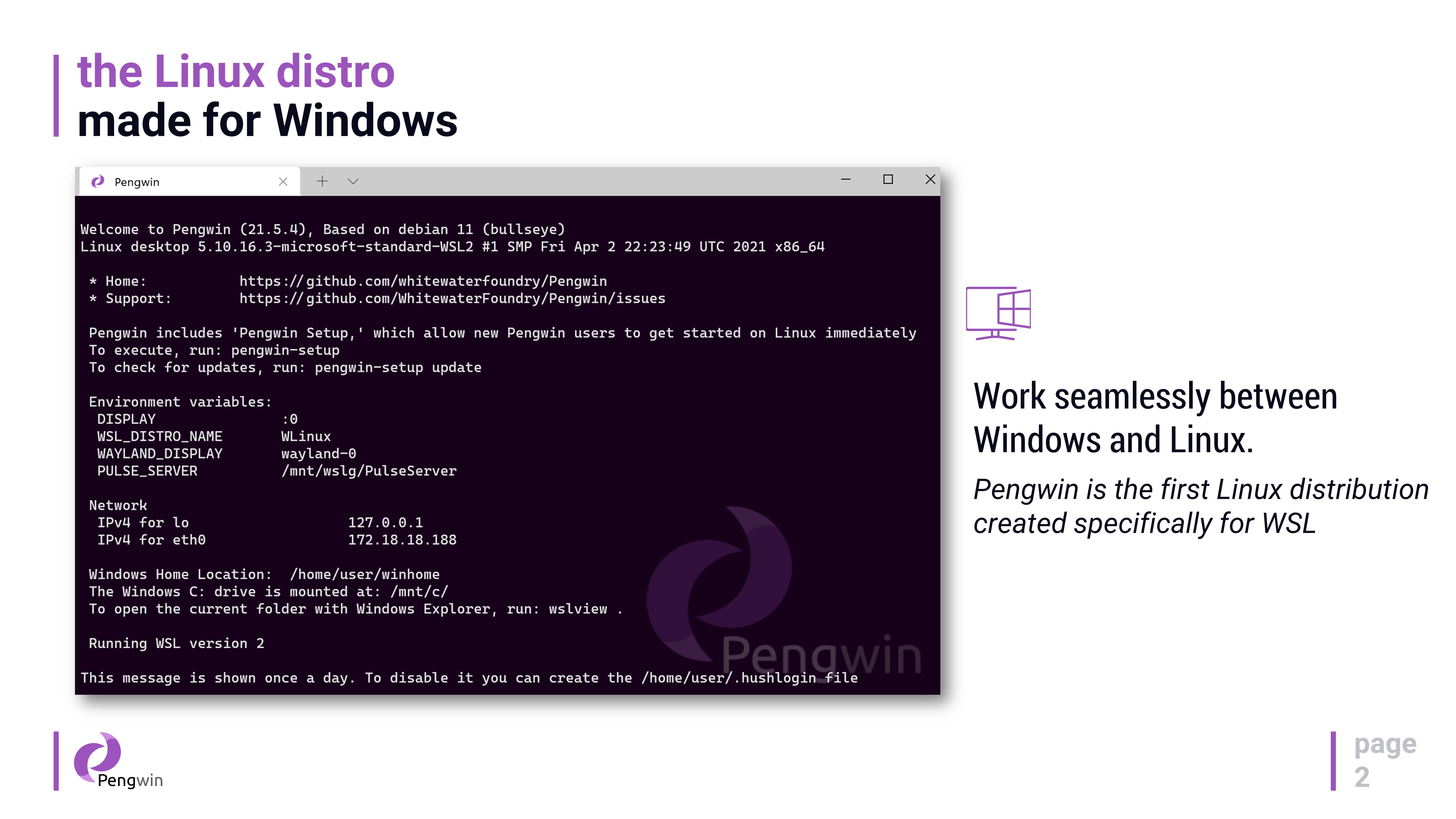
Imagine having a window that opens seamlessly between two worlds—Linux and Windows—bringing the best of both to your desktop. Pengwin for Windows by Whitewater Foundry is designed to make this dream a reality, aiming to deliver a robust, user-friendly Linux environment right within your Windows system. Whether you're a developer, sysadmin, or just a tech enthusiast, Pengwin offers an accessible gateway to Linux functionalities without leaving your familiar Windows universe.
Pengwin is developed by Whitewater Foundry, a dedicated team specializing in Linux distributions tailored for Windows. Their goal is to create a seamless and reliable Linux experience that leverages the Windows Subsystem for Linux (WSL), making Linux more accessible, efficient, and integrated for everyday Windows users.
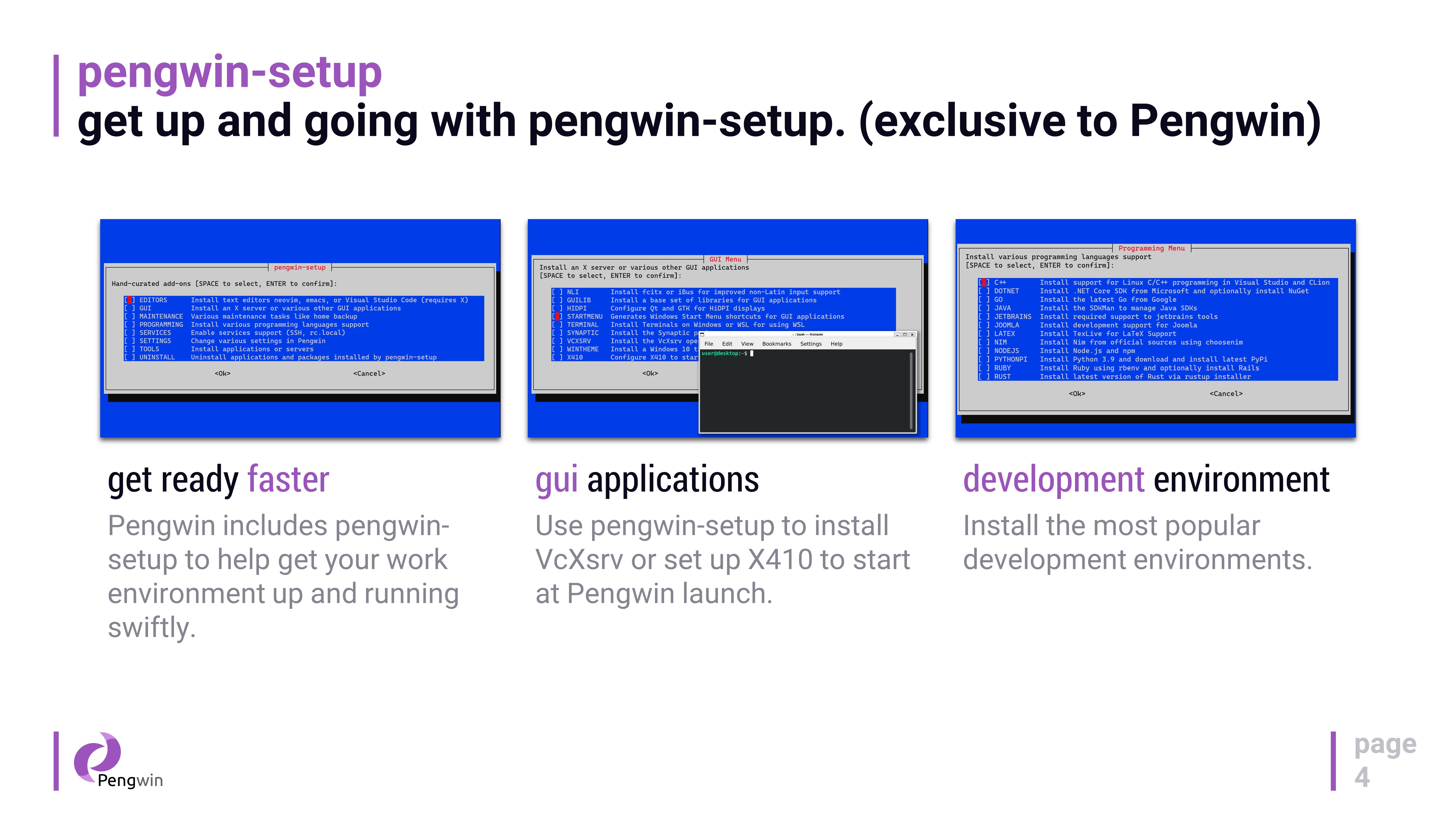
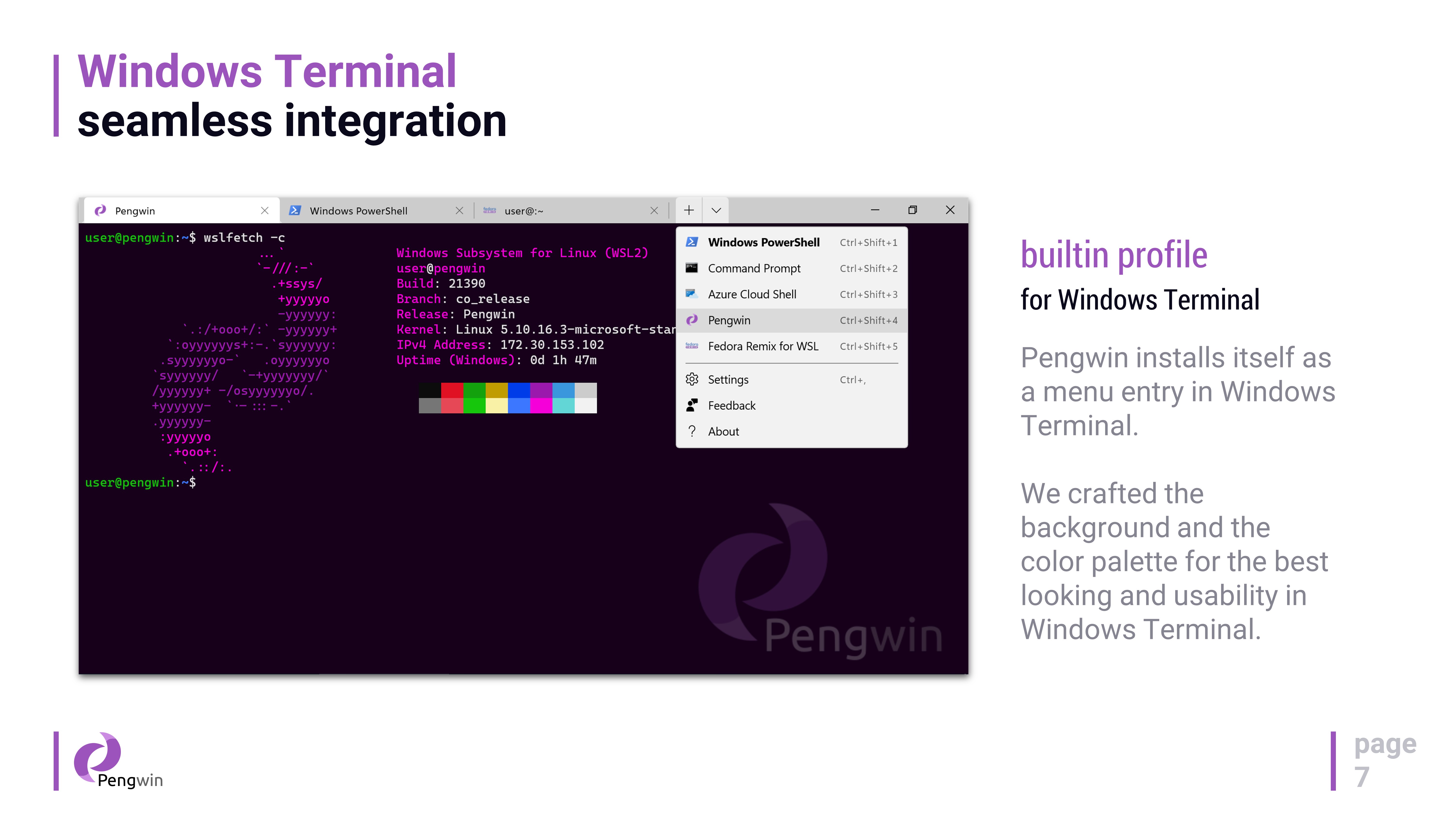
Pengwin's UI is all about clarity and simplicity. It's designed to blend seamlessly with Windows, offering configuration panels and terminal interfaces that feel familiar, reducing the cognitive load when switching between platforms. The installer is straightforward, guiding users step-by-step, akin to having a friendly tech guide by your side. Once set up, launching Pengwin feels like opening a dedicated, polished app rather than a complex beast—typical Linux terminals can resemble an intimidating command jungle, but Pengwin's interface softens that edge with intuitive menus and helpful cues.
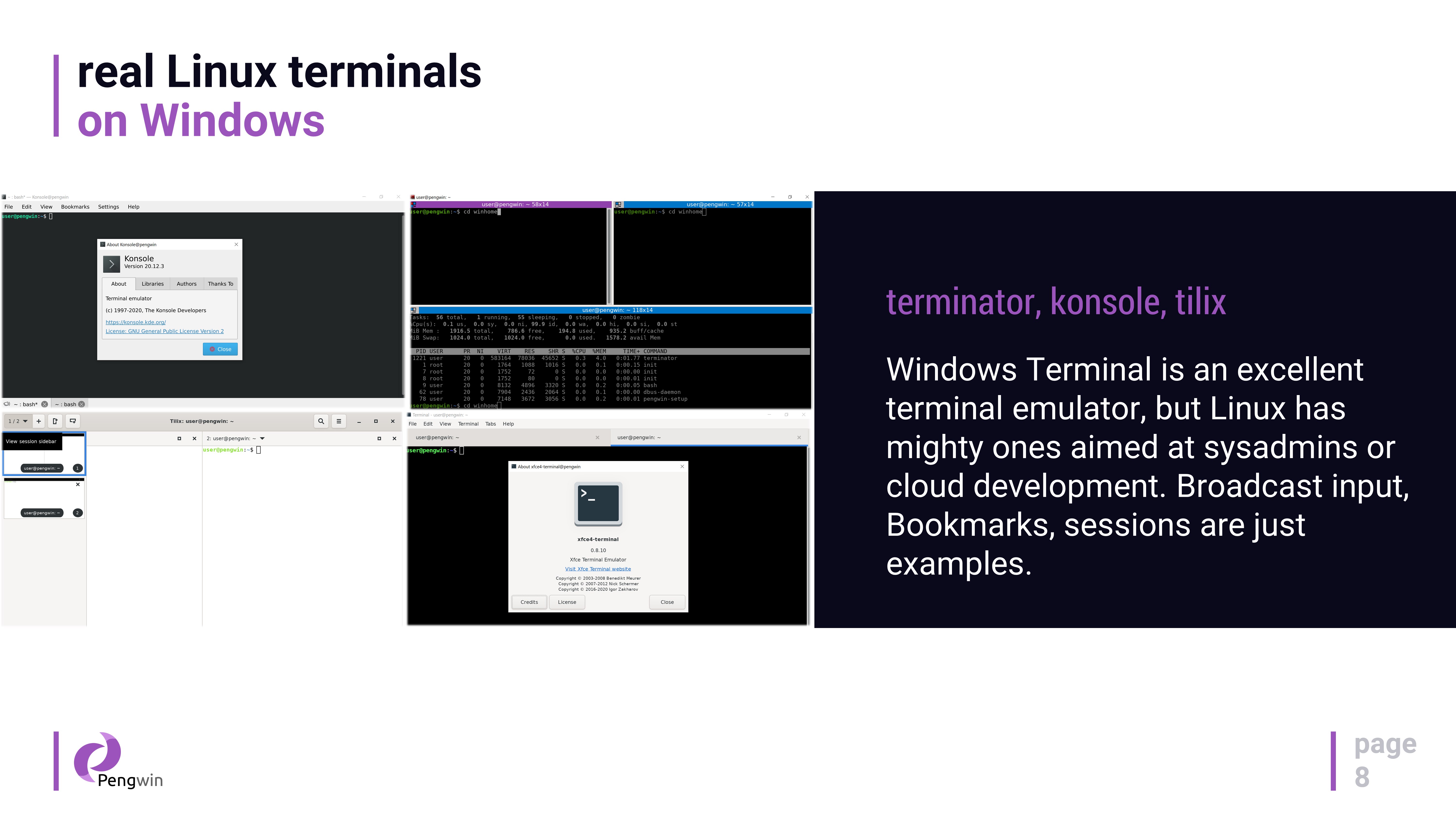
Powered by WSL2, Pengwin delivers swift, near-native performance. The responsiveness of commands and system calls feels snappy, making your Linux environment feel as lightweight as a feather. For users juggling multiple terminals or running resource-intensive scripts, Pengwin maintains stability and speed, ensuring a smooth workflow. The experience is akin to having a high-performance sports car—powerful yet manageable, with just enough polish to make your engine roar smoothly.
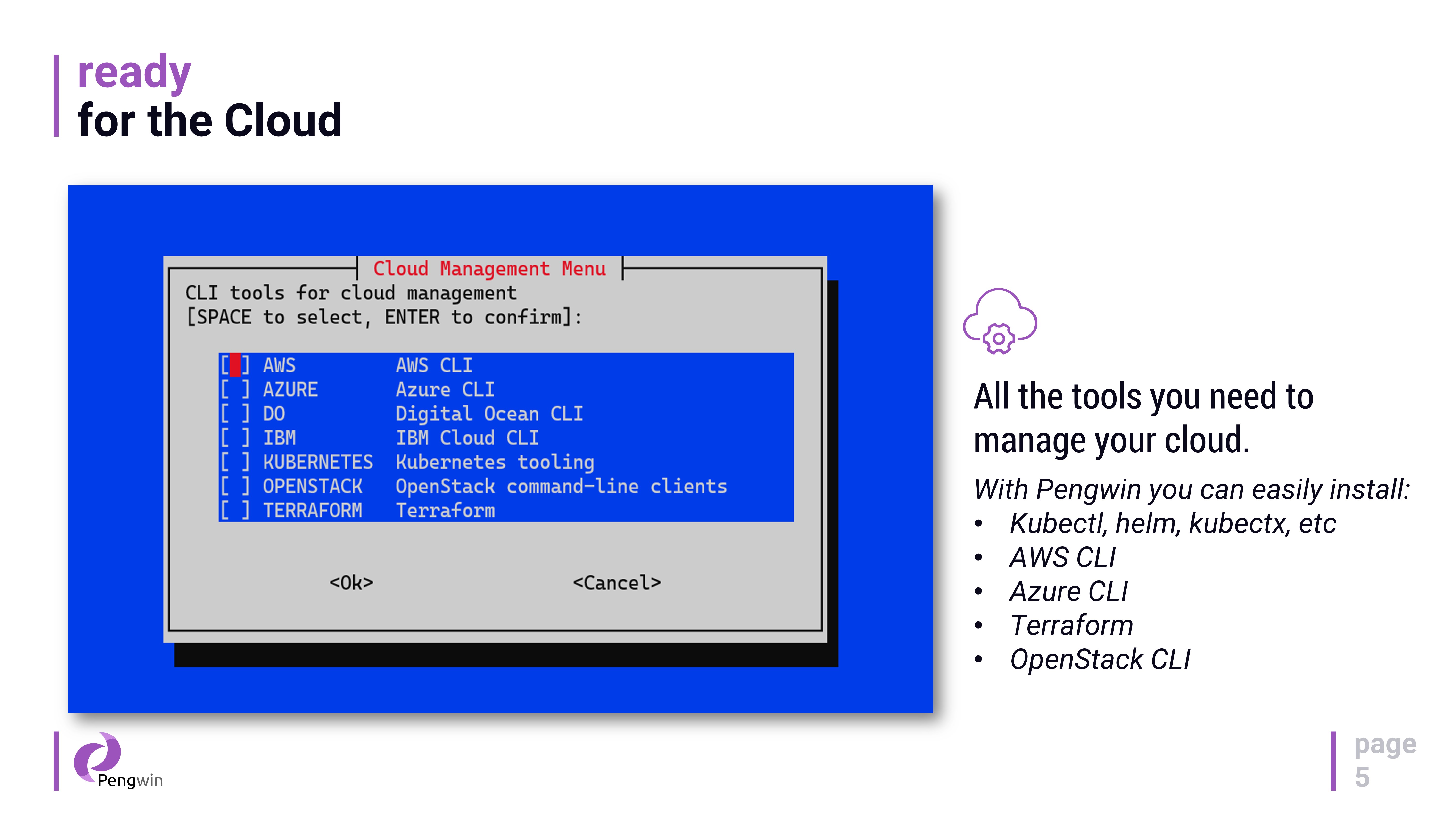
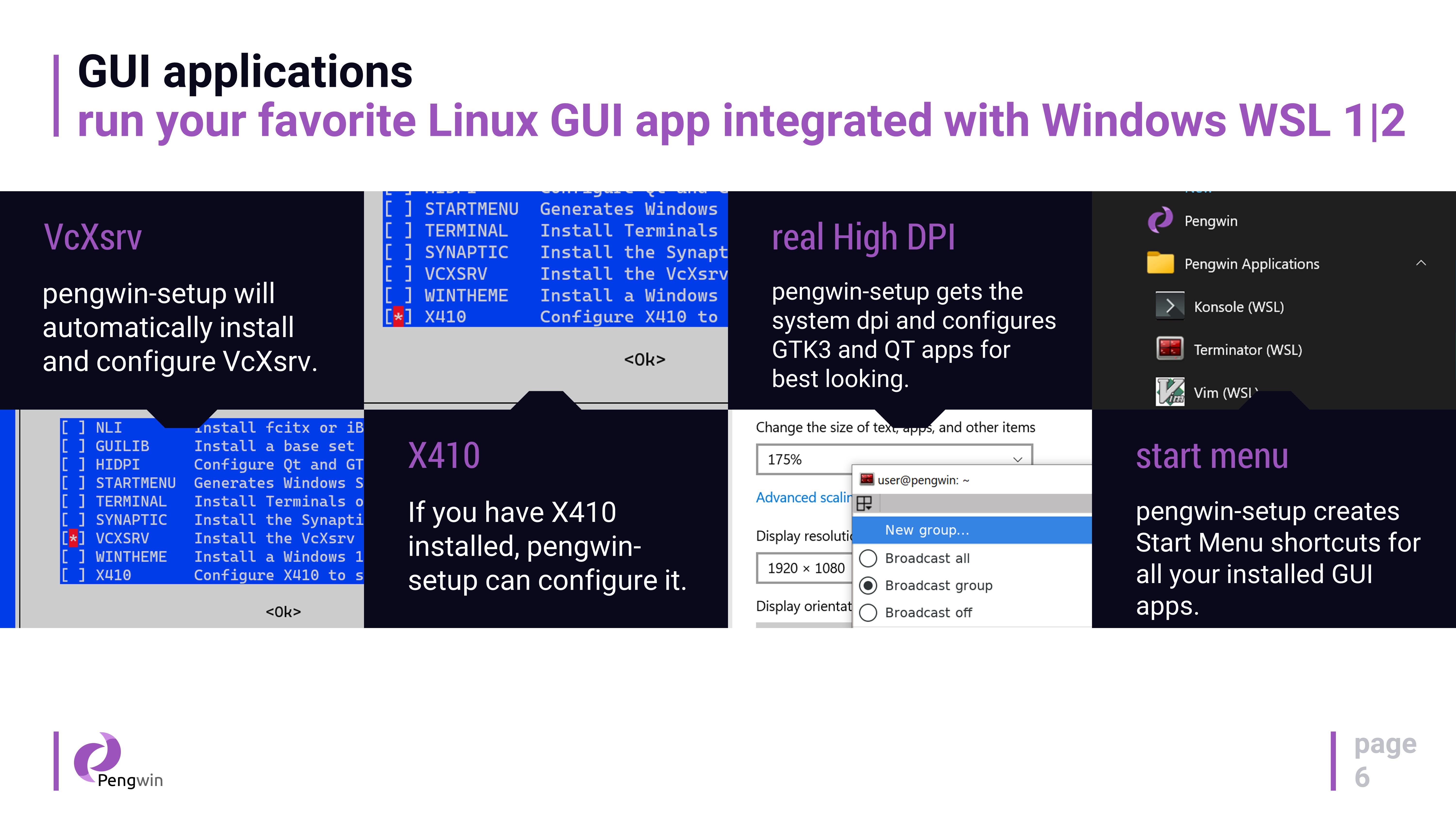
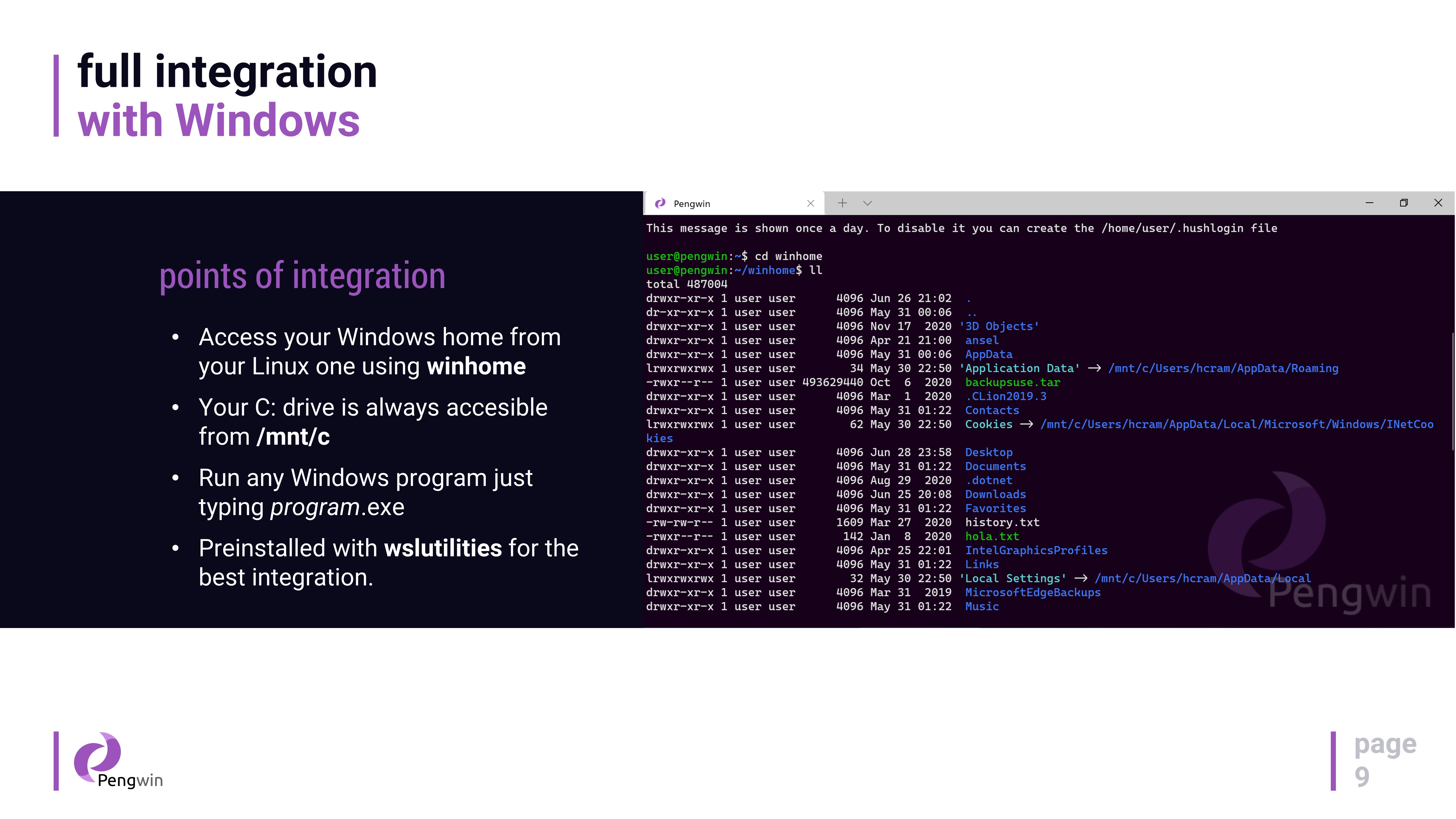
One of Pengwin's most compelling features is its focus on customization combined with robust WSL integration. Unlike more generic Linux distributions on Windows, Pengwin offers tailored repositories and pre-installed tools optimized for Windows integration—think of it as a Linux kit tailored by craftsmen, not just a standard toolkit. Features like its custom package sources and dedicated support for graphical Linux apps via WSLg make Pengwin particularly appealing for users who want a truly integrated Linux experience without the hassle of manual configurations. This sets Pengwin apart from free, community-driven WSL distros which often require extra setup and troubleshooting.
For those seeking a harmonious coexistence of Linux and Windows, Pengwin hits a sweet spot. Its user-friendly design, combined with powerful customization options and a focus on performance, make it a solid choice—especially if you rely on Linux tools but prefer the familiarity and stability of Windows. While it's not aimed at beginners who just want a casual terminal, advanced users and professionals will appreciate the depth and attention to detail that Pengwin offers. I would recommend it to anyone wanting a reliable, polished Linux environment embedded directly within Windows and willing to invest a bit of time to explore its full capabilities.
Seamless integration with Windows Subsystem for Linux
Pre-configured Linux distributions tailored for Windows users
Regular updates and active development
User-friendly interface with customization options
Robust package management system support
Initial setup process can be complex for new users
Limited support for graphical Linux applications out-of-the-box
Occasional compatibility issues with certain Windows updates
Some advanced features may require command-line knowledge
Limited free trial or demo options currently

for Windows
 5
5

for Windows
4.6

for Windows
4.6

for Windows
4.6

for Windows
4.5

for Windows
4.4

for Windows
4.4

for Windows
4.3

for Windows
4.3

for Windows
4.3

for Windows
4.3

for Windows
4.2

for Windows
5

for Windows
5
for Windows
5

for Windows
5

for Windows
5

for Windows
5

for Windows
5

for Windows
5

for Windows
5

for Windows
5