


Platformer
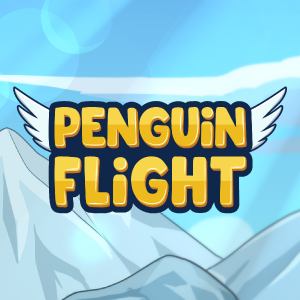
Penguin Flight is a charming and engaging side-scrolling platformer that invites players into the whimsical world of a daring penguin navigating icy landscapes. Developed by Afil Games, this title combines fluid controls, captivating visuals, and inventive gameplay mechanics to create an experience suitable for all ages and skill levels.
Produced by Afil Games, Penguin Flight stands out as a meticulously crafted title that emphasizes simplicity paired with fun. The game's highlights include intuitive one-touch controls that make gameplay accessible, vibrant and appealing cartoon-style artwork that brings the icy world to life, and a variety of power-ups and collectibles that encourage replayability. Its main appeal lies in the blend of casual yet challenging gameplay, making it perfect for quick sessions or prolonged adventures.
Penguin Flight primarily targets casual gamers, children, and fans of classic platformers looking for a lightweight yet entertaining experience. Its straightforward mechanics and engaging aesthetic also make it a good choice for players seeking stress-free gameplay during short breaks or relaxing evenings.
Imagine plunging into a frosty wonderland where a brave little penguin takes to the skies, flapping its wings with charming determination. With each soaring leap and daring glide, Penguin Flight transforms simple platforming into a lively dance of agility and timing. It's like chasing the northern lights on a winter night—bright, mesmerizing, and full of delightful surprises. Whether you're seeking a quick entertainment fix or a new addiction, Penguin Flight's cheerful atmosphere and intuitive gameplay invite players to embrace the cold with warmth in their hearts.
The core mechanic of Penguin Flight revolves around controlling the penguin's flight—tapping to flap wings, avoiding obstacles while collecting coins and power-ups. The challenge lies in mastering the rhythm of flaps to navigate through increasingly complex terrains, from icy cliffs to cavernous tunnels. This simple yet addictive mechanic is enhanced by responsive controls that feel natural, providing a satisfying sense of mastery once you get the hang of timing.
One of the most compelling aspects is the game's diverse array of power-ups. From speed boosts to temporary shields, each item spices up the gameplay and offers new strategies for overcoming hurdles. The collectibles—mainly coins—serve to incentivize exploration and replay, pushing players to improve their skills and beat their high scores. This element makes each run feel fresh, encouraging repeated attempts to unlock achievements and unlockables.
Visually, Penguin Flight employs bright, cartoon-style graphics that evoke a cheerful winter scene—think sparkling snow, playful penguins, and glimmering icy backgrounds. The interface is clean and minimalistic, ensuring that players can focus on the action without distraction. The buttons are well-placed and responsive, providing a seamless experience even during high-speed sequences. The game's learning curve is gentle—beginners can quickly get a feel for the controls, while seasoned players can master complex sequences for higher scores.
Compared to other platformers, Penguin Flight's standout feature is its emphasis on “flight control” rather than jumping or running. This focus on aerial navigation creates a unique gameplay loop—players must develop a sense of timing and rhythm akin to a flying rhythm game. Additionally, its charming, winter-themed art style and smooth performance set it apart from more generic platformers, making it visually captivating and easy to pick up quickly.
In summary, Penguin Flight offers a delightful, approachable experience that balances simplicity with depth. Its engaging flight mechanics, vibrant visuals, and thoughtful design make it an excellent choice for casual gamers and platformer enthusiasts alike. I'd recommend it for players looking for a light, fun distraction that still offers a good challenge. Whether you're commuting, taking a short break, or just want to enjoy a charming icy adventure, Penguin Flight is a game worth flying into—just beware, once you start flapping, it's hard to stop!
Engaging gameplay with smooth controls
Vivid and charming graphics
Variety of levels and challenges
User-friendly interface
Regular updates with new content
Occasional lag or frame rate drops
Limited customization options for penguins
In-app ads can be quite frequent
Difficulty spikes in later levels
Limited tutorial guidance for new players

for Windows
 4.7
4.7

for Windows
4.7

for Windows
4.6
for Windows
4.4

for Windows
4

for Windows
3.8
for Windows
3
for Windows
2.6

for Windows
0
for Windows
0
for Windows
0

for Windows
0

for Windows
5

for Windows
5

for Windows
5

for Windows
5

for Windows
5

for Windows
5

for Windows
5

for Windows
5

for Windows
5

for Windows
5

