Music
Mobile, PC, Xbox console
Windows 10 version 14316.0 or higher
English (United States)
Pandora for Windows is a thoughtfully designed music streaming app that offers personalized music experiences, combining curated playlists with user-driven preferences to keep your ears engaged and entertained.
Developed by Pandora Media Inc., this application brings the well-known internet radio service to your desktop, echoing the company's mission to connect listeners with music they love. Its core strengths include adaptive music recommendations, an intuitive interface, and seamless integration with existing Pandora accounts. The app primarily targets music enthusiasts who crave personalized listening, from casual listeners seeking background tunes to avid audiophiles eager for unique rhythm patterns.
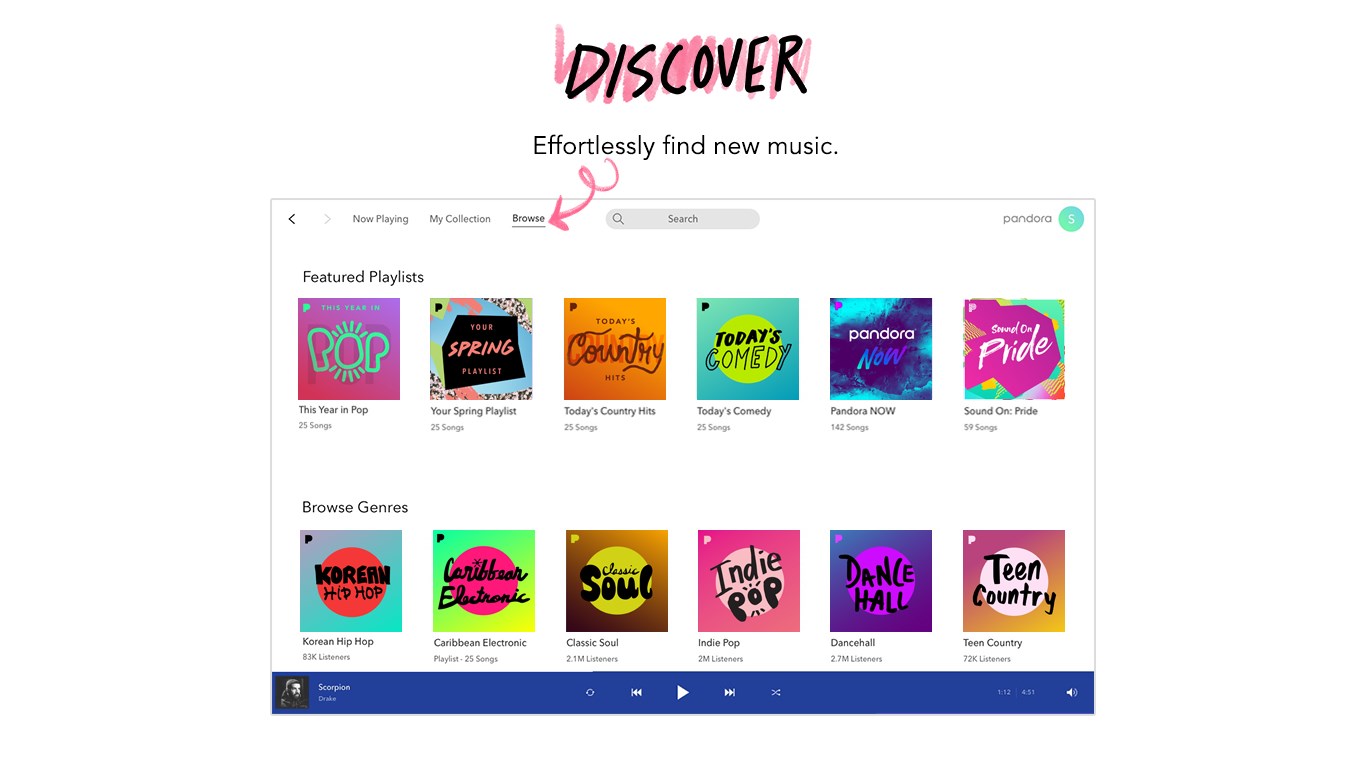
Imagine having your personal DJ right next to your computer, adjusting playlists based on your mood or activity—Pandora for Windows makes this a reality. The app's introduction feels like stepping into a cozy, music-filled lounge where every song seems handpicked just for you. Its engaging interface invites exploration, making music discovery feel like unwrapping a gift each day.
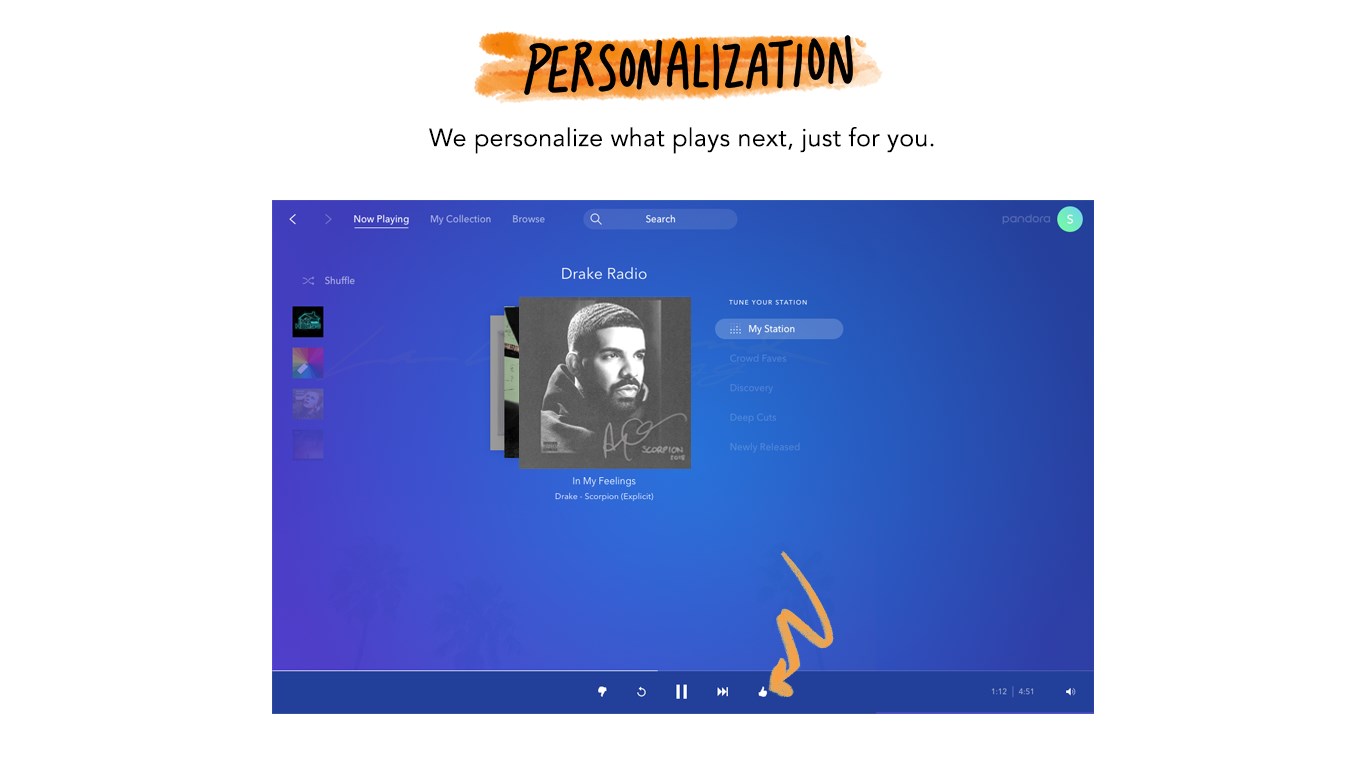
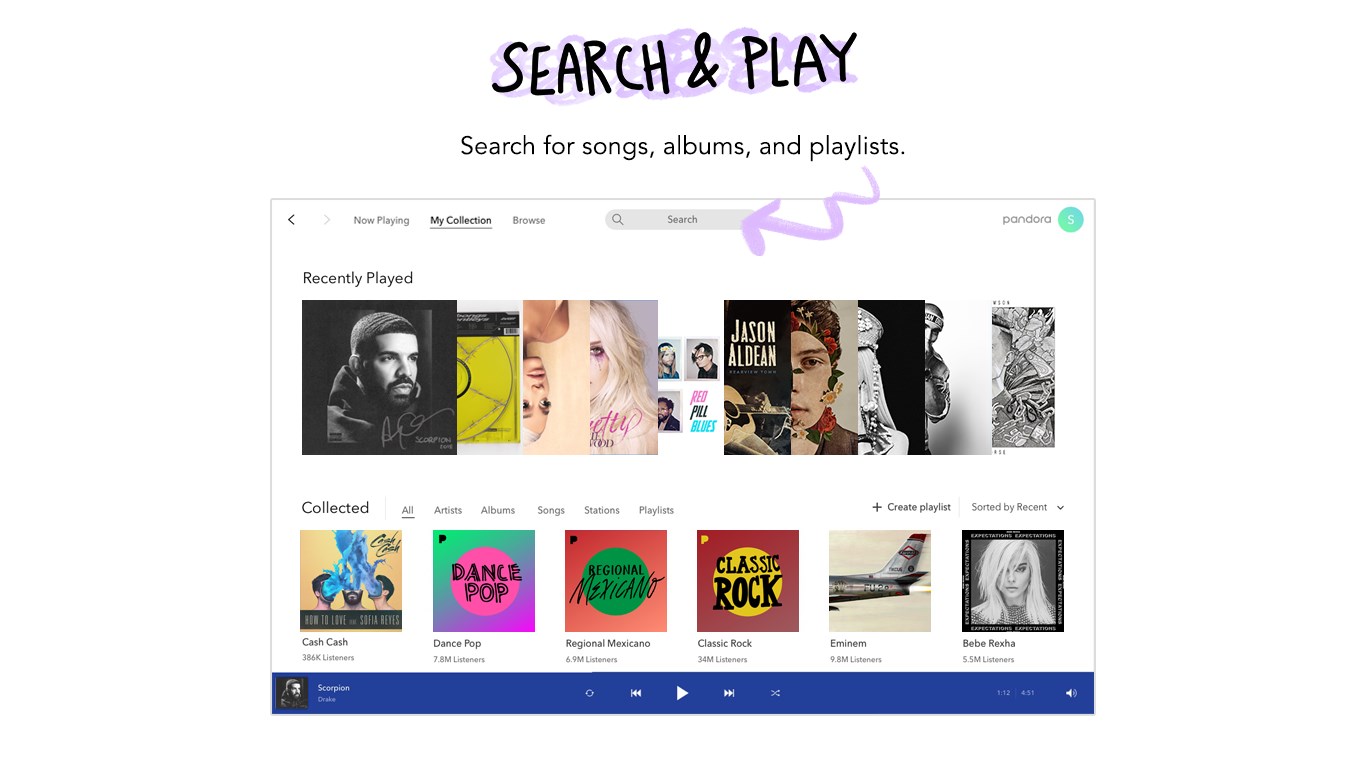
At the heart of Pandora is its legendary Music Genome Project, which powers its smart recommendation engine. As you listen, the app learns your preferences—whether you're into upbeat pop, mellow jazz, or energetic rock—and tailors your stations accordingly. Creating a station is as simple as typing in a favorite artist or genre, after which Pandora curates a stream full of similar tracks. This dynamic adaptability ensures that your music library is always aligned with your evolving tastes, delivering a playlist that feels both familiar and exciting at the same time.
The design of Pandora for Windows is both sleek and user-friendly, resembling a digital DJ's control panel—clean, well-organized, and easy to navigate. Playback controls are centrally positioned with intuitive buttons, allowing you to pause, skip, or thumbs-up tracks effortlessly. The app's efficiency is notable—the stream remains stable and responsive, making it ideal for dedicated listening sessions or background music during work. The learning curve is gentle; even if you're new to Pandora, exploring and customizing your stations feels natural and rewarding.
While many music apps focus on sheer variety, Pandora sets itself apart with its ability to assess rhythm pattern variety and responsiveness. Its intelligent algorithms do more than just shuffle songs—they analyze beat structures to match your preferred tempo, ensuring that energy levels stay consistent with your activities. For instance, if you're working out or need focus, Pandora can adapt rhythmically to motivate or calm you, all without interruptions or sluggish responses. Moreover, its tolerance for input latency means it responds swiftly to user likes/dislikes, making the listening experience feel remarkably personalized and fluid.
All considered, Pandora for Windows is a commendable app that combines user-friendly design with intelligent personalization. Its standout features—particularly the ability to assess rhythm pattern variety and deliver finely tuned recommendations—set it apart in a crowded field of music streaming platforms. While it excels at creating a tailored listening environment, it remains accessible for all user levels, from newcomers to seasoned audiophiles. If you value a seamless, adaptive musical companion that learns and grows with you, this app is highly recommended.
Extensive music library
Excellent music recommendation algorithms
User-friendly interface
Ad-supported free tier
Cross-platform compatibility
Limited free features on mobile
Subscription plans are relatively expensive
Offline listening is restricted to paid subscribers
Limited customization options
Occasional app crashes on certain devices

for Windows
 4.9
4.9

for Windows
4.9

for Windows
4.8

for Windows
4.8

for Windows
4.7

for Windows
4.7

for Windows
4.6

for Windows
4.6

for Windows
4.5

for Windows
4.5

for Windows
4.5

for Windows
4.5

for Windows
5

for Windows
5

for Windows
5

for Windows
5

for Windows
5

for Windows
5

for Windows
5

for Windows
5

for Windows
5

for Windows
5