Productivity
PC
Windows 10 version 19041.0 or higher
Afrikaans, Albanian, Amharic, Arabic, Armenian, Assamese, Azerbaijani, Bangla (India), Basque, Bosnian (Latin, Bosnia and Herzegovina), Bulgarian, Catalan, Chinese (Simplified), Chinese (Traditional Chinese), Croatian, Czech, Danish, Dutch, English, English (United Kingdom), English (United States), Estonian, Filipino, Finnish, French, French (Canada), Galician, Georgian, German, Greek, Gujarati, Hebrew, Hindi, Hungarian, Icelandic, Indonesian, Irish, Italian, Japanese, Kannada, Kazakh, Khmer, Konkani, Korean, Lao, Latvian, Lithuanian, Luxembourgish, Macedonian, Malay, Malayalam, Maltese, Maori, Marathi, Nepali, Norwegian, Norwegian (Bokmål), Odia, Persian/Farsi, Polish, Portuguese, Portuguese (Portugal), Punjabi (India), Quechua, Romanian, Russian, Scottish Gaelic, Serbian (Cyrillic), Serbian (Cyrillic, Bosnia and Herzegovina), Slovak, Slovenian, Spanish, Spanish (Mexico), Swedish, Tamil, Telugu, Thai, Turkish, Ukrainian, Urdu, Uyghur, Valencian, Vietnamese, Welsh
Microsoft Outlook for Windows offers a comprehensive and efficient solution for managing your emails, calendars, and tasks — a digital Swiss Army knife designed to keep your workflow seamless and organized. Developed by Microsoft Corporation, this application integrates deeply into the Windows ecosystem, making it a reliable companion for both personal and professional communication needs.
With its robust feature set, Outlook highlights include intelligent inbox management that reduces clutter, calendar synchronization that keeps your schedule in check, and seamless integration with other Microsoft 365 apps. Its advanced search capabilities and customizable views further streamline the user experience, ensuring that you can find what you need quickly and tailor the interface to suit your workflow.
Imagine walking into a well-organized office where everything is at your fingertips, ready to be accessed with minimal fuss—that's the feeling Outlook aims to evoke. Its clean, modern interface feels inviting rather than overwhelming, accompanied by smooth animations and responsive controls that make managing your inbox feel almost effortless. Whether you're checking emails on a quick morning break or planning your entire week, Outlook responds swiftly, making the experience both satisfying and empowering.
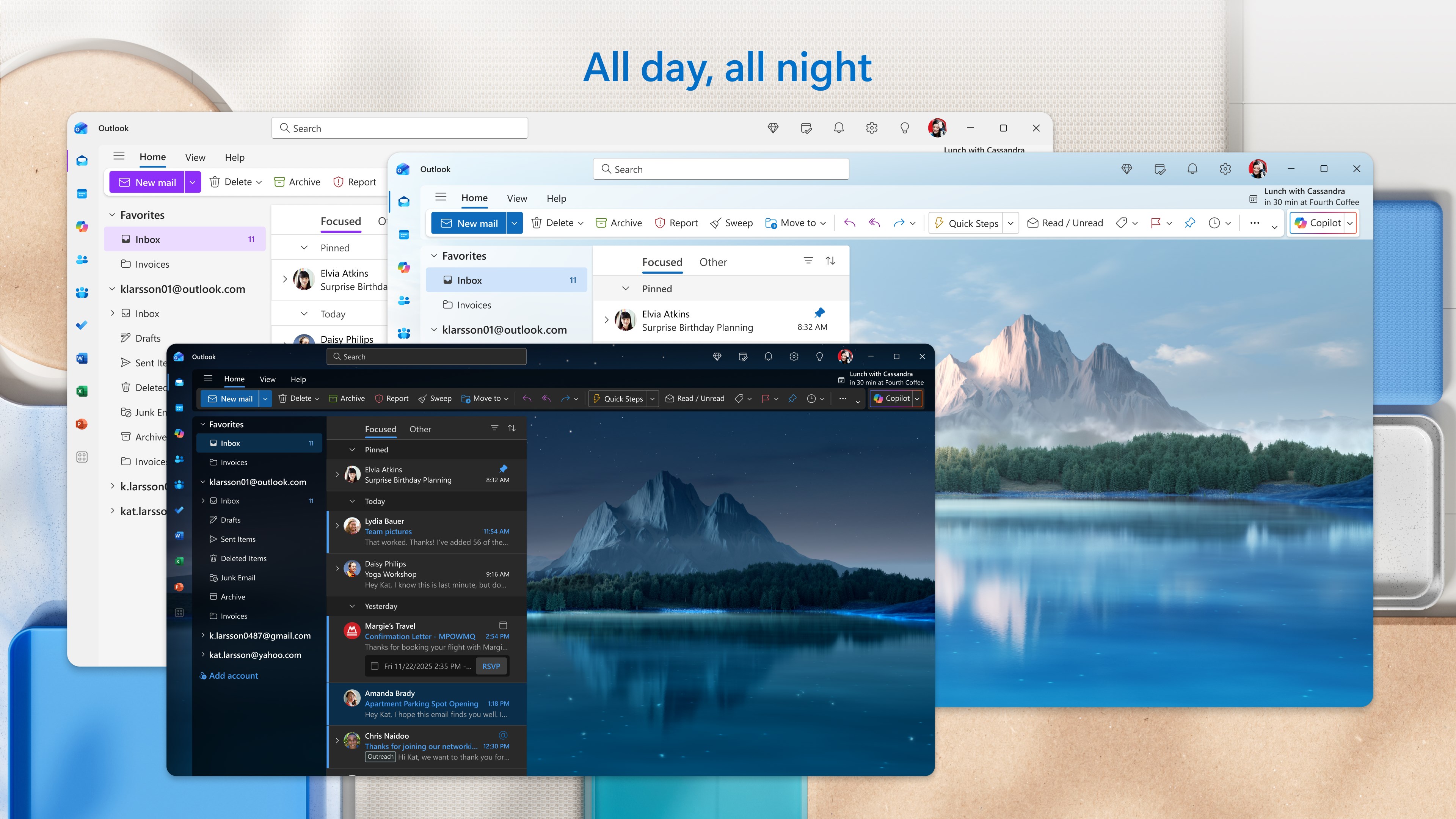
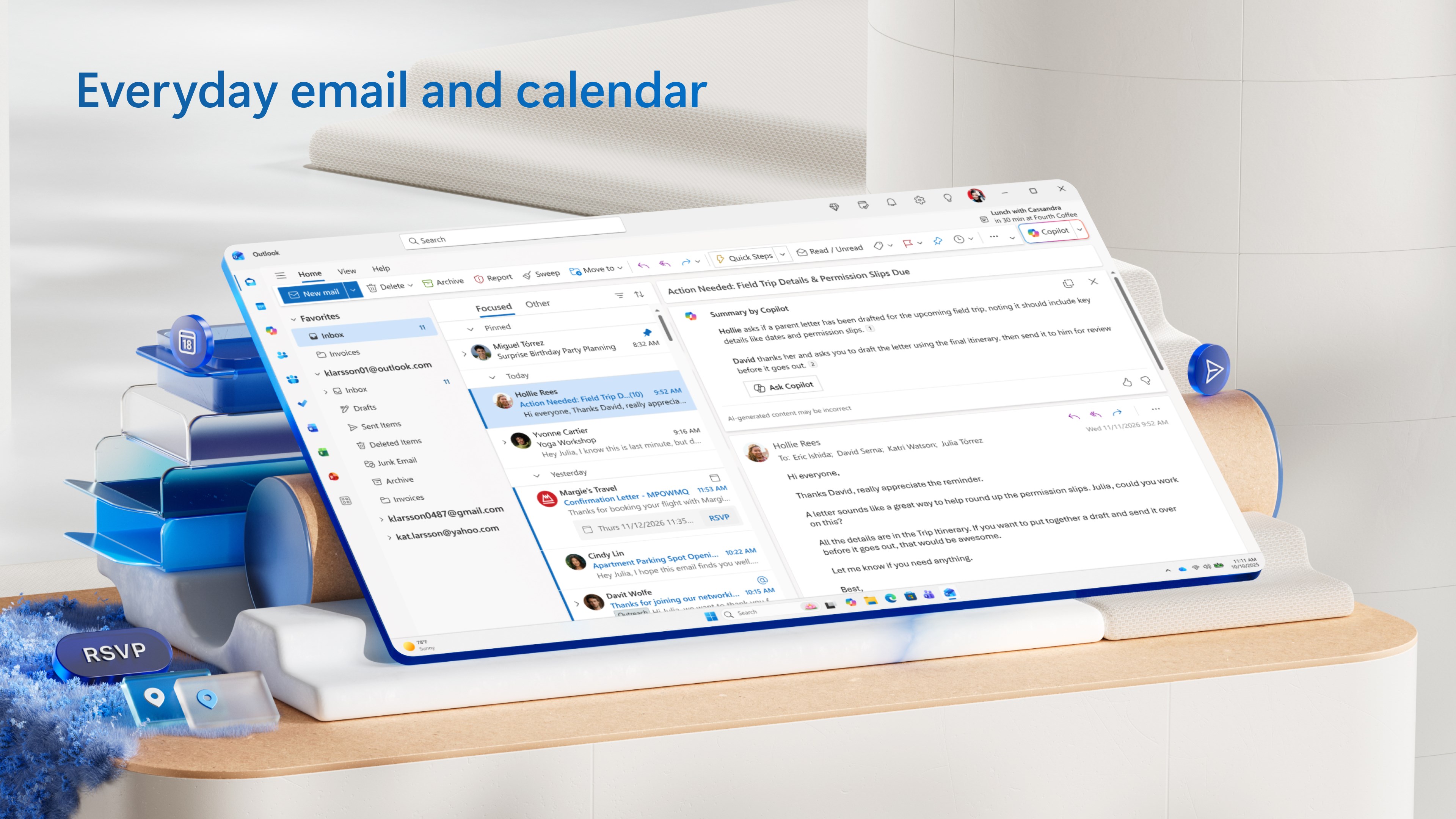
The standout feature here is Outlook's Focused Inbox. It intuitively sorts your emails into “Focused” and “Other,” acting like an attentive assistant who filters out the noise. Imagine having a diligent personal assistant who gently nudges the most important messages to the front, while less critical emails stay in the background—this substantially reduces cognitive load, enabling you to concentrate on what truly matters. The AI-driven categorization learns your preferences over time, further refining the experience without requiring manual tuning.
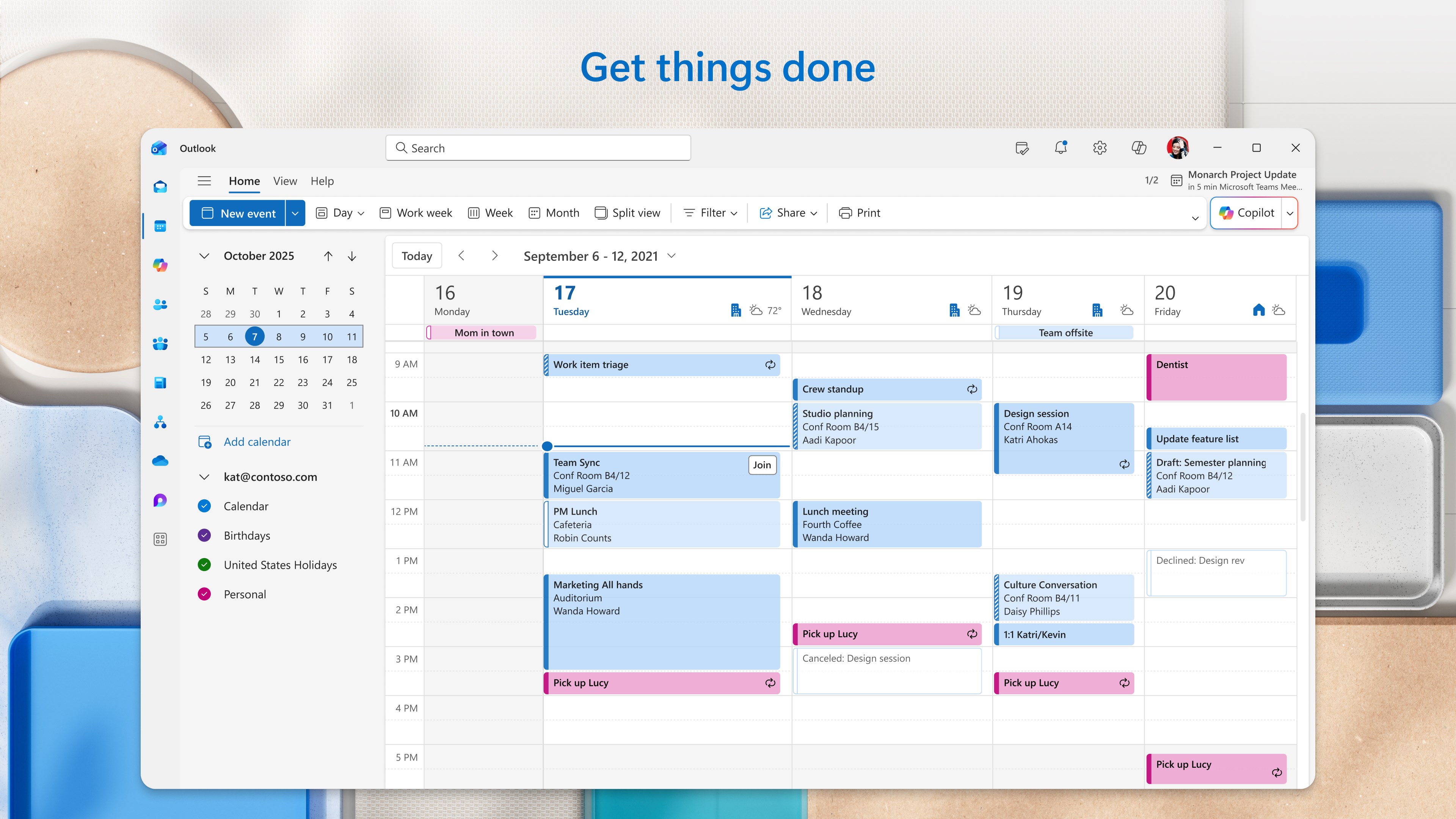
Outlook excels in consolidating schedules and tasks into one unified view. The calendar syncs seamlessly with your email, allowing you to create meetings or set reminders without switching apps. Its natural language processing allows you to schedule events simply by typing, such as “Meet John for lunch tomorrow at noon,” making planning feel fluid and human-like. This tight integration ensures your day flows smoothly, preventing the chaos often caused by juggling multiple apps.
Outlook's user interface strikes a careful balance — it's straightforward enough for newcomers to pick up rapidly, yet layered with enough customization options for power users. The layout resembles a professional workspace: navigation pane on the left, content in the middle, and details on the right. Actions like composing, replying, or scheduling are intuitive, often mimicking natural gestures or familiar keyboard shortcuts. The app's responsiveness is commendable; interactions are fluid, and loading times minimal, reinforcing a high-quality experience.
Unlike some productivity suites that bombard users with numerous features, Outlook's strength lies in its streamlined functionality focused on workflow efficiency. Its intelligent filtering and integrated calendar reduce the need to bounce between applications, which significantly cuts down cognitive load. This contrasts sharply with feature-heavy apps that, while powerful, can overwhelm users and fragment workflows. Outlook's minimalist yet potent design helps users focus on their tasks rather than managing the tools themselves.
Considering its intuitive interface, powerful integration capabilities, and focus on reducing cognitive overload, Outlook for Windows is highly recommended for professionals, students, and anyone seeking a reliable personal organizer. It's especially useful for users already embedded within the Microsoft ecosystem, as the synergy amplifies productivity. For users who prioritize a clutter-free, intelligent inbox with smooth calendar integration, Outlook stands out as a top-tier choice.
In summary, Outlook for Windows is not just another email client but a well-crafted productivity hub that elevates your existing workflows. Its standout features—particularly the Focused Inbox and seamless calendar integration—are the main reasons to consider making this your primary communication assistant. Whether you're managing daily business correspondence or organizing personal commitments, Outlook's thoughtful design and efficiency can make your digital life easier and more organized.
Intuitive User Interface
Robust Integration with Microsoft 365
Advanced Search Functionality
Customizable Notifications
Consistent Syncing Across Devices
Limited Offline Functionality
Occasional Performance Lag
Complex Settings for Advanced Features
Notification Delay for Some Users
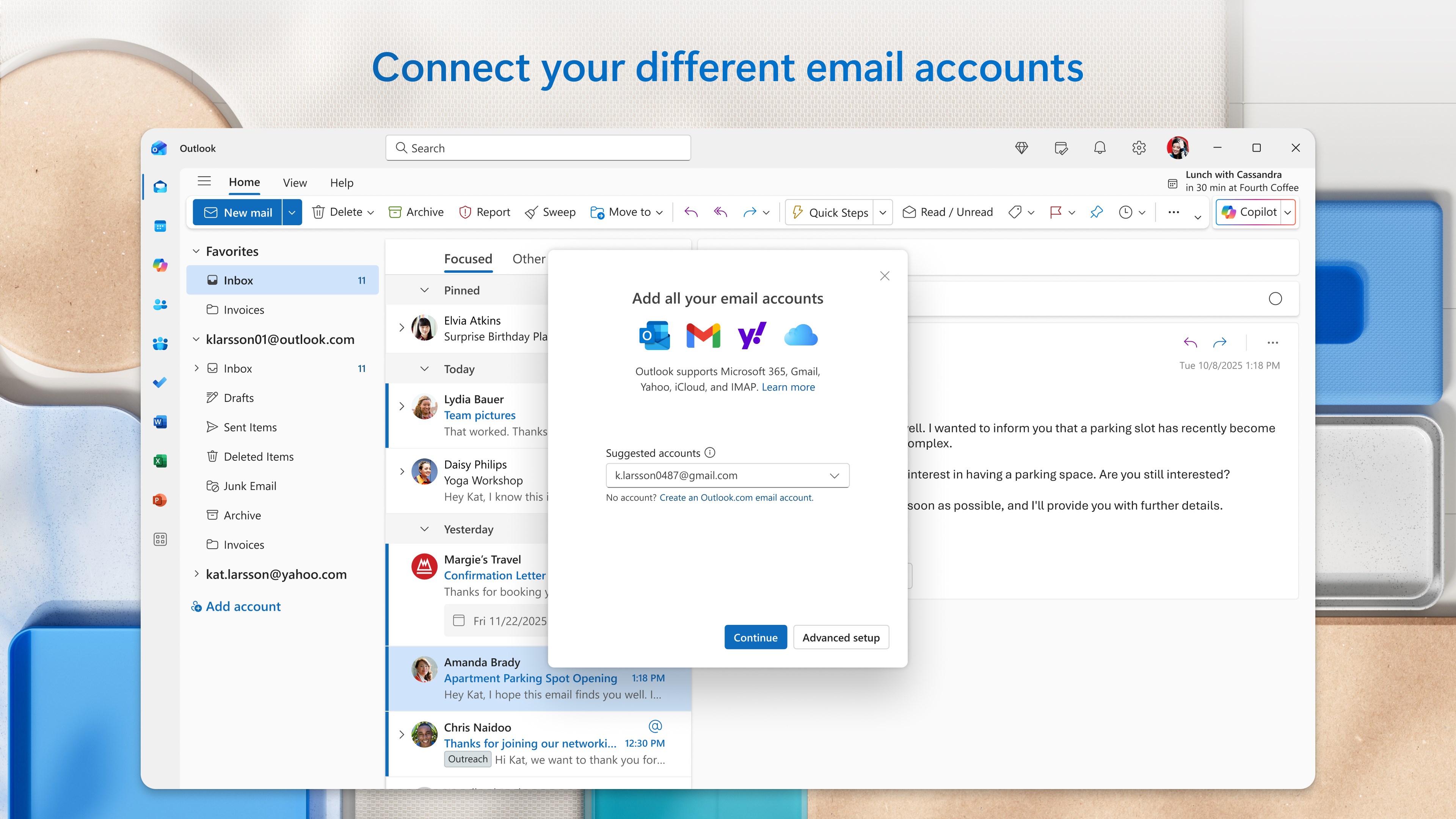
Limited Support for Non-Microsoft Accounts

for Windows
 5
5

for Windows
5

for Windows
4.9

for Windows
4.9

for Windows
4.9

for Windows
4.8

for Windows
4.8

for Windows
4.8

for Windows
4.8

for Windows
4.8

for Windows
4.8
for Windows
4.8

for Windows
5
for Windows
5

for Windows
5

for Windows
5

for Windows
5

for Windows
5

for Windows
5

for Windows
5

for Windows
5
for Windows
5