Security
NortonLifeLock
PC
Windows 10 version 0.0 or higher
Integrated Keyboard
Integrated Mouse
English, French (Canada), Japanese, Japanese, German, German, German (Austria), German (Switzerland), French, French (Belgium), Portuguese, Portuguese (Brazil), Italian, Italian, Italian (Switzerland), Dutch, Dutch (Belgium), Dutch, Spanish, Spanish (Chile), Spanish (Mexico), Spanish (Spain), Polish, Polish , Swedish, Swedish, Danish, Danish, Spanish (Argentina), Spanish (Colombia), Norwegian, Norwegian (Nynorsk)
In an era where online privacy feels like trying to hold water in your hands, Norton AntiTrack for Windows emerges as a reliable guardian, helping you stay a step ahead of trackers and invasive ads. Designed to enhance your browsing privacy without sacrificing performance, this application is tailored for users who value digital security but prefer an unobtrusive experience.
Developed by NortonLifeLock, a renowned name in cybersecurity, Norton AntiTrack aims to give users control over their online footprint. The app boasts several standout functionalities, including:
Targeted at privacy-conscious individuals, casual browsers, and small business owners seeking a straightforward solution—Norton AntiTrack fits neatly into everyday digital life.
Imagine stepping into a busy marketplace with countless eyes constantly watching your every move—that's what your online activities resemble without proper defenses. Norton AntiTrack acts like a vigilant personal bodyguard, quietly working behind the scenes to shield your digital footsteps. Its unobtrusive presence means you can browse, shop, and socialize with a sense of assurance that your privacy is protected.
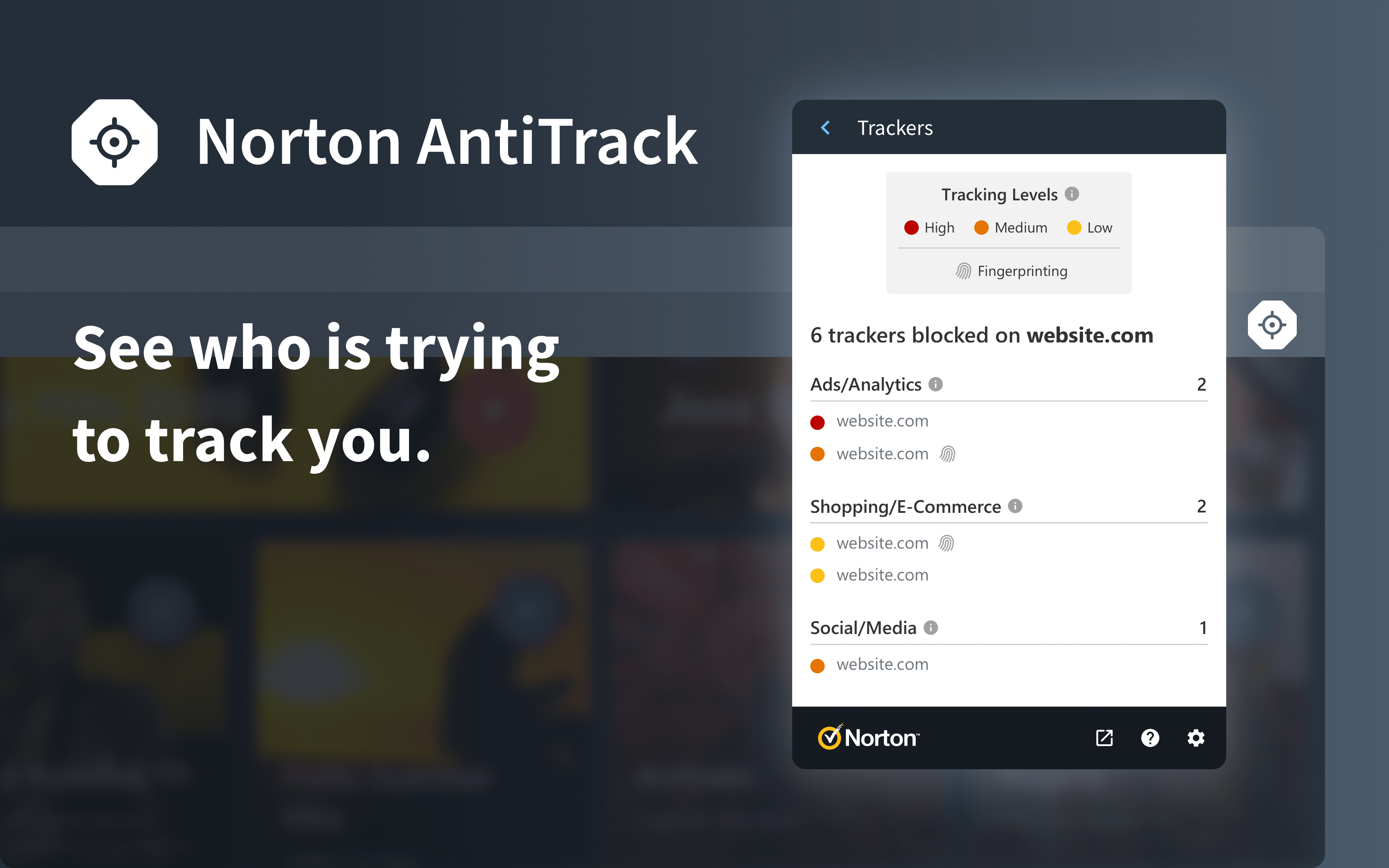
Bustling websites are often like carnival performers trying to catch your attention—ads, cookies, and trackers dance around your digital persona. Norton AntiTrack's tracker blocking feature acts like a clever disguise, cloaking your online identity from prying eyes. It utilizes a constantly updated database of trackers, blocking them before they can gather your data. This results in less targeted advertising and increased anonymity. The setup is straightforward—just install, turn on the switch, and let the app do its magic. Users report negligible impact on browsing speed, which means your digital life remains smooth and swift.
If someone tries to sneak a peek at your personal details or if a website attempts to fingerprint your device, Norton AntiTrack's identity shield jumps into action. Think of it as your personal alarm system—only going off when there's a genuine threat. This feature scans for suspicious activities and notifies you immediately, giving you time to make informed decisions. The clarity of alerts and the ease of understanding the potential risks make this tool highly valuable, especially for users unfamiliar with complex cybersecurity jargon.
The interface of Norton AntiTrack feels like a sleek control panel—minimalist yet informative. Key functions are just a click away, with visual indicators showing your current protection status. The overall design prioritizes clarity, which is a relief in a crowded market of overly complicated security apps. Despite its simplicity, the app doesn't sacrifice depth; experienced users can delve into more detailed logs and settings.
Compared to other privacy tools, Norton AntiTrack's standout feature is its seamless integration with the broader Norton ecosystem. Its real differentiator lies in its combination of automatic tracker blocking and proactive identity alerts—delivering comprehensive privacy protection without bogging down your device or overwhelming you with settings. It's like having a smart assistant that not only deflects the negative but also warns you before something harmful happens.
All in all, Norton AntiTrack for Windows is a thoughtfully crafted app that effectively balances ease of use with potent privacy protection. For users who desire a straightforward, reliable way to shield their digital footprints without navigating complex configurations, this software is highly recommended. Its most remarkable feature—the real-time tracker blocking combined with identity alerts—sets it apart from many peers.
If online privacy is a concern, especially with frequent browsing or digital transactions, giving Norton AntiTrack a try is a sensible choice. While it may not replace comprehensive security suites, it serves as an excellent supplementary shield for everyday privacy needs. For those already invested in Norton's ecosystem, this app is almost a no-brainer addition.
Strong Privacy Protection
User-Friendly Interface
Wide Tracker Blocking Capabilities
Automatic Updates and Maintenance
Additional Privacy Features
High Resource Usage
Limited Customization Options
Occasional False Positives
Learning Curve for New Users
Pricing Structure

for Windows
 4.8
4.8

for Windows
4.7

for Windows
4.7

for Windows
4.7

for Windows
4.6

for Windows
4.6

for Windows
4.5

for Windows
4.4

for Windows
4.4

for Windows
4.3

for Windows
4.3

for Windows
4.3

for Windows
5

for Windows
5

for Windows
5

for Windows
5

for Windows
5

for Windows
5

for Windows
5

for Windows
5

for Windows
5

for Windows
5