Entertainment
Neutro IPTV Player
PC
Windows 10 version 17763.0 or higher
Integrated Keyboard
Integrated Mouse
English (United States)
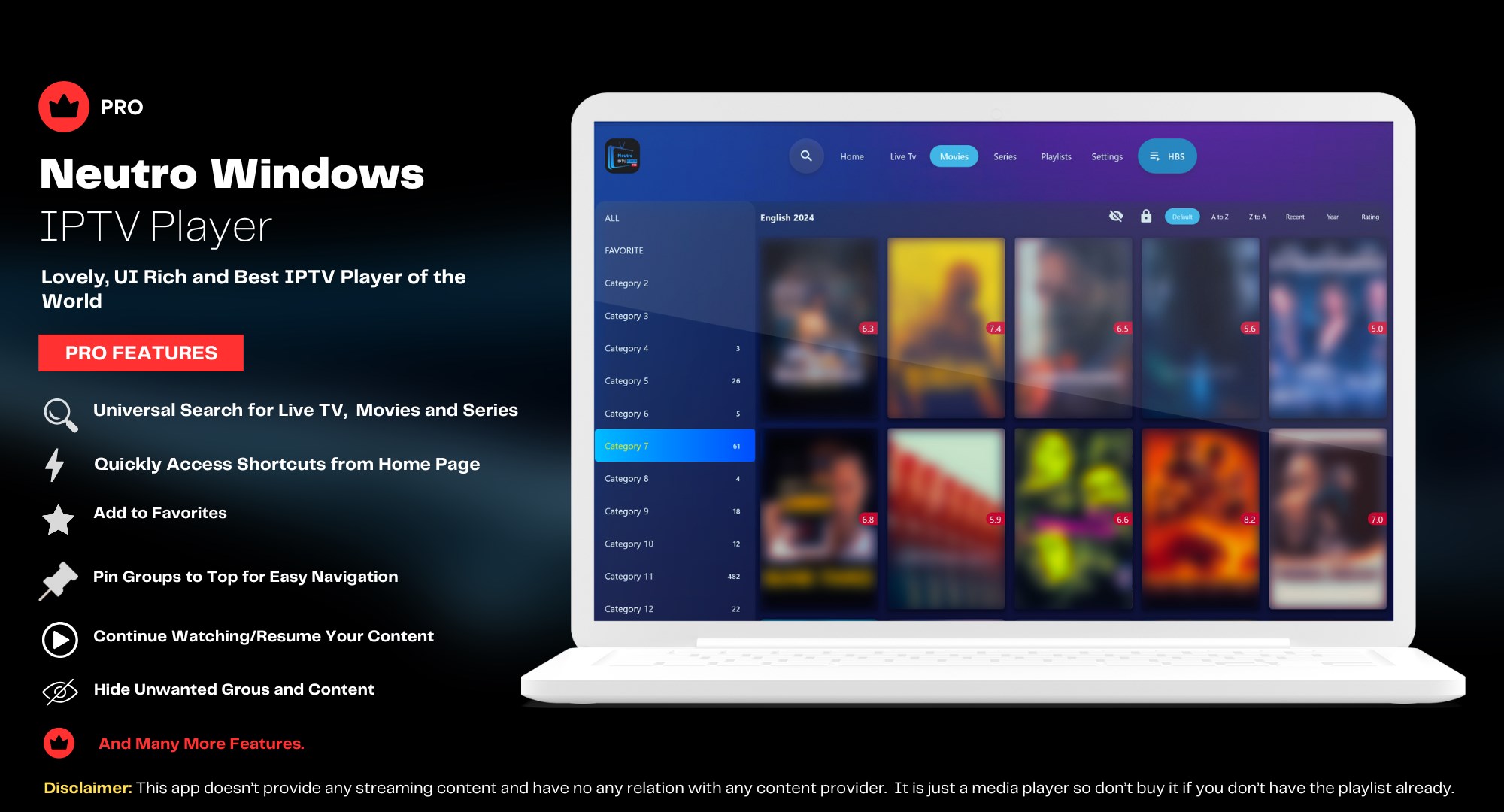
Neutro IPTV Player (Pro) for Windows positions itself as a user-friendly platform designed to deliver seamless streaming experiences primarily through IPTV content. It aims to simplify access to live TV channels and media streams right on your desktop, making it a notable choice amidst a crowded field of entertainment applications.
Developed and published by Neutro IPTV Player, this application comes from a team committed to providing straightforward IPTV solutions. Notable functions include customizable channel lists, high-quality stream support, and an intuitive interface that caters to both tech-savvy users and newcomers alike. Its core aim is to deliver a smooth, interruption-free viewing experience tailored to diverse user preferences.
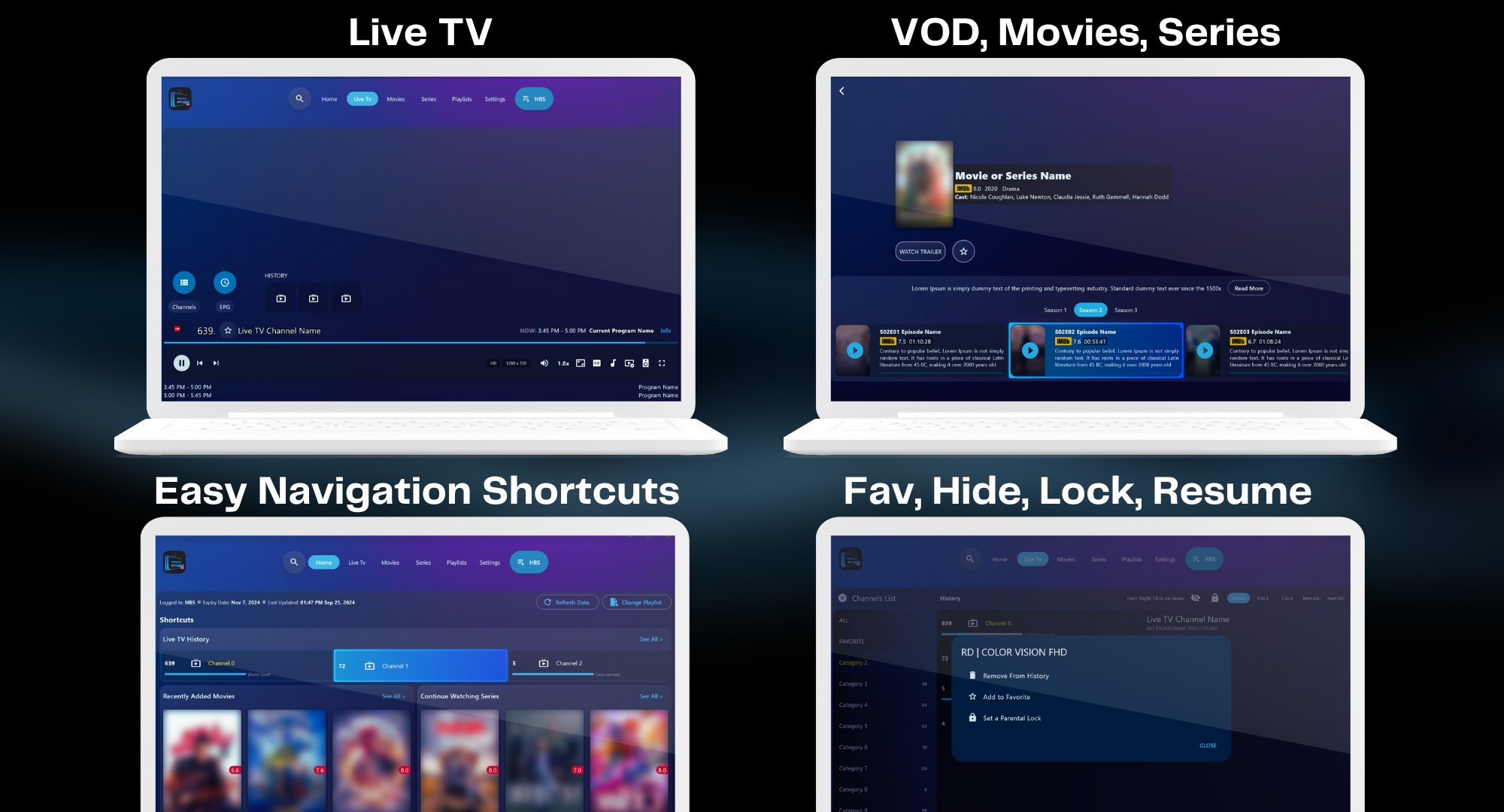
The app's design strikes a balance between functionality and aesthetic appeal. Its interface feels like a well-organized digital TV dashboard—clean, efficient, and easy to navigate. Icons and menus are intuitively laid out, minimizing the learning curve. Even if you're new to IPTV apps, you'll find it straightforward to browse, select, and manage channels. The interface adapts well to various window sizes, ensuring flexibility whether you're on a laptop or desktop monitor.
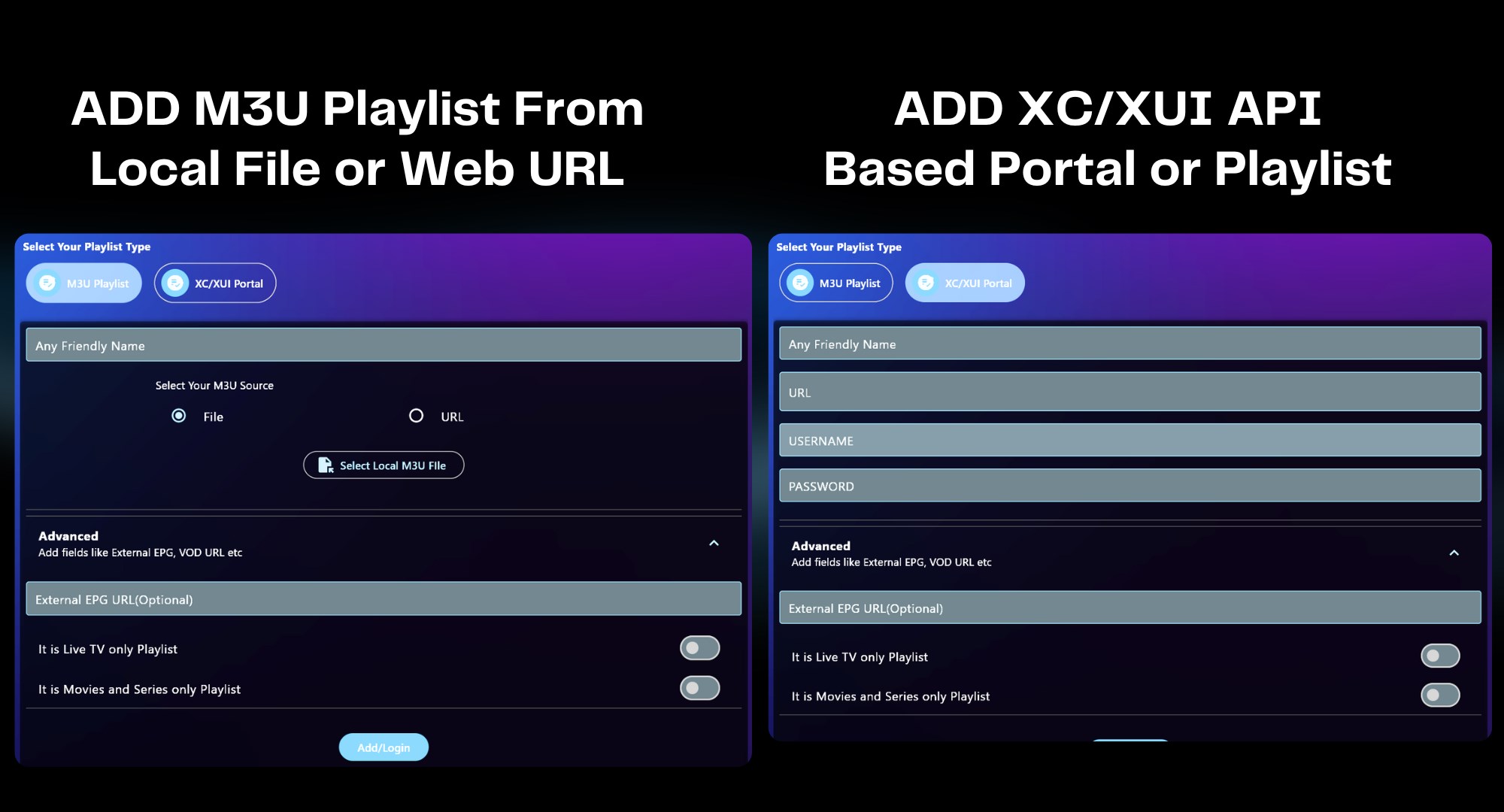
One of the app's standout qualities is its robust playlist management. Users can import M3U playlists effortlessly, allowing quick setup of their preferred channels. The stream quality is quite impressive, with support for HD streams that retain clarity without buffering hiccups—assuming your internet connection is stable. The app's playback is notably smooth, engaging users in a virtually seamless viewing experience. Navigating through channels or switching streams feels instantaneous, comparable to flipping through a cable TV guide but with the flexibility of digital control.
What truly sets Neutro IPTV Player apart from many of its competitors is its approach to content discovery and personalized recommendations. Unlike typical IPTV players that merely serve static playlists, Neutro IPTV Player offers a smarter, more tailored experience. Its content discovery algorithms analyze your watch history and preferences, dynamically suggesting channels or streams aligned with your interests. This intelligent recommendation system helps users unearth new content channels they might otherwise overlook—much like having a knowledgeable friend guiding you to hidden gems rather than just presenting a long, static list.
Compared to other entertainment apps, Neutro IPTV Player's emphasis on personalized content suggestions and high-quality stream support makes it a noteworthy choice. It isn't overloaded with unnecessary features; instead, it's optimized for straightforward IPTV streaming with enhanced relevance in content recommendations. This makes it particularly suitable for users who prioritize content curation and ease of use over complex customization options.
For casual viewers or those seeking a reliable IPTV player without a steep learning curve, I would recommend giving it a try. It's best suited for users with stable internet connections and a preference for media organized in playlists. Power users who value advanced customization may find it slightly limiting but still appreciate its core strengths in seamless streaming and intelligent content suggestions.
In summary, Neutro IPTV Player (Pro) for Windows offers a clean, efficient, and intelligent approach to IPTV streaming. Its standout features—particularly its personalized content recommendations—transform what could be a static playlist experience into a discovery journey tailored to your tastes. While it may not be packed with every feature under the sun, its focus on quality and relevance makes it a smart choice for anyone looking to enjoy live TV channels without fuss. If you're seeking a straightforward yet sophisticated IPTV app, this could very well become your go-to companion.
User-friendly interface
Supports multiple streaming sources
Customizable playlist management
High-quality video playback
Regular updates and improvements
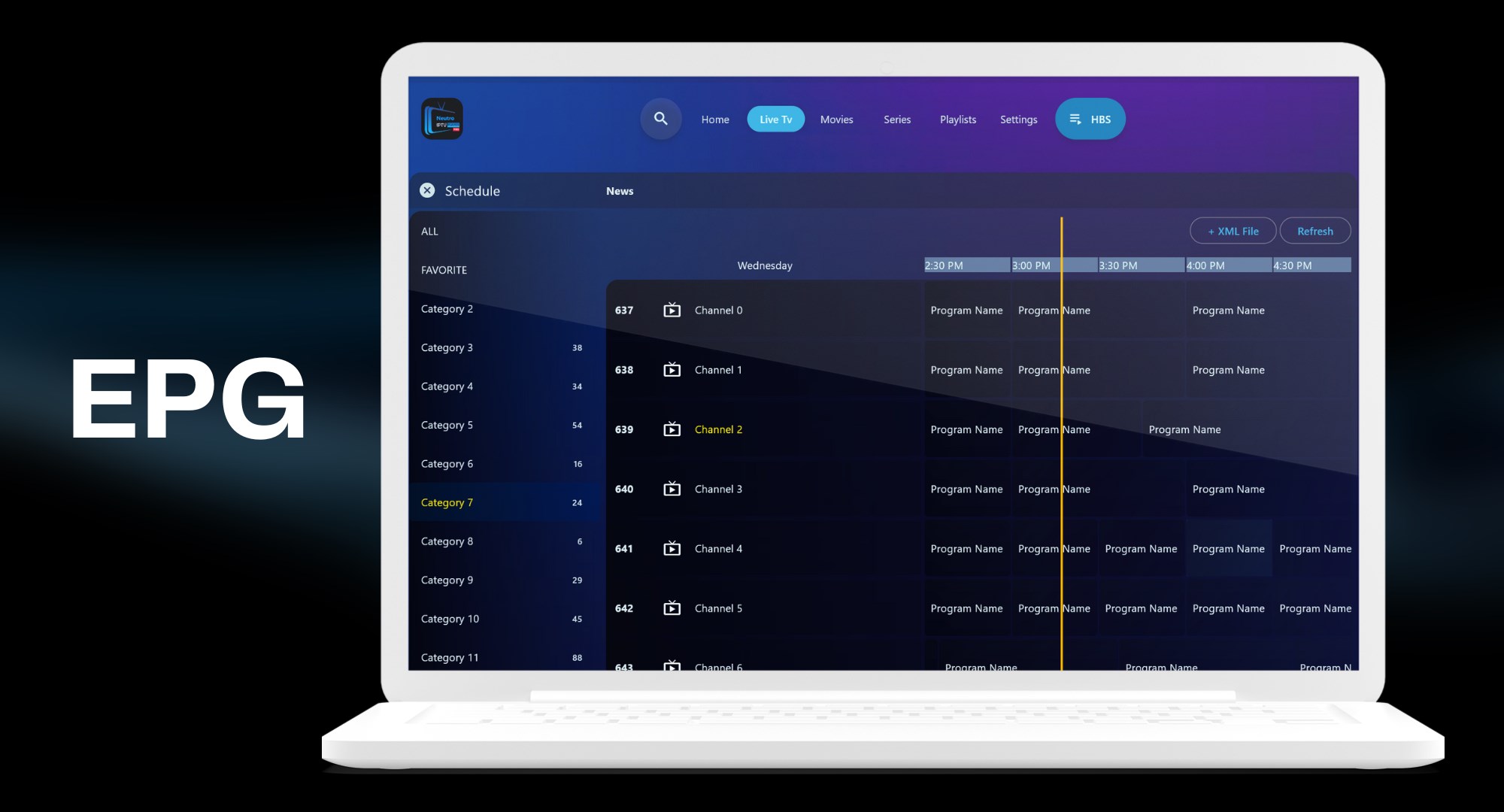
Limited support for EPG data
Occasional buffering issues on unstable networks
Lack of advanced parental controls
Some channels may be unavailable temporarily
Limited language options for interface

for Windows
 5
5

for Windows
4.8

for Windows
4.8

for Windows
4.8

for Windows
4.7

for Windows
4.6

for Windows
4.6

for Windows
4.6

for Windows
4.6

for Windows
4.6

for Windows
4.6

for Windows
4.6

for Windows
5

for Windows
5

for Windows
5

for Windows
5
for Windows
5

for Windows
5

for Windows
5

for Windows
5

for Windows
5

for Windows
5