


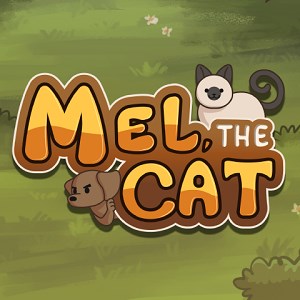
Platformer
Mel The Cat is an engaging, charming platformer game designed to entertain players with its cute protagonist and thoughtfully crafted levels. Targeting gamers of all ages, it offers a delightful blend of nostalgia and modern design, making it an appealing choice for casual players and platformer enthusiasts alike.
Created by Ember Box Studio, a passionate indie game developer known for crafting whimsical and accessible gaming experiences, Mel The Cat showcases their dedication to charming aesthetics and smooth gameplay mechanics.
Mel The Cat boasts a colorful and cartoonish art style that's both charming and easy on the eyes, reminiscent of a storybook brought to life. The UI is straightforward—buttons and menus are intuitively placed, allowing players to dive into gameplay quickly. The graphics strike a perfect balance between simplicity and detail, ensuring that the game is visually appealing without overwhelming the player.
From the moment players start, they are greeted with an inviting tutorial that gently introduces basic controls—moving, jumping, and interacting with objects. The gameplay flow is fluid, with responsive controls that make platforming feel natural, akin to gliding on air. The difficulty ramps up gradually, satisfying both newcomers and those seeking a more challenging experience as they progress.
Compared to other platformers, Mel The Cat shines with its emphasis on narrative and artistic expression. The game integrates subtle storytelling elements into obstacle design and level progression, creating an immersive experience rather than just a series of jumps. Its most distinctive feature is the "Emotion-Driven Animations" system, where Mel's expressive reactions adapt dynamically to gameplay situations—adding depth and personality that elevate it above many peers.
Mel The Cat for Windows stands out as a tender yet engaging platformer that doesn't just rely on frantic jumping but emphasizes charm, storytelling, and smooth mechanics. Its user-friendly controls and beautifully crafted levels make it suitable for players of all ages, from children to nostalgic adults. If you appreciate games that blend gameplay with artistic storytelling, this title is definitely worth exploring.
While it may not push the technical boundaries like AAA releases, its focus on accessibility and aesthetic appeal makes it a delightful choice for casual gaming sessions. I recommend it to anyone looking for a light-hearted, well-designed platformer that feels like a cozy afternoon spent in a colorful storybook.
Engaging Animation
User-Friendly Interface
Educational Content
Offline Access
Regular Updates
Limited Customization Options
Occasional Lag
Sound Effects Volume Control
Limited Advanced Features
Minor Bugs on Rare Devices
for Windows
 4.7
4.7
for Windows
4.7
for Windows
4.6
for Windows
4.4

for Windows
4
for Windows
3.8
for Windows
3
for Windows
2.6
for Windows
0

for Windows
0
for Windows
0

for Windows
0

for Windows
5

for Windows
5

for Windows
5

for Windows
5

for Windows
5

for Windows
5

for Windows
5

for Windows
5

for Windows
5

for Windows
5

