Security
LastPass US LP.
PC
Windows 10 version 16299.0 or higher
English (United States)
LastPass for Desktop on Windows stands out as a robust, user-friendly password manager designed to simplify your digital life. With its seamless integration, strong security features, and intuitive interface, it aims to be your go-to tool for managing passwords and sensitive data across devices.
LastPass for Desktop is developed by LastPass US LP, a well-established player in the cybersecurity realm specializing in password management solutions. Its primary focus is to make digital security accessible without sacrificing ease of use.
The target users include busy professionals, students, small business teams, or anyone looking to enhance their online security with a simple yet powerful tool.
Imagine slipping a master key into your pocket that grants instant access to all your secret doors—that's what LastPass for Desktop feels like. Its smooth, lightweight interface makes password management a breeze, turning what once was a tedious chore into an almost subconscious habit. It's as if your passwords are safely tucked in a digital safe that knows exactly when you want to access it—and how to do so effortlessly.
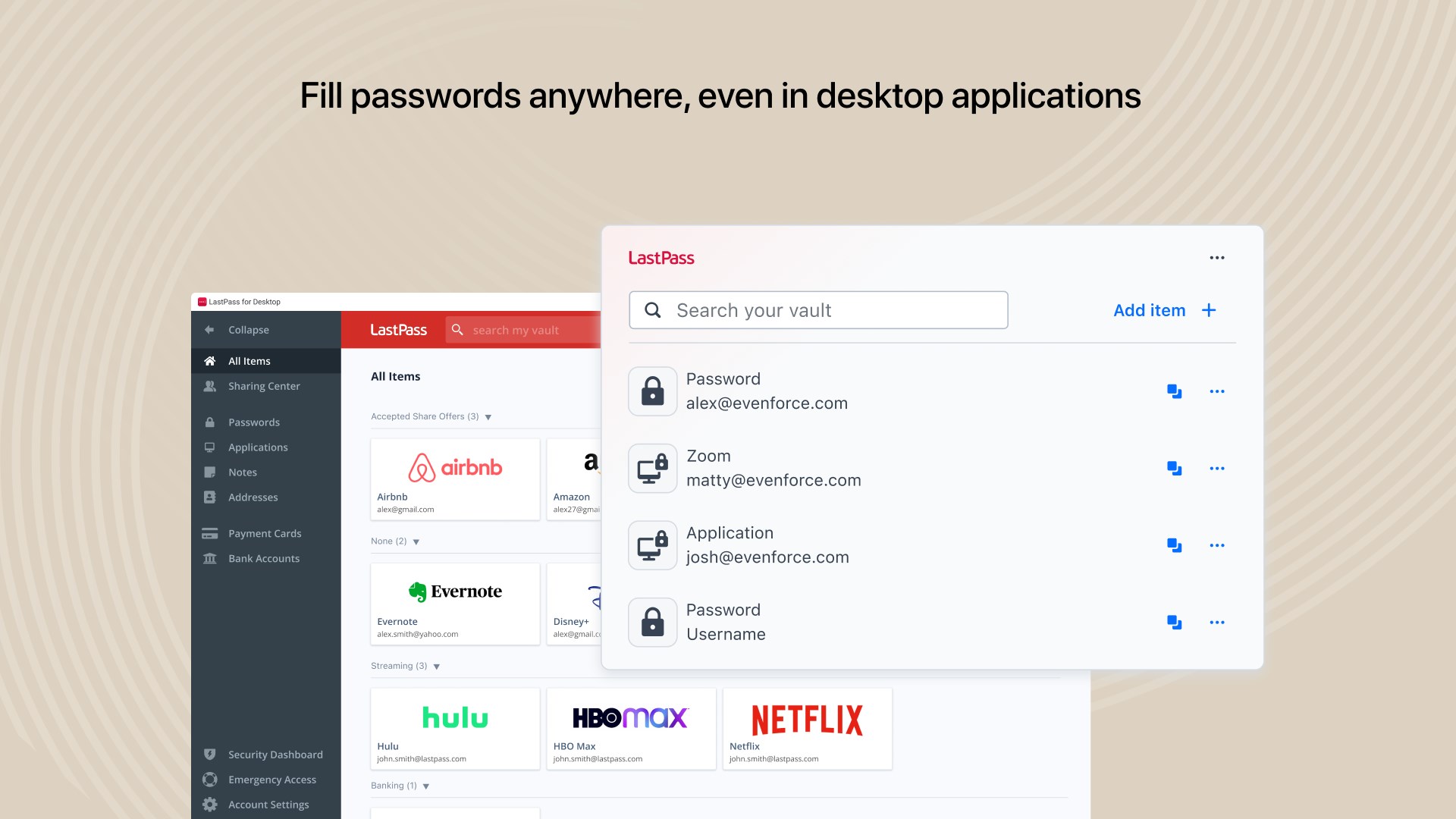
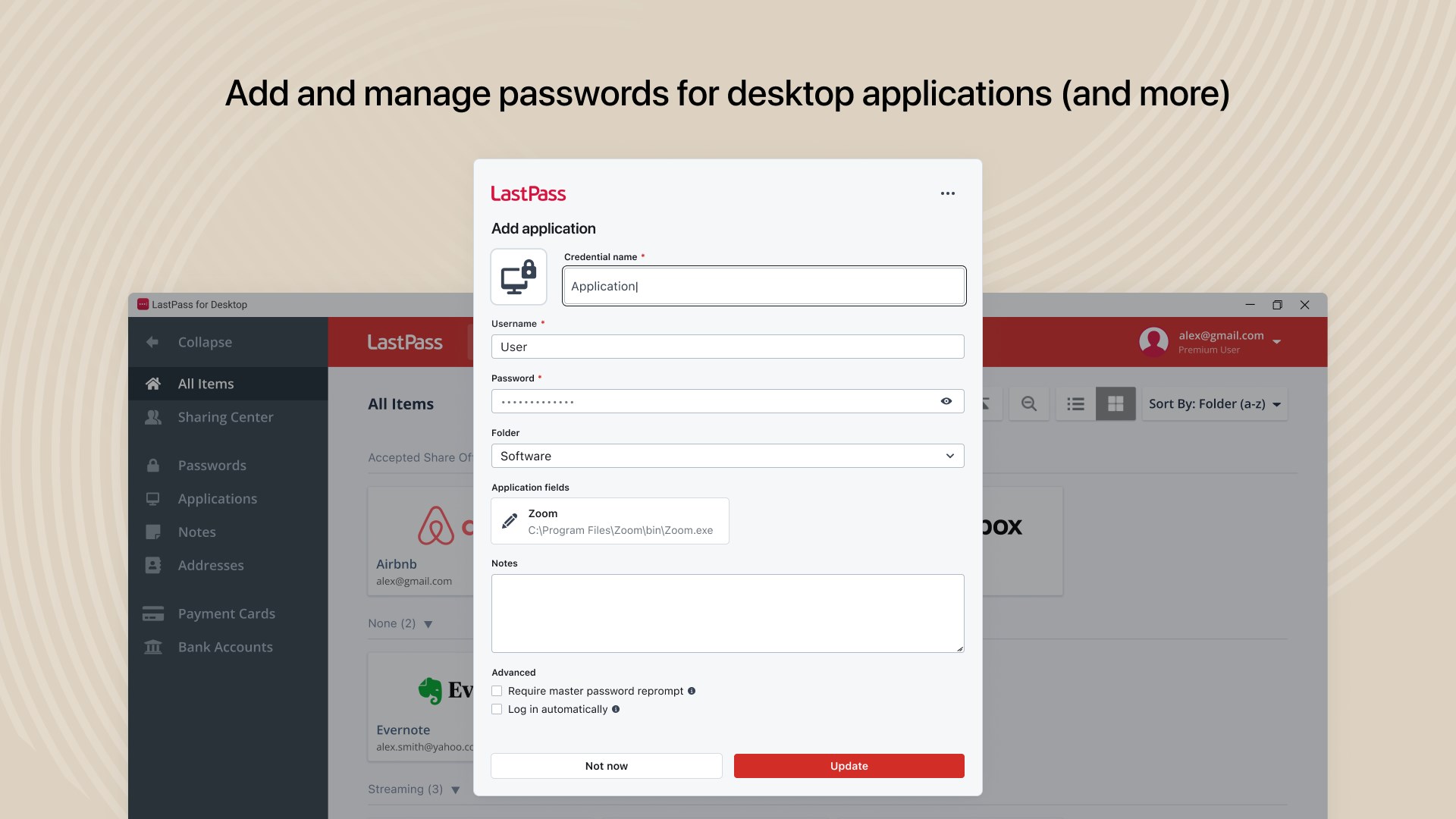
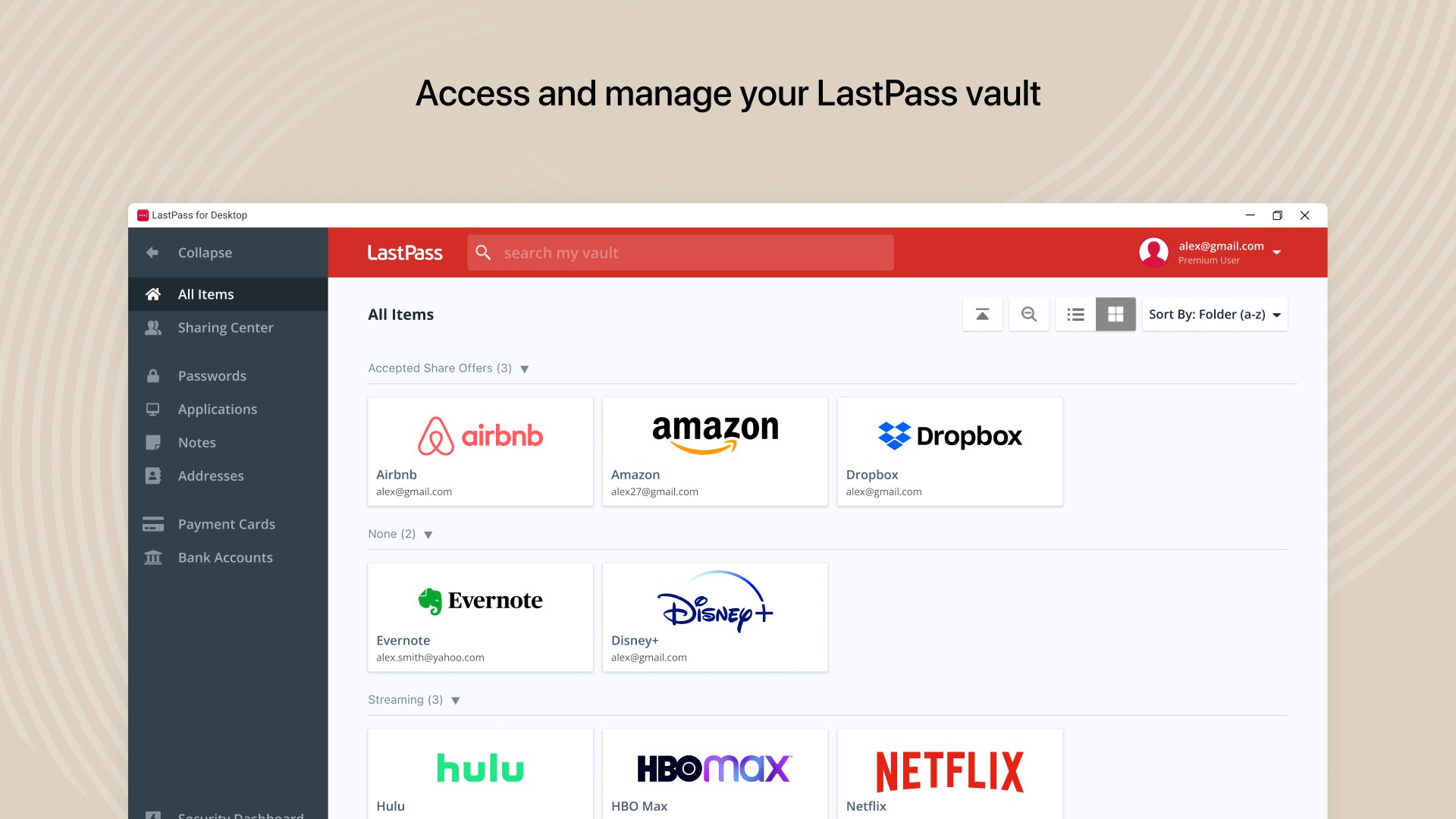
The heart of LastPass is its secure vault that encrypts your passwords, notes, and other sensitive data, all stored on the cloud but only accessible via your master password. The desktop app elegantly bridges this vault with your browser, enabling seamless autofill for login forms, reducing the nuisance of password remembering. What makes this standout is the sandbox-like security—your data remains encrypted at all times, with end-to-end encryption ensuring that even LastPass cannot peek inside.
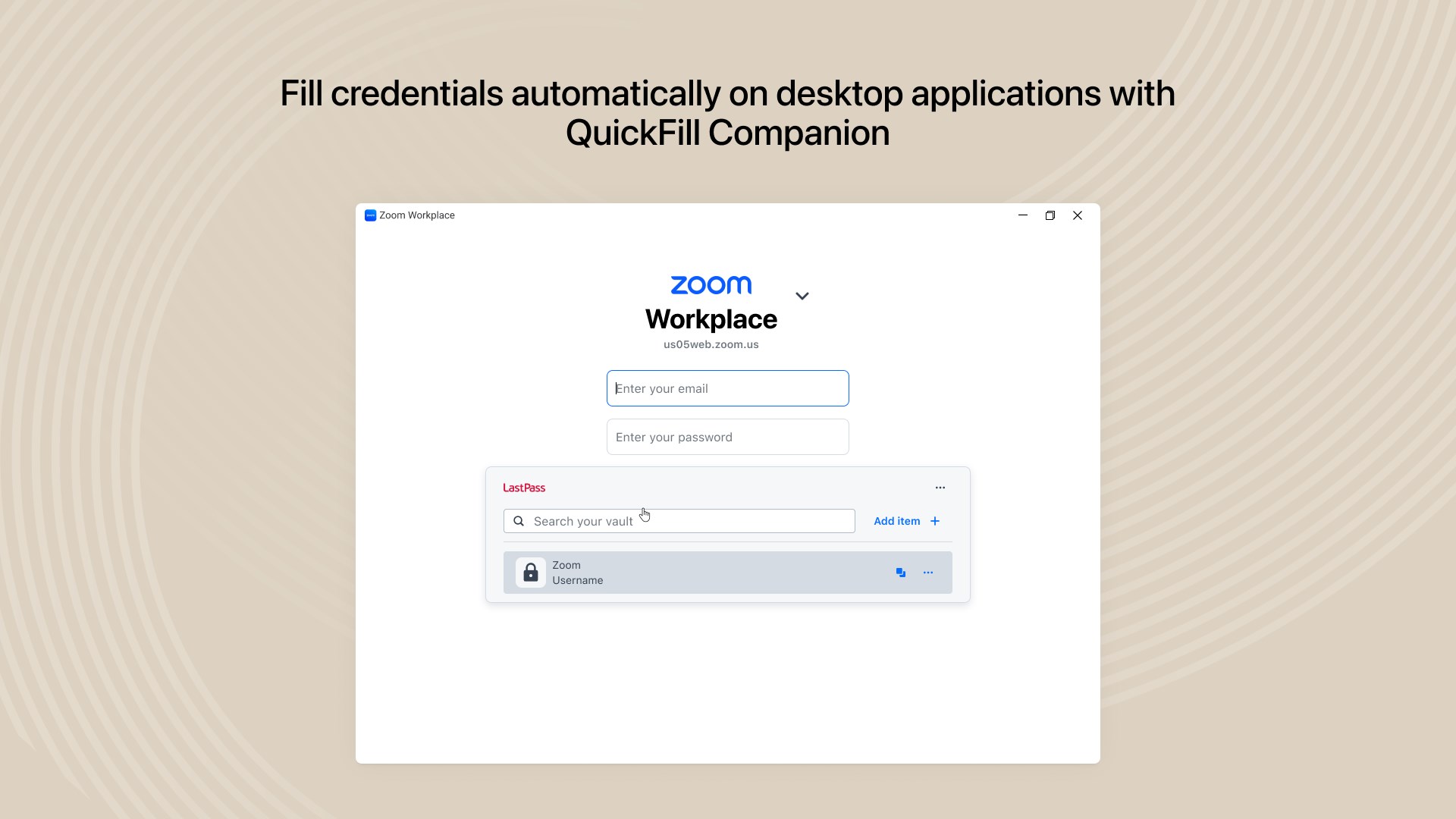
The autofill feature is like having a friendly assistant that pre-loads your credentials as soon as you visit a login page. This reduces friction while maintaining security—no more sticky notes or insecure storage in browsers. It's particularly useful for managing diverse passwords across multiple platforms and environments.
LastPass's security dashboard is akin to a cybersecurity check-up for your digital life. It highlights weak or reused passwords and alerts you to potential breaches, helping you proactively strengthen your access points. This feature is especially beneficial for users who aren't security experts—think of it as having a personal cybersecurity coach gently reminding you to change that old, reused password.
Unlike many competitors, LastPass's dashboard offers actionable insights with clear guidance, making security statistics digestible and useful.
The app's interface strikes a fine balance: sleek and modern yet straightforward enough for tech novices. Navigating through vaults, adding new entries, or editing existing ones is intuitive, akin to flipping through a familiar digital photo album. The operation feels fluid; transitions are smooth, and loading times negligible, making the experience feel almost natural—not a secondary task but an integrated part of your workflow.
Learning curves are minimal, thanks to helpful tooltips and a guided setup process. Plus, biometric unlock options now mean you can access your vault with a fingerprint or facial recognition—like unlocking your phone, but for your passwords.
While the password management landscape is crowded, LastPass's distinctive edge lies in its combination of comprehensive security features and user-centric design. Its emphasis on security health monitoring, paired with effortless autofill, makes it especially appealing. Moreover, the app's cross-platform sync ensures your passwords follow you from desktop to mobile, creating a unified, hassle-free experience—think of it as a digital heartbeat connecting all your devices seamlessly.
Compared to other security apps, LastPass maintains a balanced focus: strong security without imposing complexity, blending defensive features with a user-friendly interface that adapts to various user skill levels.
If you're in search of a reliable, straightforward password manager that won't compromise on security or usability, LastPass for Desktop is highly recommended. Its unique features, especially the integrated security dashboard and smooth autofill, make it stand out. For best results, enable biometric unlocking, regularly monitor the security dashboard, and maintain a strong master password.
In essence, think of LastPass as your digital security butler—always there, quietly working behind the scenes to keep your information safe, so you can focus on what truly matters. It's an excellent choice for both casual users and security-conscious professionals seeking a dependable, easy-to-use solution.
Secure and reliable password management
Auto-fill and password generator
Cross-device synchronization
Easy-to-use interface
Secure sharing options
Occasional synchronization delays
Limited free features
Browser extension dependency
Occasional UI glitches
Limited offline access

for Windows
 4.8
4.8

for Windows
4.7

for Windows
4.7

for Windows
4.7

for Windows
4.6

for Windows
4.6

for Windows
4.5

for Windows
4.4

for Windows
4.4

for Windows
4.3

for Windows
4.3

for Windows
4.3

for Windows
5

for Windows
5

for Windows
5

for Windows
5

for Windows
5

for Windows
5

for Windows
5

for Windows
5

for Windows
5

for Windows
5