Multimedia design
The Krita Team
PC
Windows 10 version 17135.0 or higher
2 GB
Not specified
Not specified
English (United States)
If you're someone who dreams of bringing digital art to life with ease and precision, Krita for Windows might just be the tool you've been searching for. Known for its open-source roots and robust feature set, Krita aims to cater to professional artists, hobbyists, and illustrators alike, offering a compelling alternative to mainstream painting applications.
Designed as a versatile digital painting application, Krita is developed by The Krita Team and published by Krita. It's geared toward creating concept art, comics, illustrations, and more. With its intuitive workspace and powerful tools, Krita stands out as an accessible yet professional software for digital artists.
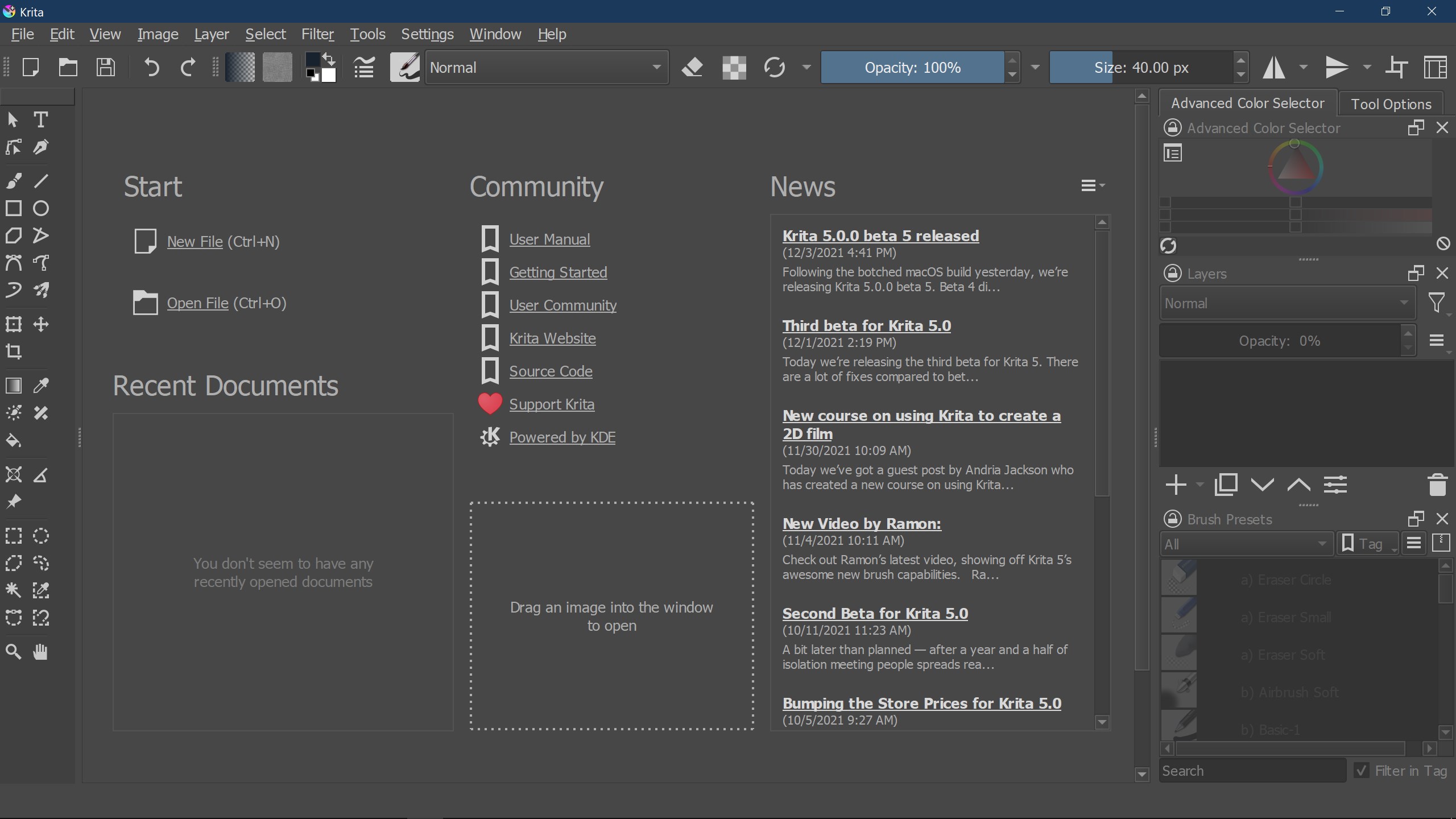
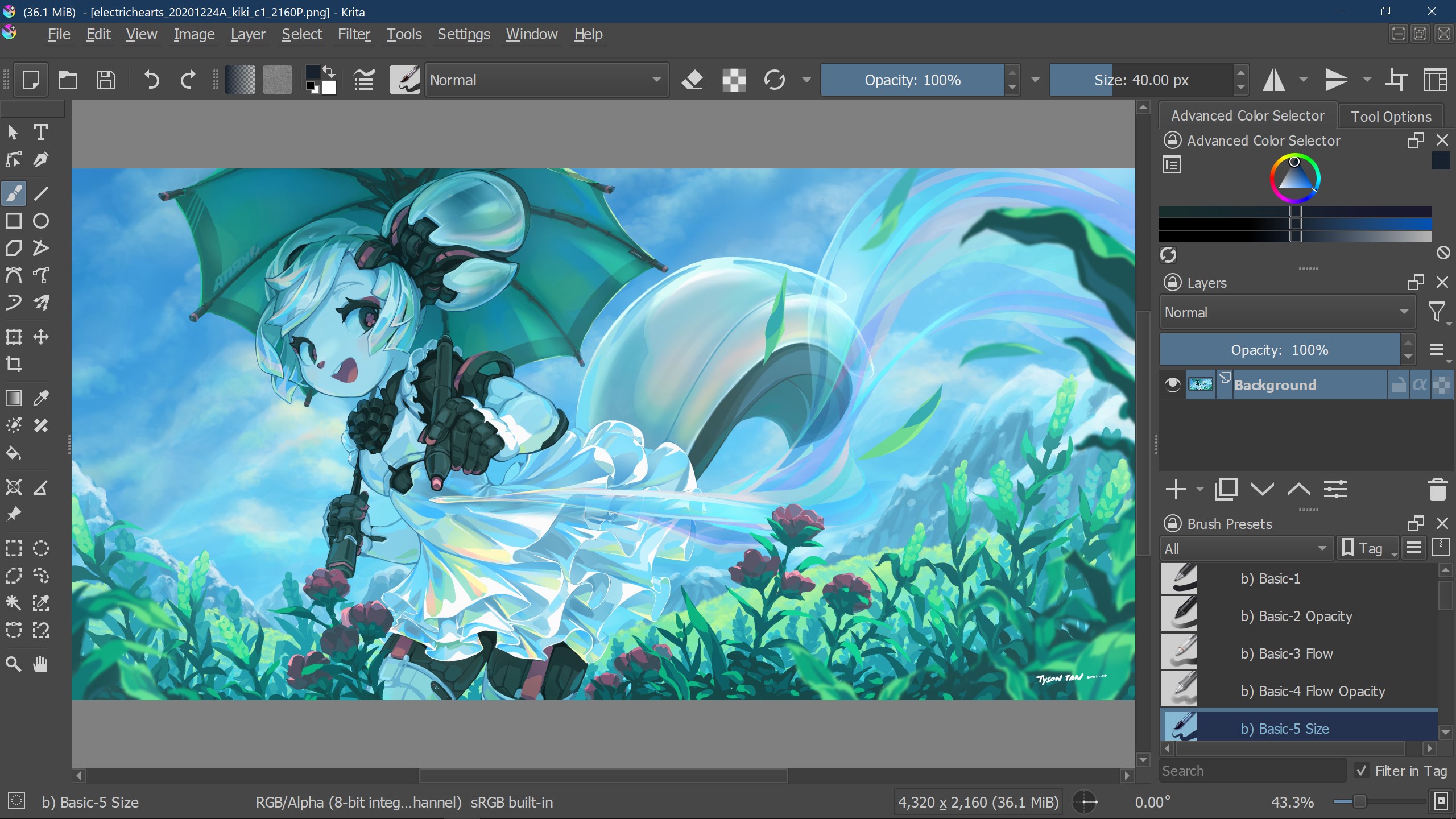
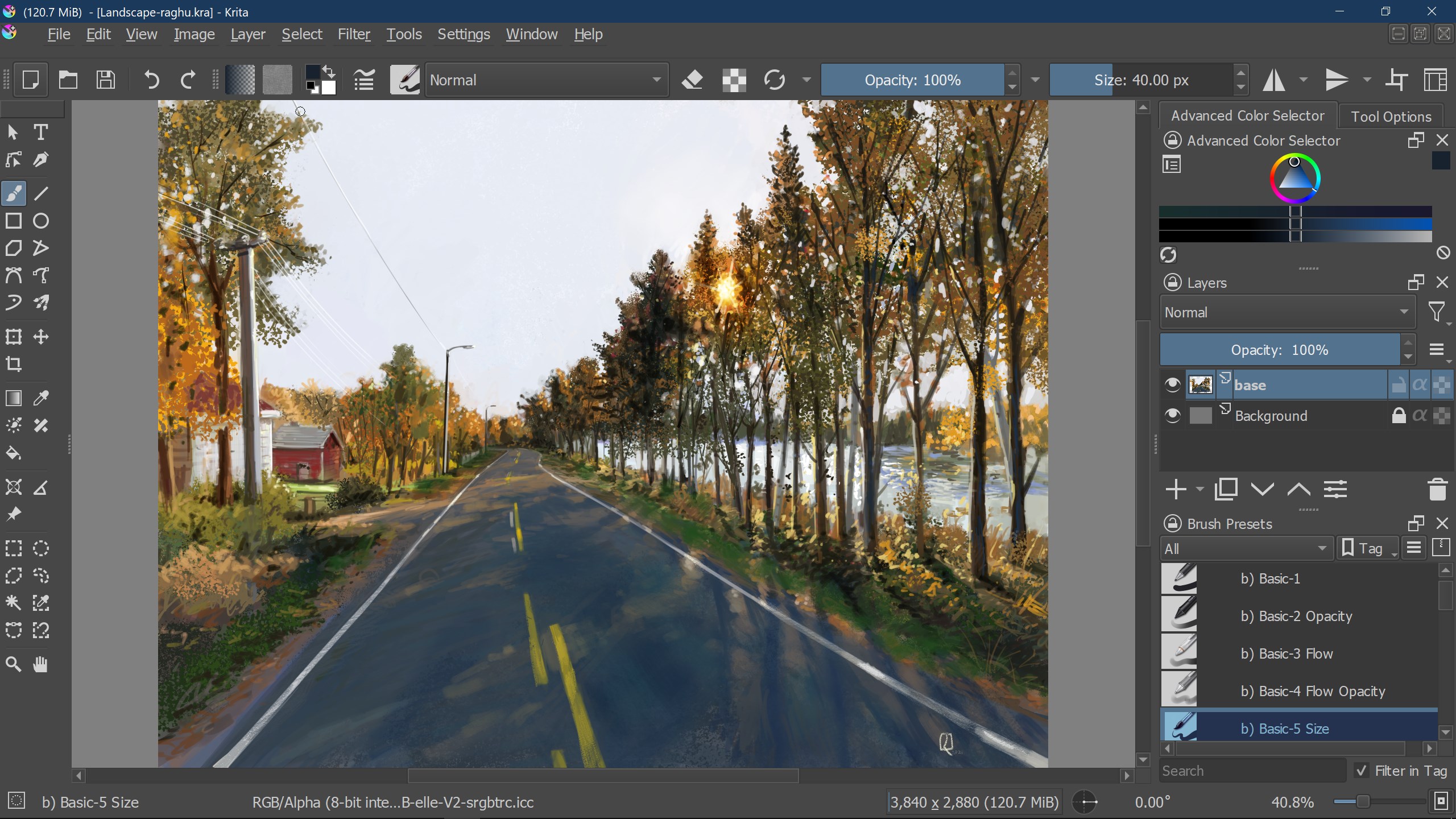
Jump into Krita, and you're greeted by an interface that feels like opening the doors to an artist's workshop—organized, inviting, and ready to inspire. Its smooth, responsive design transforms your drawing experience, making every stroke feel natural, almost as if you're working with traditional media. Whether you're sketching initial ideas or adding refined details, Krita's environment encourages creative flow without the fuss of cluttered toolbars or complicated menus.
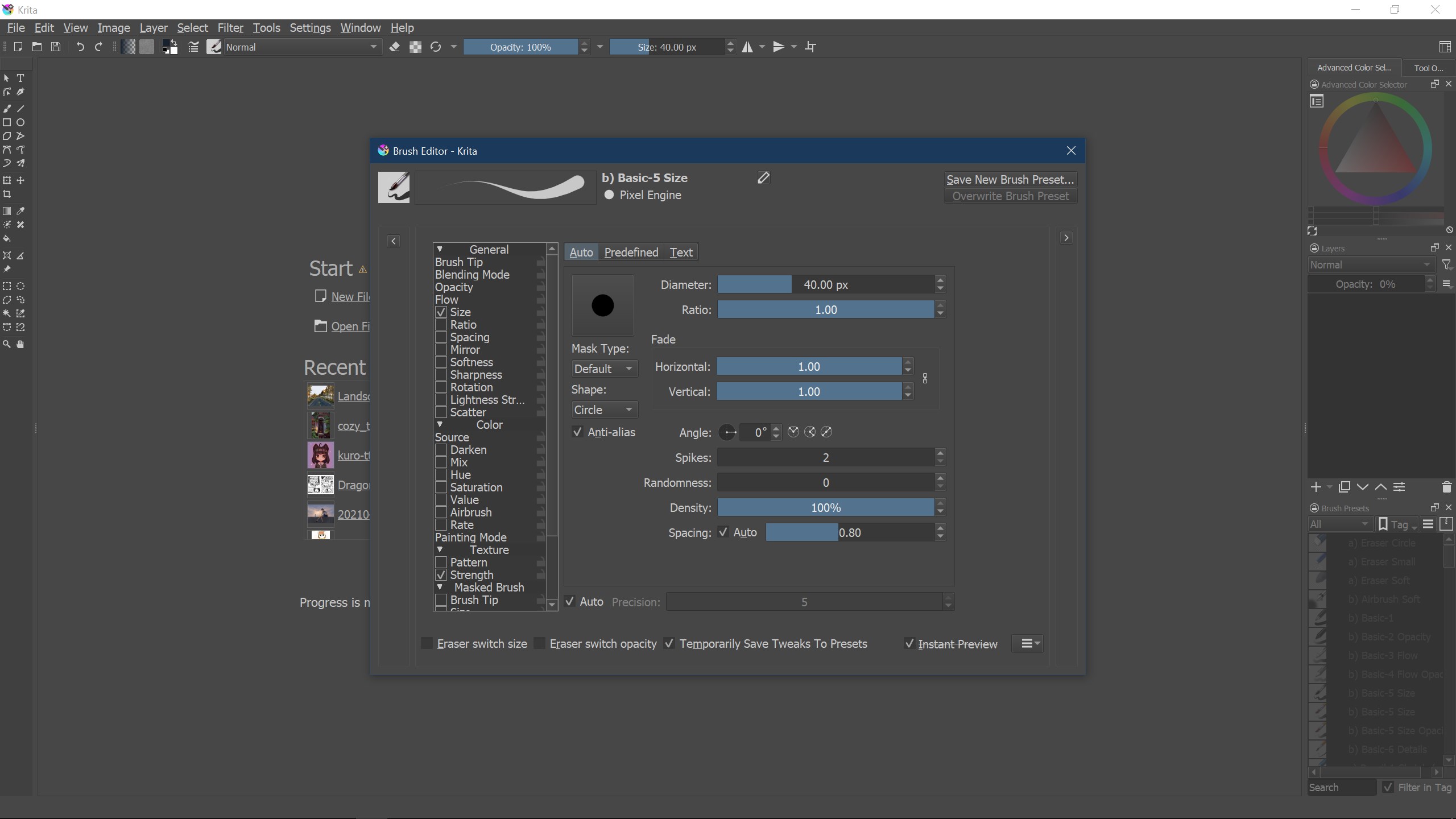
One of Krita's standout features is its versatile brush system. Imagine having a Swiss Army knife for brushes—each with adaptive parameters that can mimic everything from watercolor washes to gritty oil paints. The brush engines are highly customizable, permitting artists to craft unique brushes tailored to their style. This flexibility makes Krita ideal for artists who value control and want to experiment with different textures and effects. Compared to other multimedia apps, Krita's brush presets feel more like a living toolkit, enabling seamless transitions between styles, even within a single project.
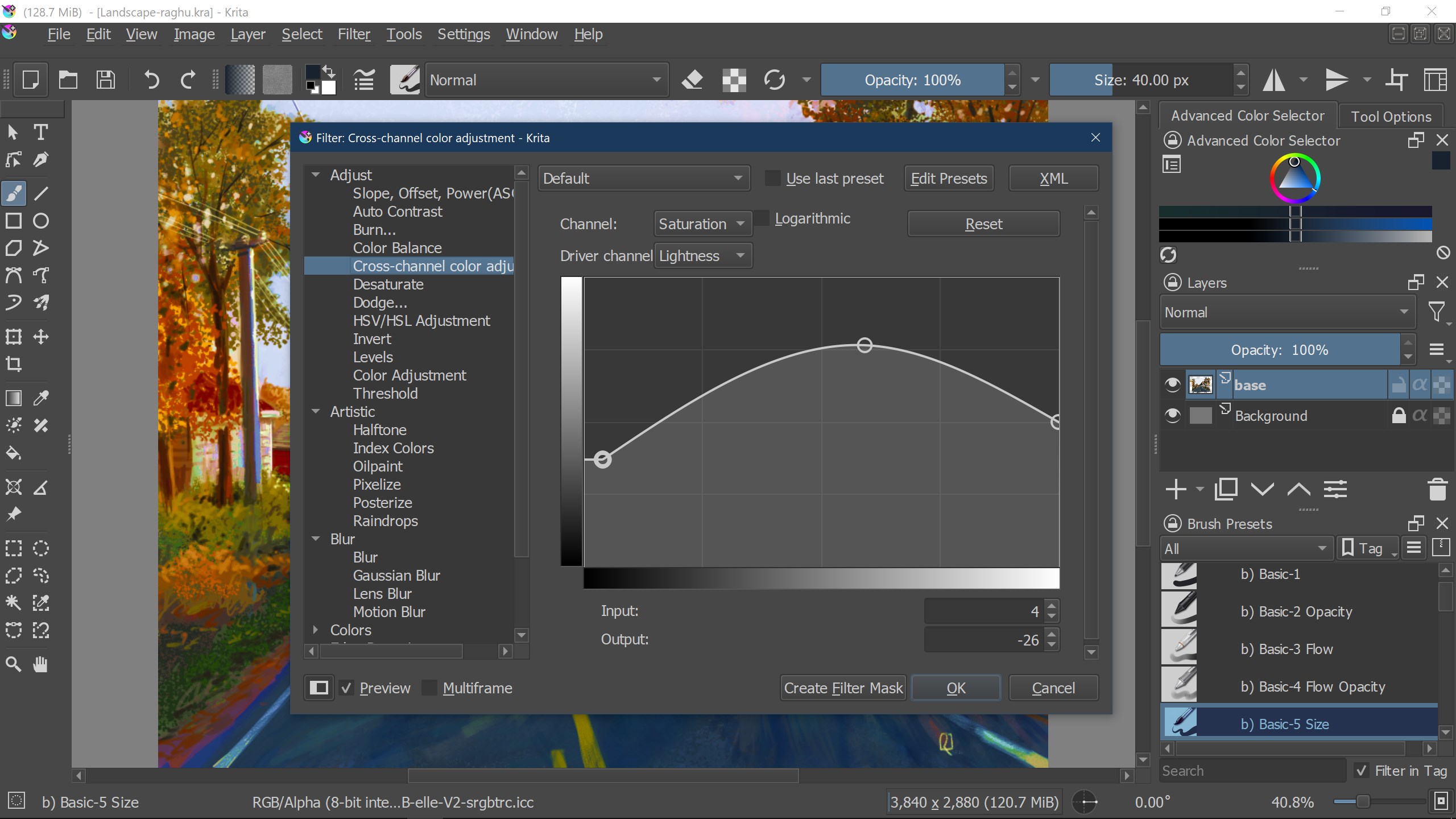
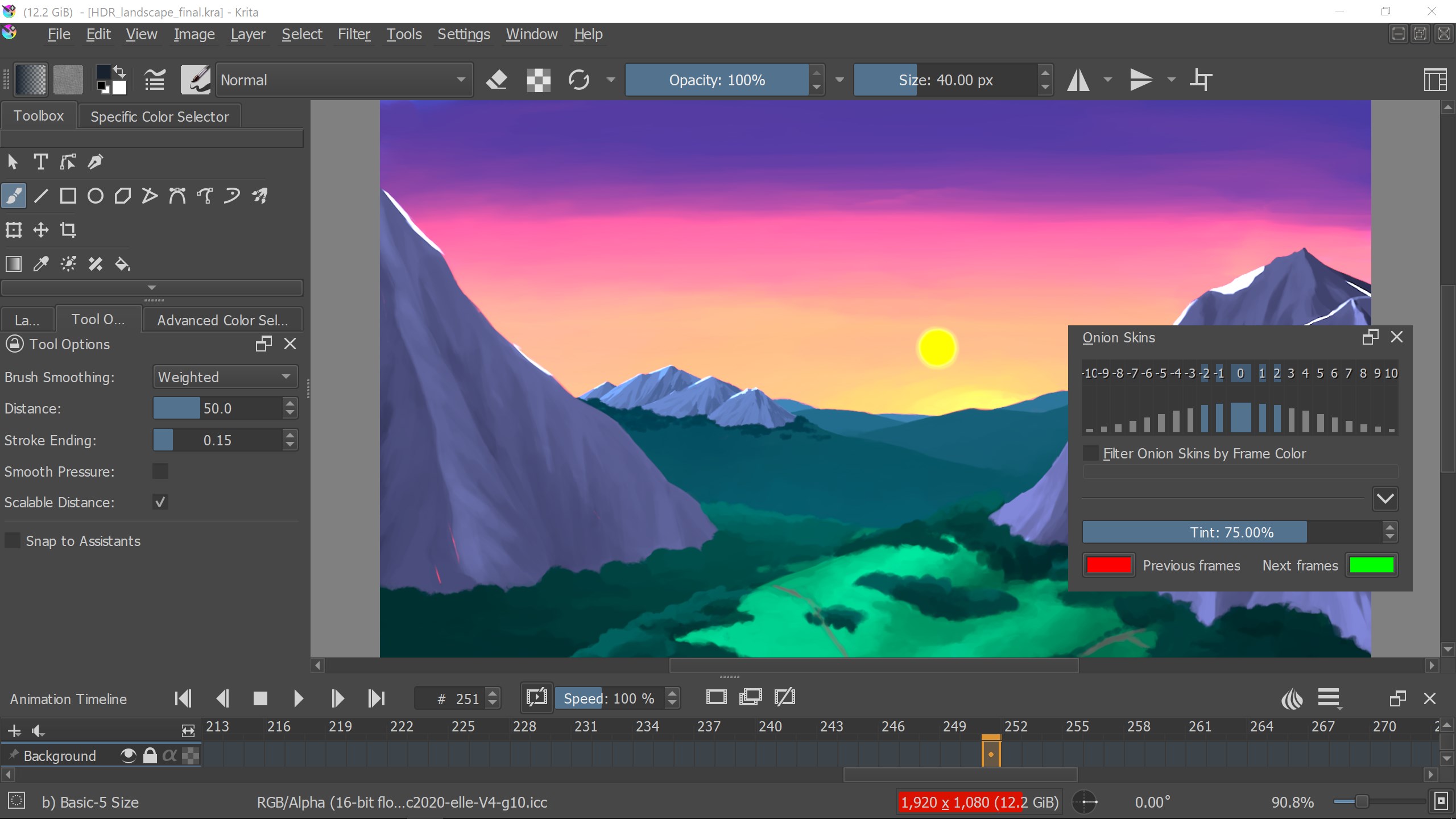
Krita excels in this area, offering an intricate layer system that supports blending modes, masks, and filter adjustments—features you'd expect in high-end software. For comic artists and animators, Krita's onion skinning and frame-by-frame animation tools turn your static sketches into lively stories straight within the same application. It's like having a mini studio all in your hands, streamlining your workflow without the hassle of switching between multiple programs. The intuitive layer organization and real-time feedback make complex projects more manageable and enjoyable.
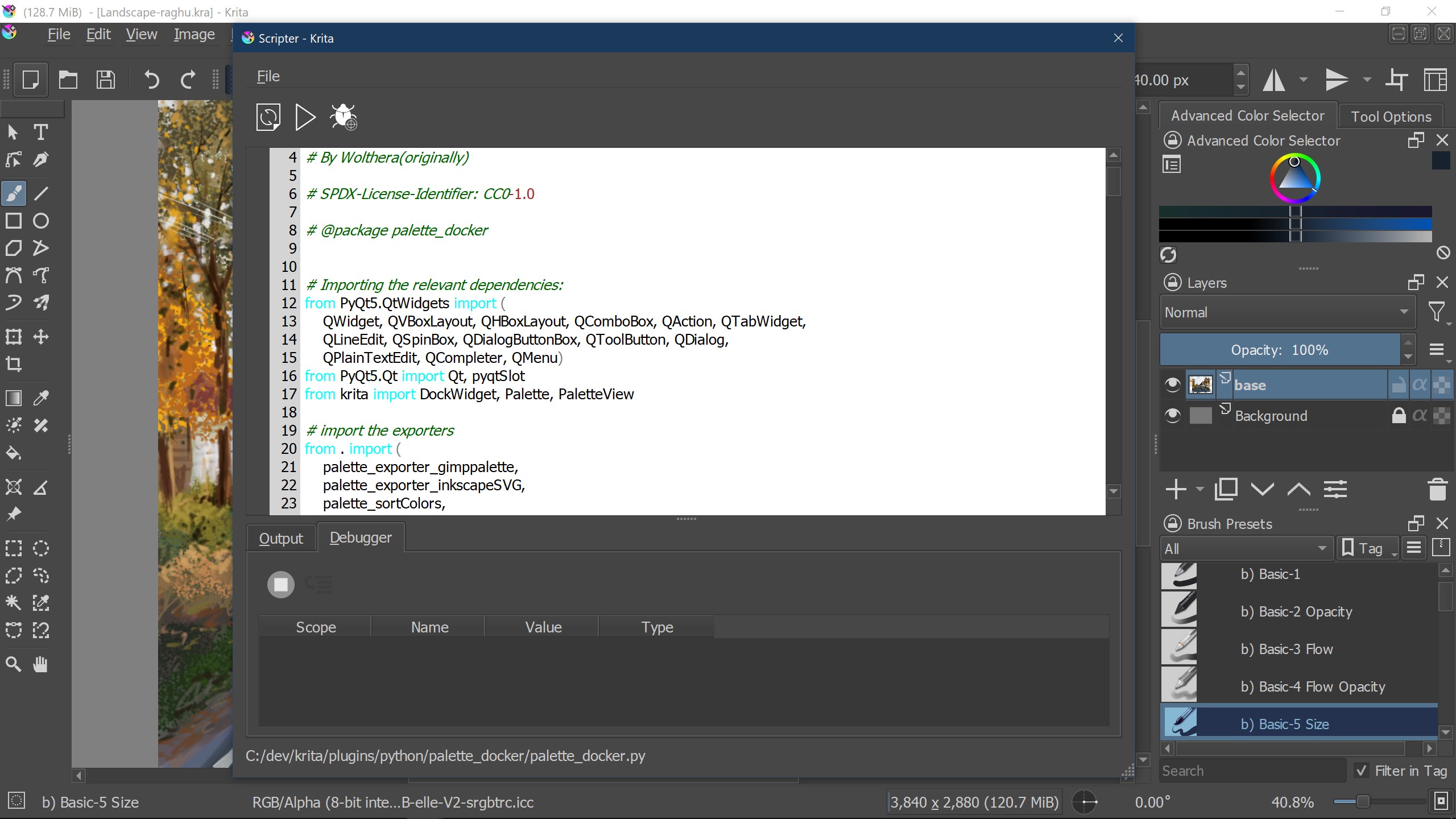
Krita's interface strikes a fine balance: it's approachable for newcomers, with customizable workspace options that keep things tidy, and comprehensive enough to satisfy seasoned artists. The layout is thoughtfully designed—tools are logically organized, and keyboard shortcuts enhance efficiency. Its responsiveness ensures that even large canvases or complex brushes run smoothly—a testament to its optimized performance. While the learning curve might seem steep initially due to the breadth of features, a wealth of tutorials and an active community make overcoming hurdles feasible and rewarding.
Among multimedia design tools, Krita's main distinction lies in its dedicated focus on illustration and concept art, combined with an open-source philosophy. Its highly customizable brushes and seamless animation capabilities provide a one-stop solution for visual storytelling. Unlike some applications that treat animation as an afterthought or rely heavily on plugins, Krita embeds this feature deeply, offering a consistent and streamlined experience. This makes Krita particularly appealing for artists looking to develop both static and animated projects within a unified environment.
Overall, Krita for Windows emerges as a compelling choice for digital artists seeking a free, powerful, and flexible platform. Its standout brush system and integrated animation tools are especially noteworthy, making it suitable for both budding illustrators and seasoned professionals. While mastering some features may require time, the abundant tutorials and active community are excellent resources to facilitate learning.
If you're eager to explore a tool that combines traditional artistry with digital innovation—without breaking the bank—Krita is highly recommended. It's particularly ideal for artists who value customization and want a dedicated illustration-focused environment that's both approachable and deeply capable.
Powerful and versatile digital painting tools
Open-source and free, providing high-quality features without cost
Customizable interface and brush settings
Excellent support for graphics tablets and pen pressure sensitivity
Advanced layer management and color management features
Occasional stability issues with large canvas projects
Limited vector graphics support compared to specialized software
Steep learning curve for beginners due to extensive features
Performance may vary depending on hardware specifications
Some advanced features are still under development or lack complete documentation

for Windows
 4.8
4.8

for Windows
4.8

for Windows
4.7

for Windows
4.7

for Windows
4.6

for Windows
4.6

for Windows
4.6

for Windows
4.6

for Windows
4.5

for Windows
4.5

for Windows
4.5

for Windows
4.5

for Windows
5

for Windows
5

for Windows
5

for Windows
5

for Windows
5

for Windows
5

for Windows
5

for Windows
5

for Windows
5

for Windows
5