Books & reference
Gauthier Roebroeck
PC
Windows 10 version 17763.0 or higher
2 GB
English
Komga for Windows emerges as a compelling open-source solution tailored for comic book enthusiasts and eBook collectors seeking a seamless, customizable reading experience. Its clean interface and thoughtful features aim to bridge the gap between simple file management and an engaging digital library experience.
Developed by Gauthier Roebroeck and published by Gotson, Komga is rooted in community-driven development. As an open-source project, it benefits from continuous improvements contributed by passionate users and developers dedicated to enhancing digital reading workflows.
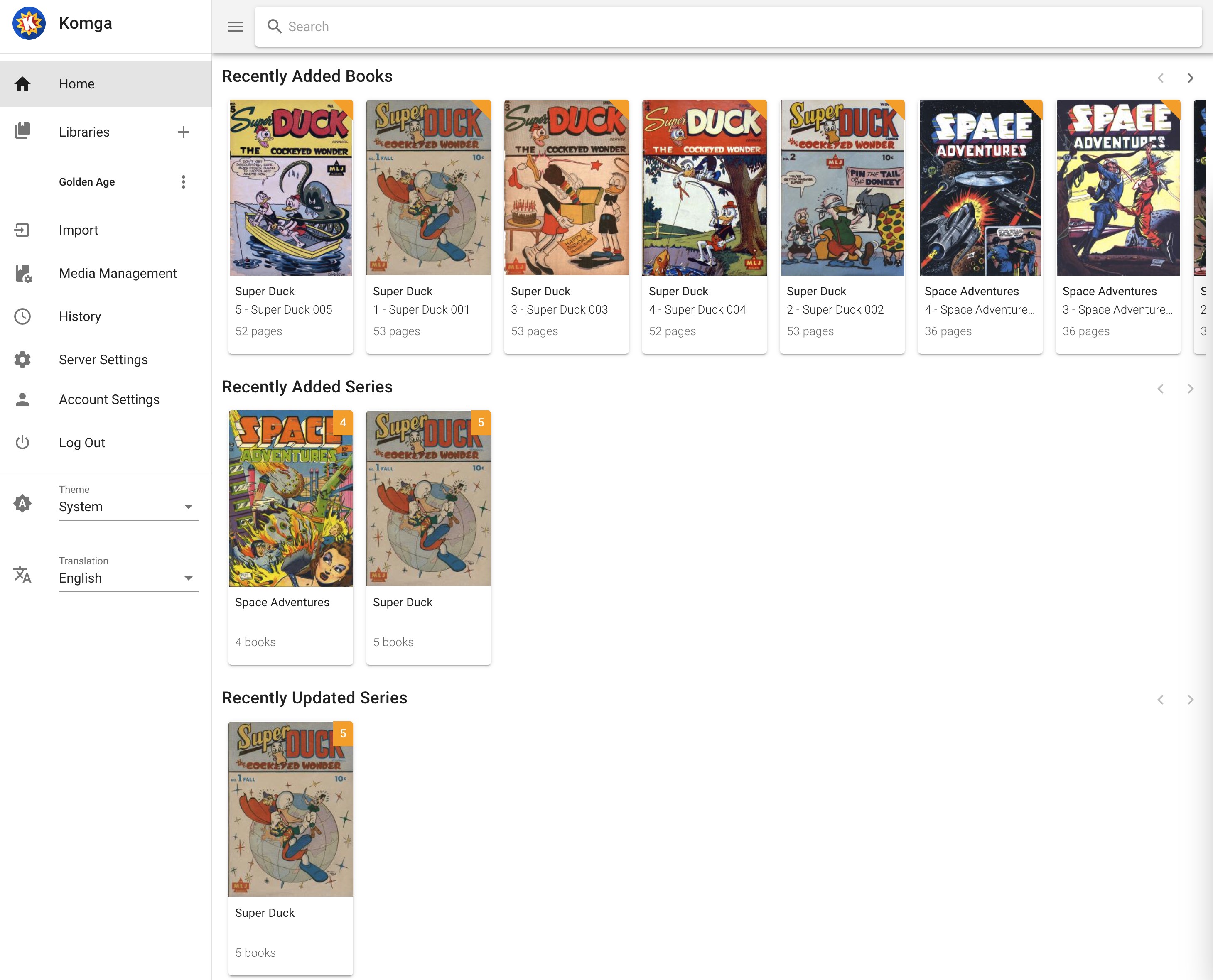
Imagine diving into your favorite comic series with the ease of flipping through pages on a familiar cozy couch—no fuss, just pure enjoyment. That's precisely what Komga aims to deliver—transforming your Windows device into a personal digital comic library, accessible at any moment with just a few clicks. Whether you're a casual reader or a seasoned collector, Komga seeks to turn your digital collection into a well-organized treasure trove.
From the moment you launch Komga, you'll notice its minimalist yet intuitive interface resembles the familiar layout of a well-organized bookshelf, but digital—clean, uncluttered, and straightforward. The sidebar navigation provides quick access to libraries, series, and reading history, while thumbnails of covers give you a quick visual cue of your collection. The overall design feels akin to a neat desk, where everything is within reach without overwhelming your senses.
In terms of usability, the software shines with smooth scrolling, responsive panels, and minimal loading times. The interface adjusts well to different screen sizes, making it an ideal companion for both small laptops and larger desktop setups. Its learning curve is gentle—most users can start organizing and reading within minutes, thanks to clear labels and guided setup options.
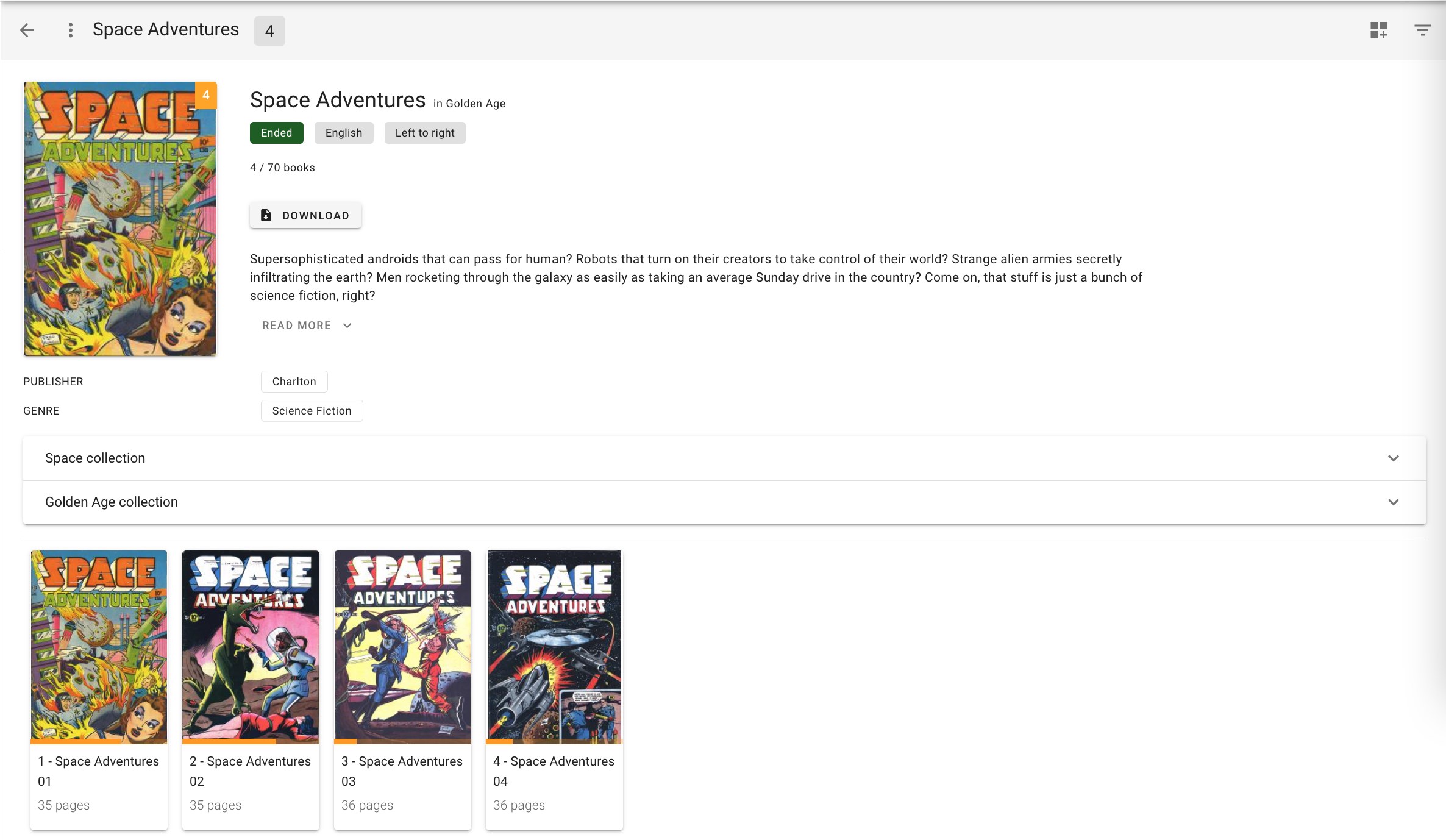
The true strength of Komga lies in its special functionalities that set it apart from many traditional eBook or comic book apps. Its most unique feature is the automatic metadata and cover fetching, which enriches your collection by pulling in detailed information from online sources. This means your comics and books will be neatly categorized and visually appealing, much like having a professional library cataloging itself.
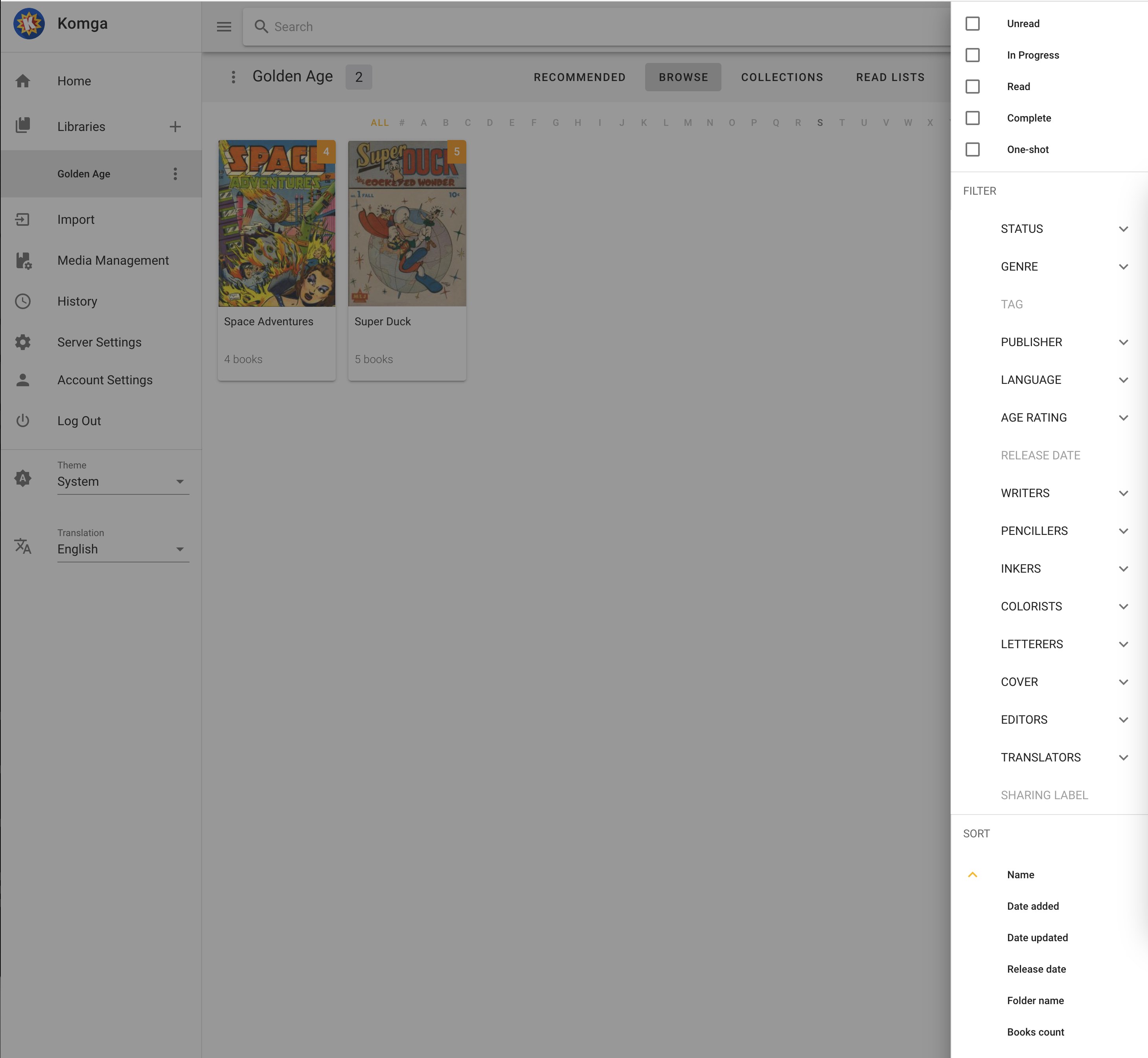
Another exclusive highlight is its support for multiple formats seamlessly integrated into a single library. Switching between reading a CBZ comic or an EPUB eBook feels fluid and natural, providing flexibility that caters to diverse preferences. The app also offers user-friendly navigation tools, such as bookmarks, reading progress tracking, and adjustable themes, creating a customized reading atmosphere.
While many book management apps focus solely on EPUB or PDF files, Komga's strength is its specialization in comic book formats and collections. Unlike generic eBook readers, it offers a tailored experience for comics—like having a dedicated comic shop at your fingertips. Its automatic metadata fetching feature is akin to having a librarian who knows every detail about your books, saving you the hassle of manual tagging. Plus, the local hosting approach means more privacy and control over your library, compared to cloud-based solutions that rely on external servers.
If you're someone with an extensive comic collection or a voracious reader of digital comics and eBooks, Komga for Windows presents a highly practical and customizable choice. Its user-friendly interface combined with intelligent features like metadata automation and multi-format support makes it a standout tool for maintaining a tidy, visually appealing digital library. While it might require some initial setup—especially for those unfamiliar with server-based applications—its straightforward design ensures a gentle learning curve.
In conclusion, I recommend Komga for Windows to tech-savvy readers looking for a personal digital library that's both powerful and easy to use. It's best suited for users who value organization and customization over flashy aesthetics, making it a valuable addition to your digital reading arsenal.
Intuitive interface for easy navigation
Supports multiple formats including CBZ, CBR, and PDF
Robust library management features
Web-based remote access capabilities
Open-source and customizable
Limited built-in reading customization options
Occasional lag with very large libraries
Some features require manual configuration
Mobile app functionality is limited compared to desktop
No integrated cloud sync service

for Windows
 4.9
4.9

for Windows
4.8

for Windows
4.8

for Windows
4.8

for Windows
4.1

for Windows
4
for Windows
2.7

for Windows
1.4
for Windows
0

for Windows
5

for Windows
5

for Windows
5

for Windows
5

for Windows
5

for Windows
5

for Windows
5

for Windows
5

for Windows
5

for Windows
5