Security
Kali Linux
PC
Windows 10 version 16215.0 or higher
Integrated Keyboard
Not specified
English (United States)
Kali Linux for Windows aims to bring the power of a comprehensive security testing environment directly to the Windows platform, making it accessible for cybersecurity professionals and enthusiasts alike without the need for dual-boot setups or virtualization. This application serves as a bridge that integrates Kali Linux's robust toolkit into your Windows environment, offering an intriguing blend of flexibility and familiarity.
Developed and published by Kali Linux, this application leverages the Windows Subsystem for Linux (WSL) to deliver Kali's extensive toolset seamlessly. Its main highlights include:
Imagine diving into a pool of cybersecurity tools—refreshing, intuitive, and capable of quenching your curiosity at every turn. Kali Linux for Windows delivers a surprisingly fluid experience, considering it operates within WSL. The interface resonates with the traditional Linux terminal—clean, straightforward, and familiar to seasoned pros—making the initial learning curve quite manageable. The transition from command-line navigation to executing tools feels seamless, and the responsiveness is generally smooth, with minimal lag, even when handling complex tasks.
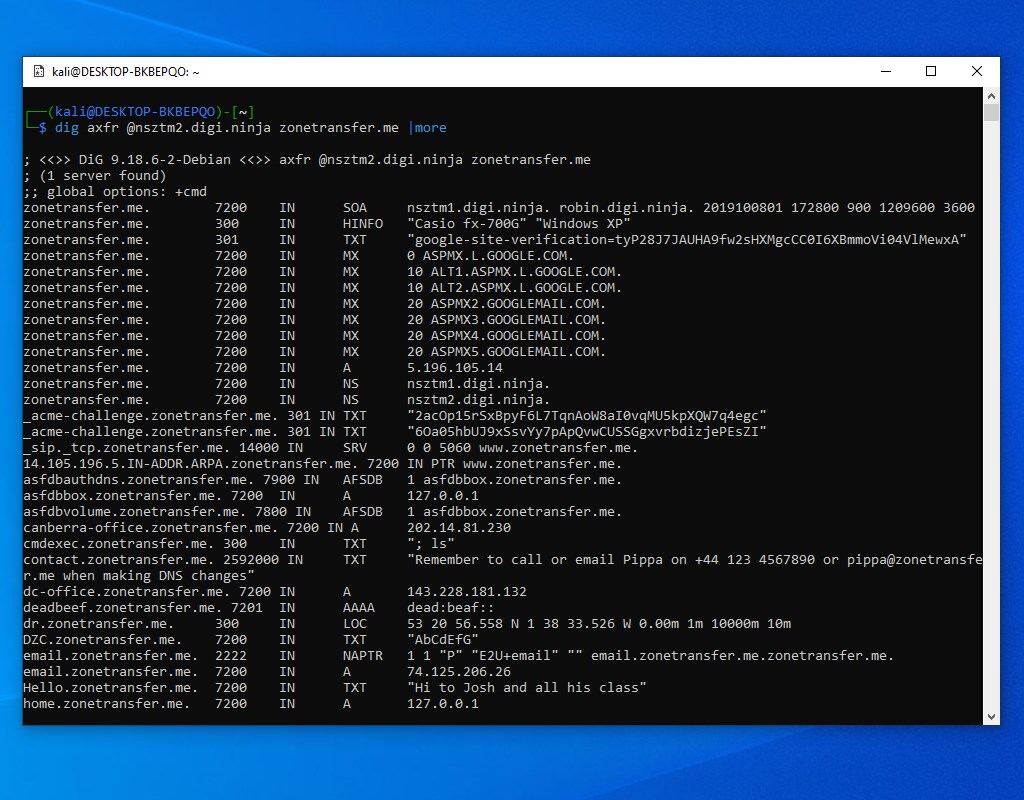
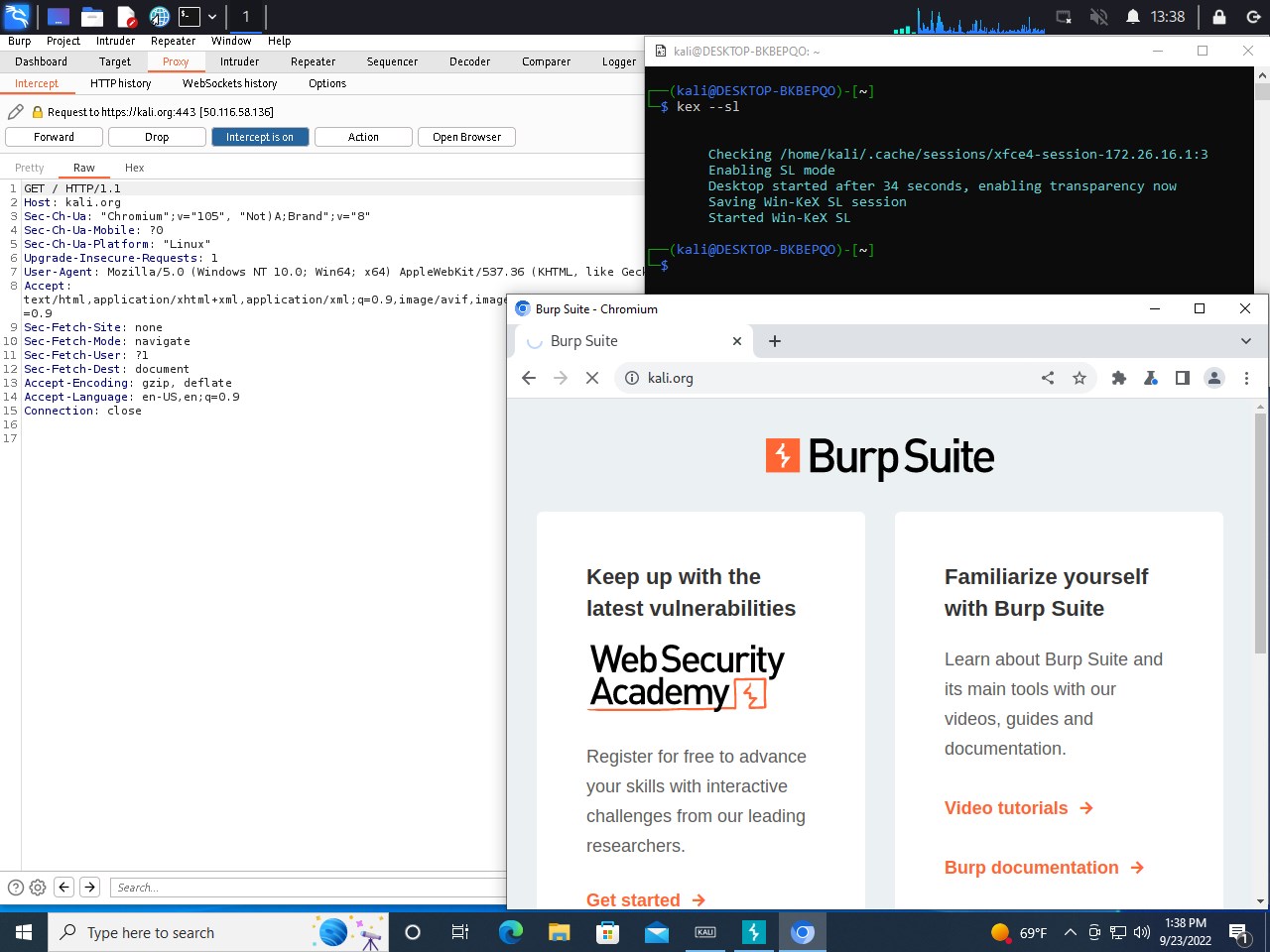
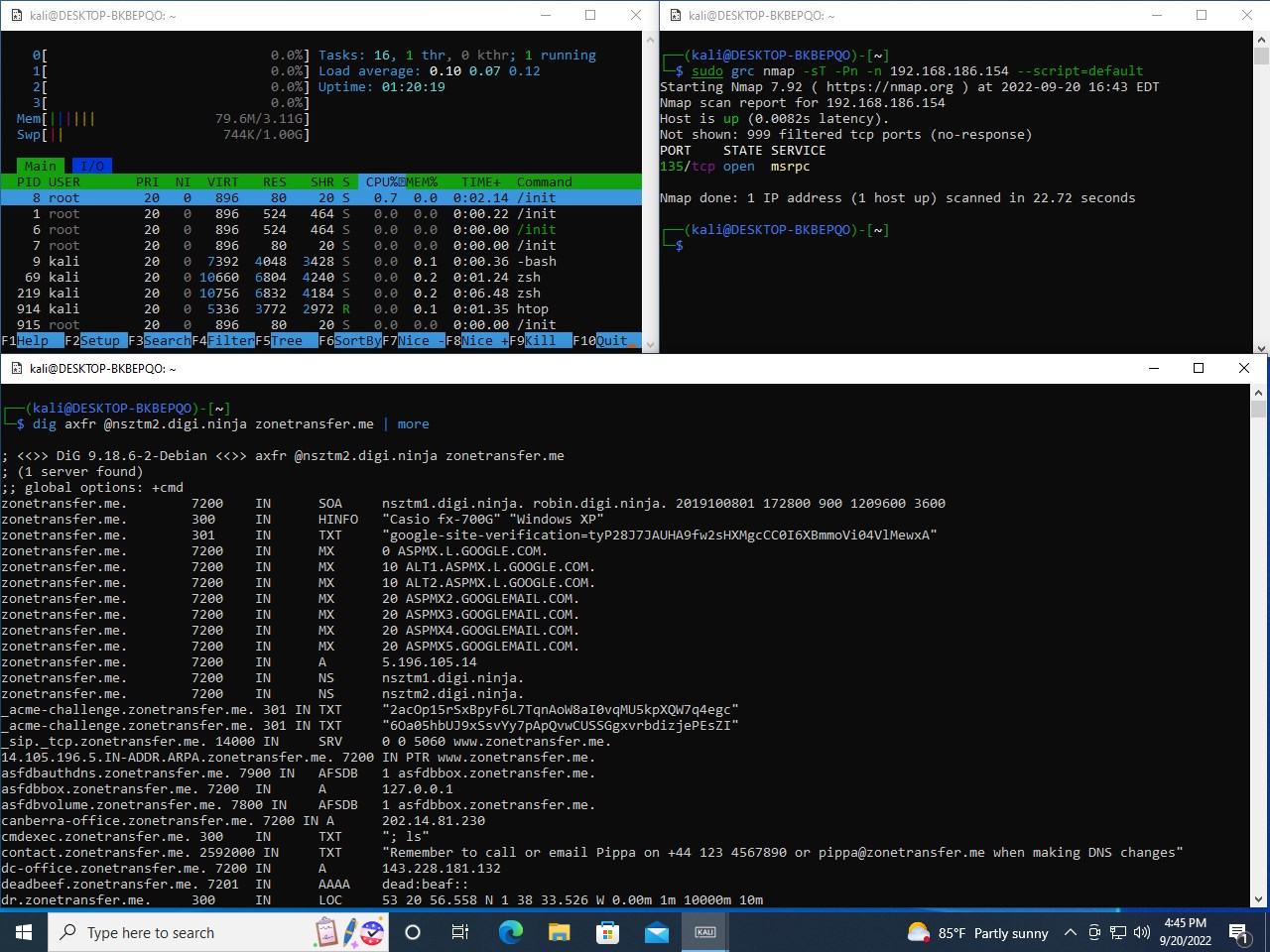
The standout feature is undoubtedly access to Kali's expansive toolkit. From network scanning with Nmap to password cracking with Hashcat, everything is just a command away. This consolidation means you're no longer confined to a separate Linux machine or VM—your Windows machine becomes a portable security lab. The ability to run graphical tools, thanks to WSLg support, adds a layer of convenience and visual clarity that enhances user interaction. This integration effectively removes the barrier that often deters newcomers from utilizing such specialized tools.
Another distinctive aspect is the fluid interoperability. You can easily invoke Windows files from within Kali, and vice versa, making workflows such as file transfers and script executions effortless. For instance, pentesters can leverage their existing Windows utilities alongside Kali tools without switching contexts or rebooting. This synergy transforms your environment into a hybrid powerhouse, streamlining tasks and boosting productivity. It's like having a Swiss Army knife that merges multiple tools into one cohesive, accessible interface.
Compared to other security-focused Windows applications—like specialized vulnerability scanners or network analyzers—Kali Linux for Windows offers a broader, more adaptable toolkit. Its core strength lies in the authenticity of its Linux-based tools combined with the convenience of Windows integration. Unlike standalone GUIs or web-based platforms, this app provides an authentic terminal experience with the versatility of native command execution. Furthermore, its reliance on WSL means it benefits continuously from Windows updates, ensuring stability and future-proofing.
Overall, Kali Linux for Windows is highly recommended for cybersecurity professionals who need a flexible, lightweight, and effective environment to conduct penetration testing and security assessments from their Windows desktops. It's particularly suited for those who are already familiar with Kali Linux but want to avoid the complexity of managing separate virtual environments. Beginners should start with foundational Linux commands and gradually explore Kali's extensive toolkit.
Remember, while the application simplifies many tasks, responsible and ethical use is paramount. It's best suited for authorized testing environments and educational purposes. For those seeking an integrated security testing platform that doesn't sacrifice convenience, this application is a professional-grade option worth exploring.
Seamless Integration with Windows
User-Friendly App Installation
Regular Updates
Full Kali Linux Functionality
Flexibility with Windows Filesystem
Limited Resource Allocation
Networking Configuration Challenges
Dependency on Windows Subsystem
Limited GUI Support
Occasional Compatibility hiccups

for Windows
 4.8
4.8

for Windows
4.7

for Windows
4.7

for Windows
4.7

for Windows
4.6

for Windows
4.6

for Windows
4.5

for Windows
4.4

for Windows
4.4

for Windows
4.3

for Windows
4.3

for Windows
4.3

for Windows
5

for Windows
5

for Windows
5

for Windows
5

for Windows
5

for Windows
5

for Windows
5

for Windows
5

for Windows
5

for Windows
5