Overview
**Just Checking for Windows: A Clear-Cut Approach to Personal Finance Management**
Navigating the world of personal finance can often feel like wandering through a dense forest—overwhelming, confusing, and easy to lose your way. However, with tools like Just Checking, managing your budget and expenses becomes less of a chore and more of a manageable daily routine. Designed for simplicity yet packed with essential features, this app aims to bridge the gap between complex financial software and basic, user-friendly expense tracking.
**Developed by WWW.JUSTAPPS.COM, the app promises a streamlined experience that caters to everyday users eager to keep their finances in check without the fuss.**
### Main Highlight Features
- **Intuitive Expense Logging:** Quickly add and categorize expenses on the go with a clean, straightforward interface. No more fumbling through complicated menus—just tap, categorize, and move on.
- **Smart Budget Planning:** Set up customizable budgets with visual feedback that helps you see at a glance how well you're sticking to your financial goals.
- **Visual Reports & Insights:** Generate simple yet insightful charts that display spending patterns over time, making it easier to identify saving opportunities or overspending habits.
- **Cloud Sync & Data Security:** Seamlessly sync your data across devices with secure cloud storage, ensuring your financial information stays safe and accessible wherever you are.
---
### A Friendly Guide Through Financial Simplicity
Imagine opening an app that feels less like navigating a spaceship control panel and more like flipping through a well-organized ledger—simple, familiar, and designed for your daily life. Just Checking for Windows encapsulates this philosophy perfectly. Its bright, minimalistic interface invites new users, and its step-by-step workflow ensures that even financial novices can grasp basic budgeting concepts without feeling overwhelmed. Think of it as your personal financial assistant that's always within arm's reach, ready to help you track expenses with a few taps and view your financial health at a glance.
### Core Features Explored
#### Effortless Expense Tracking and Categorization
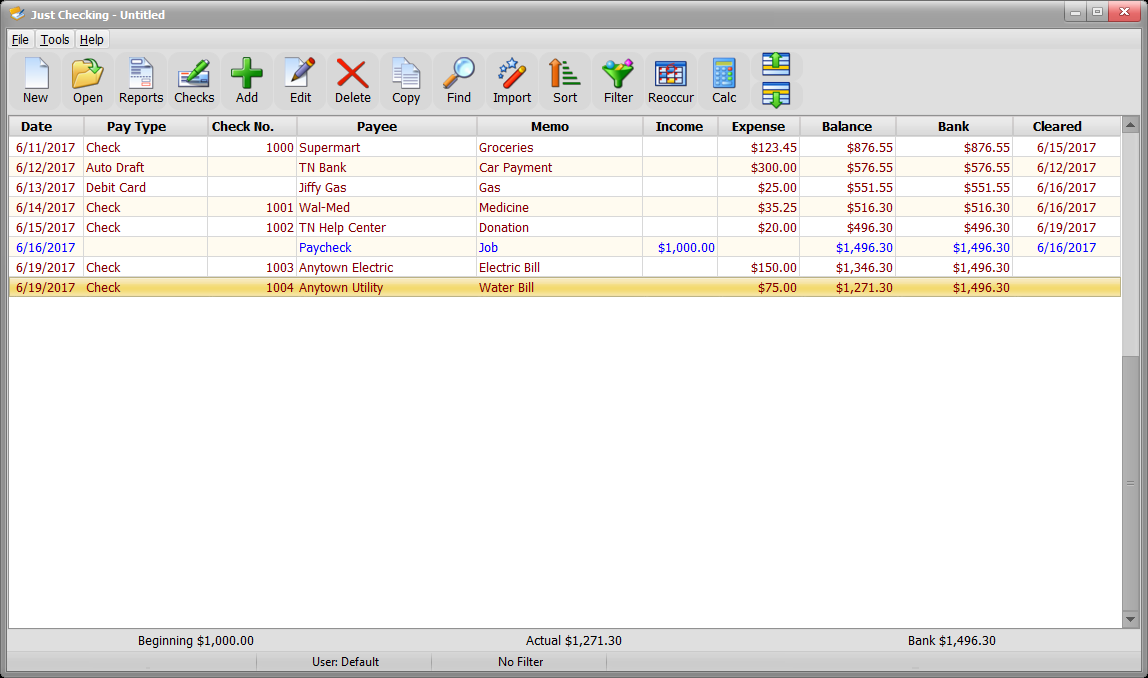
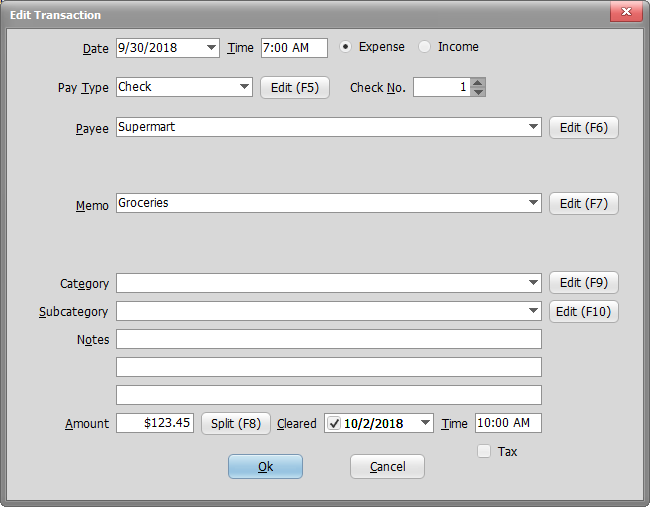
The heartbeat of Just Checking lies in its effortless expense entry system. Unlike many financial apps that bury you in complicated forms, this app offers a straightforward input method. Imagine adding an entry just like jotting down notes in your daily journal—quick, simple, intuitive. You can categorize expenses into predefined groups like Food, Transportation, or Entertainment, which helps organize your spending without fuss. The app also supports recurring expenses, making monthly bills easier to monitor—like setting reminders to pay your rent or subscription services.
#### Visual Data for Smarter Spending
Knowledge is power, and Just Checking's visual reports arm you with just that. Interactive charts and graphs transform raw data into clear imagery—pie charts breaking down your monthly spending, trend lines revealing whether you're spending more or saving over time. For example, in a scene where you're trying to cut back on dining out, the app's visual insights tell you if your efforts are paying off. This immediate feedback tree helps you make informed decisions, akin to having a financial compass guiding your spending journey.
#### Budget Optimization Made Easy
Setting and sticking to budgets can often feel like trying to hit a moving target, but Just Checking simplifies this process. You can set personalized monthly limits for different categories and get real-time notifications when you're approaching your limits. The app's color-coded indicators serve as a dashboard warning—think of it as a speedometer warning you to slow down, but for your finances. Plus, the ability to compare planned versus actual spending encourages disciplined financial habits, much like a coach guiding you toward your financial goals.
---
### User Experience and Unique Selling Points
The app's interface is a breath of fresh air—balanced, clean, and free of clutter. Navigation feels natural, and adding new expenses or modifying budgets can be accomplished within seconds, demonstrating a high level of operational fluency. Importantly, the learning curve is gentle; even if you're new to personal finance apps, you'll find yourself up and running quickly.
Compared to more comprehensive financial management tools that often aim to handle investments, debts, and forecasting at once, Just Checking stays laser-focused on core expense tracking and budget awareness. This specialization means less noise, more utility, and a smoother user experience. Its key differentiator lies in combining simplicity with powerful visualization—making financial insights quick to grasp and easy to act upon. It's like having a clear window into your financial habits rather than sifting through a financial novel.
### Final Thoughts & Recommendations
Overall, Just Checking for Windows is a reliable choice for anyone seeking a straightforward, privacy-conscious personal finance app that makes expense management less burdensome. Its core strengths—intuitive expense input, visual insights, and easy budget handling—serve as the app's pillars, standing out in a crowded market of complex financial tools.
I would recommend this app principally to students, young professionals, or anyone who prefers a no-nonsense, visual approach to monitoring their day-to-day spending. It's especially suited for users who want quick insights without investing hours in mastering a new software.
While it may not replace more comprehensive financial planning tools for advanced investors, for daily expense monitoring and budget management, Just Checking hits the sweet spot. Its simple yet effective design encourages consistent use—ultimately empowering users to stay in control of their financial health.
**In sum:** if your goal is clear, simple, and visually guided personal finance management, Just Checking for Windows deserves a spot on your desktop—and perhaps, your routine.





 5
5