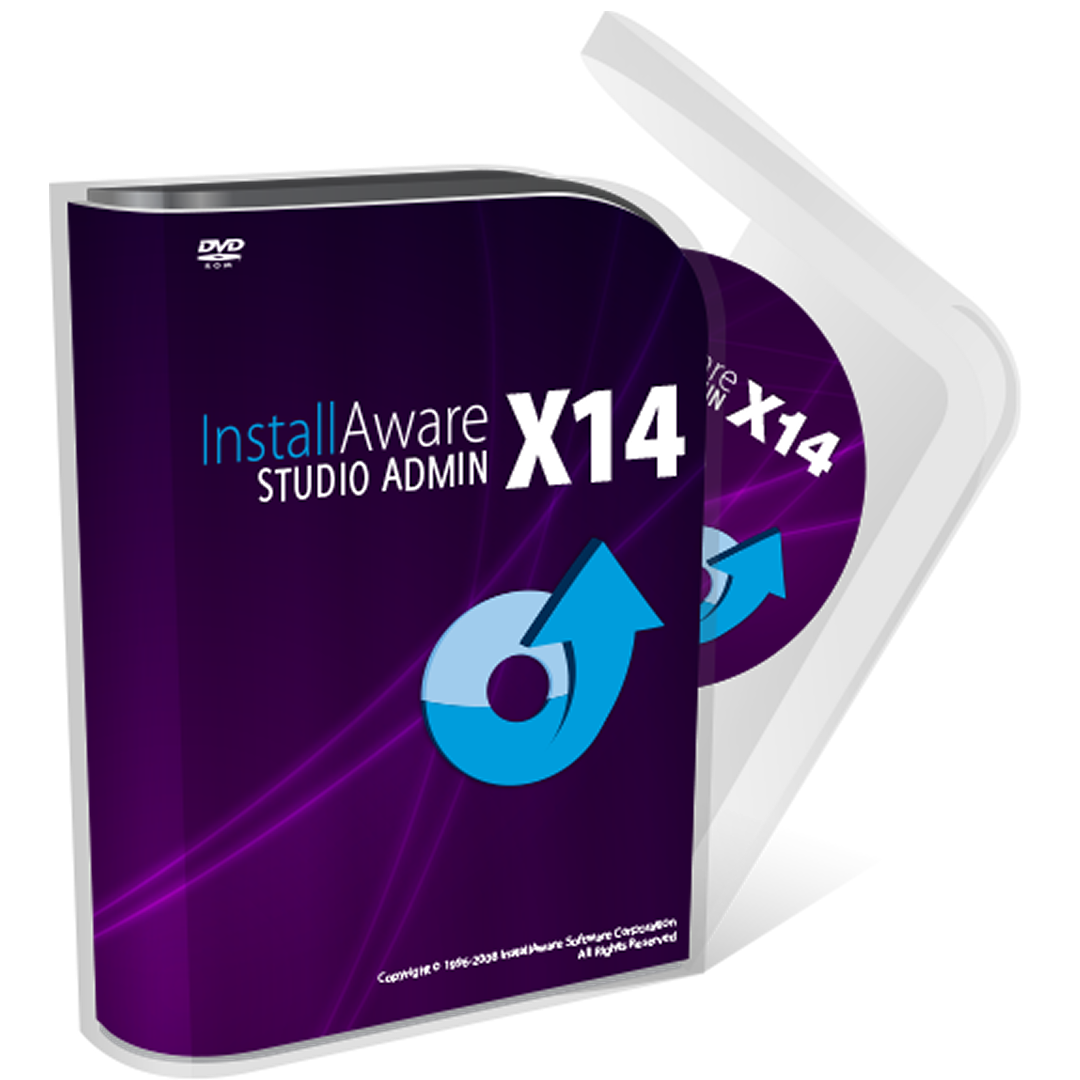
Developer tools
InstallAware Software
PC
Windows 10 version 0.0 or higher
English, English (Afghanistan), English (Åland Islands), English (Albania), English (Algeria), English (American Samoa), English (Andorra), English (Angola), English (Anguilla), English (Antarctica), English (Antigua and Barbuda), English (Armenia), English (Aruba), English (Australia and New Zealand), English (Australia), English (Azerbaijan), English (Bahamas), English (Bangladesh), English (Barbados), English (Belarus), English (Belize), English (Benin), English (Bermuda), English (Bhutan), English (Bolivia), English (Bonaire, Saint Eustatius and Saba), English (Bosnia and Herzegovina), English (Botswana), English (Bouvet Island), English (British Indian Ocean Territory), English (British Virgin Islands), English (Brunei), English (Bulgaria), English (Burkina Faso), English (Burundi), English (Cambodia), English (Cameroon), English (Canada), English (Cape Verde), English (Caribbean), English (Cayman Islands), English (Central African Republic), English (Chad), English (Christmas Island), English (Cocos (Keeling) Islands), English (Comoros), English (Congo (DRC)), English (Congo), English (Cook Islands), English (Côte d'Ivoire), English (Croatia), English (Curaçao), en-cz, English (Djibouti), English (Dominica), English (Dominican Republic), English (Eastern Africa), English (Equatorial Guinea), English (Eritrea), English (Estonia), English (Ethiopia), English (Falkland Islands), English (Faroe Islands), English (Fiji), English (French Guiana), English (French Polynesia), English (French Southern and Antarctic Lands), English (Gabon), English (Gambia), English (Georgia), English (Germany), English (Ghana), English (Gibraltar), en-gr, English (Greenland), English (Guadeloupe), English (Guam), English (Guernsey), English (Guinea-Bissau), English (Guinea), English (Guyana), English (Haiti), English (Heard Island and McDonald Islands), English (Honduras), English (Hong Kong SAR), en-hu, English (Iceland), English (India), English (Indonesia), English (Iraq), English (Ireland), English (Isle of Man), English (Israel), English (Jamaica), English (Jersey), English (Jordan), English (Kazakhstan), English (Kenya), English (Kiribati), English (Kyrgyzstan), English (Laos), English (Latvia), English (Lesotho), English (Liberia), English (Libya), English (Lithuania), English (Macao SAR), English (Macedonia, FYRO), English (Madagascar), English (Malawi), English (Malaysia), English (Maldives), English (Mali), English (Malta), English (Marshall Islands), English (Martinique), English (Mauritius), English (Mayotte), English (Micronesia), English (Moldova), English (Monaco), English (Mongolia), English (Montserrat), English (Mozambique), English (Myanmar), English (Namibia), English (Nauru), English (Nepal), English (Netherlands Antilles (Former)), English (Netherlands), English (New Caledonia), English (New Zealand), English (Nicaragua), English (Niger), English (Nigeria), English (Niue), English (Norfolk Island), English (Northern America), English (Northern Mariana Islands), English (Oman), English (Pakistan), English (Palau), English (Palestinian Authority), English (Papua New Guinea), English (Philippines), English (Pitcairn Islands), English (Puerto Rico), English (Qatar), English (Reunion), English (Romania), English (Rwanda), English (Saint Barthélemy), English (St Helena, Ascension, Tristan da Cunha), English (Saint Kitts and Nevis), English (Saint Lucia), English (Saint Martin (French Part)), English (Saint Pierre and Miquelon), English (Saint Vincent and the Grenadines), English (Samoa), English (San Marino), English (São Tomé and Príncipe), en-sa, English (Senegal), English (Seychelles), English (Sierra Leone), English (Singapore), English (Sint Maarten), English (Slovakia), English (Slovenia), English (Solomon Islands), English (Somalia), English (South Africa), English (South Georgia and the South Sandwich Islands), English (Southern Africa), English (Sri Lanka), English (Sudan), English (Suriname), English (Svalbard and Jan Mayen), English (Swaziland), English (Tajikistan), English (Tanzania), English (Thailand), English (Timor-Leste), English (Togo), English (Tokelau), English (Tonga), English (Trinidad and Tobago), English (Turkey), English (Turkmenistan), English (Turks and Caicos Islands), English (Tuvalu), English (U.S. Minor Outlying Islands), English (U.S. Virgin Islands), English (Uganda), en-ae, English (United Kingdom), English (United States), English (Uzbekistan), English (Vanuatu), English (Holy See (Vatican City)), English (Vietnam), English (Wallis and Futuna), English (Western Africa), English (Zambia), English (Zimbabwe)
InstallAware Studio Admin for Windows is a sophisticated application designed to simplify and enhance the process of crafting professional software installers. Created by InstallAware Software, it offers a comprehensive toolkit aimed at developers seeking a reliable and user-friendly solution for software deployment. Whether you are delivering complex enterprise applications or smaller utilities, this tool aims to be your go-to companion for efficient installation management.
Developed and published by InstallAware Software Corporation, a company renowned for developing robust installer authoring solutions since the early 2000s. Their extensive experience in software deployment has culminated in a product that balances power with ease of use, targeted at professional developers and IT teams.
The target audience for InstallAware Studio Admin spans professional software developers, IT managers, and organizations needing dependable, scalable, and customizable installation solutions.
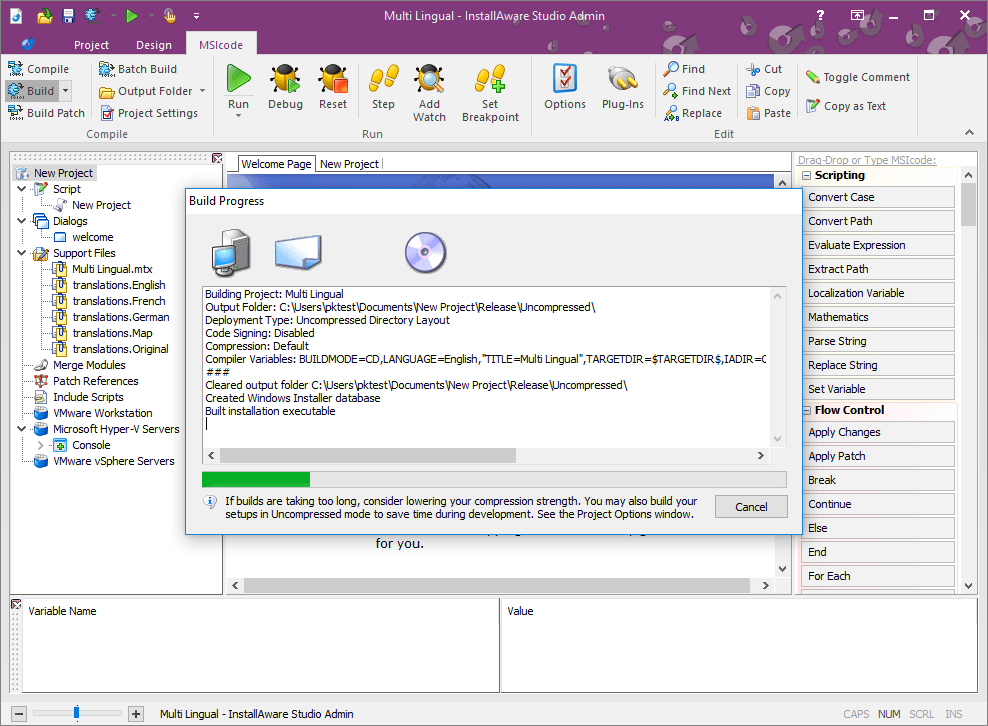
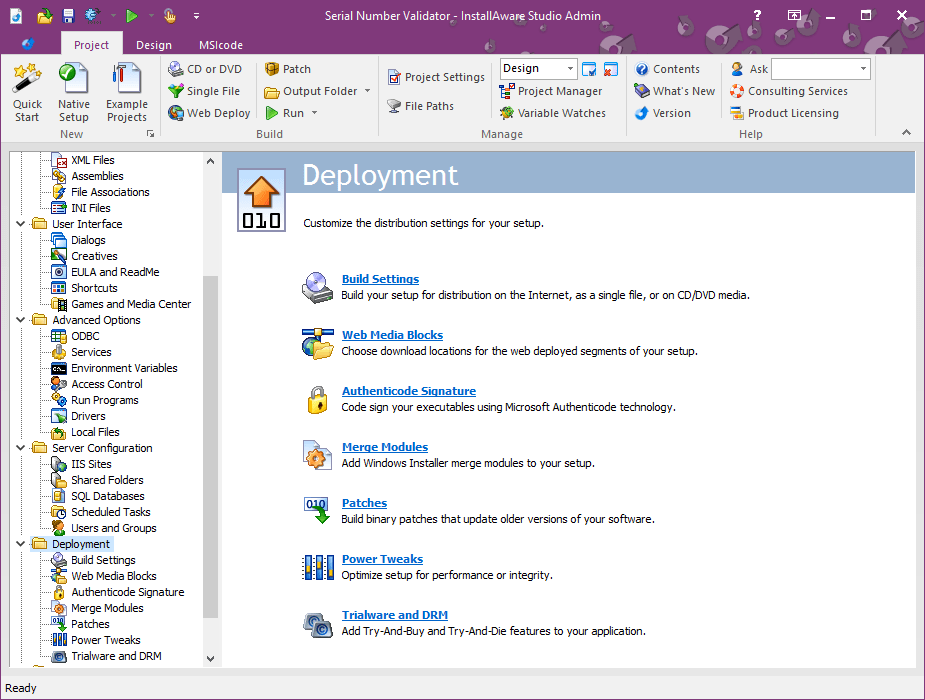
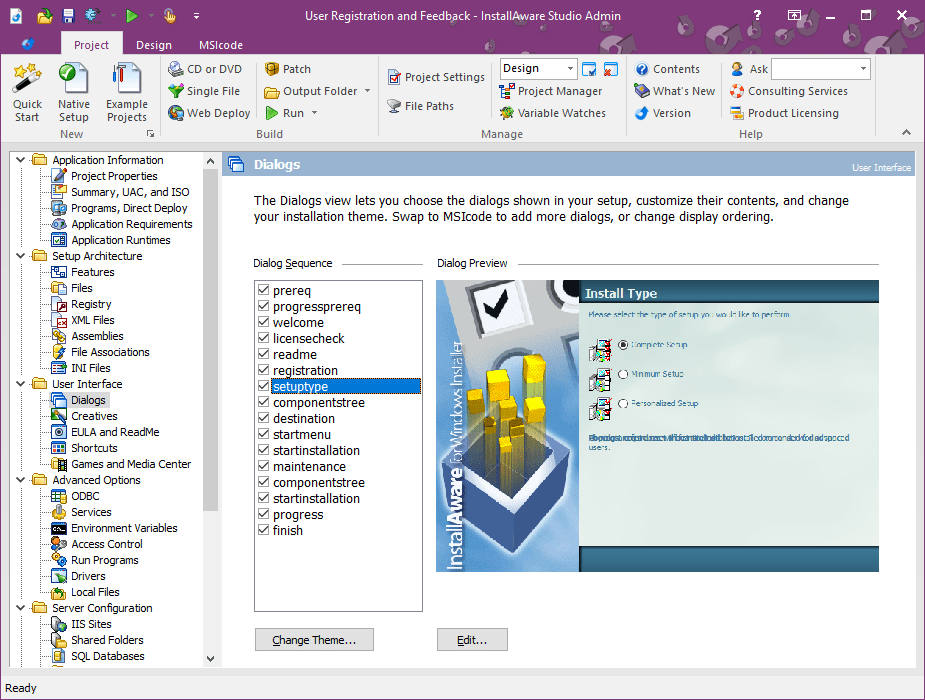
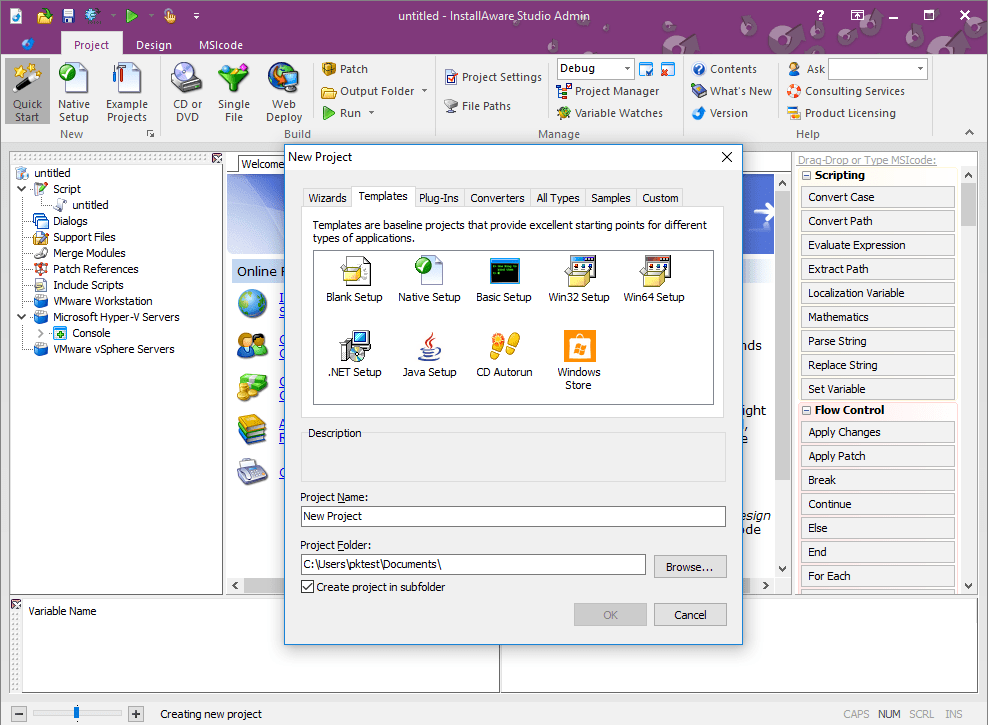
Imagine opening a sleek dashboard where the complexities of installer creation dissolve into a visual feast. The interface of InstallAware Studio Admin strikes an impressive balance: it's intuitive enough for beginners yet robust enough to satisfy seasoned developers. The drag-and-drop design environment allows you to assemble installation sequences seamlessly, akin to designing a flowchart—only here, you're layout architects of your software deployment. Navigation is smooth, with logically grouped tools and clear labels, reducing the intimidation often associated with complex setup builders.
While the visual approach simplifies routine tasks, the true star here is the scripting capability. It's like having a secret recipe book—powerful, flexible, and designed to customize every aspect of the installer. Want to add a custom license agreement? Or perhaps create conditional installation paths based on user inputs? With scripting, you can implement these nuances effortlessly. This feature particularly shines when compared to more rigid installer tools, positioning InstallAware as the creative blackboard for tech-savvy developers seeking granular control.
Performance-wise, InstallAware Studio Admin runs like a well-oiled machine—quick build times, minimal lag, and detailed logs that make troubleshooting a manageable task. It combines the visual and scripting approaches into a harmonious workflow, reducing the typical friction found in more convoluted tools. Unlike some competitors that demand steep learning curves or lack customization depth, InstallAware stands out with its hybrid approach—visual simplicity paired with scripting depth, making it accessible yet powerful. Additionally, its deployment support for multiple packaging formats and seamless integration with build automation pipelines top it as a practical choice for diverse development environments.
Based on its feature set, user experience, and flexibility, InstallAware Studio Admin is a compelling option for professional developers and IT teams. Its standout features—particularly the intuitive interface paired with script-driven customization—make it more than just a basic installer creator. It's akin to having a versatile toolbox that adapts to your project's complexity. While it may require a brief learning curve to master the scripting features, the overall experience remains accessible thanks to its well-organized interface.
We recommend this application for those who need a reliable, customizable installer solution and are willing to explore its scripting capabilities for advanced customization. For casual or one-off projects, simpler tools might suffice, but for ongoing development workflows demanding consistency and flexibility, InstallAware Studio Admin is a noteworthy choice. Its unique blend of visual design and scripting power ensures it can grow with your needs, making it a wise investment in your software deployment toolkit.
Streamlined deployment process
Robust scripting capabilities
Wide range of supported file formats
Enhanced error handling and logging
Good integration with Windows features
Steep learning curve for beginners
Occasional performance lag with large projects
Limited cloud integration features
High cost for premium versions
Occasional bugs in scripting module

for Windows
 5
5

for Windows
4.6

for Windows
4.6

for Windows
4.6

for Windows
4.5

for Windows
4.4

for Windows
4.4

for Windows
4.3

for Windows
4.3

for Windows
4.3

for Windows
4.3

for Windows
4.2

for Windows
5

for Windows
5
for Windows
5

for Windows
5

for Windows
5

for Windows
5

for Windows
5

for Windows
5

for Windows
5

for Windows
5