


Action & adventure
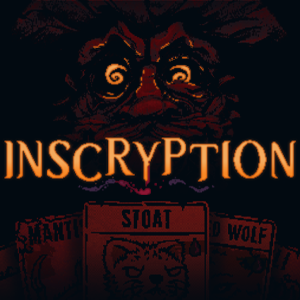
Inscryption for Windows delivers a unique fusion of deck-building card gameplay with dark, narrative-driven puzzle elements, creating an experience that feels like stepping into a mysterious, ever-evolving game world.
Published by Devolver Digital, a company renowned for pushing creative boundaries, Inscryption stands out with its innovative gameplay mechanics. The key features include:
1. A sinister, immersive storyline that gradually reveals itself through cryptic puzzles and cryptic characters.
2. A deck-building system infused with roguelike elements, encouraging strategic experimentation and replayability.
3. Unique blend of atmospheric visuals and unsettling sound design that enhance the overall mood.
4. Integration of puzzle-solving puzzles that are seamlessly tied into the main narrative.
Imagine stepping into a dimly lit room where an enigmatic figure greets you with a knowing smile, beckoning you into a world where every move could mean survival or doom. Inscryption draws players into such an atmospheric universe from the very first moment. Its narrative weaves mystery and intrigue, making you eager to uncover what lies beneath the surface. The game's storytelling is not delivered through traditional cutscenes but is embedded into every aspect of gameplay, fostering an organic and immersive experience.
The game's core revolves around constructing decks of cards that represent various creatures, tools, and spells. Unlike conventional card games, Inscryption introduces a roguelike element where each run is different. As you progress, you unlock new cards and abilities, but beware: the game's unpredictable nature means you must adapt your strategies on the fly. This mechanic fosters a sense of tension akin to navigating a labyrinth with shifting walls, where every decision counts.
Beyond the card battles, Inscryption is riddled with puzzles that challenge your logic and perception. These puzzles are artfully integrated into the game's narrative, often appearing as cryptic codes or peculiar devices that hold the key to progressing further. This seamless integration elevates the experience from mere strategic play to an interactive storybook full of secrets waiting to be uncovered.
Visually, Inscryption boasts a dark, hand-drawn aesthetic reminiscent of eerie, vintage comic books. The interface is user-friendly, with intuitive menus that make deck management and puzzle solving smooth rather than cumbersome. The learning curve, while initially steep, becomes manageable as players become familiar with mechanics through gradual tutorials and in-game hints. The gameplay flows seamlessly, making each session feel like flipping through an unsettling, captivating story where every turn is deliberate and meaningful.
Compared to other action and adventure titles, Inscryption's greatest distinction lies in its meta-narrative layer and its unorthodox approach to storytelling. Unlike typical card games or adventures, it plays with the idea that the game itself is a puzzle within a puzzle, occasionally breaking the fourth wall. This innovative design creates a layered experience that rewards curiosity and persistence. Its atmospheric art and sound design further differentiate it, immersing players in a universe that feels alive and haunted by secrets.
Inscryption is a title best suited for players who enjoy deep strategic gameplay combined with atmospheric storytelling and puzzles. I recommend it to those who appreciate games that challenge both their minds and nerves. If you're into exploring narrative-rich worlds with a touch of the unsettling, this game promises hours of intriguing entertainment. For newcomers, patience is key—take your time to understand the mechanics and enjoy the unfolding mystery. For veterans of card games or puzzle adventures, Inscryption offers fresh twists and enough depth to keep you engaged, making it a worthwhile addition to any gaming collection.
Engaging Gameplay Mechanics
Stunning Visual Art Style
Rich Storytelling
Innovative Card System
Regular Content Updates
Initial Tutorial Complexity
Performance Fluctuations
User Interface Navigation
Audio Balance Issues
Limited Platform Support

for Windows
 5
5

for Windows
4.9

for Windows
4.8

for Windows
4.8
for Windows
4.8
for Windows
4.8

for Windows
4.8

for Windows
4.8

for Windows
4.8
for Windows
4.8

for Windows
4.8

for Windows
4.8

for Windows
5

for Windows
5

for Windows
5

for Windows
5

for Windows
5

for Windows
5

for Windows
5
for Windows
5

for Windows
5

for Windows
5

