Utilities & tools
HyperX
PC
Windows 10 version 17763.0 or higher
Not specified
Not specified
Chinese (Simplified), Chinese (Traditional Chinese), English, French, German, Italian, Japanese, Korean, Polish, Russian, Spanish
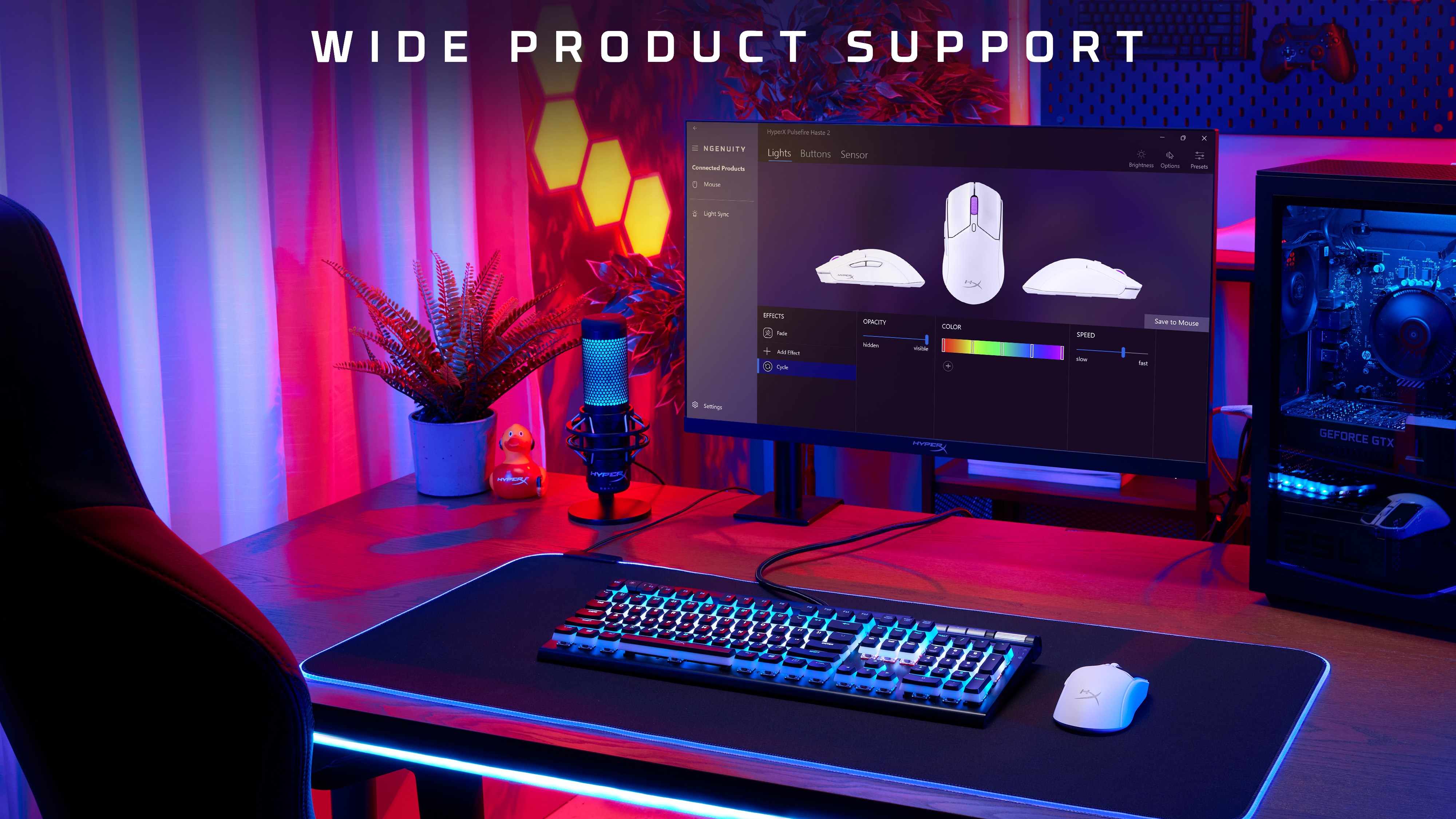
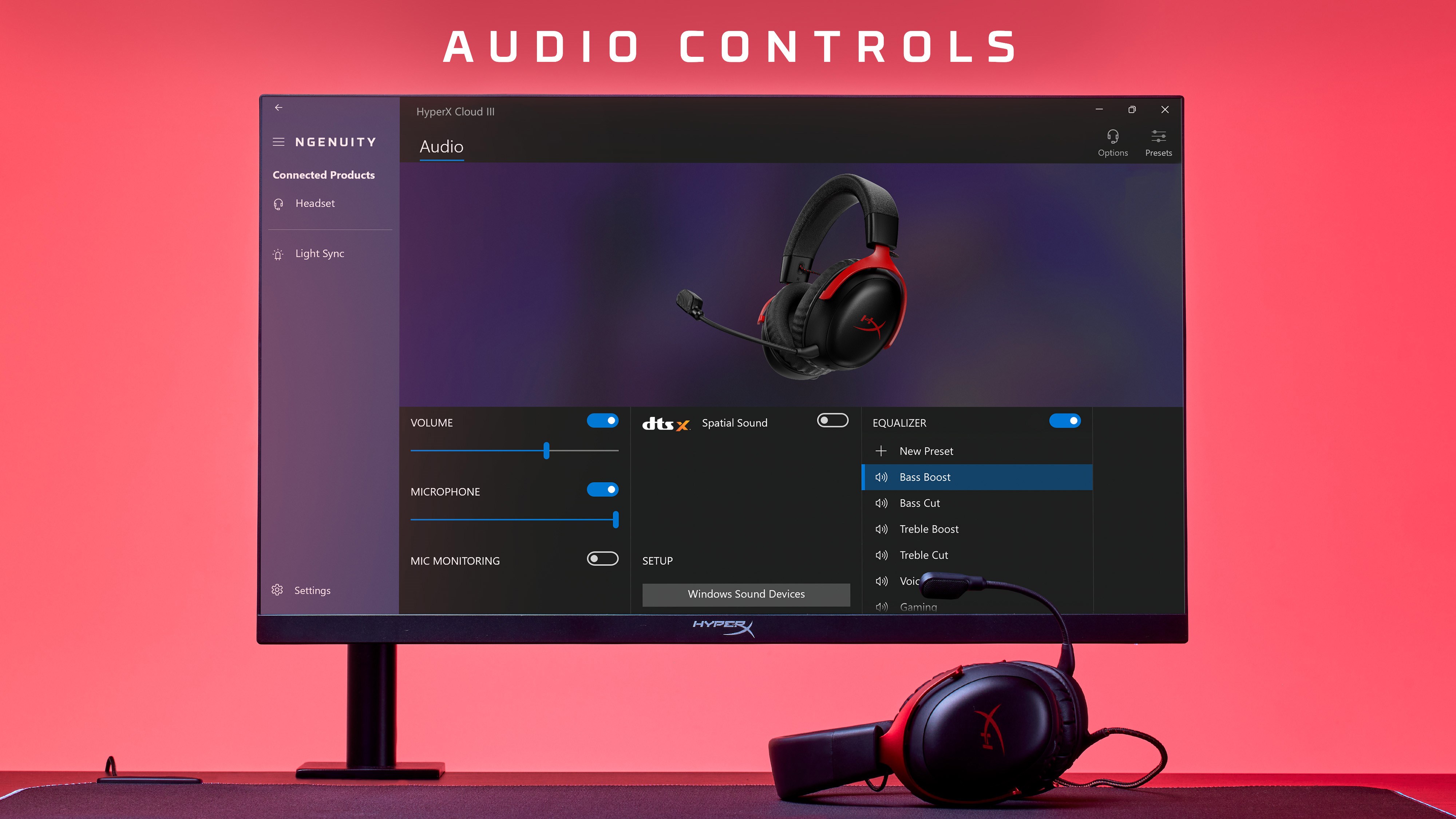
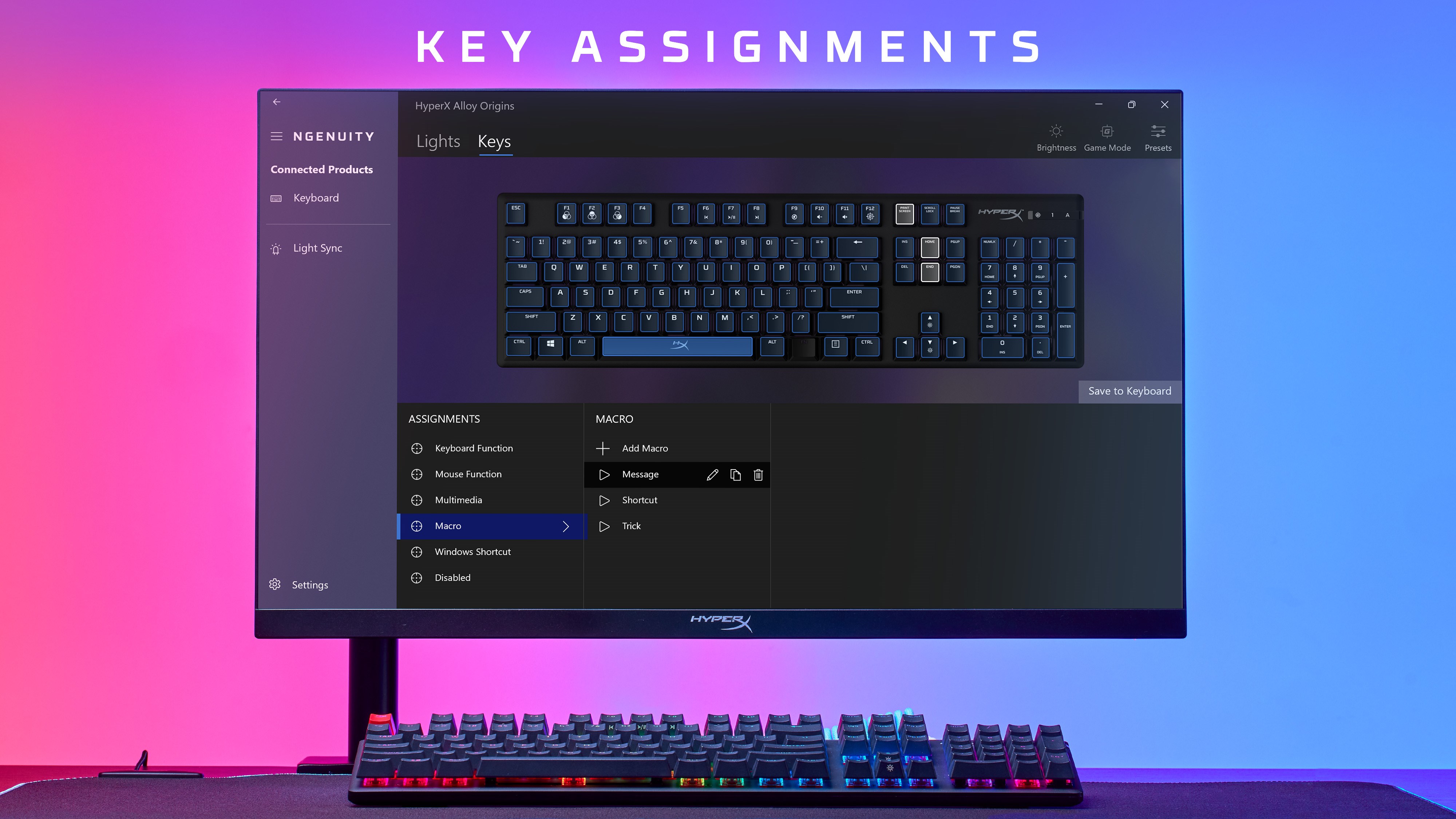
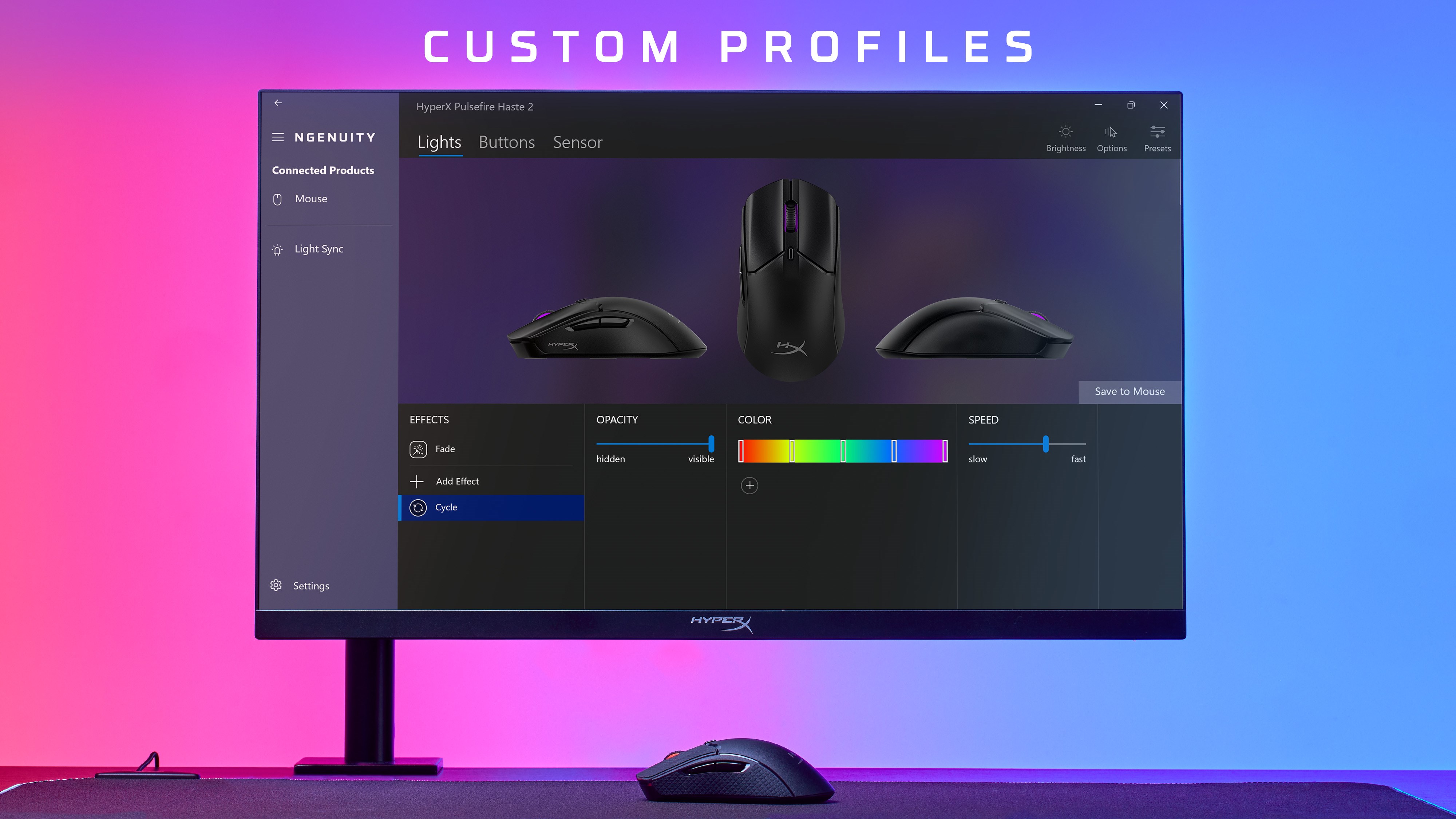
HyperX NGENUITY is a powerful application designed to give users granular control over their HyperX gaming peripherals, enabling tailored lighting, button configurations, and performance settings that turn your gear into an extension of your personal style and gameplay needs.
Developed by HyperX, a renowned brand under HP Inc., this application benefits from the company's deep expertise in gaming and PC accessories. HyperX's focus on creating user-centric hardware is reflected in the thoughtful features embedded in NGENUITY, aiming to streamline customization for gamers and enthusiasts alike.
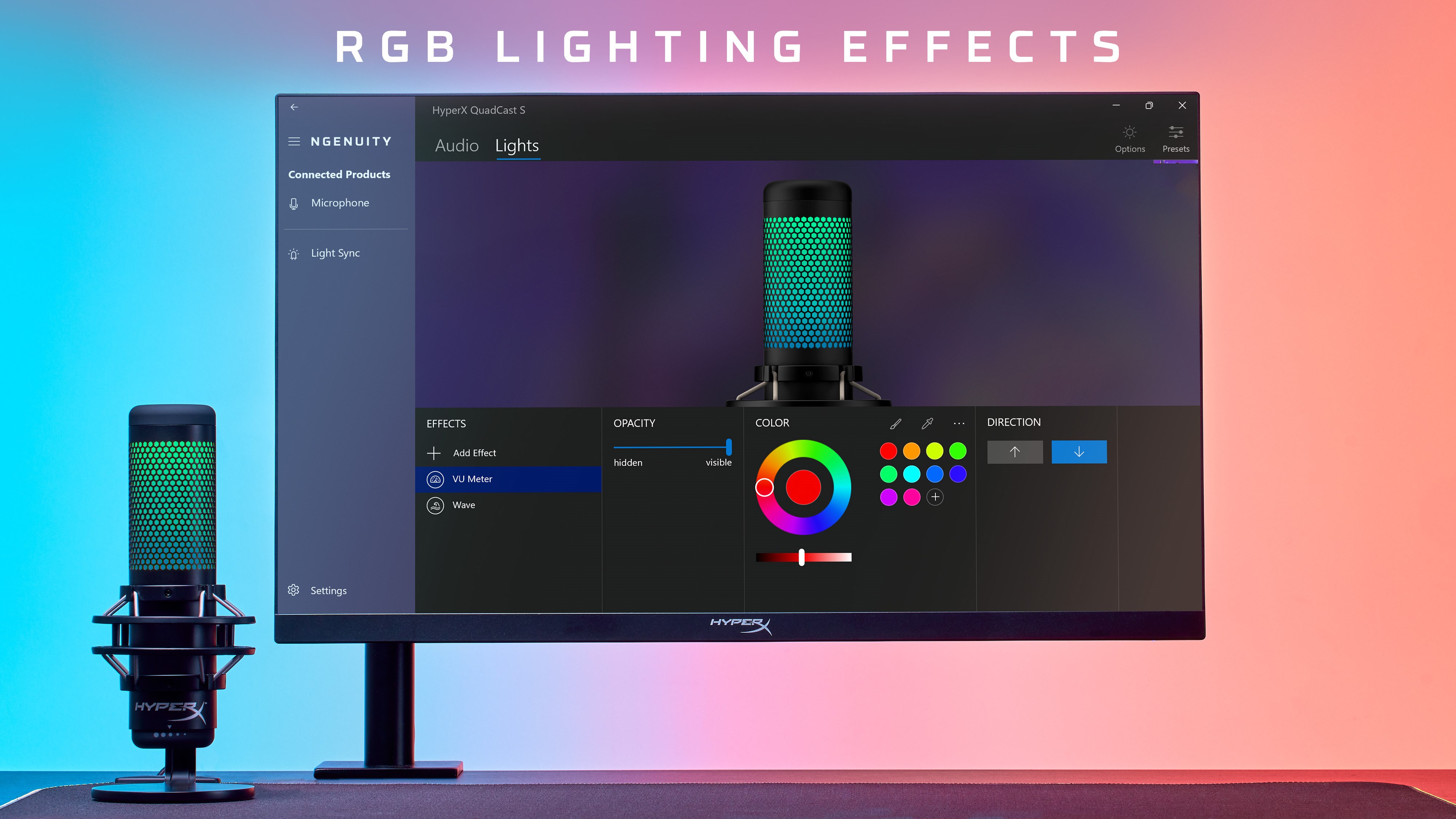
Imagine stepping into a cockpit where every gear responds precisely to your commands—this is what NGENUITY aims to deliver. The interface greets you with a sleek, modern aesthetic, reminiscent of a high-end control panel that's both inviting and functional. Spinning up the lighting effects feels like conducting a symphony, with sliders and color pickers acting as your instruments. No matter if you're a rookie gamer or a seasoned pro, the system's laid-back learning curve means you'll be customizing and experimenting within minutes, rather than hours. Transitions between adjusting lighting, configuring buttons, or switching profiles are smooth and instantaneous, thanks to optimized animation and responsive controls.
Compared to other utility apps in the same domain, HyperX NGENUITY shines brightest in its targeted focus on HyperX peripherals, allowing users to seamlessly sync devices for a unified aesthetic. Its profile management system is particularly robust, enabling users to craft specific setups tailored for different games or tasks, then effortlessly switch between them without fuss. What's more, its macro editor offers advanced options that rival some high-tier software, yet retains accessibility through its straightforward design. This combination of depth and simplicity makes NGENUITY a standout in device customization—it's like having a studio control panel that adapts to your needs, whether you're looking to set mood lighting for streaming or optimize gaming response times.
Overall, HyperX NGENUITY offers a compelling, user-friendly experience that empowers users to personalize their peripherals thoroughly. Its standout features—particularly the synchronized RGB control and versatile profile management—make it a useful tool for gamers, streamers, and PC enthusiasts seeking a polished, customizable setup. I would recommend it to anyone who owns HyperX devices and wants a streamlined, dedicated solution to enhance their hardware's aesthetics and functionality. While it may not offer the extensive macro capabilities or setup complexity found in some higher-end software, its targeted focus and ease of use make it a valuable addition to your gaming toolkit.
Intuitive User Interface
Highly Customizable Settings
Seamless Device Management
Profiles & Presets Support
Regular Software Updates
Limited Compatibility with Non-HyperX Devices
Occasional Software Crashes
Slow Response Times in Large Profiles
Lack of Advanced Customization Features for Some Devices
Limited Language Support

for Windows
 5
5

for Windows
5

for Windows
5

for Windows
5

for Windows
5

for Windows
4.9

for Windows
4.9

for Windows
4.9

for Windows
4.9

for Windows
4.9

for Windows
4.9

for Windows
4.9

for Windows
5

for Windows
5

for Windows
5
for Windows
5

for Windows
5

for Windows
5

for Windows
5

for Windows
5

for Windows
5

for Windows
5