Personalization
Microsoft Corporation
PC
Windows 10 version 18362.0 or higher
English (United States)
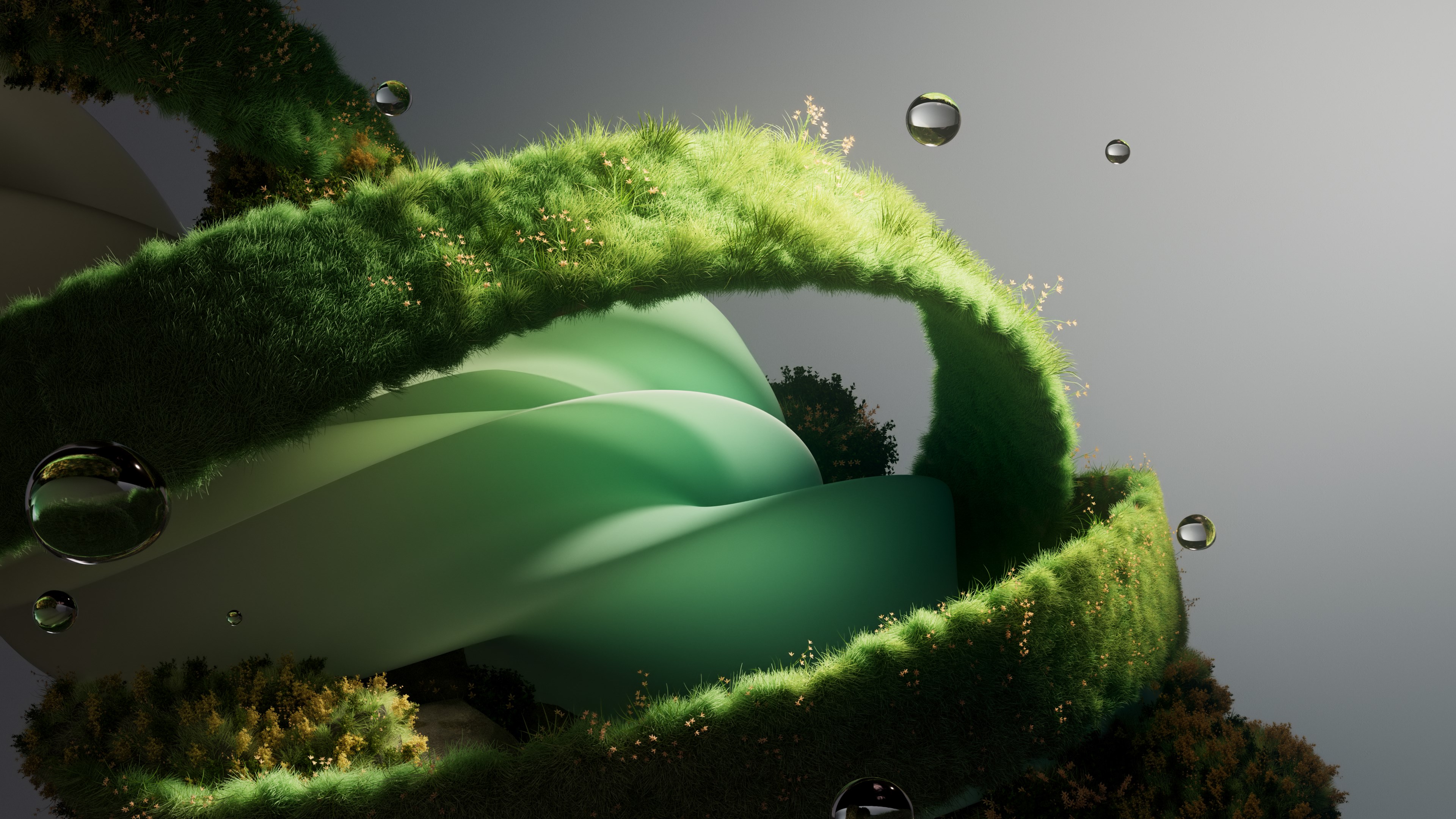
Hues of Nature for Windows is a thoughtfully crafted app that transforms your desktop environment by offering a diverse array of stunning nature-inspired wallpapers, seamlessly blending art and tranquility into your daily digital experience.
Hues of Nature for Windows is a personalization tool designed to enrich your desktop aesthetic with captivating nature scenes. Developed and published by Microsoft Corporation, this application serves as a versatile wallpaper hub that emphasizes aesthetic diversity and customization ease. Its core features include a vast library of high-quality wallpapers, adaptive theme compatibility, and intuitive navigation. The target audience primarily comprises Windows users seeking to elevate their workspace ambiance — from professionals aiming for calming backgrounds to nature enthusiasts eager to stay connected with the outdoors while indoors.
Imagine gazing at your screen and feeling as if you've stepped outdoors into a peaceful forest, a calming beach, or a vivid sunset — that's the vibe Hues of Nature aims to evoke. Its curated collections of natural scenes are more than just wallpapers; they are a window into the world's most tranquil and inspiring landscapes. The app makes customization feel like decorating a personal gallery, where every glance invites serenity and inspiration.
The standout feature of Hues of Nature is its extensive library of high-resolution nature imagery. With hundreds of carefully selected photographs—from lush forests and rugged mountain vistas to serene lakes and vibrant sunsets—the app ensures your screen is never short of breathtaking scenes. The latest updates even offer seasonal themes, providing fresh perspectives throughout the year. This broad variety enables users to find images that resonate with their mood and style, making every day feel personalized and uplifting.
One of this app's most notable strengths is its ability to harmonize with existing Windows themes and settings. Unlike some wallpaper apps that function as standalone overlays, Hues of Nature complements your system's look, supporting features like dark modes and accent color matching. This integration creates a cohesive aesthetic, where your desktop feels like a thoughtfully designed space rather than a patchwork of disparate elements. This compatibility is particularly appealing for users who prefer a polished, unified interface without sacrificing personalization.
The app sports a clean, user-friendly interface that resembles a well-organized art gallery. Navigating through various categories is smooth and straightforward, requiring just a few clicks to find the perfect scene. The transition effects are gentle, and the loading times are impressively minimal, which keeps the experience fluid. Users can preview wallpapers before applying, and the setup process is so simple that even those new to personalization tools will feel confident tinkering. The learning curve is shallow, making it suitable for users of all tech skill levels.
While many wallpaper applications exist, Hues of Nature distinguishes itself with its emphasis on aesthetic coherence and a curated selection that prioritizes quality over quantity. Its ability to adapt seamlessly to Windows themes enhances the overall user experience, creating an environment that feels integrated and refined. Moreover, the app's focus on natural imagery offers a calming alternative to more abstract or animated wallpapers, making it particularly appealing for users looking to reduce distraction and foster tranquility during work or leisure.
If you're on the hunt for a reliable, visually stunning way to personalize your Windows desktop—especially if you cherish nature's serenity—Hues of Nature is highly recommended. Its rich collection, seamless theme integration, and user-friendly design make it an excellent choice for both casual users and enthusiasts. Whether you want to enhance focus, add a touch of elegance, or simply enjoy beautiful landscapes every day, this app offers a thoughtfully curated experience that's worth exploring. Just set it and forget it — your desktop will thank you with a fresh, calming new look.
Beautiful and immersive visuals
High-quality sound design
User-friendly interface
Customizable scenes and sounds
Regular updates with new content
Occasional lag during scene transitions
Limited free content
App size is fairly large
Audio controls can sometimes be unresponsive
Limited customization options for scene complexity

for Windows
 5
5

for Windows
5

for Windows
5
for Windows
5

for Windows
5

for Windows
4.9

for Windows
4.9

for Windows
4.9

for Windows
4.9

for Windows
4.8

for Windows
4.8

for Windows
4.8
for Windows
5

for Windows
5

for Windows
5

for Windows
5

for Windows
5

for Windows
5

for Windows
5

for Windows
5
for Windows
5

for Windows
5