Entertainment
Frédéric Lachapelle
PC
Windows 10 version 17763.0 or higher
English (United States)
Fred TV is a Windows application designed to deliver personalized entertainment content, making it easier for users to discover movies, TV shows, and streaming links tailored to their preferences. With a sleek interface and intelligent recommendations, it aims to be a staple for entertainment enthusiasts seeking a custom viewing experience.
Developed and published by Frédéric Lachapelle, Fred TV leverages a straightforward approach to content aggregation and personalized suggestions. Its main features include an intuitive content discovery algorithm, seamless navigation, and user-friendly customization options, making it accessible for both casual viewers and dedicated cinephiles. Targeted primarily at entertainment lovers who crave tailored content and a clutter-free interface, this app promises to simplify the often overwhelming world of streaming options.
Imagine opening a window to a curated universe of videos that seem to read your mind—Fred TV does just that. Unlike traditional streaming interfaces crowded with irrelevant suggestions, Fred TV introduces a more refined, almost conversational browsing experience. Its smart content discovery system acts like a knowledgeable friend guiding you to what suits your taste, turning what might feel like a chore into an enjoyable journey through a personalized content landscape.
At the heart of Fred TV lies an advanced algorithm that assesses your viewing habits to craft tailored content suggestions. Whether you're into sci-fi thrillers or classic comedies, the app learns over time, refining its recommendations to match your evolving preferences. This feature ensures that your screen remains populated with interesting options without endless scrolling—a boon for time-strapped users or those overwhelmed by the sheer volume of streaming options.
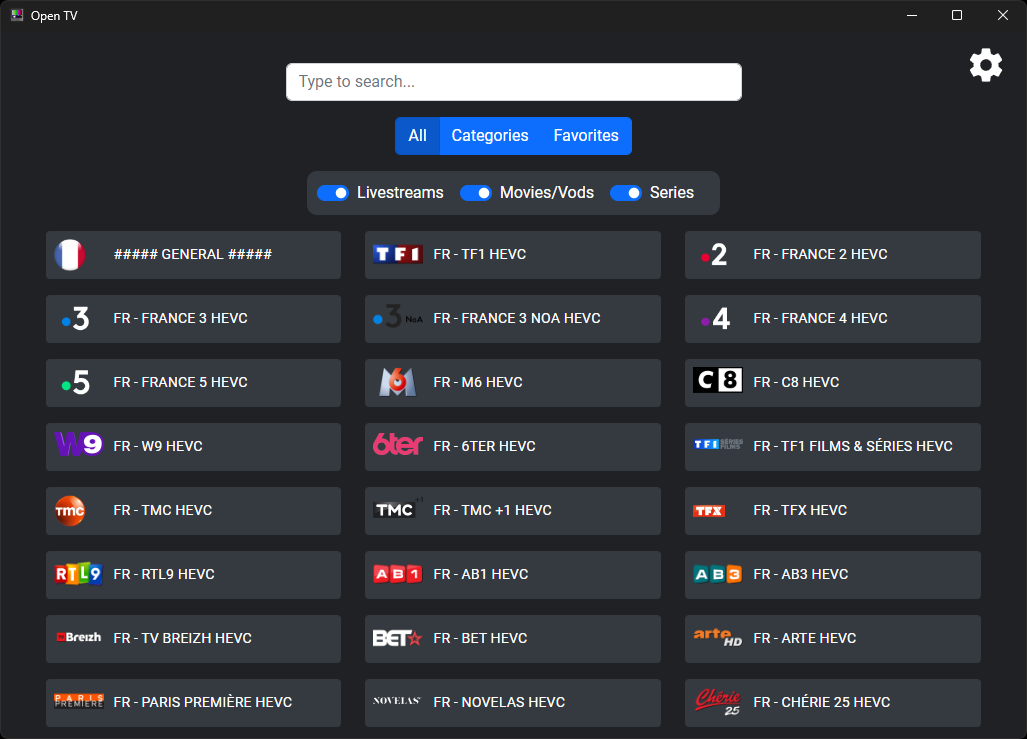
Fred TV sports a clean, modern interface reminiscent of a well-organized bookshelf—visual, neat, and inviting. Navigating through categories or searching for specific titles feels fluid, akin to flipping through well-labeled folders on your desktop. The app's responsiveness ensures that even on modest hardware, the experience remains smooth, with minimal lag or clutter, making content browsing a pleasure rather than a chore.
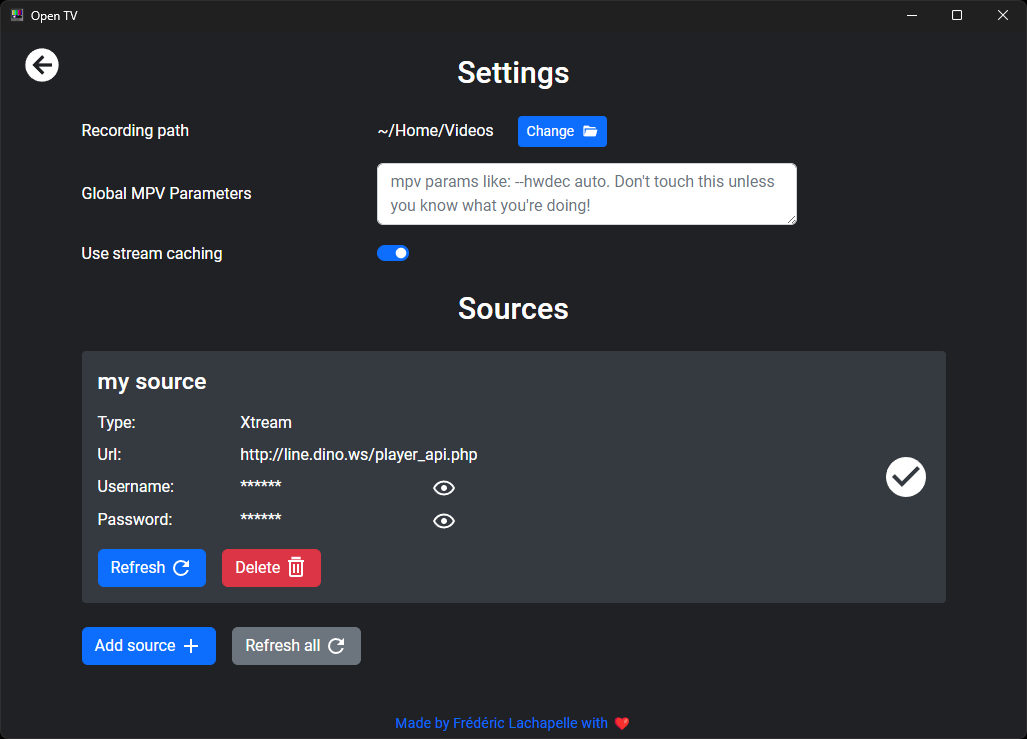
With Fred TV, creating and managing personalized watchlists is straightforward, allowing users to bookmark favorites or upcoming releases effortlessly. The app aggregates streaming links from various sources, acting like a hub for all your preferred content providers, so you don't have to hop from app to app. This centralization simplifies the viewing process, especially for users who juggle multiple streaming platforms.
While many entertainment apps claim to suggest content, Fred TV's standout feature is its sophisticated recommendation algorithm that emphasizes relevance over generic suggestions. Unlike platforms that clutter your feed with popular titles that might not fit your taste, Fred TV's personalized algorithms analyze your viewing patterns—like a maître d' who knows exactly what you want before you ask. This focus on relevance enriches the user experience, making browsing feel less like a lottery and more like a curated experience.
Additionally, its seamless content aggregation from multiple streaming sources reduces the frustration of toggling between different apps. For users overwhelmed by the proliferation of standalone streaming services, this consolidation offers a practical and efficient way to discover content tailored to their preferences without the hassle of numerous subscriptions or searches.
Overall, Fred TV is a well-conceived entertainment app that excels in personalized recommendations and user-centric design. It's particularly recommended for users who value curated content and dislike the clutter associated with traditional streaming interfaces. Its learning-driven recommendation engine and streamlined navigation make it a valuable addition for anyone seeking a more intelligent video discovery experience on Windows.
While it may not replace dedicated streaming apps if you desire direct access to specific services, Fred TV acts as a smart helper, enhancing your content discovery process. If you're looking for an app that grows with your tastes and offers relevant suggestions without the fluff, giving Fred TV a spin is definitely worth your while.
User-friendly interface
Wide content selection
High video quality
Multiple device support
Offline viewing option
Limited free content
Occasional buffering issues
Search functionality could be improved
Limited parental control features
Some app crashes reported on older devices
for Windows
 5
5

for Windows
4.8

for Windows
4.8

for Windows
4.8

for Windows
4.7

for Windows
4.6

for Windows
4.6

for Windows
4.6

for Windows
4.6

for Windows
4.6

for Windows
4.6

for Windows
4.6

for Windows
5

for Windows
5

for Windows
5

for Windows
5
for Windows
5

for Windows
5

for Windows
5

for Windows
5

for Windows
5

for Windows
5