Photo & video
Mobile, PC
Windows 10 version 10240.0 or higher
Chinese (Simplified), Chinese (Traditional), Danish, Dutch, English, English (United States), Finnish, French, German, Greek, Indonesian, Italian, Japanese, Korean, Malay, Norwegian (Bokmål), Portuguese, Russian, Spanish, Swedish, Turkish, Vietnamese
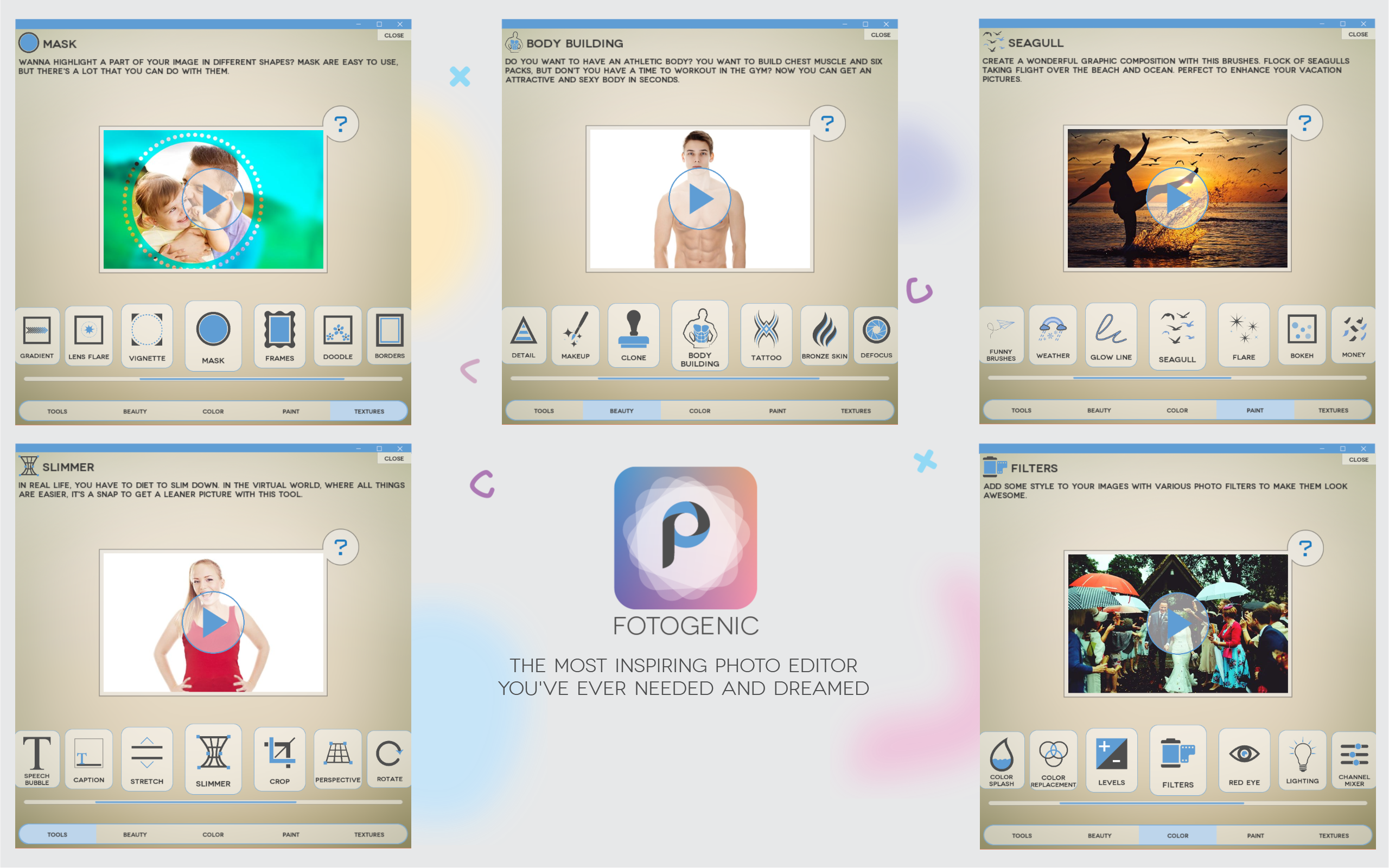
Fotogenic is a versatile and user-friendly photo editing application designed specifically for Windows users, offering a comprehensive suite of editing tools wrapped in a clean and intuitive interface.
Developed by Hde 7 Software, a team dedicated to creating accessible and powerful editing tools, Fotogenic aims to serve both amateur photography enthusiasts and casual users seeking to enhance their images effortlessly.
Jumping into Fotogenic's interface feels akin to stepping into a well-organized artist's studio—clean, inviting, yet packed with tools. Designing with clarity in mind, the layout minimizes clutter and provides easy access to features. The onboarding is straightforward; even beginners can start editing from scratch within minutes. The responsive design ensures that as you tweak sliders or apply effects, the system keeps pace without lag, making the editing process smooth as silk. The learning curve is gentle, with most tools intuitively understandable; however, exploring some of the advanced features can be rewarding for those eager to experiment.
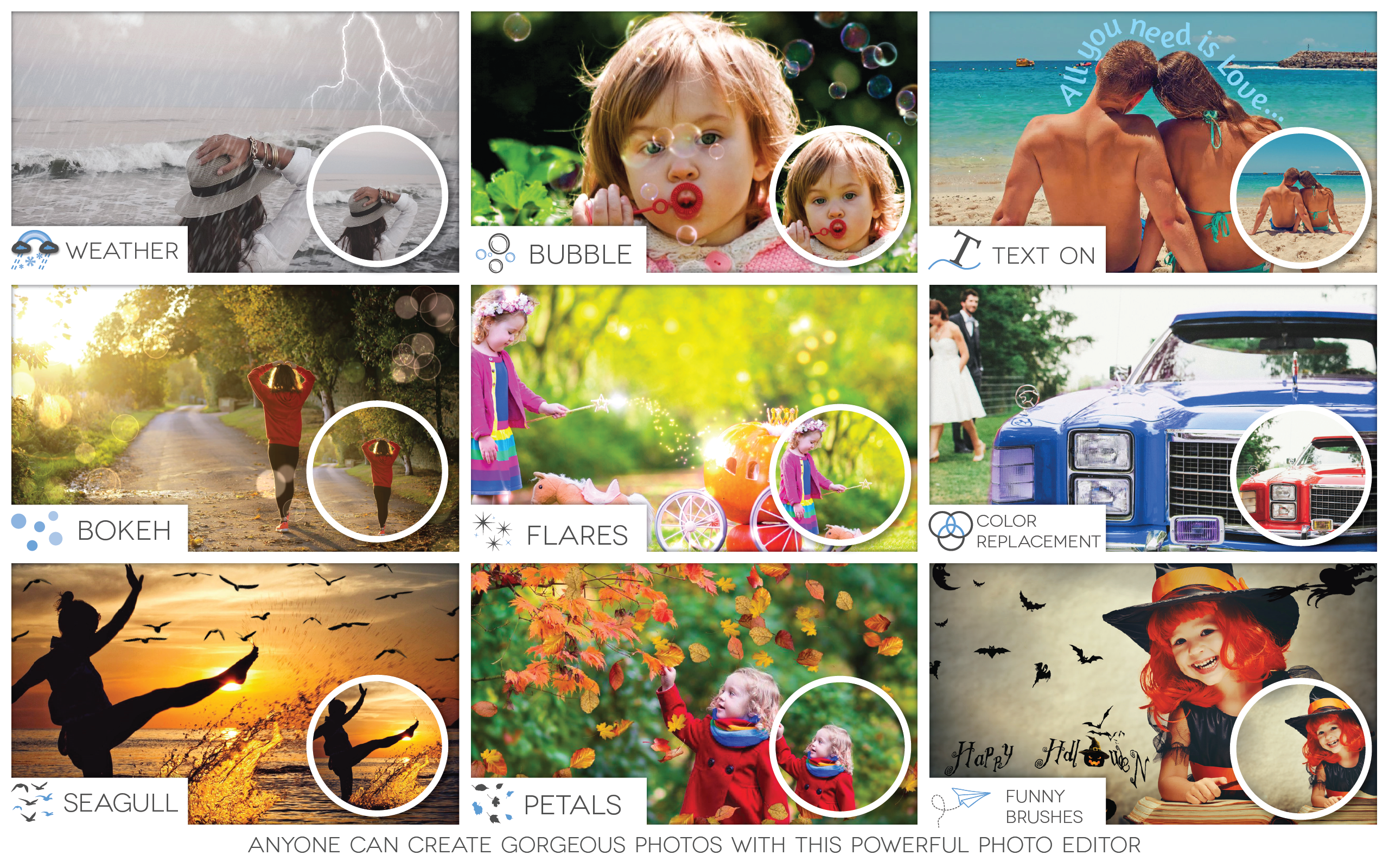
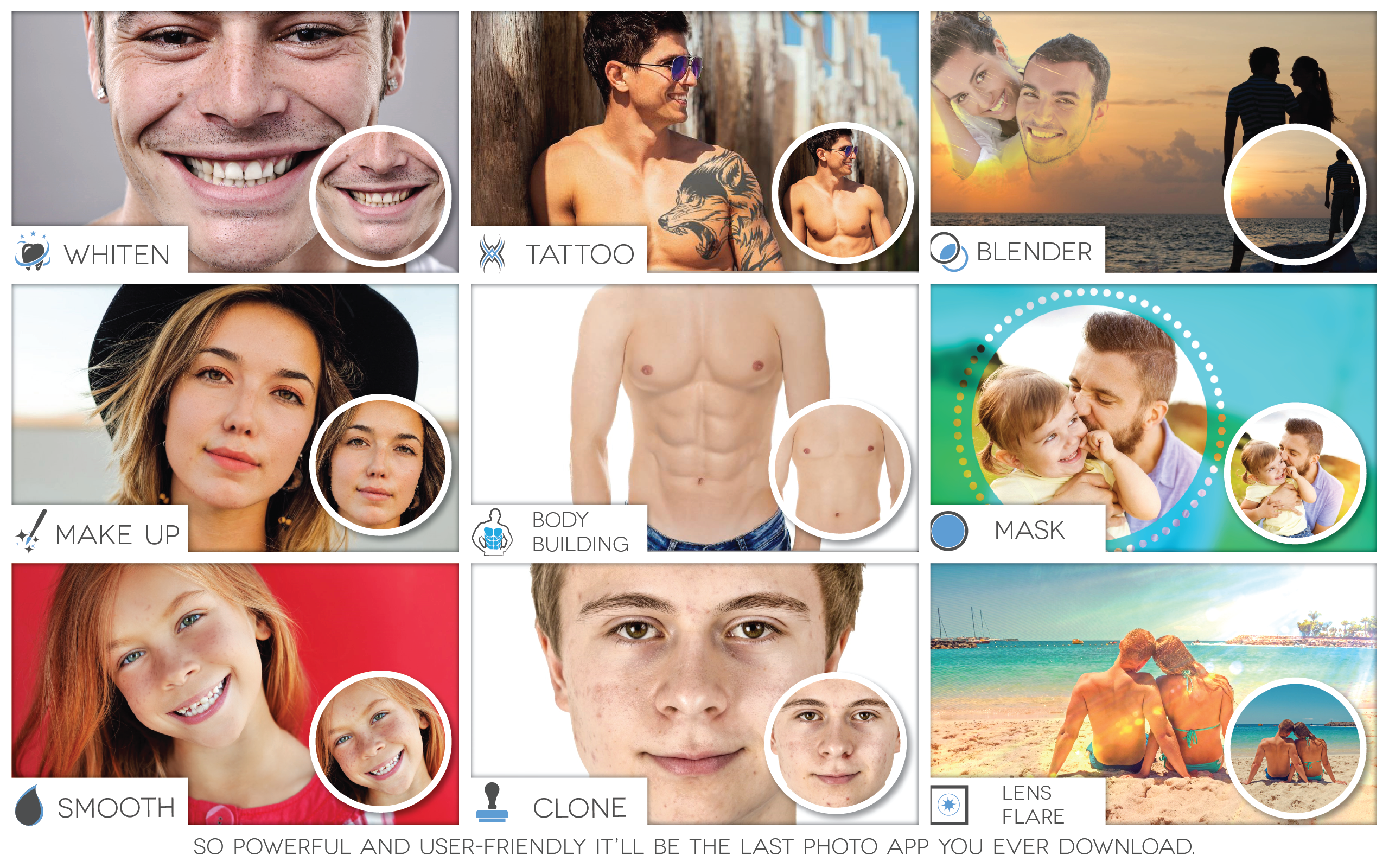
One of Fotogenic's standout features is its extensive library of filters and artistic effects. Imagine turning a dull photo into a vibrant painting or a dramatic black-and-white scene with just a few clicks. The filters are highly customizable, allowing users to fine-tune their intensity, blending modes, and layering options, offering endless creative possibilities. This functionality sets Fotogenic apart from more basic editors, providing professional-grade results without the complexity ascribed to high-end software.
The layer system is another highlight that elevates Fotogenic above simpler apps. It enables users to work non-destructively—adding overlays, text, masks, and multiple adjustments without losing original image quality. Think of it as working on a digital scrapbook, where each element can be moved, edited, or removed independently. This feature caters well to users seeking more control and precision in their edits, fostering a more professional workflow compared to app-only editors that operate solely with global adjustments.
The app's interface and performance contribute significantly to a positive user experience; it feels responsive and stable, even with multiple layers open. The minimal learning curve means that beginners can quickly grasp the basic functions, while advanced users can delve into more nuanced editing techniques. In comparison to other photo editors—like basic crop tools or limited filter apps—Fotogenic's layered approach and rich effects give it a creative edge. Unlike some competitors that focus purely on one aspect (such as filters or retouching), Fotogenic balances both with finesse, making it a versatile choice without overwhelming the user.
Fotogenic stands out for its balance of simplicity and professional-grade features, making it an appealing choice for Windows users who want more than just basic editing. Its intuitive interface, coupled with a powerful layer system and a diverse range of artistic effects, provides a creative playground for users of all skill levels. While it might lack some advanced automation seen in high-end desktop editors, its robust core functionalities make it a worthwhile tool for enhancing everyday photos or crafting more artistic compositions.
If you're seeking an accessible yet versatile photo editor that can elevate your images with minimal fuss, Fotogenic is definitely worth trying out. Whether you're editing quick snaps or exploring more layered, creative projects, this app offers a reliable and enjoyable editing experience.
User-friendly interface
Wide range of filters and effects
Powerful editing tools
Fast processing speed
Regular updates and new features
Limited free features
Occasional crashes on older devices
Watermark on exported images in free version
Learning curve for advanced tools
Limited export resolution for free users

for Windows
 5
5

for Windows
4.9

for Windows
4.8

for Windows
4.8

for Windows
4.8

for Windows
4.7

for Windows
4.7

for Windows
4.7
for Windows
4.7

for Windows
4.7

for Windows
4.7

for Windows
4.7

for Windows
5

for Windows
5

for Windows
5

for Windows
5

for Windows
5

for Windows
5

for Windows
5

for Windows
5

for Windows
5

for Windows
5