Productivity
PC
Windows 10 version 17763.0 or higher
Bangla, Chinese (Simplified), Chinese (Traditional Chinese), Czech, Dutch, English, Filipino, French, German, Greek, Hindi, Hungarian, Indonesian, Italian, Japanese, Korean, Norwegian, Polish, Portuguese, Romanian, Russian, Slovak, Spanish, Swedish, Telugu, Thai, Turkish, Ukrainian, Vietnamese
Imagine having a personal assistant that gently guides you through your daily tasks, reducing mental clutter and keeping you on track without overwhelming you. That's precisely what Focus To-Do for Windows aims to achieve—offering a simple yet powerful task management experience tailored for those who seek to balance focus and productivity seamlessly.
Developed by Super Element, Focus To-Do for Windows positions itself as an intuitive task management tool designed to help users prioritize, organize, and complete their daily responsibilities. Its main highlights include integrated Pomodoro timers, customizable task structures, and seamless cross-platform synchronization. Perfectly suited for students, professionals, or anyone striving to cultivate disciplined work habits, this app emphasizes reducing cognitive overload while maintaining feature richness.
Upon launching Focus To-Do, you're greeted with a clean, calm interface that invites you to dive into your tasks without the distraction of clutter. The UI design balances simplicity with functionality—think of it as a well-organized desk that makes finding what you need effortless.
Navigation is smooth, with minimal learning curve; new users can quickly grasp how to add, categorize, and prioritize tasks. The app's flow feels natural, encouraging longer productive sessions without interruption. Its interface adapts well across different screen sizes, making it equally comfortable on large monitors or smaller displays.
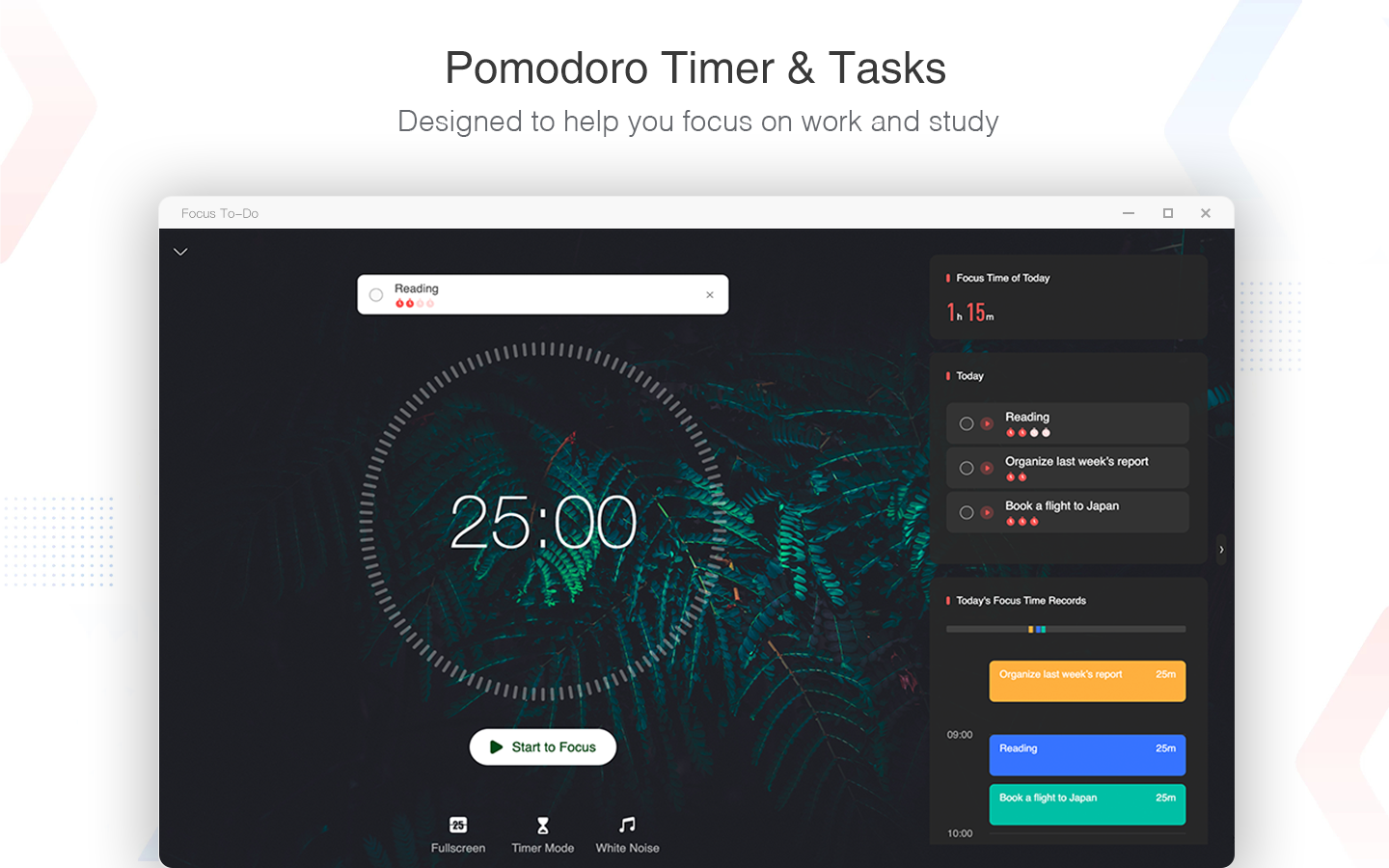
One of Focus To-Do's standout features is its integrated Pomodoro timer, which promotes time-boxed work sessions. Users can customize session lengths, break intervals, and even monitor their focus progress throughout the day. Unlike traditional task managers that simply list items, this feature actively encourages you to pair tasks with dedicated focus periods, effectively reducing mental exhaustion and enhancing concentration—akin to having a personal coach reminding you to stay committed.
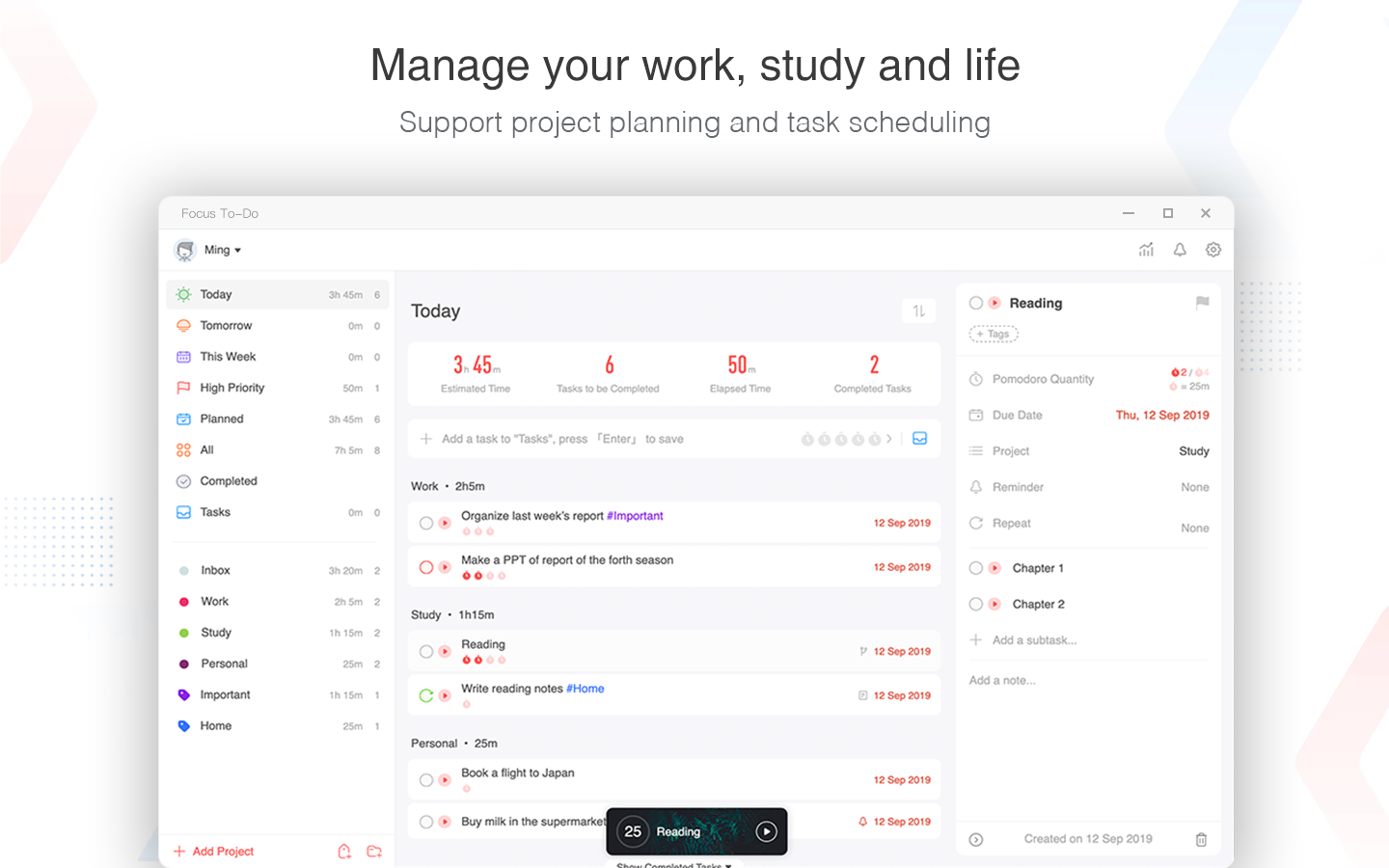
The app supports hierarchical task organization, allowing users to break down complex projects into smaller, manageable steps. Custom tags enable categorization by priority, context, or project, making it easy to filter and view relevant tasks at a glance. This depth in task management helps minimize juggle fatigue and keeps all your priorities visually accessible without feeling overwhelming—think of it as a well-marked map guiding you through a bustling city.
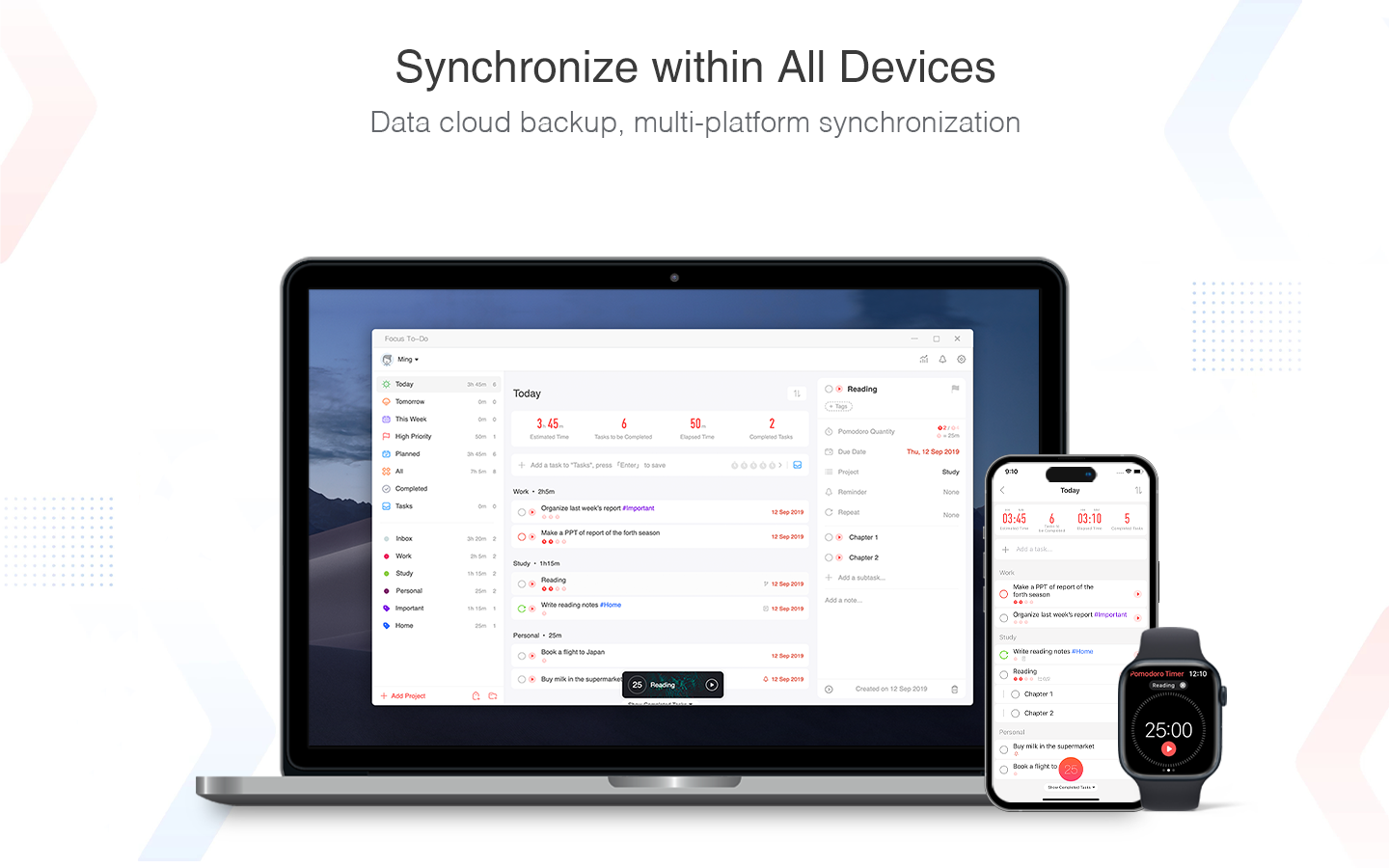
Focus To-Do syncs seamlessly across Windows, Android, and other platforms, ensuring that your tasks follow you wherever you go. Built-in reminders help prevent missed deadlines, while options to set recurring tasks support long-term routines. This synchronization capability ensures continuity, reducing the cognitive load involved in remembering what's next, much like having your trusted assistant always at hand.
In terms of design, Focus To-Do strikes a delicate balance—its interface is uncluttered yet informative, allowing you to stay focused without sacrificing visibility into your task list. The app's responsiveness is commendable; switching between tasks, starting timers, or updating priorities feels instantaneous, reinforcing a sense of control rather than frustration.
Learning to harness its full potential is straightforward; for newcomers, the minimalist layout offers little barrier to entry, while power users can explore deeper customizations. The app's workflow feel nearly subconscious once familiar, helping you dedicate more cognitive resources to your actual work rather than managing the tool itself.
Compared to other productivity apps, Focus To-Do excels in integrating the Pomodoro technique directly into its core workflow—not as an add-on. This tight integration enables users to focus intensely and take meaningful breaks without juggling multiple tools. Moreover, its design philosophy prioritizes reducing cognitive load by avoiding feature bloat; instead of overwhelming users with hundreds of settings, it emphasizes essential tools that support clean, effective work routines. This approach reduces "decision fatigue" and makes maintaining focus easier especially during prolonged sessions.
If you're seeking a straightforward, reliable task manager with an emphasis on focus technique, Focus To-Do is a strong candidate. Its lightweight interface paired with deep task and time management features makes it suitable for both beginners and seasoned productivity enthusiasts. For users aiming to streamline their workflow without the distraction of overly complex features, this app provides a refreshing balance.
We recommend giving it a try, particularly if time management and minimizing distraction are your primary goals. Its cross-platform capability ensures that your productivity boost is mobile and persistent. Just keep in mind that while it's excellent for focus, it may lack some advanced project-tracking features found in heftier alternatives, so consider your specific needs before making it your main productivity hub.
Intuitive task management interface
Seamless cross-platform synchronization
Built-in focus timer feature
Robust reminder and alarm functions
Supports sub-tasks and task prioritization
Limited free features compared to premium plans
Occasional synchronization delays
Lacks deep customization options for notifications
Limited offline capabilities for some features
Some users report occasional app crashes

for Windows
 5
5

for Windows
5

for Windows
4.9

for Windows
4.9

for Windows
4.9

for Windows
4.8
for Windows
4.8

for Windows
4.8

for Windows
4.8

for Windows
4.8

for Windows
4.8

for Windows
4.8

for Windows
5
for Windows
5

for Windows
5

for Windows
5

for Windows
5

for Windows
5

for Windows
5

for Windows
5

for Windows
5
for Windows
5