


Platformer
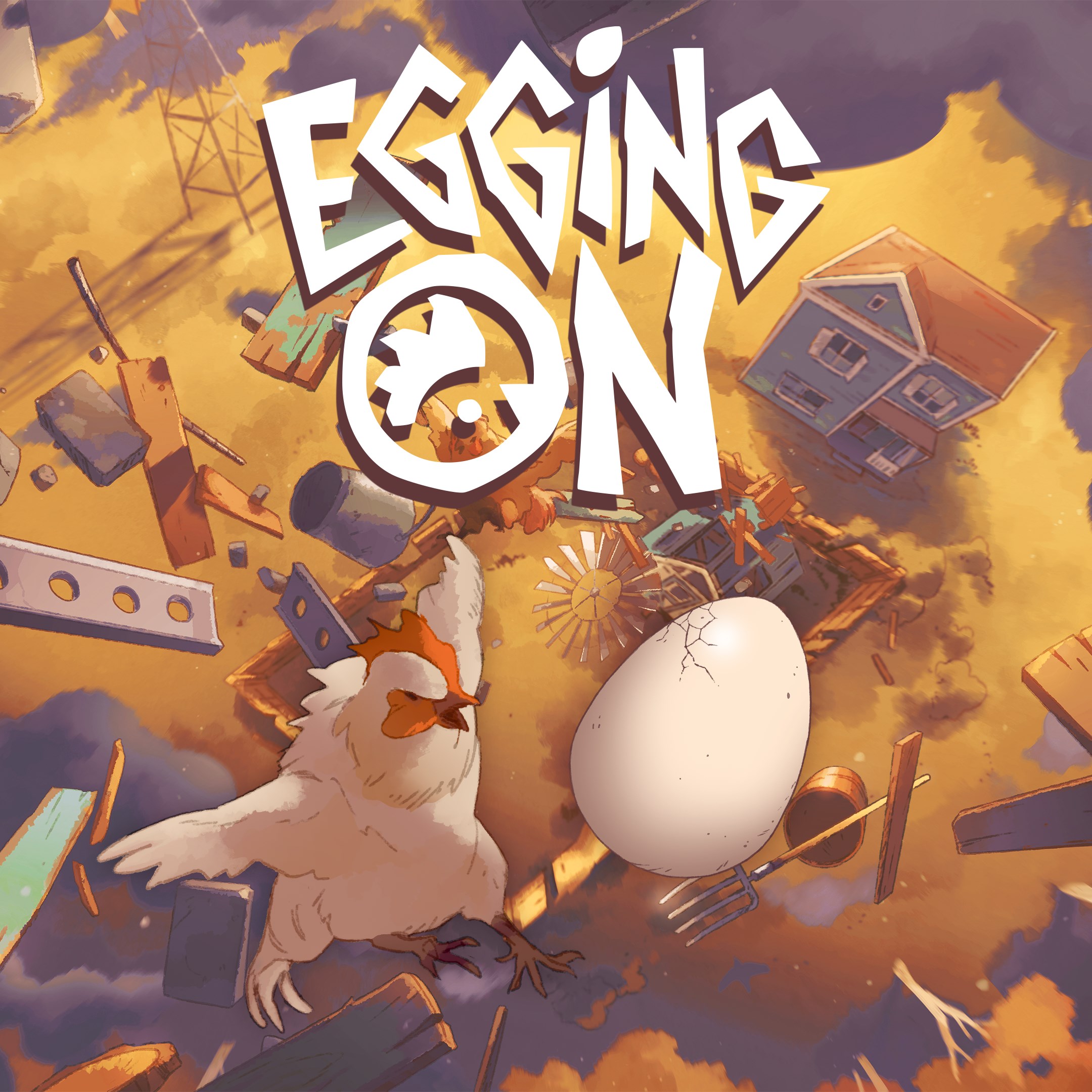
Imagine a charming world where quick reflexes and clever timing turn mundane moments into playful victories—that's exactly what Egging On offers. This delightful platformer from Alibi Games invites players to navigate through vibrant levels, challenging their agility and problem-solving skills. Whether you're a casual gamer seeking a quick burst of fun or a dedicated platforming enthusiast, Egging On presents a refreshing twist on the genre with its innovative mechanics and engaging design.
Egging On is a lively and colorful platformer game designed to test players' timing and precision, all wrapped in an accessible and engaging package. Developed by Alibi Games, a team recognized for creating intuitive and entertaining indie titles, Egging On stands out with its streamlined gameplay that emphasizes skillful execution over complex controls. The game boasts several notable features such as dynamic obstacle navigation, a unique egg-breaking mechanic that adds a playful layer of strategy, and vibrant, animated visuals that breathe life into every level. Its target audience primarily includes casual gamers of all ages who enjoy quick, skill-based challenges, as well as platformer aficionados eager for a fresh experience that combines classic runs with inventive twists.
Right from the moment you launch Egging On, you're greeted with a bright, inviting world that sparks curiosity. The game's premise, simple yet compelling, revolves around guiding an egg through various obstacle-filled levels—think of it as a daring egg embarking on an adventurous journey. The core mechanic, which involves "egging" your obstacle avoidance strategy, transforms traditional platforming into a delightful dance of timing and precision. The game's levels are thoughtfully designed to keep players on their toes, requiring quick decision-making to jump, dodge, and occasionally, perform a satisfying egg-breaking move that clears the path for progress.
One of Egging On's most charming aspects is its cartoonish, lively graphics. The colorful environments resemble a storyboard pulled straight from a children's book—bright fields, quirky factories, and whimsical hazards. The interface is intuitive, with clean controls that even a newcomer can pick up effortlessly. The game's menus are straightforward, focusing the player's attention on gameplay rather than confusing navigation. As for performance, the game runs smoothly on Windows, with seamless responsiveness that makes controlling the egg feel natural and satisfying.
Egging On offers a gentle learning curve that quickly accelerates into more challenging gameplay—perfect for both beginners and seasoned players. The mechanics are easy to grasp: tap to jump, time your moves, and learn the patterns of obstacles. The controls are tight, making every hop and dodge feel precise—it's like tuning a finely crafted instrument. The game rewards practice, but it never punishes harshly, encouraging players to keep trying without frustration. This balance is a key factor in its accessibility and replayability.
While many platformers focus primarily on speed or intricate puzzles, Egging On's most unique feature is its "egg-breaking" mechanic. This playful twist turns traditional obstacle avoidance into an interactive mini-game—hitting the right moment to smash an obstacle with a well-timed click or tap opens new strategies. Complementing this is the game's lively art style and cheerful soundtrack, which create an atmosphere that feels both lighthearted and rewarding. Compared to similar platformers, Egging On manages to blend classic run-and-jump gameplay with a sense of humor and creative innovation, making each level feel fresh and engaging.
I'd recommend Egging On to anyone seeking a casual yet challenging platformer experience on Windows. Its approachable controls, engaging mechanics, and vibrant visuals make it suitable for players of all ages. For those who love quick bursts of gameplay or enjoy mastering timing-based challenges, Egging On offers plenty of replay value. I particularly suggest trying out the egg-breaking mechanic—it's the game's most memorable feature and adds an extra layer of strategic depth. Whether you're looking to relax with some whimsical fun or hone your reflexes, Egging On is a virtue of well-designed simplicity wrapped in a charming package. It's a delightful journey that proves even a humble egg can be a hero in its own right.
User-Friendly Interface
Engaging Gameplay
Regular Updates
Optimized Performance
Good Customer Support
Limited Content Variety
In-App Purchases Are Pervasive
Ads Can Be Intrusive
Battery Consumption
Limited Compatibility

for Windows
 4.7
4.7

for Windows
4.7

for Windows
4.6
for Windows
4.4

for Windows
4

for Windows
3.8
for Windows
3
for Windows
2.6

for Windows
0

for Windows
0

for Windows
0

for Windows
0

for Windows
5

for Windows
5

for Windows
5

for Windows
5

for Windows
5

for Windows
5

for Windows
5

for Windows
5

for Windows
5

for Windows
5

