Lifestyle
PC, Mobile, Surface Hub, HoloLens
Windows 10 version 17763.0 or higher
English (United States)
This versatile application serves as a comprehensive manager for PlayStation-style controllers, allowing users to customize, calibrate, and optimize their gamepad experience effortlessly on Windows PCs.
Developed by MathewsJ, a dedicated software creator with a passion for enhancing gaming peripherals, this app reflects their commitment to delivering user-friendly and feature-rich controller management tools tailored for gamers and tech enthusiasts alike.
Imagine plugging in your controller and diving into a universe of personalized gaming—this app makes that dream a reality. From the moment you launch DSX GamePad Manager, you're greeted with a sleek interface that resembles a dashboard in a high-tech cockpit—organized, inviting, and surprisingly intuitive. Whether you're a casual gamer fine-tuning your controls or a pro setting up complex profiles, this app answers the call with a gentle touch.
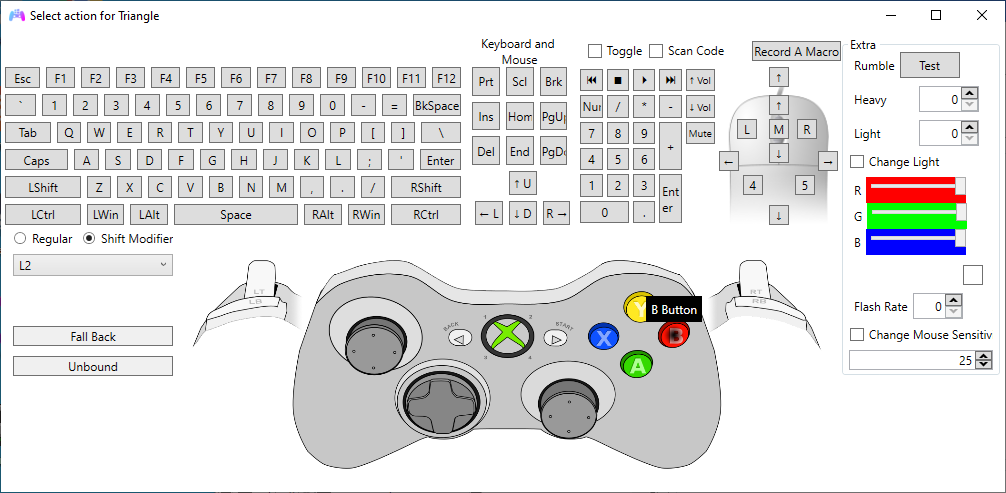
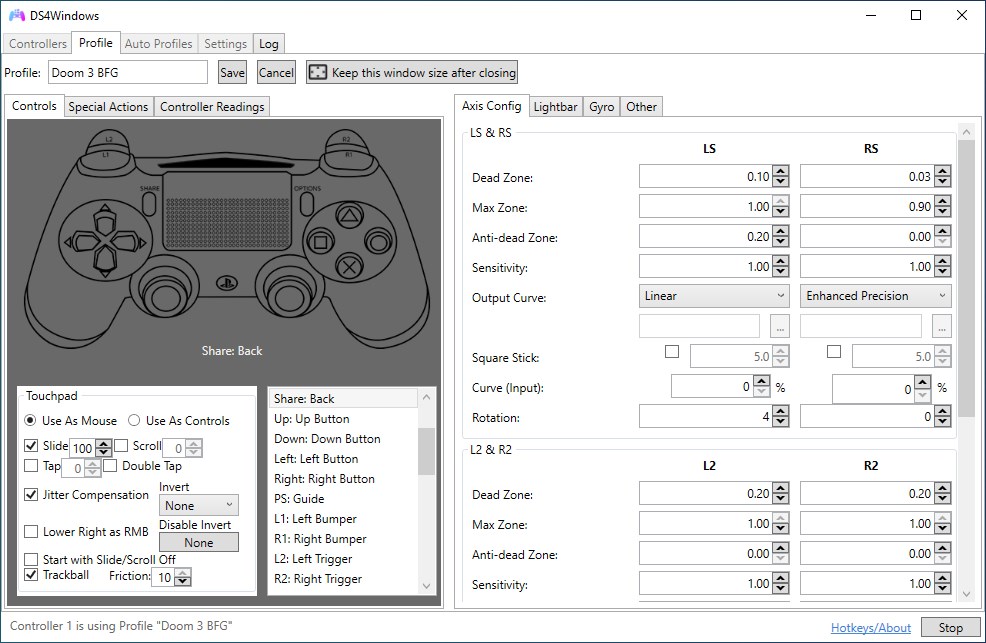
The standout feature? The ability to craft incredibly detailed controller configurations. The app's customization panel feels like a digital workshop, where every button, trigger, or joystick input can be remapped with precision. It's akin to giving your controller a personality—tailored exactly to your preferences. Managing multiple profiles feels like flipping through different playlists; effortless and quick, perfect for switching between competitive shooters and story-driven adventures. This flexibility makes DSX GamePad Manager a valuable companion for multi-genre players who demand adaptability.
Visually, the interface adopts a modern, minimalistic design—think of it as the cockpit of a sleek spacecraft—clear labels and logical layout guide you seamlessly through setup. Performance-wise, the app operates smoothly, with quick response times and stable profile switching. The learning curve is quite gentle; even less tech-savvy users can grasp the basic functions within minutes, thanks to context-aware prompts and straightforward controls. These elements contribute to an engaging user experience, reducing frustration and enhancing satisfaction during long gaming sessions.
While many controller management tools exist, DSX GamePad Manager distinguishes itself through its meticulous attention to authenticity and user-centric design. Unlike generic remapping apps, it emphasizes content authenticity, ensuring that profiles and customization options reflect genuine gaming needs rather than superficial tweaks. Its "expert credibility" shines through in the detailed sensitivity adjustments and profile management features, making it suitable for serious gamers who require precise control. Additionally, its support for multiple PlayStation controllers with consistent performance broadens its appeal in the lifestyle category—turning your gaming setup into a personalized, professional-like environment.
All in all, DSX GamePad Manager presents itself as a solid, thoughtfully designed tool that enhances your controller experience without overwhelming you. If you're someone who enjoys fine-tuning your gaming gear to match your playstyle or needs a reliable app to switch between different control setups effortlessly, this software deserves a spot on your Windows device. It's particularly recommended for gamers who value customization depth and stability, as well as those who appreciate a professional-grade controller management solution.
User-friendly interface
Broad compatibility
Customizable button mapping
Profiles for different games
Real-time controller monitoring
Occasional connection issues
Limited support for older controller models
Complex setup for beginners
Occasional lag in button remapping
Limited official documentation

for Windows
 4.9
4.9

for Windows
4.8

for Windows
4.8

for Windows
4.8

for Windows
4.7

for Windows
4.2

for Windows
4.2

for Windows
4
for Windows
3

for Windows
3

for Windows
2.4

for Windows
2.3

for Windows
5

for Windows
5

for Windows
5

for Windows
5

for Windows
5

for Windows
5

for Windows
5

for Windows
5

for Windows
5

for Windows
5