


Shooter
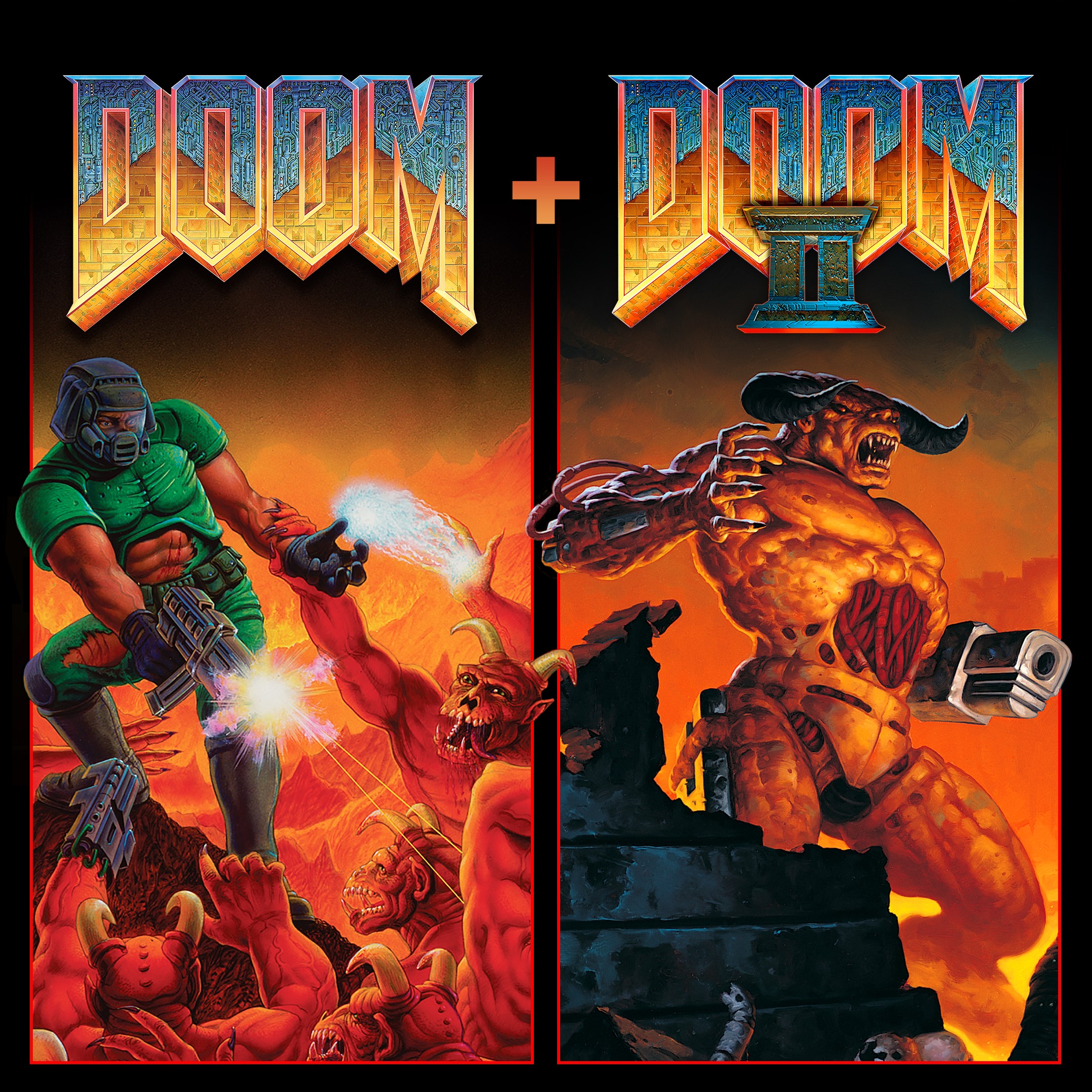
If you're a fan of the adrenaline rush of old-school shooters blended with modern convenience, DOOM & DOOM II for Windows offers a nostalgic yet polished experience that transports you straight into the fiery battlegrounds of Mars and beyond. Developed by Bethesda Softworks, this port brings two legendary titles into the digital age, maintaining the gritty charm while adding some contemporary tweaks.
At its core, this application is a faithful remaster of the iconic classic shooters DOOM and DOOM II, reimagined for the Windows platform with modern controls and accessibility. Designed to satisfy both nostalgic veterans and new players, it offers a seamless experience of relentless demon-hunting and fast-paced action.
This application caters to classic game enthusiasts, first-person shooter fans seeking raw, unfiltered action, and gamers interested in the history of gaming. Its accessibility also makes it appealing to newcomers who enjoy fast-paced, challenging gameplay with a retro flair.
Launching into DOOM & DOOM II feels like stepping into a time capsule—touches of grit, pixel-perfect gore, and a thunderous soundtrack hit you immediately. Whether you're conquering the labyrinthine levels or battling hordes of demons, the game evokes that classic 90s vibe, yet feels surprisingly fresh with its modern controls. It's like revving up a vintage muscle car—nostalgic but with a reliable modern engine underneath, ready to roar at your command.
The application preserves the original game's essence but enhances it with support for widescreen displays and higher resolutions. The menus are clean, straightforward, and cleverly designed for quick navigation—think of it as a well-organized armory that gets you straight into battling without fuss. The interface is intuitive, so new players won't feel lost, while veterans will appreciate the attention to detail in settings and customization options.
One of the standout aspects is the remarkably smooth gameplay flow. Controls are responsive, whether you're using keyboard and mouse or a gamepad, making frantic battles feel natural and exhilarating. The game maintains its challenging learning curve but offers flexible difficulty settings—perfect for beginners to slowly get their demon-slaying groove or veterans to be pushed to their limits. Load times are minimal, and the game runs stably even during intense firefights, akin to a well-oiled machine resembling a legendary warship held together with nostalgia and performance.
While many shooters today lean towards hyper-realistic graphics and expansive open worlds, DOOM & DOOM II for Windows shines with its focus on pure, visceral action. The game's biggest unique selling point lies in its faithful preservation coupled with modern customization. The ability to add custom mods and maps transforms the game from a simple port to a nearly limitless universe of chaos. Moreover, the game's straightforward, unpretentious design is in stark contrast to the complexity of contemporary shooters, offering a raw, no-frills experience that feels both immediate and intense.
If you're seeking a game that combines nostalgic charm with reliable modern performance, this port is highly recommended. It's particularly ideal for players who appreciate straightforward, adrenaline-pumping gameplay without the clutter of unnecessary features. Casual players might enjoy the game's easy-to-learn mechanics, while hardcore fans will value its moddability and faithful recreation of the classics.
In summary, DOOM & DOOM II for Windows stands out as a well-crafted tribute to the originals, blending cherished gameplay with modern enhancements. Whether reliving your childhood memories or discovering demon-slaying for the first time, this application deserves a spot in your digital library—prepared to deliver relentless thrills, pixel-perfect nostalgia, and a taste of gaming history that still packs a punch.
Authentic gameplay experience
Smooth performance on modern devices
Includes both Doom and Doom II in one app
Accessible control schemes
Regular updates and improvements
Limited multiplayer options
Graphics settings are basic
Some users experience occasional input lag
Sound settings are basic
No offline mode available initially
for Windows
 4.8
4.8

for Windows
4.7

for Windows
4.7
for Windows
4.7

for Windows
4.7
for Windows
4.7

for Windows
4.6

for Windows
4.6

for Windows
4.6

for Windows
4.6

for Windows
4.5

for Windows
4.5

for Windows
5

for Windows
5

for Windows
5

for Windows
5

for Windows
5

for Windows
5

for Windows
5

for Windows
5

for Windows
5

for Windows
5

