Entertainment
PC
Windows 10 version 14393.0 or higher
English
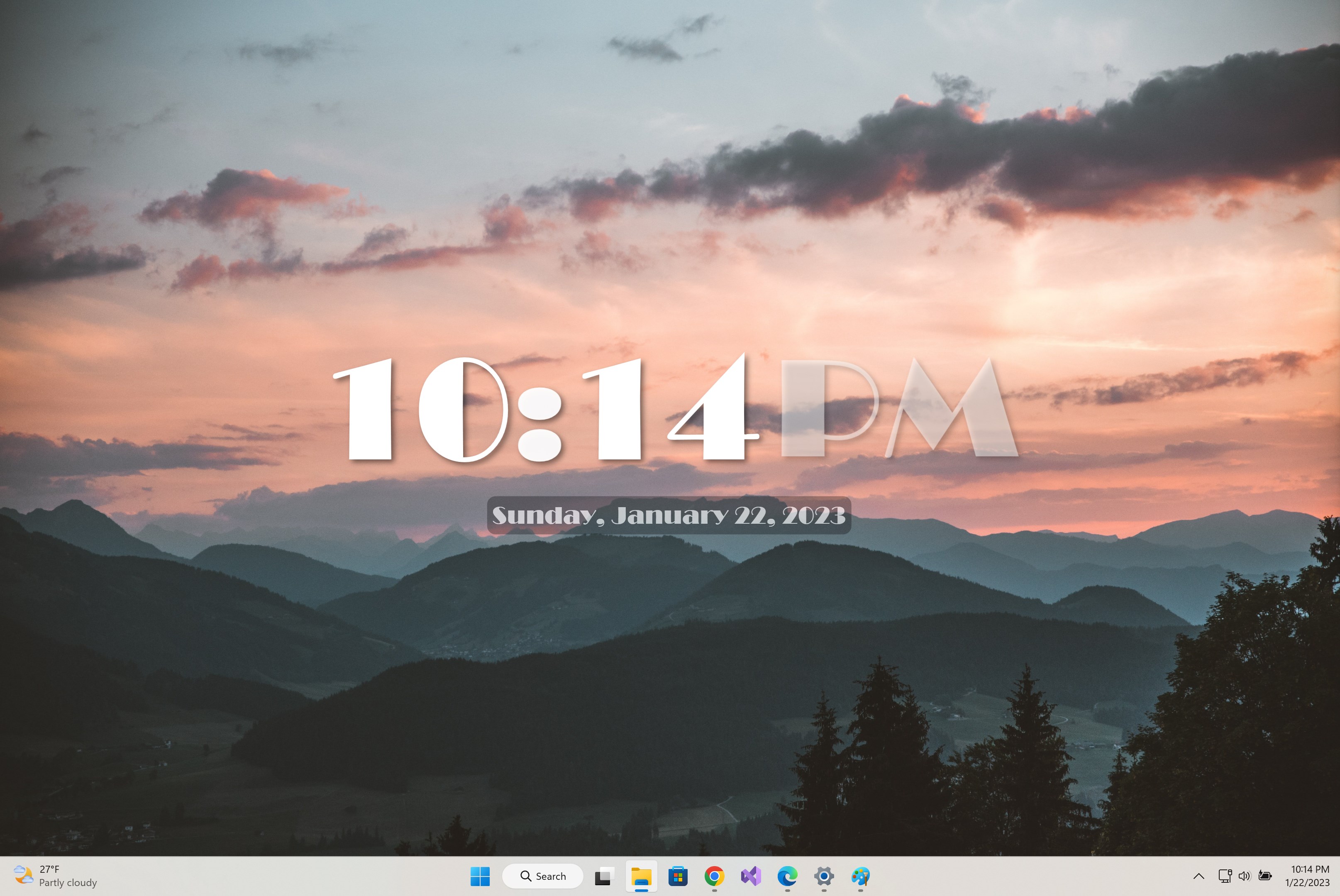
Desk Clock Desktop Widget by EvlarSoft LLC is a lightweight yet versatile tool designed to bring a stylish and functional clock straight to your Windows desktop. Unlike traditional clock apps, this widget seamlessly integrates into your workspace, offering both aesthetics and utility in a compact package.
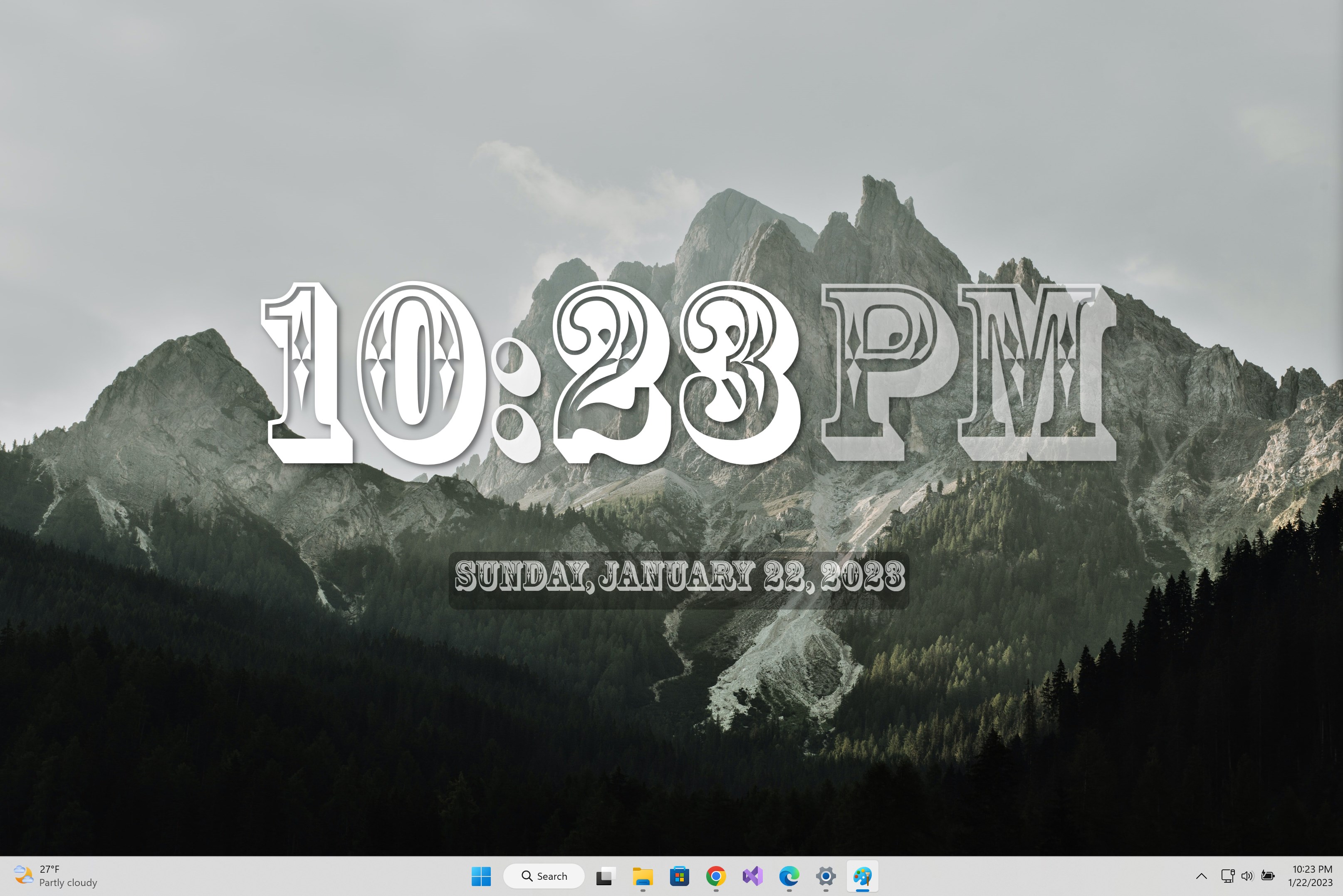
The first thing you'll notice about Desk Clock Desktop Widget is its clean and modern interface. It adopts a minimalist style that complements any desktop environment, whether you're using a sleek ultra-wide monitor or a cozy laptop screen. The widget can be customized with different themes and sizes, ensuring it fits perfectly into your personal workspace aesthetic. Its unobtrusive design ensures it provides time at a glance without distracting from your core tasks, making it feel more like a desktop accessory rather than an interruption.
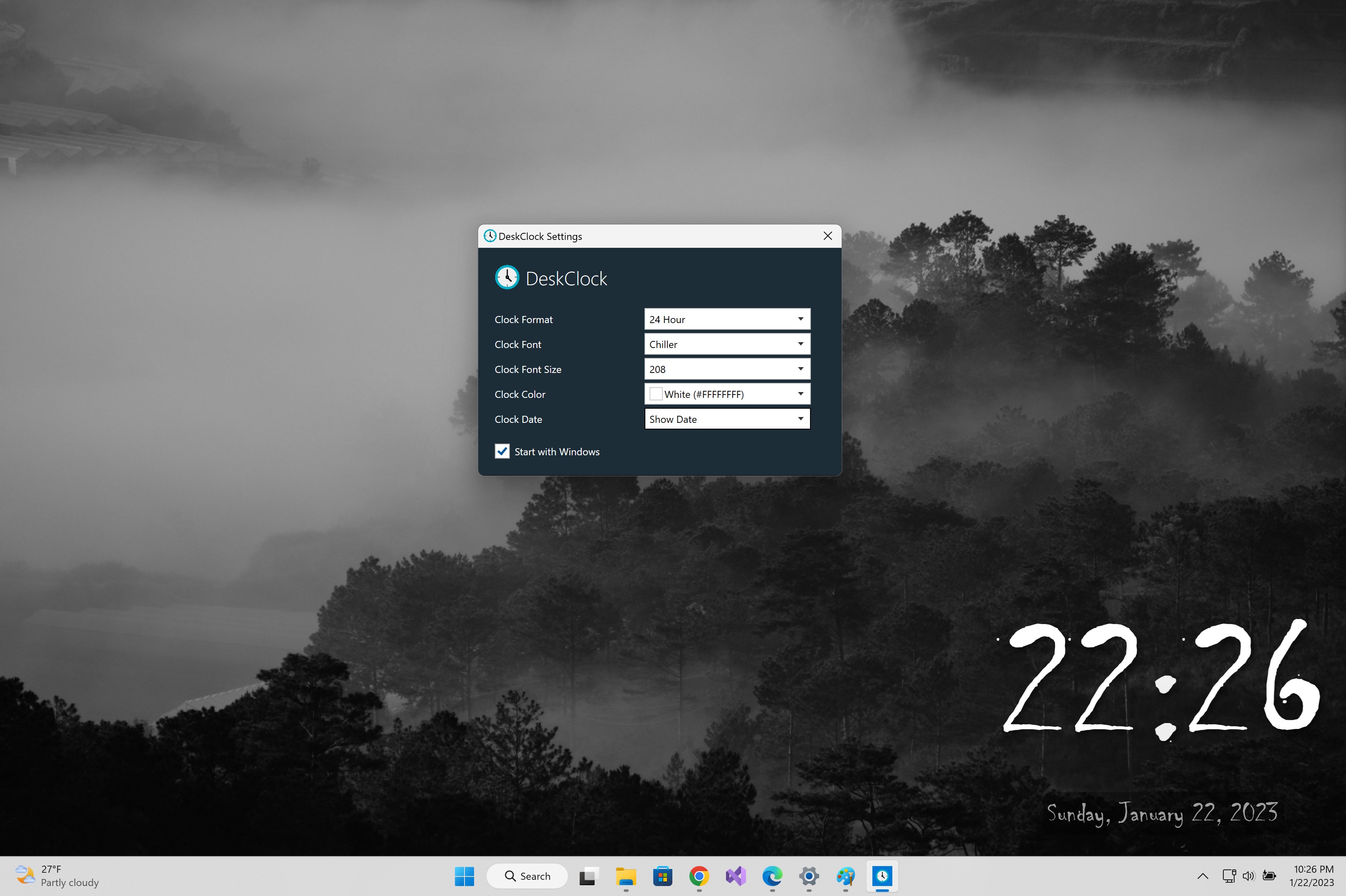
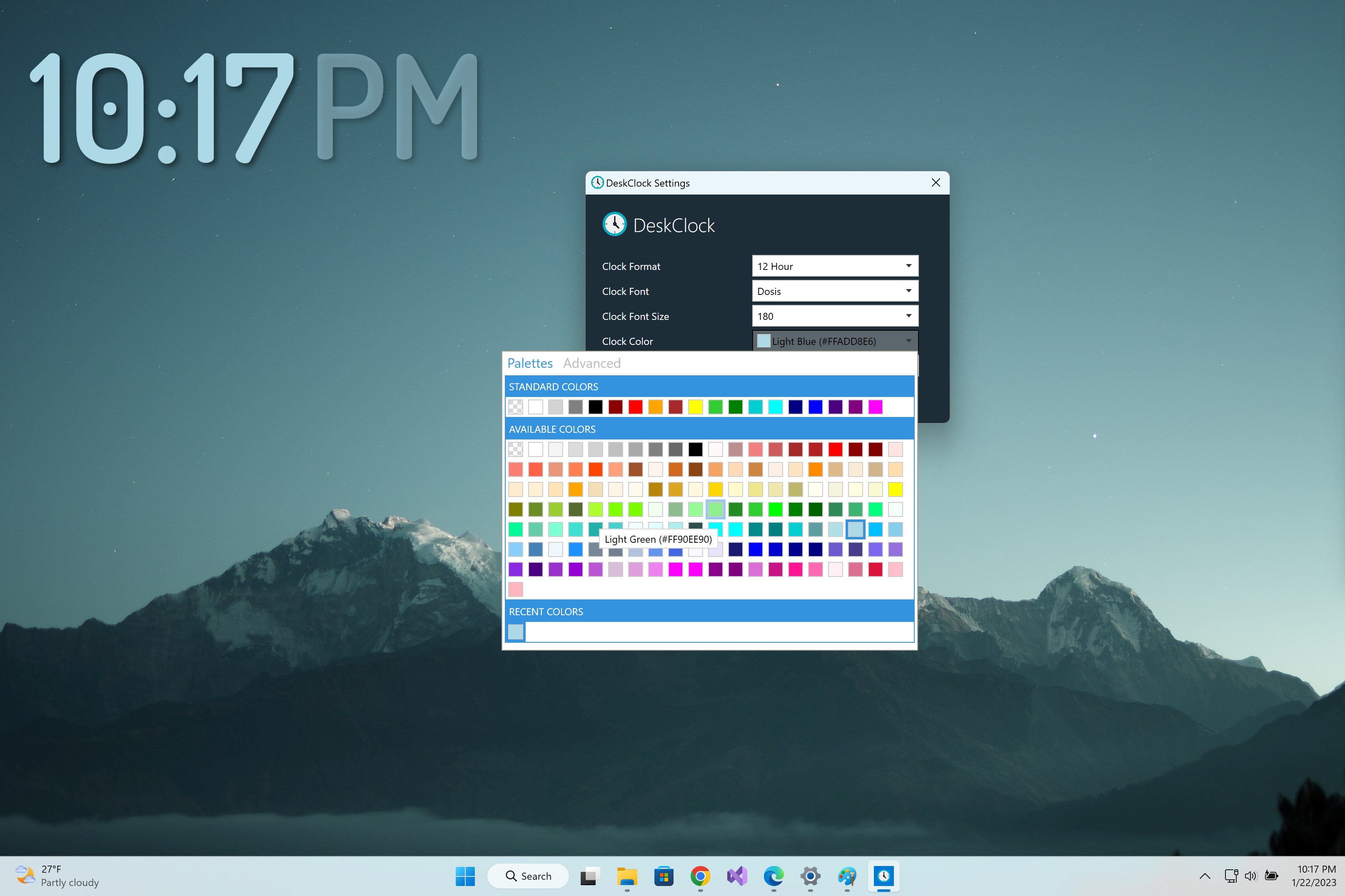
One of the most compelling aspects of this widget is its customizable appearance. Users can select from various clock styles, colors, and transparency levels, tailoring the widget to match their system theme or personal taste. This customization ensures that the widget isn't just functional but also visually integrated with your desktop environment. Additionally, the widget offers precise timekeeping with support for different time zones, making it ideal for users with international contacts or remote work routines.
Using the widget is a breeze—its operation is smooth and intuitive, requiring almost no learning curve. Once installed, it appears promptly on your desktop, and resizing or repositioning is straightforward via simple drag-and-drop gestures. The app is lightweight, so it doesn't bog down system resources, and it's responsive, updating the time seamlessly without lag or flickering. For professionals who spend extended hours at their desktops, the widget provides a reliable, always-on-time companion without becoming a visual clutter.
While many desktop clock widgets exist, Desk Clock Desktop Widget's standout feature lies in its intelligent customization capabilities combined with a focus on user experience. Unlike other apps that primarily serve as static time displays, this widget employs an adaptive display that can be dynamically styled to match your workflow and desktop theme. Furthermore, its responsiveness and minimal resource footprint make it a practical choice for everyday use. Unlike more entertainment-focused applications that prioritize content discovery algorithms, this widget emphasizes straightforward, relevant information, ensuring your focus remains on your tasks. Its subtle yet classy design promotes productivity and aesthetic harmony.
Overall, I'd recommend Desk Clock Desktop Widget for Windows users seeking a sleek, customizable, and unobtrusive clock solution. It's particularly suited for individuals who value a tidy desktop environment and require quick access to accurate time information without the distraction of more complex clock apps. For those tired of cluttered or overly flashy widgets, this app offers a calm, reliable alternative. Its unique combination of aesthetic flexibility and user-centric functionality makes it a worthwhile addition to your desktop tools—think of it as a friendly, always-on-standby timekeeper that quietly keeps you punctual with style.
Elegant and minimalistic design
Customizable clock styles and themes
Real-time clock updates
Low system resource consumption
Easy access to settings and features
Limited widget size options
Basic time zone support
Lack of alarm or timer functions
Minimal customization for clock display
No weather integration

for Windows
 5
5

for Windows
4.8

for Windows
4.8

for Windows
4.8

for Windows
4.7
for Windows
4.6

for Windows
4.6

for Windows
4.6

for Windows
4.6

for Windows
4.6

for Windows
4.6

for Windows
4.6

for Windows
5

for Windows
5

for Windows
5

for Windows
5
for Windows
5

for Windows
5

for Windows
5

for Windows
5

for Windows
5

for Windows
5