Lifestyle
Roadkill
PC, Mobile, Surface Hub, HoloLens
Windows 10 version 14393.0 or higher
English (United States)
Design Space SVG Library by Roadkill presents itself as a versatile tool for Windows users eager to elevate their craft projects. It offers a rich collection of SVG design elements tailored for hobbyists, educators, and small business owners looking to add a professional flair to their creative endeavors.
Designed as a dedicated SVG resource hub, this app simplifies the process of sourcing and managing intricate design elements for various crafting projects. Developed and published by Roadkill, a team known for crafting user-friendly digital tools, the application emphasizes accessibility and breadth of content.
Targeted at DIY enthusiasts, educators, small-scale entrepreneurs, and digital crafters, this application aims to empower users with high-quality vector designs that can be customized and utilized across multiple projects.
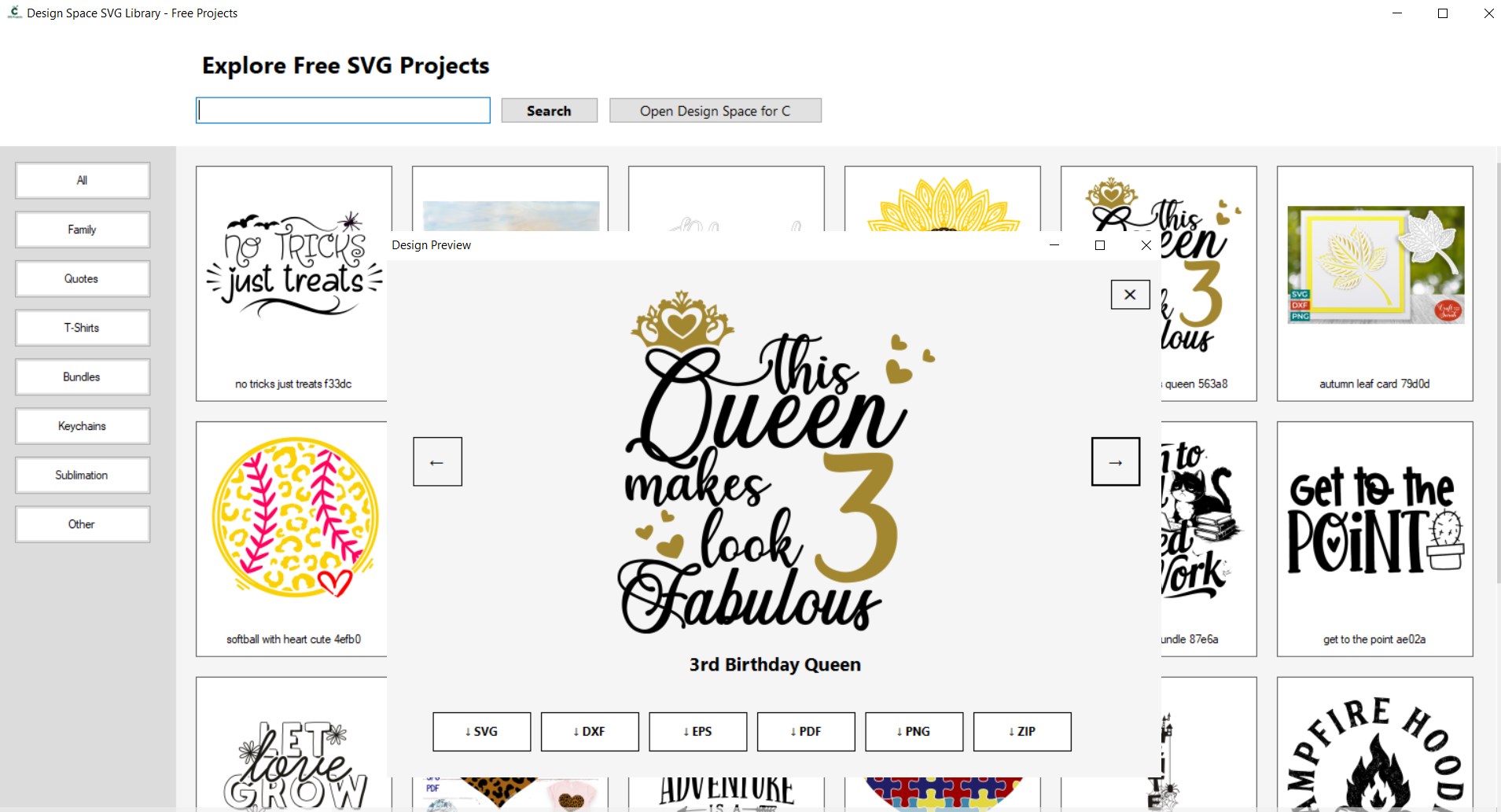
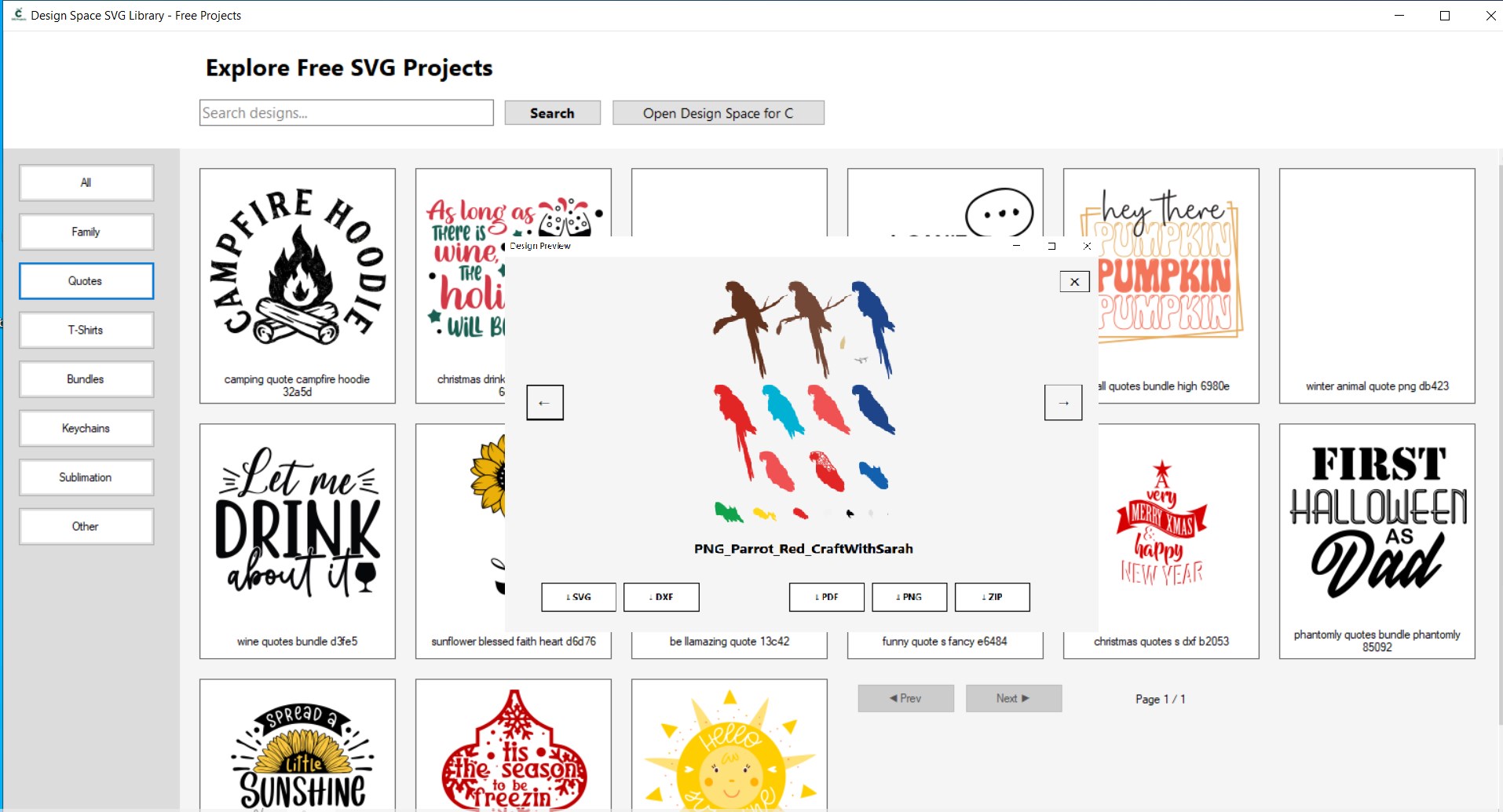
Imagine stepping into a well-organized craft closet—every SVG element neatly labeled and ready to use. The app's interface is a breath of fresh air, combining simplicity with a touch of elegance. Navigation feels like flipping through a thoughtfully curated catalog, making design sourcing a delightful experience.
The first standout is its comprehensive SVG library. With thousands of designs spanning themes from seasonal motifs to intricate patterns, users find everything they need without hopping from site to site. The categorization system works like a well-structured library shelf, allowing quick access and boosting creative flow.
The second notable aspect is the app's seamless integration with Windows. Whether you're working within design software like Cricut Design Space or other compatible programs, importing SVG files is straightforward, almost automatic. This smooth workflow eliminates frustration, translating to more time spent on creativity rather than troubleshooting technical issues.
In terms of user experience, the app shines with its clean, uncluttered interface that caters to all skill levels. The learning curve is gentle, thanks to in-app tutorials and organized sections. Even beginners can quickly grasp how to browse, download, and prepare SVG files for their projects. Experienced crafters won't find themselves bogged down by unnecessary complexities—just a fluid, efficient tool designed for practicality.
While there are many SVG libraries and design tools out there, Design Space SVG Library distinguishes itself through its curated focus on authenticity and quality. Unlike generic collections, this library emphasizes professionally designed content vetted for clarity and usability, bolstering its credibility among users who demand precision and creativity.
Furthermore, its integration with popular crafting workflows, combined with regular content updates aligned to current trends, makes it a reliable partner in the creative process. It isn't just a static library; it's a dynamic resource that adapts to the evolving needs of the crafting community.
In summary, I recommend Design Space SVG Library to anyone looking to streamline their SVG sourcing process with a tool that balances ease of use, content quality, and integration. For small businesses, educators, or hobbyists aiming to bring a professional touch to their projects, this app offers a valuable and accessible solution.
Given its core strengths—especially the vast, well-organized collection and its user-centric design—this app is a reliable companion for daily crafting needs. Whether you're designing personalized gifts or preparing teaching materials, it's worth adding to your toolkit to elevate your creative output with efficiency and confidence.
Extensive SVG Library
User-Friendly Interface
Regular Content Updates
Seamless Integration with Design Space
Preview Functionality
Limited Customization Options
Occasional Lag in Performance
Inconsistent File Quality
Limited Filtering Options
Lack of Offline Access
for Windows
 4.9
4.9

for Windows
4.8

for Windows
4.8

for Windows
4.8

for Windows
4.7

for Windows
4.2
for Windows
4.2

for Windows
4

for Windows
3

for Windows
3

for Windows
2.4

for Windows
2.3

for Windows
5

for Windows
5

for Windows
5

for Windows
5

for Windows
5

for Windows
5

for Windows
5

for Windows
5

for Windows
5

for Windows
5