Business
PC, Mobile, Surface Hub, HoloLens
Windows 10 version 17763.0 or higher
English (United States)
If you've ever stumbled upon treasured old tapes or received video files in DAT format that refuse to play nicely on modern devices, then DAT Media Conversion Tool by Brave Little King might just become your new best friend. Designed specifically for Windows users, this app promises a straightforward solution to convert DAT files into more versatile formats like MP4 — perfect for playback, editing, or sharing across devices.
Developed by Brave Little King, a small but dedicated software team, DAT Media Conversion Tool aims to simplify the often cumbersome process of handling DAT video files. Its main highlights include:
The target audience includes videographers, archivists, hobbyists, and anyone looking to salvage or repurpose DAT video content without hassle.
Imagine you've just uncovered a box of dusty VHS tapes, only to realize that the digital files stored in DAT format are an unreadable mystery on your current setup. Enter DAT Media Conversion Tool — a digital handyman ready to breathe new life into your forgotten footage. The process feels almost like magic: drag, drop, click convert, and voilà — the old media transforms into modern MP4s, ready for your favorite device or social media platform.
Its straightforward approach and focus on quality make it stand out in the crowded field of media converters. Plus, the app's lightweight footprint means you're not overwhelmed by unnecessary bells and whistles — just pure, efficient functionality.
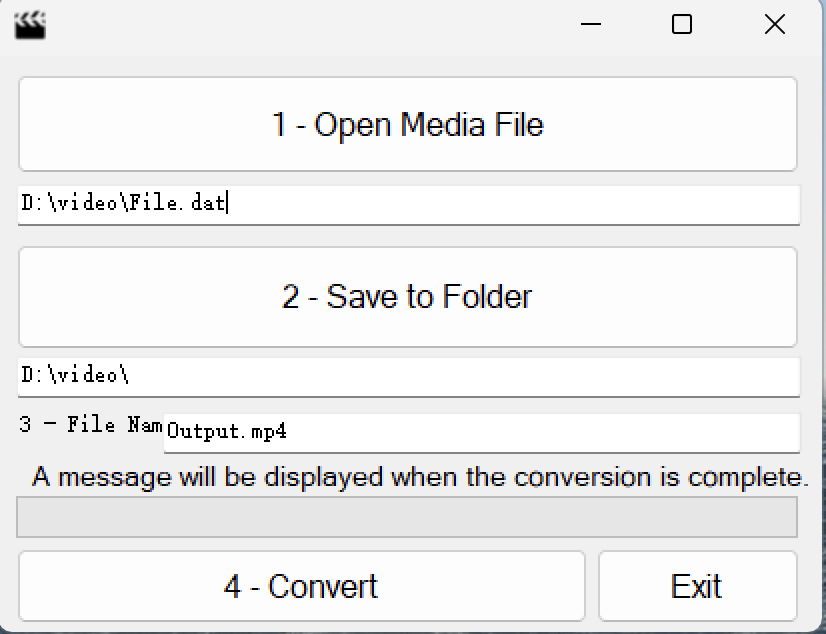
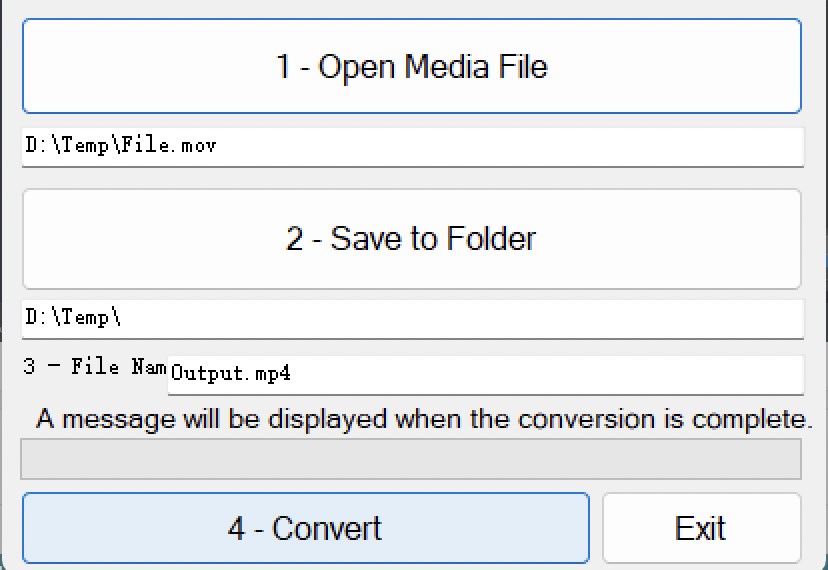
The application's user interface is refreshingly simple — a pleasing, uncluttered layout that guides users effortlessly from file selection to conversion. Buttons are intuitively labeled, and progress bars provide real-time status updates, making the process feel transparent and controlled. Operations are smooth; transitions are snappy, with no noticeable lags, giving a sense of reliability and professionalism.
Learning curve? Minimal. It's suitable even for users with little technical background, making it an ideal tool for hobbyists or casual users needing a quick solution. Advanced users will appreciate straightforward options without hidden complexities.
When considering how DAT Media Conversion Tool compares to other media converters, its unique strength lies in its niche focus on DAT format and the quality-preserving conversion process. Additionally, its batch processing and speed are notable advantages. While many generic converters can handle multiple formats, this app's specialization ensures higher fidelity and efficiency for its target purpose.
If your goal is to efficiently convert DAT files into a format compatible with today's devices without sacrificing quality, DAT Media Conversion Tool is a dependable choice. It's particularly recommended for archivists, media enthusiasts, or small studios needing a straightforward, reliable converter. However, for users requiring advanced editing features or broader format support, exploring other tools might be beneficial.
Overall, I'd rate this app as a solid, niche solution — friendly enough for beginners yet functional enough for more seasoned users. Its focus on quality and speed makes it an underrated gem worth trying if you regularly handle DAT videos or need a quick conversion fix. Just keep in mind that its niche focus means it's best suited for specific use cases rather than as a universal media converter.
High Conversion Speed
User-Friendly Interface
Supports Batch Conversion
Preserves Video Quality
Free to Use with No Ads
Limited Format Support
Basic Editing Features Missing
No Built-in Preview Function
Occasional Stability Issues
Lack of Detailed Settings

for Windows
 5
5

for Windows
5

for Windows
4.9

for Windows
4.9

for Windows
4.9
for Windows
4.9

for Windows
4.8

for Windows
4.8

for Windows
4.8

for Windows
4.8

for Windows
4.7

for Windows
4.7

for Windows
5

for Windows
5

for Windows
5

for Windows
5

for Windows
5

for Windows
5
for Windows
5

for Windows
5

for Windows
5

for Windows
5