Social
PC
Windows 10 version 17763.0 or higher
English (United States)
Imagine tailoring your gaming experience so precisely that your crosshair becomes an extension of your personal style—this is the promise of CrosshairX-CustomGameCrosshair. Designed to offer gamers a versatile way to customize their crosshairs seamlessly, this app aims to elevate precision and personalization during gameplay without the hassle of complex configurations.
Created by Goldenman Limited, a reputable developer known for thoughtful gaming accessories and utilities, CrosshairX delivers both functionality and user-centric design, ensuring gamers of all levels can enjoy a refined customization experience.
Once you dive into CrosshairX, it's like unlocking a secret weapon tailored to your exact preferences. The first thing you'll notice is how effortlessly it blends into your gaming environment — the interface feels as smooth as a well-oiled racing car. Whether you're a casual shooter or a competitive gamer, customizing your crosshair should feel less like a chore and more like fine-tuning your gear for peak performance.
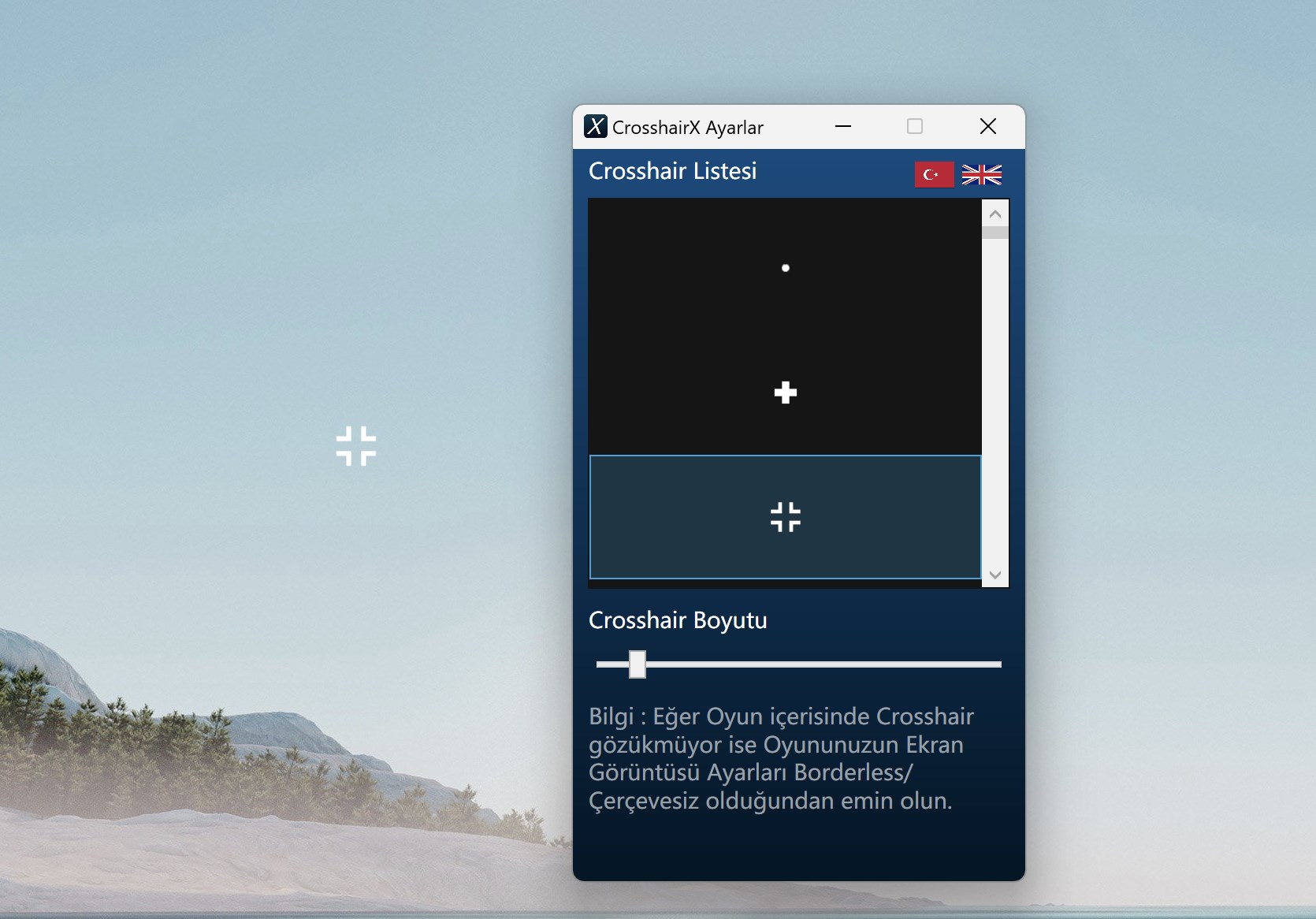
The app's pièce de résistance is its intuitive customization panel. Imagine being a painter with an endless palette—you can select from a variety of shapes, adjust thickness, tweak opacity, and pick colors. The real-time preview feature is akin to having an artist's palette right in your hand, letting you see exactly how your crosshair looks in the game environment before applying. This instant feedback loop ensures your setup is perfect—no more second-guessing or guessing in the dark.
For gamers juggling multiple titles or roles—say, switching from sniper to assault—the profile management feature acts like a personal assistant. Save different configurations as profiles and switch at a click, much like changing outfits for different occasions. This smooth transition saves time and keeps your gameplay consistent, whether you're streaming, competing, or just having fun.
The interface is clean, guiding users through customization with minimal clutter—think of it as a well-organized toolbox, easy to navigate even for newcomers. The app runs seamlessly in the background, with minimal impact on system performance, which means your FPS remains steady like a metronome. The learning curve is gentle; even those new to crosshairs or customization will find it accessible thanks to clear instructions and previews.
What sets CrosshairX apart from other overlay tools or social gaming apps is its laser focus on the core purpose: precise, customizable aiming aids. While many tools offer generic overlays, CrosshairX emphasizes user profile customization and authenticity verification, ensuring your crosshair isn't just a visual tweak but a genuine extension of your gaming identity. Its ability to discover and connect with different game environments or profiles makes it stand out as a truly versatile companion for the modern gamer.
If you're someone who appreciates fine details and wants a straightforward yet powerful way to enhance your aiming accuracy, CrosshairX-CustomGameCrosshair is highly recommended. Its user-friendly design combined with robust customization options makes it suitable for both beginners and seasoned gamers looking to craft their perfect crosshair setup.
For those who regularly switch between games or roles, the profile management feature is a boon, saving time and maintaining consistency. Given its unobtrusive operation and comprehensive features, I would suggest giving it a try if you're eager to tweak your in-game aim without the complexities of advanced software solutions. Just think of it as your personalized aiming coach—quiet, reliable, and tailored just for you.
Highly customizable crosshairs
Easy-to-use interface
Real-time overlay adjustment
Wide game compatibility
Low resource usage
Limited crosshair presets in the free version
Occasional overlay flickering on certain systems
Compatibility issues with some fullscreen games
Customization options could be more advanced
Lack of additional features like weapon calibration

for Windows
 5
5
for Windows
4.9

for Windows
4.8

for Windows
4.7

for Windows
4.7

for Windows
4.6

for Windows
4.6

for Windows
4.5

for Windows
4.5

for Windows
4.5

for Windows
4.5

for Windows
4.4

for Windows
5

for Windows
5

for Windows
5

for Windows
5

for Windows
5
for Windows
5

for Windows
5

for Windows
5

for Windows
5

for Windows
5